
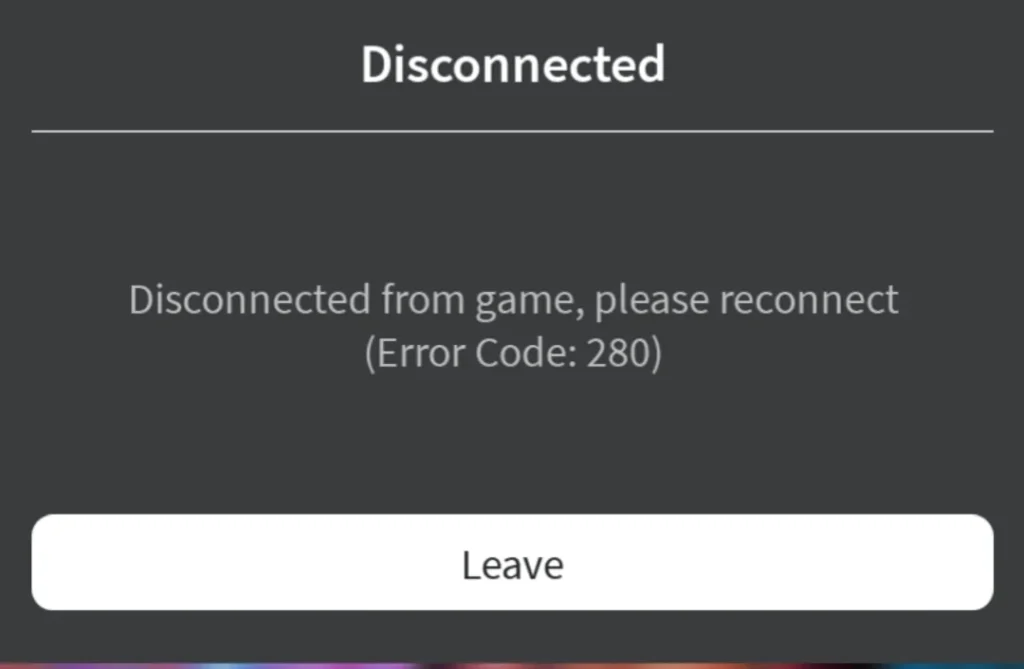
Roblox Error Code 280 appears when the client you’re using isn’t allowed to join an experience because it isn’t running the version Roblox expects. When this happens, the game blocks the connection and stops you from loading into servers until the issue is resolved.
For many players, it shows up suddenly and interrupts normal gameplay. The good news is that it’s a straightforward, version-related message, and not related to an issue with your device or account. Read on to learn what the error means, why it’s caused, and how you can fix it.
What Is Roblox Error Code 280?
Roblox Error Code 280 is an official message that appears when the version of Roblox installed on your device is older than the version required to join an experience. Roblox updates frequently, and when your client falls behind, the platform blocks you from connecting.
The message serves as a prompt for players to update their client so it aligns with the version Roblox expects. Updating brings your version back in line with the platform’s requirements and clears the error so you can join experiences again and reconnect without interruption.
Causes of Roblox Error Code 280
Several factors can prevent Roblox from updating properly, which leads to Error Code 280 appearing when you try to join an experience. The most common reasons include:
- Outdated Roblox client: Roblox releases new builds frequently, and if your device is still using an older version, the platform prevents you from joining experiences unless you update to the latest version.
- Update not applied properly: Sometimes Roblox downloads an update but doesn’t install it cleanly, leaving the client in an outdated state. This mismatch triggers the error when you try to join a game.
- Incorrect system clock or time settings: If your device’s time is significantly out of sync, Roblox may not validate or apply updates correctly and cause the client to appear outdated even if an update is available.
- Network restrictions blocking updates: Certain networks, especially school or work connections, may block Roblox’s update servers. If the client can’t download required files, it remains outdated and shows the error.
- Using a Beta or Unsupported Roblox Build: Players running a test build or an outdated beta version may not meet the version requirements set by Roblox. The platform responds by displaying Error Code 280.
Ways to Fix Roblox Error Code 280
Error Code 280 is resolved by bringing your Roblox client up to date. These fixes focus on helping the update install correctly and clearing anything that might block it:
Update Roblox to the latest version
When you launch Roblox, the platform normally updates automatically, but you can trigger a manual update by closing and reopening the app. Once the latest version downloads and installs, the client aligns with Roblox’s requirements and the error clears.
Restart Roblox or your device
A simple restart forces Roblox to recheck for updates and reload its files. If an update was downloaded but not applied, restarting can help the client complete the process. This also clears temporary glitches that may stop Roblox from moving to the required version.
Correct your system clock and time zone
Roblox relies on accurate device time to validate updates and communicate with its servers. If your system clock is significantly incorrect, the update may fail or appear invalid. Adjusting the time and making sure automatic time sync is enabled can help Roblox apply the correct build.
Switch to a less restricted network
Some networks may block Roblox’s update servers or content delivery network. If Roblox can’t download necessary files, the client remains outdated and triggers the 280 message. Switching to a different connection or a less restricted network can help the update complete.
Reinstall Roblox for a clean build
If updates fail repeatedly, reinstalling Roblox gives you a fresh copy of the required version and removes any corrupted or incomplete update files that may be stopping the client from aligning with the latest build. Roblox should then let you join experiences normally.
Frequently Asked Questions
Roblox Error Code 280 appears when your client is running an older version than the one required to join an experience. Roblox blocks the connection until you install the current build. Once updated, you can load into experiences normally.
A standard home connection or firewall typically won’t trigger Error Code 280, but a restricted network can. School, work, or managed Wi-Fi may block Roblox’s update servers, preventing your client from downloading the required version.
Yes. Reinstalling Roblox installs a clean copy of the latest version, which removes outdated or incomplete update files that may be causing the error. If the issue came from a failed update, a reinstall usually resolves it immediately.
No, it’s not a server outage message. It appears specifically when your client is outdated or didn’t update properly. Server issues have their own error codes, so Error Code 280 should be treated as a version mismatch problem instead.
If Error Code 280 still appears after updating, the previous update may not have been installed correctly. Incorrect system time, restricted networks, or corrupted local files can cause the client to appear outdated. Restarting Roblox or reinstalling the app typically resolves the issue.
Related Read: