

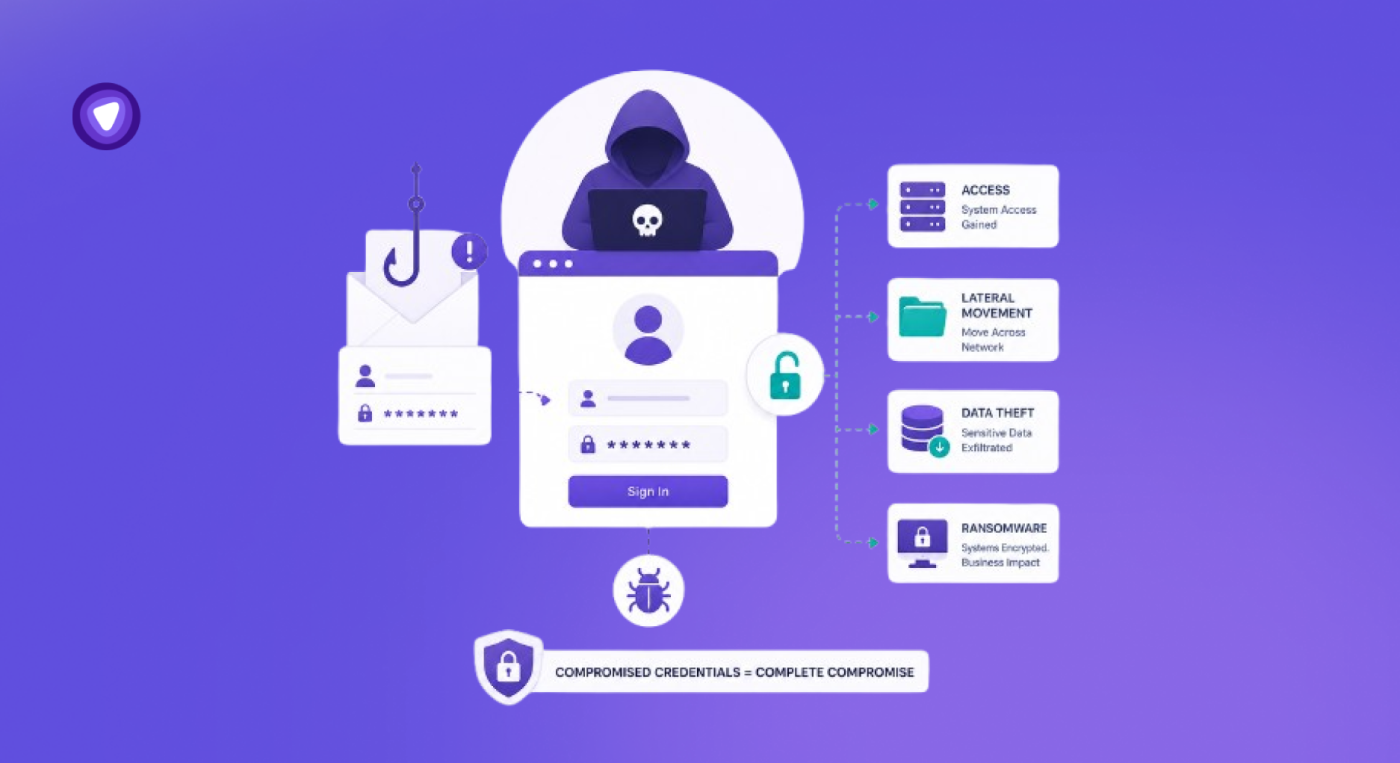
How Credential Theft Became the Core of Modern Cyberattacks
April 2026 became one of the most damaging months for cryptocurrency related hacks, with more than $635 million reportedly stolen across multiple incidents involving compromised credentials, social engineering, and account access abuse.
Earlier this year, cybersecurity researchers warned that more than 16 billion exposed login credentials were circulating online through infostealer malware datasets and historical breach collections. The exposed records included email accounts, banking logins, cloud platforms, social media accounts, and developer tools
These attacks reveal the same pattern repeatedly.
Cybercriminals are increasingly targeting credentials instead of systems because passwords remain one of the easiest ways to gain access quietly.
According to IBM’s 2025 X Force Threat Intelligence Index, nearly one in three incidents observed in 2024 involved credential theft, while phishing emails delivering infostealers increased by 84% year over year.
Credential Theft Has Become a Scalable Cybercrime Model
Credential abuse is no longer limited to large enterprises or crypto exchanges.
Everyday users now face phishing pages, malicious browser extensions, fake password reset prompts, public Wi Fi interception attempts, and large scale credential leaks that circulate across underground marketplaces.
Most attacks succeed because users still rely on weak passwords, repeated credentials, browser saved logins, or unsafe password storage habits.
That is why password management has shifted from convenience software into an essential layer of personal cybersecurity.
Passwords Became Impossible to Manage Manually
Most users no longer manage five or ten accounts.
They manage banking apps, work platforms, shopping sites, cloud storage accounts, streaming services, crypto wallets, email accounts, collaboration tools, and social media logins across multiple devices.
Remembering unique passwords for every account becomes unrealistic at that scale. As a result, many people fall into the same habits:
- Reusing passwords across accounts
- Saving credentials in browsers or notes apps
- Creating weak password variations
- Sharing passwords through messages or spreadsheets
Password managers were designed to solve that exact problem.
They store credentials inside an encrypted vault, generate stronger passwords automatically, autofill logins securely, and keep account access organized across devices. Instead of remembering dozens of passwords manually, users only need to remember one master password.
The Internet Still Runs on Passwords
Passwords were never designed for the scale of the modern internet.
The average user now manages dozens of accounts across banking platforms, shopping sites, work applications, streaming services, cloud tools, social media platforms, and crypto wallets. Most people respond the same way:
- Reusing passwords
- Creating simple variations of old passwords
- Saving credentials in browsers or notes apps
- Sharing passwords through messages or spreadsheets
- Choosing memorable but weak passwords
Each habit increases exposure.
A single leaked password often becomes the starting point for credential stuffing attacks, where attackers automatically test stolen login combinations across multiple platforms.
Research analyzing millions of breached passwords found that 38% of users reused the exact same password across different services.
That creates a chain reaction.
One compromised streaming account can expose email access. An exposed email account can reset banking credentials. A breached work login can expose internal company systems.
Attackers no longer need to “hack” accounts in the traditional sense. In many cases, they simply log in using credentials that users already exposed elsewhere.
Fake Login Pages Are Winning Against Human Attention
Phishing attacks no longer look obviously fake.
Modern phishing campaigns imitate legitimate login pages, browser notifications, password reset prompts, cloud storage alerts, banking messages, crypto exchange emails, and collaboration tools with high accuracy.
Artificial intelligence has accelerated that shift.
IBM reported that attackers increasingly use AI generated phishing content to scale credential theft operations and deliver infostealers more efficiently.
Users are now encountering:
- Fake login portals that closely mirror legitimate websites
- Browser popups impersonating password expiration alerts
- QR code phishing campaigns
- Mobile phishing through SMS and messaging apps
- Ad based phishing redirects
- Credential harvesting through malicious browser extensions
Many phishing attacks succeed because users manually enter passwords into fraudulent pages.
This is where password managers change the equation.
Instead of relying on users to recognize every fake website, password managers reduce manual password handling entirely.
A password manager autofills credentials only on legitimate saved domains. If a phishing page uses a fake URL, the password manager typically refuses to autofill the login.
That small technical behavior creates an important security barrier.
The user no longer needs to visually inspect every login page perfectly because the password manager acts as an additional verification layer.
Public Wi-Fi Exposure Goes Beyond What Users Expect
Public Wi Fi networks remain one of the most overlooked credential exposure points.
Coffee shops, airports, hotels, coworking spaces, and public transport hubs frequently expose users to insecure network conditions.
Attackers operating on unsecured networks can attempt:
- Traffic interception
- Session hijacking
- Rogue hotspot attacks
- DNS spoofing
- Man in the middle attacks
- Fake captive portals designed to steal credentials
Even when websites use HTTPS, attackers still target users through fake login prompts, malicious redirects, and compromised network environments.
This becomes especially dangerous when users access banking apps, work dashboards, crypto exchanges, or email accounts over public connections.
Traditional password managers secure stored credentials, but connection privacy matters too.
A strong password manager approaches this differently by integrating password protection within a broader VPN privacy ecosystem.
Passwords are encrypted before leaving the device and tunneled through a VPN connection for additional protection during transmission.
That matters because credential security is not only about where passwords are stored. It is also about how users access services online.
Billions of Stolen Credentials Are Already Circulating Online
Credential leaks are no longer isolated incidents.
Massive datasets containing usernames, passwords, tokens, cookies, and session data now circulate continuously across underground forums and infostealer marketplaces.
In June 2025, cybersecurity researchers warned about more than 16 billion exposed login records linked to infostealers and historical credential leaks.
These datasets often contain:
- Email credentials
- Banking logins
- Cloud platform access
- Crypto exchange credentials
- Business application logins
- Browser saved passwords
- Session tokens
Many users remain unaware that their credentials are already circulating online.
The danger increases when users continue reusing passwords across accounts.
Attackers automate the entire process using credential stuffing tools that test leaked passwords against thousands of websites within minutes. Security teams increasingly view credential abuse as one of the most difficult attack vectors to contain because the login activity often appears legitimate.
Password Managers Solve the Exact Problems Attackers Exploit
Many people still think password managers only store passwords.
Modern password managers do significantly more.
A well designed password manager creates a centralized encrypted vault that stores and manages:
- Usernames and passwords
- Payment information
- Recovery codes
- Secure notes
- Wi Fi passwords
- Identity details
- Sensitive business credentials
The security value comes from reducing risky user behavior.
Password managers directly address several of the most common causes of account compromise.
- Eliminate Password Reuse
Most users reuse passwords because remembering unique credentials across dozens of accounts becomes unrealistic.
Password managers remove that friction.
Users can generate and store unique passwords for every account without relying on memory. That prevents one leaked password from exposing multiple services at once.
- Generate Stronger Credentials Automatically
Weak passwords remain one of the easiest attack paths for credential stuffing and brute force attacks.
Password managers include built in password generators that create long random passwords resistant to guessing patterns and automated cracking attempts.
Instead of using birthdays, names, repeated words, or slight password variations, users can create stronger credentials instantly.
Read more on Password Rotation here.
- Reduce Manual Password Entry
Typing passwords repeatedly increases phishing exposure.
Password managers reduce manual handling by autofilling credentials directly into trusted login pages. That lowers the chances of entering passwords into fake websites or fraudulent login portals.
It also reduces password copying across notes apps, spreadsheets, messages, and browsers.
- Centralize Sensitive Information Securely
Many users store sensitive information across scattered locations:
- Browser saved passwords
- Notes apps
- Screenshots
- Sticky notes
- Spreadsheets
- Chat applications
Password managers centralize that information into one encrypted vault instead of leaving credentials exposed across multiple apps and devices.
- Improve Password Visibility
One overlooked security issue is that many users do not actually know which accounts use weak or reused passwords.
Password health monitoring features help identify:
- Weak passwords
- Reused credentials
- Older passwords needing updates
- Potentially exposed logins
That visibility helps users fix security gaps before attackers exploit them.
- Make Cross Device Security Easier
Modern users move constantly between phones, browsers, tablets, and laptops.
Without password synchronization, people often fall back on unsafe shortcuts like storing passwords in browsers or reusing easier credentials.
Cross device password management keeps credentials accessible securely without sacrificing usability.
- Create Safer Password Sharing
Password sharing still happens regularly inside families, remote teams, startups, and small businesses.
The unsafe version usually looks like this:
- Sending passwords through chat apps
- Sharing spreadsheets
- Forwarding credentials through email
- Saving shared logins in documents
Secure password sharing features reduce exposure by allowing controlled credential access without exposing passwords directly.
- Reduce Password Reset Fatigue
Password resets create both usability and security problems.
Users locked out of accounts often create weaker passwords simply to regain access quickly.
Password managers reduce forgotten credentials and eliminate the cycle of repeated resets across dozens of accounts.
Core Security Functions of a Password Manager
Instead of relying on memory or repeated passwords, users can generate unique credentials for every account.
| Feature | Security Benefit |
| Password generation | Creates long random passwords resistant to brute force attacks |
| Autofill | Reduces manual password entry on phishing pages |
| Encrypted storage | Prevents passwords from being stored in plain text |
| Cross device sync | Keeps credentials available securely across devices |
| Password health checks | Flags weak, reused, or exposed passwords |
| Secure sharing | Reduces unsafe password sharing through chats or documents |
| Multi factor authentication | Adds another verification layer before vault access |
Password managers also reduce one of the biggest security problems in daily internet usage: password fatigue.
When users no longer need to memorize dozens of passwords, they are more likely to use stronger credentials consistently.
Not Every Password Manager Protects Data the Same Way
Not all password managers handle user data the same way.
One of the most important technical features in modern password security is zero knowledge architecture. In a zero knowledge system, the service provider cannot view or retrieve the user’s stored passwords.
The encryption and decryption process happens locally on the user’s device.
PureVPN Password Manager operates on a zero knowledge architecture where only the user can access the contents of the password vault.
This matters because centralized password storage creates trust concerns.
Users need assurance that:
- Passwords are not stored in readable form
- Providers cannot access vault contents
- Stored credentials remain encrypted during sync and storage
- Data exposure risks remain minimized even if infrastructure is targeted
PureVPN’s Password Manager uses AES 256 encryption to protect stored credentials and sensitive information.
AES 256 remains one of the most widely trusted encryption standards used across enterprise security systems, financial infrastructure, and government environments.
Autofill Has Quietly Become an Anti Phishing Defense Layer
One of the most underrated security advantages of password managers is phishing resistance.
Most phishing attacks depend on manual user input. The attacker creates a convincing login page and waits for the victim to type credentials.
Password managers interrupt that workflow. Because saved credentials are tied to specific domains, autofill systems typically activate only on legitimate websites associated with stored login records.
If the domain does not match, the password manager often refuses to autofill. That gives users an additional signal that something is wrong.
This protection becomes increasingly important as phishing pages grow more sophisticated.
Attackers now imitate:
- Banking portals
- Cloud collaboration platforms
- Crypto exchanges
- HR systems
- Microsoft 365 login pages
- Password reset portals
- MFA verification prompts
Even experienced users sometimes fail to detect subtle phishing indicators. Reducing manual credential entry lowers the attack surface substantially.
Remote Work Expanded the Credential Attack Surface
Remote work expanded the credential attack surface dramatically.
Employees now access company resources from:
- Home networks
- Shared coworking spaces
- Airports and hotels
- Personal devices
- Public Wi Fi networks
- Multiple browsers and cloud applications
That environment increases exposure to phishing, unsecured connections, credential reuse, and device compromise.
According to reports, third party involvement in confirmed breaches doubled to 30%, while credential related attacks remained one of the most common entry methods.
Password managers help remote workers reduce operational risk by centralizing authentication practices.
Instead of storing credentials across browsers, spreadsheets, sticky notes, or chat applications, teams can standardize secure credential handling.
This becomes especially important for:
- Freelancers
- Distributed teams
- Agencies
- Crypto traders
- Financial professionals
- IT administrators
- Small businesses managing shared accounts
Read more on Password Managers for Remote Teams here.
Where PureVPN Password Manager Fits In
Password security no longer exists separately from network security.
A strong password still becomes exposed if users enter it through phishing pages, unsecured public networks, or compromised browsing environments.
PureVPN’s Password Manager combines credential management with encrypted network privacy, helping users secure both their stored passwords and the connection used to access online accounts.
PureVPN’s Password Manager includes password generation, autofill, encrypted vault storage, password health monitoring, multi factor authentication support, biometric lock, and cross device access within PureVPN’s broader privacy ecosystem.
The combination matters because modern attacks increasingly target both identity data and browsing activity together.
Read this complete guide on how PureVPN’s Password Manager works.
Final Thoughts
Credential theft has become one of the most efficient attack methods in cybersecurity because users still rely heavily on passwords.
Attackers understand that people reuse credentials, save passwords in unsafe places, connect through unsecured networks, and fall for increasingly sophisticated phishing campaigns.
Password managers help reduce those risks by changing how credentials are created, stored, shared, and used.
They reduce password reuse, encourage stronger credentials, limit manual password entry, and create a more organized approach to account security.
As phishing campaigns, infostealer malware, and credential leaks continue scaling globally, password management is no longer optional security hygiene. It is part of the foundation of safer internet access.