

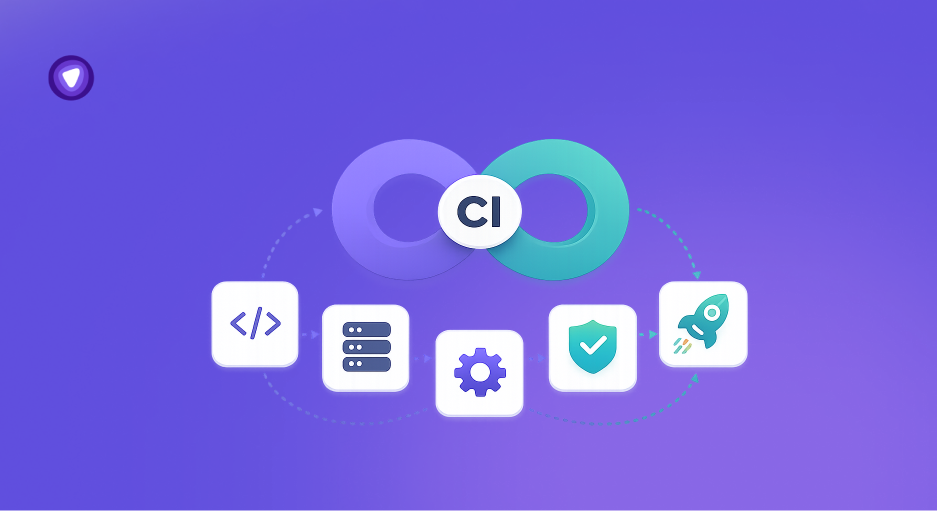
- Continuous Integration (CI) is a development practice where code changes are frequently merged into a shared repository and automatically tested to detect issues early.
- CI improves software quality by running automated builds, tests, and validations that catch errors before they reach production.
- It reduces integration conflicts by ensuring developers commit smaller, more frequent updates instead of large, delayed code merges.
- CI accelerates release cycles by automating repetitive development and testing tasks, enabling faster and more reliable deployments.
- Secure CI environments require controlled access to repositories, build systems, and deployment pipelines, especially in distributed and remote development setups.
Software development teams no longer release updates a few times per year. Modern applications are updated continuously, with engineering teams shipping fixes, features, and infrastructure changes across shared codebases every day.
As release cycles accelerated, manual code integration became difficult to manage. Small conflicts between dependencies, APIs, and feature branches often created failed builds, unstable releases, and deployment delays that slowed entire development pipelines.
Continuous Integration, commonly called CI, was introduced to solve this problem through automation. This guide explains what CI means, how it works, why teams rely on it, and where secure infrastructure fits into the process.
What Is CI (Continuous Integration)?
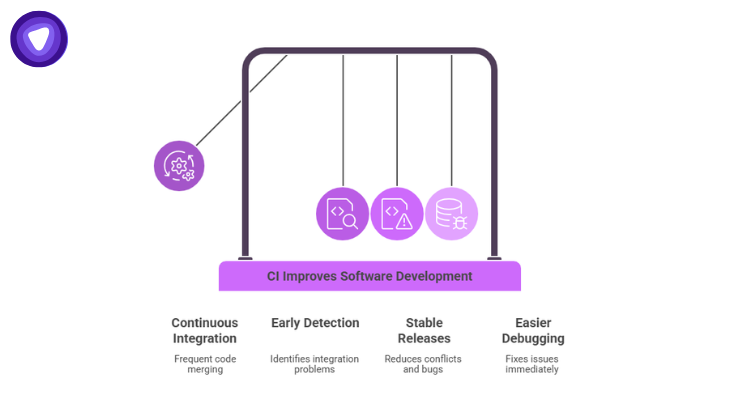
Continuous Integration is a software development practice where developers frequently merge code changes into a shared repository. Each update automatically triggers checks such as builds, automated tests, and code validation.
The goal is simple: identify integration problems early instead of discovering them days or weeks later.
Before CI became common, teams often waited until the end of a project phase to combine code changes. That process created large conflicts, unstable releases, and difficult debugging sessions.
CI changes that workflow by making integration continuous rather than occasional.
A Simple CI Workflow
A typical CI process looks like this:
- A developer writes code for a feature or fix.
- The code is pushed to a shared repository such as GitHub or GitLab.
- A CI platform automatically runs:
- Build checks
- Automated tests
- Security scans
- Dependency validation
- The system reports success or failure.
- Developers fix issues immediately if something breaks.
Instead of waiting for manual reviews at the end of development, teams validate changes continuously throughout the project lifecycle.
Why CI Matters in Modern Development
Software teams release products faster than ever. Applications now depend on microservices, cloud infrastructure, APIs, and distributed teams working across multiple time zones.
Without automation, integration quickly becomes chaotic.
According to a report, high performing engineering teams deploy code significantly more frequently and recover from failures faster because they rely heavily on automation practices such as CI/CD pipelines.
CI helps teams maintain stability while increasing development speed.
Key Benefits of Continuous Integration
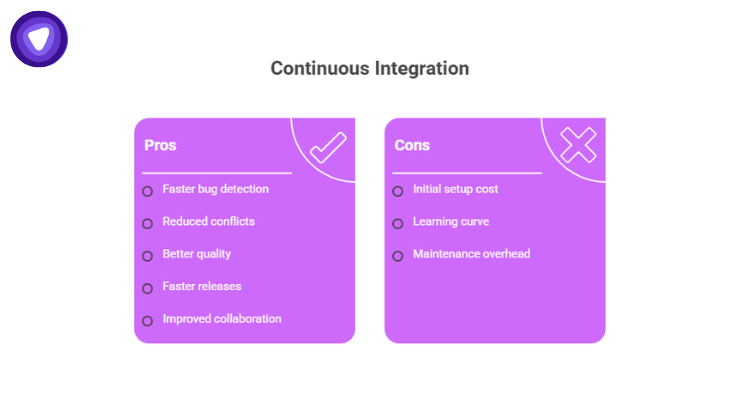
Faster Bug Detection
CI identifies issues moments after code changes are submitted.
Developers do not spend days tracking the source of a failure because the system pinpoints exactly which commit introduced the problem.
Reduced Integration Conflicts
Frequent code merging prevents large scale merge conflicts.
Smaller updates are easier to review, test, and fix.
Better Code Quality
Automated testing catches:
- Failed builds
- Syntax errors
- Broken dependencies
- Unit test failures
- Security vulnerabilities
This creates more reliable releases.
Faster Release Cycles
CI supports rapid deployment strategies because testing and validation happen automatically.
Teams spend less time preparing releases manually.
Improved Team Collaboration
Shared repositories and automated feedback create transparency across development teams.
Everyone works from the same validated codebase.
CI vs CD: Understanding the Difference
CI is often paired with CD, but the two terms are not identical.
| Practice | Purpose | Main Focus |
| Continuous Integration (CI) | Automatically test and validate code changes | Code quality and integration |
| Continuous Delivery (CD) | Prepare validated code for deployment | Release readiness |
| Continuous Deployment | Automatically deploy validated code to production | Full deployment automation |
CI forms the foundation of modern DevOps workflows.
Without reliable integration and testing, automated delivery becomes risky.
Core Components of a CI Pipeline
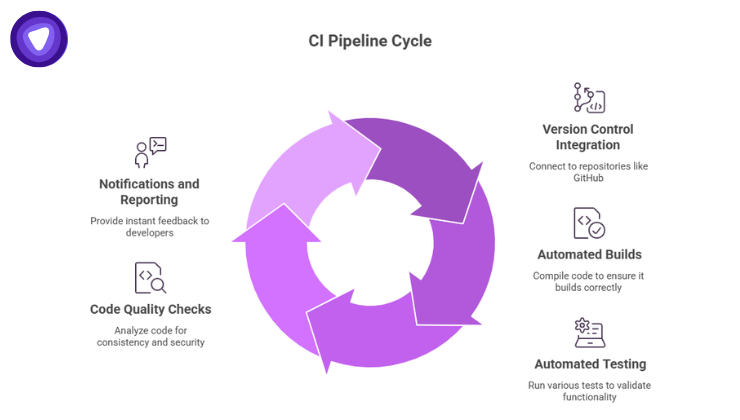
A CI pipeline is the automated workflow that validates code changes.
Different organizations structure pipelines differently, but most include similar stages.
Version Control Integration
CI platforms connect directly to repositories such as:
- GitHub
- GitLab
- Bitbucket
Every commit or pull request triggers automated actions.
Automated Builds
The system compiles code automatically to ensure the application still builds correctly after changes.
If the build fails, developers receive immediate alerts.
Automated Testing
Testing is one of the most important CI functions.
Pipelines commonly include:
- Unit tests
- Integration tests
- API tests
- Regression tests
Teams using automated testing within CI/CD pipelines report faster release cycles and fewer production incidents compared to teams relying on manual testing processes.
Code Quality Checks
CI pipelines often run:
- Static code analysis
- Formatting validation
- Dependency checks
- Security scans
These checks improve consistency and reduce vulnerabilities.
Notifications and Reporting
Developers receive instant feedback through:
- Email alerts
- Slack notifications
- Dashboard updates
- Pull request comments
Fast feedback loops are central to effective CI.
Popular CI Tools
Many organizations use dedicated CI platforms to automate workflows.
Some widely used CI tools include:
| Tool | Primary Use Case |
| Jenkins | Highly customizable automation server |
| GitHub Actions | Native GitHub workflow automation |
| GitLab CI/CD | Integrated DevOps pipelines |
| CircleCI | Cloud based CI/CD automation |
| Travis CI | Lightweight automated testing |
| Azure DevOps | Enterprise CI/CD workflows |
Tool selection depends on infrastructure requirements, team size, and deployment strategy.
Common Challenges With Continuous Integration
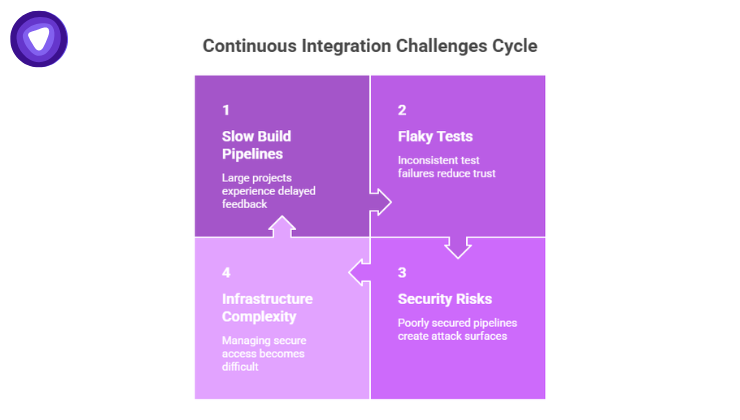
CI improves development efficiency, but implementation still requires planning.
Several challenges appear frequently during adoption.
Slow Build Pipelines
Large projects often experience slow builds and delayed feedback.
Teams address this through:
- Parallel testing
- Build caching
- Pipeline optimization
- Incremental builds
Flaky Tests
Some automated tests fail inconsistently despite working code.
Flaky tests reduce trust in CI systems and slow development.
Security Risks in CI Pipelines
CI pipelines interact with:
- Source code
- APIs
- Cloud infrastructure
- Credentials
- Deployment environments
Poorly secured pipelines create serious attack surfaces.
Credential abuse and misconfigured systems remain among the leading causes of breaches across enterprise environments.
Compromised CI environments can expose:
- Source code repositories
- Secrets and API keys
- Build artifacts
- Deployment credentials
Infrastructure Complexity
Distributed teams often work across:
- Multiple cloud environments
- Remote development setups
- Hybrid infrastructure
- Third party integrations
Managing secure access becomes increasingly difficult at scale.
CI and DevOps: How They Work Together
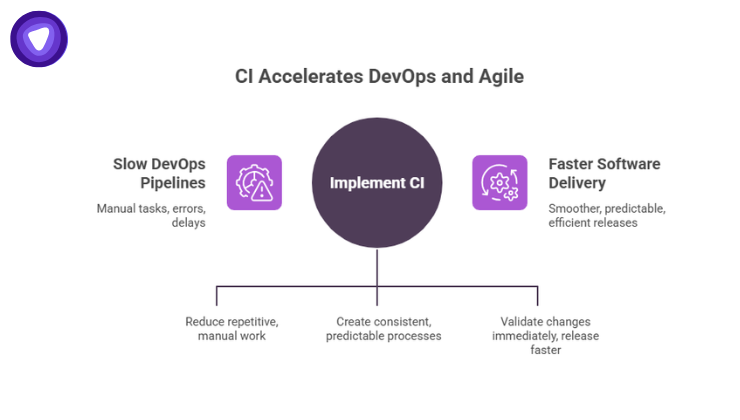
CI is a core part of DevOps culture.
DevOps focuses on improving collaboration between development and operations teams through automation, monitoring, and continuous delivery practices.
CI supports that goal by:
- Automating repetitive tasks
- Standardizing workflows
- Reducing manual errors
- Accelerating feedback cycles
Without CI, DevOps pipelines become slower and less predictable.
CI in Agile Development
Agile teams rely on short development cycles and rapid iteration.
CI supports Agile workflows because developers can:
- Push smaller updates frequently
- Validate changes immediately
- Release features faster
- Reduce sprint bottlenecks
This creates smoother software delivery across development cycles.
Best Practices for Successful CI Adoption
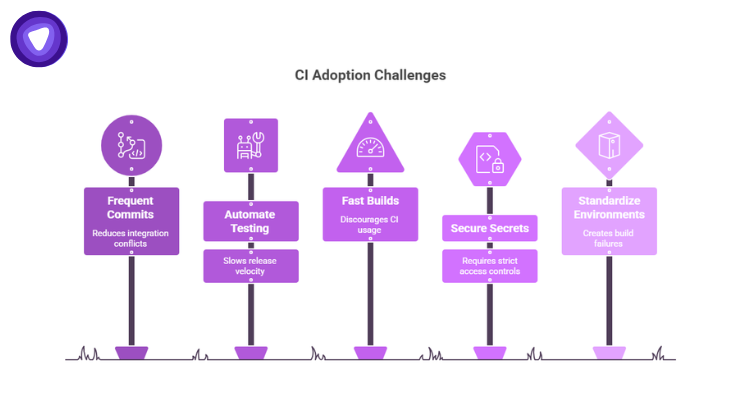
CI delivers the best results when teams follow consistent engineering practices.
Commit Code Frequently
Small, frequent commits reduce integration conflicts and simplify debugging.
Automate Testing Early
Manual testing slows release velocity.
Automated testing should begin early in development workflows.
Keep Builds Fast
Long build times discourage developers from using CI properly.
Teams should optimize pipelines continuously.
Secure Secrets and Credentials
API keys, tokens, and deployment credentials require strict access controls.
Secrets should never be stored directly in repositories.
Standardize Development Environments
Inconsistent environments often create build failures that are difficult to reproduce.
Containerized development and centralized access controls improve consistency.
Where Secure Remote Infrastructure Fits Into CI
Modern CI environments rarely stay confined to a single office network. Development teams work remotely, connect through cloud infrastructure, and access repositories from multiple locations worldwide.
This expands the security surface around source code repositories, CI/CD dashboards, deployment systems, internal staging environments, and build servers. Secure remote connectivity plays a critical role in protecting these workflows and limiting unauthorized access to sensitive infrastructure.
Teams managing distributed CI pipelines often rely on centralized VPN infrastructure to secure developer connections, restrict repository access, and reduce exposure of internal systems to the public internet.
PureVPN White Label VPN Solution helps businesses deploy branded VPN services for development teams, SaaS platforms, and managed infrastructure environments. As CI pipelines continue expanding across cloud platforms and third party integrations, secure remote access becomes an operational requirement rather than an optional layer.
The Future of Continuous Integration
CI continues evolving alongside cloud native development and AI assisted engineering. Modern pipelines increasingly include automated security testing, infrastructure as code validation, container scanning, AI driven code analysis, and real time monitoring. The objective remains consistent: identify problems early, maintain release stability, and reduce manual overhead throughout the development lifecycle.
Software delivery cycles continue shrinking across industries, making manual integration processes difficult to maintain at scale. Continuous Integration helps development teams release updates faster while maintaining code quality, operational visibility, and system reliability. As applications become more distributed, CI has shifted from a development best practice to a core requirement for modern software engineering.