
Google Keep has become a popular go-to for quick note-taking and reminders. Its simplicity and integration with Google Workspace make it convenient. But it’s not the all-in-one productivity solution many people need.
Maybe you’re looking for stronger privacy, richer formatting, better collaboration tools, or simply a more organized way to handle your notes and ideas. Or perhaps you want a feature-packed tool that doubles as a digital planner, knowledge base, or even a project management hub.
If Google Keep is limiting your productivity, don’t worry. You’ve got plenty of great choices! In this guide, we’ll explore the 5 best Google Keep alternatives.
Why People Search for a Google Keep Alternative
Google Keep is lightweight and free, but it’s not built for everyone. Here’s why many users look for alternatives:
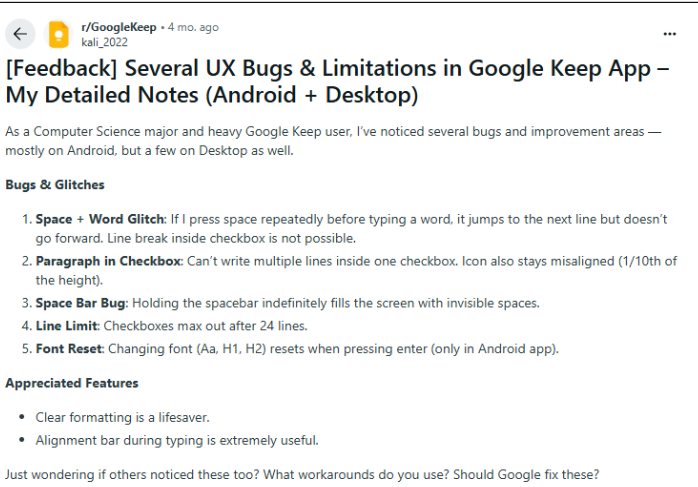
- Limited organization – Lacks folders or advanced categorization; tags and colors only go so far.
- Minimal formatting options – Great for quick notes, but not ideal for structured documents or long-form writing.
- Privacy concerns – As part of Google’s ecosystem, some users prefer tools that don’t rely on data-driven business models.
- Weak collaboration – While sharing is possible, Keep doesn’t have advanced teamwork features like permissions, task assignments, or version history.
- Not all-in-one – You might need more than sticky notes, like task management, calendars, or knowledge databases.
If these pain points sound familiar, it’s time to explore feature-rich Google Keep alternatives that offer better organization, privacy, and productivity.
The 5 Best Google Keep Alternatives in 2025
Here’s a snapshot before we discuss them in detail:
| Alternative | Best For | Highlights | Starting Price |
| Evernote | Power users | Advanced organization, document scanning, integrations with apps & tools | ~$6.67/mo |
| Notion | All-in-one workspace | Notes, tasks, databases, and collaboration in one platform | Free / $8/mo |
| Microsoft OneNote | Students & professionals | Free, feature-rich, and integrates with Microsoft 365 | Free |
| Zoho Notebook | Privacy-focused users | Free, cross-platform, offline access, strong privacy | Free |
| Obsidian | Knowledge builders | Markdown-based, local storage, networked “second brain” approach | Free / $8/mo |
Detailed Overview of the Google Keep Alternatives
Take a closer look at the best Google Keep alternatives built to fit different needs. Let’s break down their key strengths, weaknesses, and pricing so you can choose the right one.
1. Evernote
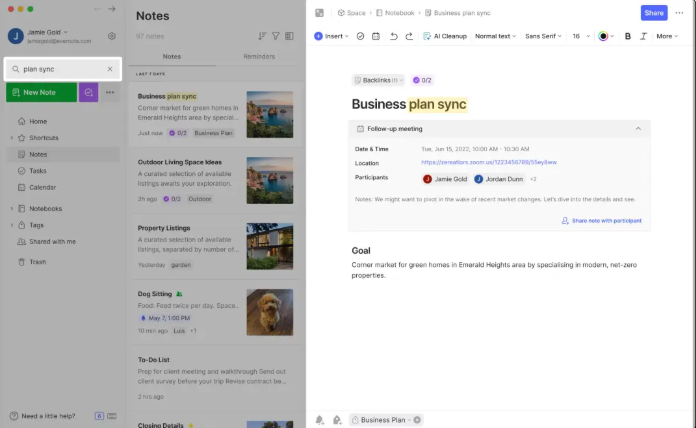
Evernote has long been a powerhouse in the note-taking world and still stands out as one of the most feature-rich Google Keep alternatives. Unlike Keep’s lightweight setup, Evernote is designed for serious productivity, whether you’re managing complex projects, organizing research, or storing important documents.
With advanced search powered by OCR (so you can even find text inside images or PDFs), rich formatting tools, and integrations with apps like Slack, Google Drive, and Outlook, it goes far beyond sticky notes. If you’re looking for a tool that combines note-taking with robust organization and professional-grade features, Evernote is a strong contender.
Pros
- Advanced search with OCR (scans handwriting & PDFs).
- Rich text formatting and document attachments.
- Powerful integrations (Google Drive, Slack, Outlook, and more).
- Multi-device sync with offline support.
Cons
- Pricing has increased in recent years.
- It can feel overwhelming compared to simpler apps.
2. Notion
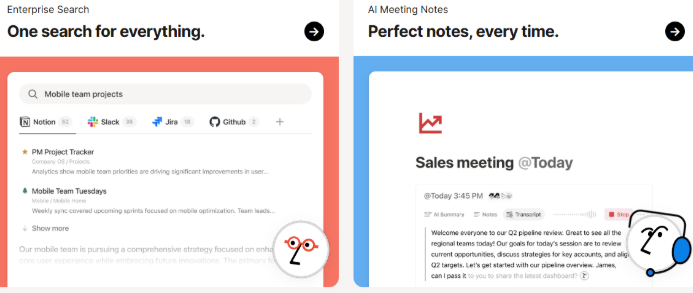
Notion has quickly become one of the most popular Google Keep alternatives, thanks to its versatility as an all-in-one workspace. Unlike Google Keep’s simple note cards, Notion lets you build anything, from a personal notebook to a full project management system. You can create pages, link databases, design wikis, and even manage entire workflows, all within a clean, customizable interface. Its collaboration features stand out too, allowing teams to co-edit in real time, assign tasks, and track progress seamlessly.
With a huge library of templates, markdown support, and integrations with tools like Slack, Trello, and Google Drive, Notion adapts to nearly any use case. Whether you’re a student managing class notes, a freelancer planning projects, or a business building a shared knowledge hub, Notion delivers far more power and flexibility than Google Keep.
Pros
- Create anything from simple notes to full project dashboards.
- Sleek interface with templates for every use case.
- Great for teams with real-time collaboration.
- Free version covers most needs.
Cons
- Learning curve for beginners.
- Offline mode isn’t as smooth as competitors.
3. Microsoft OneNote
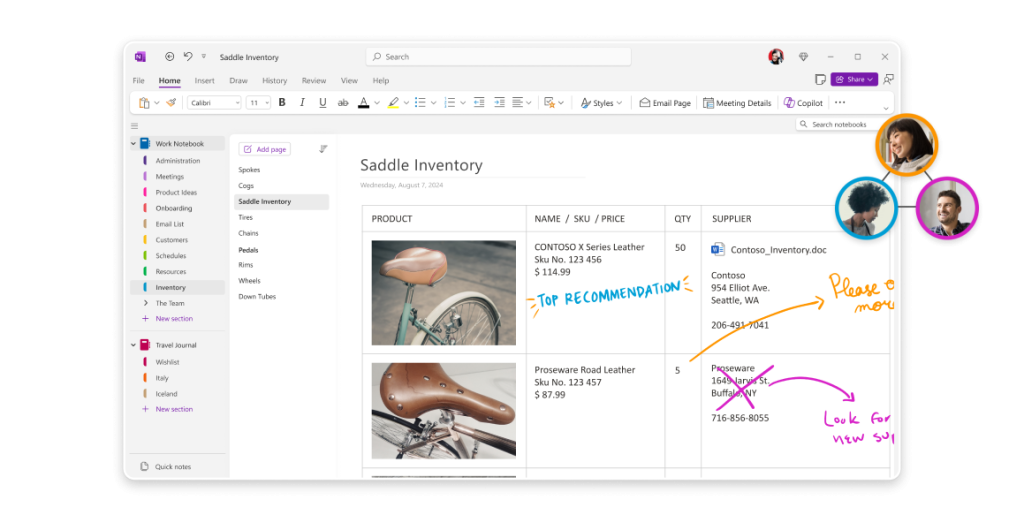
Microsoft OneNote is one of the most natural Google Keep alternatives, especially if you’re already in the Microsoft ecosystem. Unlike Google Keep’s minimalist design, OneNote offers a digital notebook structure with sections and pages that mimic how you’d organize a physical binder.
This makes it perfect for students taking lecture notes, professionals managing meeting records, or anyone who needs a more detailed organizational system. OneNote supports rich text formatting, handwriting input with a stylus, audio recordings, file attachments, and even mathematical equation support.
Pros
- Completely free with generous features.
- Notebook + section system mimics real-life organization.
- Handwriting support for stylus users.
- Strong integration with Microsoft Office tools.
Cons
- Syncing can sometimes lag.
- The interface may feel cluttered for minimalists.
4. Zoho Notebook
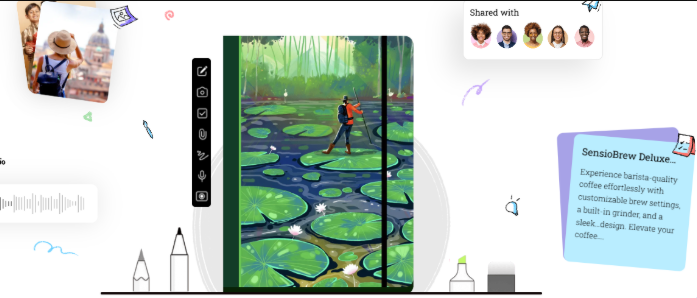
Zoho Notebook is one of the most underrated yet powerful Google Keep alternatives for users who value privacy and design. Unlike Google Keep, which is tied to Google’s data-driven ecosystem, Zoho Notebook takes a privacy-first approach and doesn’t rely on ads or data monetization.
It offers a beautifully card-based interface where each note feels like its own notebook, making organization both simple and visually appealing. The app is completely free and works seamlessly across devices, with cloud sync included at no extra cost. You can create text notes, checklists, voice memos, and even sketch ideas, all stored securely within the Zoho ecosystem.
Pros
- 100% free with no hidden costs.
- Attractive card-based UI.
- Offline access across devices.
- Zoho is less data-driven than Google.
Cons
- Limited integrations compared to Evernote or Notion.
- Lacks advanced task/project management features.
5. Obsidian
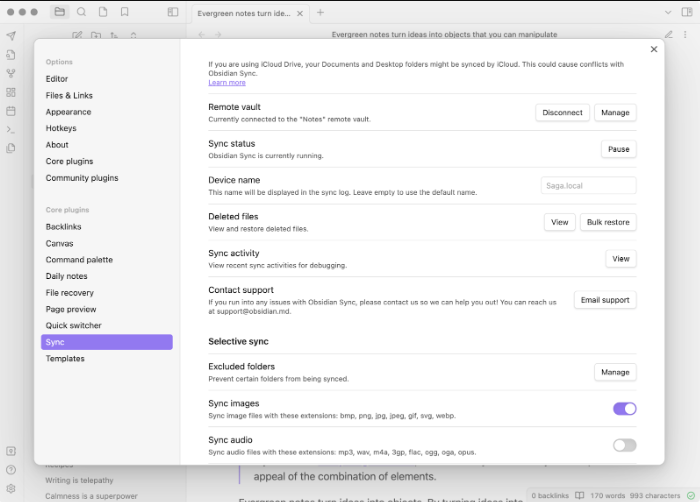
Obsidian is a standout Google Keep alternative for power users who want more than simple note-taking. It’s designed to help you build a personal knowledge base or even a full-fledged “second brain.” Unlike cloud-first apps such as Google Keep, Obsidian stores your notes locally by default, giving you complete privacy, data ownership, and offline access without relying on external servers.
Notes are written in Markdown and can be easily linked together, letting you create a web of interconnected ideas, perfect for researchers, writers, and knowledge workers who need to see relationships between concepts. It’s a powerful graph view that visually maps out these connections, turning your notes into a network of knowledge.
Pros
- Local storage with optional end-to-end encrypted sync.
- Markdown-based system ideal for writers & researchers.
- “Backlinks” create a networked thought system.
- Huge plugin community for customization.
Cons
- Steeper learning curve than simple apps like Keep.
- Collaboration features are limited.
Can You Switch from Google Keep to Another Note-Taking App?
Yes, you can! Here’s how:
- Pick your new app – Choose one that matches your needs (privacy, collaboration, formatting, etc.).
- Export from Google Keep – Use Google Takeout to download your notes.
- Prepare your data – Exported notes come as HTML/JSON. Convert or clean them as needed.
- Import to your new app – Evernote, Notion, and others support imports (directly or via third-party tools).
- Set up sync & access – Install the new app across your devices and test syncing.
Final Thoughts
Google Keep is a solid note-taking app for quick reminders and lists. But if you’re looking for privacy, advanced organization, or full productivity features, switching to a Google Keep alternative makes sense. From the all-in-one power of Notion, privacy-first control of Obsidian, and student-friendly features of OneNote, there’s a perfect tool for everyone.
Frequently Asked Questions
For most users, Notion is the best all-in-one alternative. But if you prioritize privacy, go for Obsidian or Zoho Notebook.
Yes. Use Google Takeout to export your notes, then import them into apps like Evernote or Notion with built-in tools or converters.
Microsoft OneNote is excellent for students thanks to its free price, handwriting support, and tight integration with Microsoft Office.
Obsidian and Zoho Notebook both offer strong offline functionality, unlike Google Keep, which relies heavily on cloud sync.
Yes. Zoho Notebook, OneNote, and Obsidian all offer free versions with powerful features.