Google Play Store
Open the Google Play Store, search for PureVPN, and tap Install. Once downloaded, open the app, log in to your account, and connect.
Download Google Play


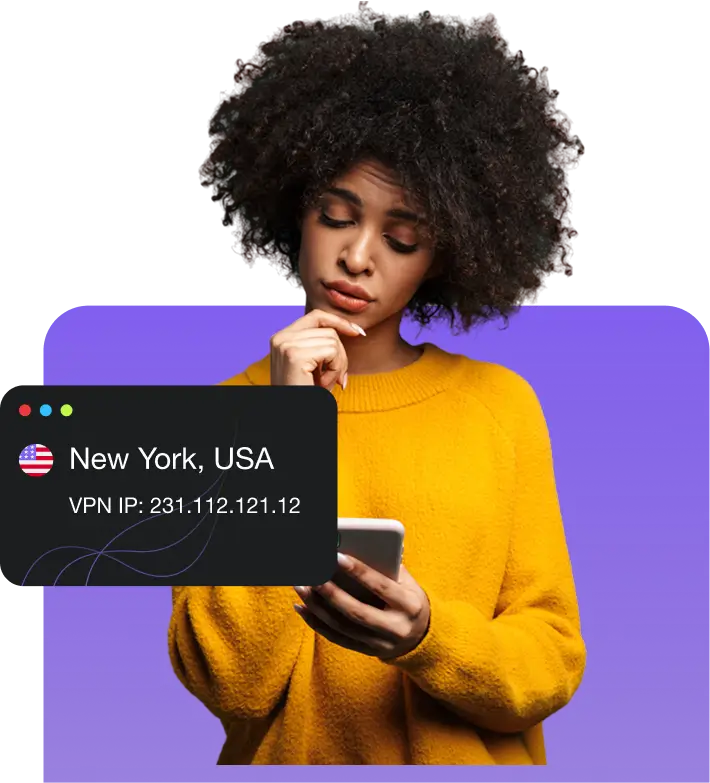
What is a VPN? A VPN for Android keeps your online activity safe on Android phones or tablets. By encrypting the connection between your Android device and the internet, it stops third parties like ISPs from spying on you. Your IP address is also replaced with another one, improving your privacy while making you appear to be in another country. While Android has built-in VPN settings, it requires manual configuration. A dedicated Android VPN app handles it for you.
Some common VPN advantages for Android include:

Need to check your emails, access personal accounts, or get some work done on a public Wi-Fi network? A VPN adds an encrypted layer to your connection, so your data stays protected from people trying to snoop on or intercept it.

Your browsing habits should remain private whether you are connected to home Wi-Fi or using mobile data on the go. A VPN hides your IP address and keeps your online activity hidden from your ISP or mobile carrier for better privacy.

Your favourite shows and streaming services may not be available when you travel abroad. A VPN lets you connect to a server back home to access them or switch to another country to stream movies and TV shows unavailable in your region.
You can install the PureVPN app or configure a VPN connection manually. Here is how to do both:
Open the Google Play Store, search for PureVPN, and tap Install. Once downloaded, open the app, log in to your account, and connect.
Download Google PlayGet the official PureVPN APK if you cannot access the Play Store. Simply allow app installation, install the APK, and log in to connect.
Download APK VPNSet up PureVPN on your Android device using the OpenVPN Client app. See our Android OpenVPN guide for the complete process.
Set up PureVPN on your Android device using the WireGuard app. Take a look at our Android WireGuard setup guide for step-by-step details.
You can install PureVPN on compatible Android TVs and streaming devices, including Amazon Fire TV Stick.
Open the Google Play Store on your Android TV or TV box, search for PureVPN, and install the app. Sign in to your account to connect.
Download the PureVPN APK from our official website and install it manually on your Android TV or TV box.
Install PureVPN on a Wi-Fi router to protect your Android TV and other devices connected to the same network.
Open the Amazon Appstore on your Fire TV Stick and search for PureVPN.
Select the PureVPN app and follow the on-screen instructions to install it.
Launch the PureVPN app and sign in to your account or create a new one.
Learn what makes PureVPN worth choosing:
Privacy starts with jurisdiction. PureVPN operates from the British Virgin Islands, where we are not legally required to log user activity.
No Log VPN service means your browsing history is yours alone. Multiple independent audits have verified PureVPN’s commitment to keeping your online activity private.
Keep your passwords in an encrypted vault, get notified about dark web exposure, and request removal of your data from brokers.
Over five million people worldwide have chosen PureVPN to safeguard their digital lives. Enjoy the same protection on all your devices.

Obfuscation Keep your VPN connection harder to detect on networks that restrict VPN traffic. Browse with fewer interruptions, even where VPN usage is limited.

A kill switch Never let a sudden VPN disconnection expose your activity. Kill Switch automatically cuts internet access if the VPN drops, keeping your real identity safe.

Enjoy a cleaner, and more private browsing experience. Block unwanted ads and common trackers that collect information about your activity across websites.

Keep your actual IP address from slipping through. PureVPN protects against DNS, IPv6, and WebRTC leaks that could compromise your privacy.

Split Tunneling route privacy-sensitive apps through PureVPN while keeping others on your regular connection. No need to turn the VPN on and off.
PureVPN combines essential VPN features with additional privacy and security tools for Android. See how it compares with other popular VPN providers.
| Feature |

|
NordVPN | Surfshark | Proton VPN | ExpressVPN | |||||||||
|---|---|---|---|---|---|---|---|---|---|---|---|---|---|---|
| Ad and Tracker Blocking |
|

|
|
|
|
|||||||||
| Password Manager |
|

|
|
|
||||||||||
| Quantum-Resistant Encryption |
|
|
|
|
||||||||||
| Data Removal |
|
|
|
US only | ||||||||||
| Dark Web Monitoring |
|
|
|
US only | ||||||||||
| Audited No-Log Policy |
|
|
|
|
||||||||||
| Always-On Audit |
|
|
|
|
||||||||||
| Simultaneous Connections | 10 | Unlimited | 10 | Up to 14 | ||||||||||
| 31-Day Money-Back Guarantee |
|
|
|
|
PureVPN works across different Android devices and OS versions, including older models. Check the compatibility details below.


The PureVPN app is compatible with Android versions like 17, 16, 15 14, 13, 12L, 12, 11, 10, as well as older variants such as Pie, Oreo, Nougat, Marshmallow, and Lollipop.

You can use PureVPN on all Android devices, including Samsung, Nokia, Vivo, Huawei, Sony Xperia, LG, Motorola, Google Pixel, BlackBerry, HTC, Xiaomi, OnePlus, ZTE, and more.
A free Android VPN can be tempting, but be careful about which app you trust with your online traffic. Some free Android VPNs collect user data or rely heavily on ads, while others restrict speeds, server locations, and monthly data usage.
PureVPN offers a more reliable alternative, with an independently audited no-log policy, servers in 65+ countries, and features like Kill Switch, Obfuscation, and Tracker & Ad Blocker. You also get a 31-day money-back guarantee to try the service without committing long-term.
The Google Play Store is not the only way to get a VPN on Android. You can also download an APK file directly, but choosing a trustworthy source is important to avoid installing modified or potentially harmful versions of the app.
Downloading the official PureVPN APK lets you install the Android app without having to use the Google Play Store. You get the same VPN service, with access to your account, servers, and supported features.
A modded VPN APK is an unofficial version of an app that has been altered by a third party. These versions are often advertised as offering premium VPN features for free, but there is no reliable way to know what changes have been made to the original software.
| Feature | Official PureVPN APK | Modded VPN APK |
|---|---|---|
| Source | Available directly from PureVPN’s official website | Distributed through unofficial websites and third-party sources |
| Security | Authentic software maintained and updated by PureVPN | Modified code may contain malware or other security threats |
| Privacy | Backed by PureVPN’s independently audited no-log policy | May contain code that collects or shares your personal data |
| Updates | Official updates are available from PureVPN | Updates may be unreliable, unavailable, or unsafe |
| Compatibility | Built and tested for supported Android devices | Modifications may cause crashes or compatibility issues |
| Support | Access to PureVPN’s 24/7 customer support | Unofficial modifications are not supported by PureVPN |
| Risks | Official installation files avoid the added risks of unauthorized modifications | Can compromise your device, account credentials, and personal information |
Read on to find answers to frequently asked questions about PureVPN


Yes, some reputable providers offer free VPN plans with reasonable privacy protections. Check the developer, privacy policy, and independent reviews before installing one. PureVPN offers paid protection backed by a 31-day money-back guarantee.
Yes. Your mobile carrier can still see information about your internet activity. A VPN encrypts your traffic on cellular networks, limiting what your carrier can monitor while keeping your real IP address hidden from the websites you visit.
VPNs are legal in most countries, although some governments restrict or regulate their use. Check your local laws before connecting, especially when travelling. Activities that are illegal without a VPN remain illegal when you use one.
Yes. You can install PureVPN on compatible Android tablets and use its dedicated app on supported Android TVs and streaming devices. Visit our Android TV VPN page for more details.
Yes, a trusted VPN can add another layer of protection when accessing banking apps, particularly over public Wi-Fi. Some banks may flag unfamiliar VPN locations, so connecting to a server in your usual country can help avoid unnecessary login checks.
Start by checking your internet connection, then try a different VPN server or protocol. Updating the app, restarting your device, or disabling another active VPN may also help. If the problem continues, PureVPN’s 24/7 live chat support is available.