In our busy lives, audiobooks unlock a whole new way to “read.” Whether you’re commuting, cooking, exercising, or relaxing, audiobooks let you enjoy literature hands-free. Because you don’t need to sit down with a physical book, audiobooks turn spare moments into storytelling time.
But getting started can feel overwhelming: Which app to pick? Which device is best? How do you download a book and listen offline? How do you keep track of where you left off? This guide answers all of that and more, so you can simply hit “play.”
We’ll go through:
- Choosing how you listen, smartphone, tablet, computer, e-reader, or smart speaker
- Best apps and platforms for audiobooks (free, paid, library-based)
- Step-by-step setup for Android and iPhone
- Offline listening, bookmarking, speed control, and syncing across devices
- Bonus: tips to build a listening habit
Best Audiobook Apps
Audiobook apps all serve a similar purpose helping you buy, download, and listen to stories but each platform has its own strengths, pricing, catalogs, and unique features.
The best app for you often depends on your listening habits, budget, and what type of content you enjoy. Below are some of the top audiobook apps, based on catalog size, ease of use, and overall value.
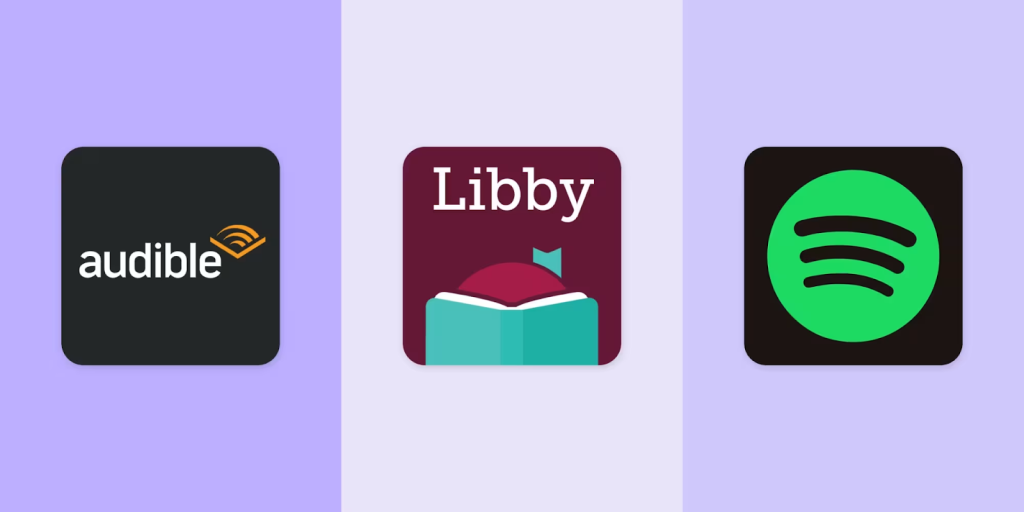
1. Audible
Audible is one of the most trusted and comprehensive audiobook platforms available today, offering a massive catalog that spans bestsellers, classics, exclusive audio dramas, and Audible Originals.
Its interface is smooth and intuitive, with features like adjustable narration speed, sleep timers, chapter navigation, and automatic syncing across all your devices through your Amazon account. Audible subscription model is also a major draw.
With Audible Plus, you get access to a large rotating selection of audiobooks and podcasts, while the Premium Plus tier includes one monthly credit you can redeem for any audiobook, long or short, new release or classic, which you then own forever.
This credit system makes Premium Plus especially cost-effective for frequent listeners. Although individual purchases can be pricey without a subscription, Audible’s unmatched library depth, high-quality production, and exclusive content make it a go-to choice for dedicated audiobook fans. It’s the ideal platform for anyone who wants a reliable, feature-rich listening experience.
2. Libby
Libby is one of the most beloved audiobook apps because it’s completely free and incredibly user-friendly. Powered by public libraries, Libby allows anyone with a valid library card to borrow audiobooks at no cost, making it perfect for listeners who want premium content without a subscription.
Once you sign in with your library credentials, you can browse the digital catalog, place holds, borrow titles, and download books for offline listening.
Loan limits and duration vary by library, but many systems allow multiple simultaneous loans and generous checkout periods. Libby’s interface is clean and modern, with simple playback controls, customizable speeds, sleep timers, and easy device syncing so you can switch between phone and tablet effortlessly.
The main limitation is availability popular titles may have waitlists, and not all libraries carry the same selection. Still, for completely free access to thousands of high-quality audiobooks, Libby is unmatched. It’s the best option for budget-conscious listeners and library lovers alike.
3. Spotify
Spotify has expanded beyond music and podcasts to become a versatile audiobook platform, making it ideal for listeners who want everything in one app. With a Spotify Premium subscription, users now get up to 15 hours of audiobook listening time each month included at no extra cost.
This gives Premium members access to a broad catalog of audiobooks, from popular fiction to educational nonfiction.
The listening experience feels familiar because audiobooks on Spotify are organized like playlists, with chapters presented as individual tracks. Spotify’s powerful recommendation system also helps users discover new titles based on their listening habits.
While the 15-hour limit may only cover one average-length book per month, it’s a valuable bonus for anyone already paying for Premium. You can also purchase additional audiobooks individually if you exceed the included hours. Spotify is best for casual listeners and people who prefer having music, podcasts, and audiobooks conveniently stored in one place.
4. Everand
Everand is ideal for readers and listeners who want “all-you-can-consume” access to digital content. Instead of paying per book or using monthly credits, Everand offers a subscription model that unlocks thousands of audiobooks, ebooks, magazines, documents, podcasts, and more, all for a single monthly fee. One of its biggest advantages is that membership also includes access to Scribd and SlideShare, expanding the available content far beyond audiobooks.
The app’s library is extensive and easy to navigate, with strong recommendations and smooth playback features like adjustable speed and offline downloads. Although Everand is marketed as unlimited, heavy users may encounter soft limits on certain high-demand titles, which temporarily restrict access until the next billing cycle.
Still, for most listeners, these limits rarely interfere with regular use. If you enjoy a wide variety of content formats and want maximum value from a single subscription, Everand provides one of the most versatile and cost-effective listening experiences available.
Why Audiobooks Are Worth It
Audiobooks have become popular because they turn “dead time” into reading time commuting, cleaning, cooking, working out. Unlike ebooks or physical books, they don’t require you to hold anything or focus visually.
They’re especially useful for:
- Busy people who lack time to sit and read
- Commuters, travelers, you can listen on the go
- Multitaskers, you can do chores and still “read”
- People with vision issues or reading difficulties, audio can be more accessible
Because they’re flexible, audiobooks often help you finish books you might never have read otherwise.
How to Listen: Devices & Platforms
You have many choices depending on what devices you own. Here’s a breakdown:
Smartphones & Tablets (Android / iPhone / iPad)
Probably the most convenient place to listen. Nearly everyone has a smartphone, and most audiobook apps are optimized for mobile, offering download, offline listening, bookmarking, variable speed, and syncing across devices.
Computers (Desktop / Laptop / Browser)
Many platforms let you listen via a web browser or desktop app, useful if you’re at work or home and don’t want to use your phone. You can pair it with headphones or speakers.
Smart Speakers / Voice Assistants (Alexa, Google Assistant, etc.)
If you like hands-free listening, while cooking or relaxing, a smart speaker with audiobook support can turn your home into a listening zone.
E-Readers or Tablets with Audio Support
Some e-readers or tablets support audiobook playback (especially via Bluetooth). This gives you an experience similar to reading + listening (in some hybrid modes).
Library or Borrowed Audiobooks
You can also borrow audiobooks from public libraries (via library apps), making audiobooks a budget-friendly or even free option.
Top Apps & Platforms for Audiobooks
Here are popular ways to get and listen to audiobooks from paid subscriptions to free libraries.
- Google Play Books / Audiobooks: Works on Android and iOS. Search for audiobooks, purchase, and stream or download for offline listening. The app supports bookmarks, playback controls, and syncing across devices.
- Audible: One of the largest libraries of audiobooks, with apps for Android, iOS, tablets, and support for smart speakers. Offers subscriptions or individual book purchases.
- Libro.fm: A service that supports independent bookstores. Allows users to purchase audiobooks; good alternative for those who don’t want to rely on big corporations.
- Libby (by OverDrive): A free app for library users. If your local library supports it, you can borrow audiobooks and listen without cost. Great for budget-minded listeners.
- Free Public-Domain Audiobooks (e.g. LibriVox): Offers public-domain works narrated by volunteers, fully free to access and listen on multiple devices.
Many of these services support offline downloads, variable playback speeds, bookmarking, and syncing, making them flexible and easy to fit into everyday life.
How to Listen to Audiobooks on Android
If you’re using an Android phone or tablet, here’s how to get started with audiobooks:
- Install or open the Google Play Books app.
Use the search function or browse to find audiobooks (there’s a separate “Audiobooks” section). - Tap the book you want. If it’s free or you choose to buy it, tap “Buy Audiobook.”
- Once purchased, go to Library → Audiobooks and tap the cover to start playing. Google Play Books supports saving your place automatically, you can stop and resume later even on another device.
- Download for offline listening: In settings, enable “Download over Wi-Fi only” to avoid data charges, and choose between audio quality (standard or high, depending on storage).
Bonus: If you have a smart assistant (like Google Assistant), you may be able to use voice commands to start audiobooks, control playback, or pause, making listening even more convenient.
How to Listen to Audiobooks on iPhone / iOS Devices
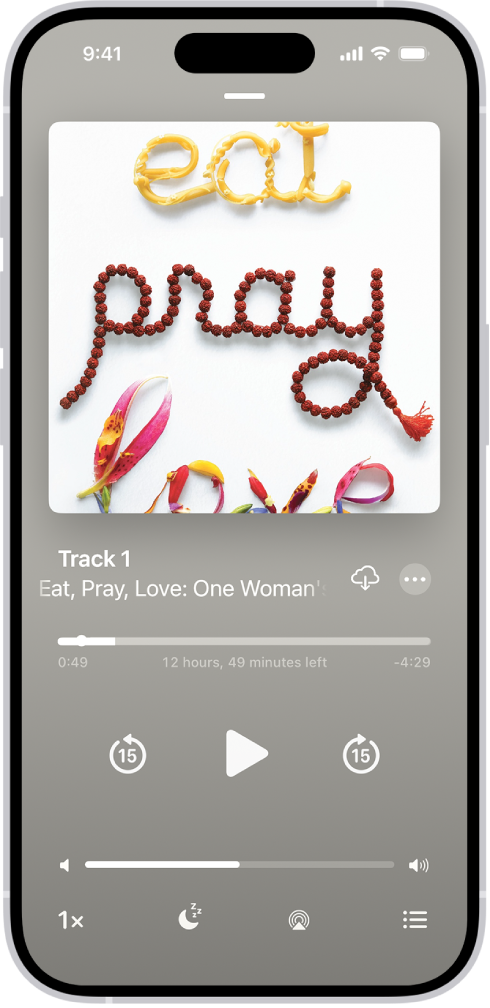
For iPhone or iPad users, it’s just as easy:
- Some services (like Google Play Books or Libro.fm) offer iOS apps for audiobooks. Install the app from the App Store, sign in, purchase or borrow an audiobook, and play. Playback, bookmarks, and syncing work similarly to Android.
- If you import your own audiobook files (for example, downloaded DRM-free audiobooks), there are specialized player apps that can manage them. Users often mention apps like BookPlayer as a convenient way to play custom audiobooks, with support for bookmarking and remembering playback positions.
- For visually impaired users or those who prefer text-to-speech, some apps support reading ebooks aloud, but for fully narrated audiobooks, dedicated apps or subscription services work best.
Listening Without Buying, Libraries, Free Audiobooks, or Public Domain Works
If you don’t want to pay, or just want to sample audiobooks before buying, you have solid free/low-cost options:
- Use Libby with a local library card to borrow audiobooks and listen on your phone or tablet.
- Use LibriVox for public-domain audiobooks (classics, older works) that are entirely free. You can stream or download them to your device.
- Many subscription services offer free trials, letting you explore their catalog without upfront cost. This can help you decide whether you like listening to audiobooks before committing.
How to Get the Most Out of Audiobooks Tips & Habits
To turn audiobooks into a habit rather than a novelty, consider these helpful strategies:
- Listen during idle times: Commute, walk, cook, clean, use “dead time” for stories.
- Adjust playback speed: Many apps let you speed up (or slow down) narration so the pace matches your listening style.
- Use bookmarks: Save spots when you stop, or mark favorite passages to revisit later.
- Download for offline listening: Especially helpful if you travel or expect poor internet.
- Sync across devices: Start on phone, continue on tablet or computer without losing your place, most major apps support this.
- Use smart speakers or car audio: If you have a smart speaker, you can ask it to play your audiobook. Great for home. If you drive a lot, many apps support playback via Car systems (Bluetooth or connected audio).
- Try library or free sources first: Before buying, check what’s available free, helps build the habit without a subscription.
Which Platform or App Is Right for You?
- Audiobook beginners: Try Libby (free via library) or LibriVox (free public domain).
- Frequent audiobook listeners: Consider Audible (massive catalog, subscriptions), Google Play Books Audiobooks (pay-per-book, cross-device sync), or Libro.fm (supports indie bookstores).
- Multi-device users: Use apps with sync support such as Google Play Books or Audible helps if you switch between phone, tablet, or speaker.
FAQs
No. A regular smartphone, tablet, computer, or even smart speaker will work.
Yes, most apps let you download audiobooks for offline listening, which is ideal for travel or areas with poor internet access.
Not if the app supports syncing. Google Play Books, Audible, and many others sync your progress across devices.
They can be, but library-based and public-domain services make audiobooks much cheaper or even free.
Absolutely, audiobooks are ideal for multitasking because you don’t need to look at the screen.
Headphones give the best experience, but you can also use phone speakers, car audio, or smart speakers.