In a world where billions of credentials have already been leaked online, weak passwords are no longer just an inconvenience; they’re a gateway for hackers, identity thieves, and automated bots to break into your accounts. In 2025 alone, cybersecurity analysts identified 16 billion compromised passwords publicly exposed, with many showing predictable and reused patterns that make them trivial to crack.
Whether it’s your email, banking app, social media, or work accounts, the strength of your password can make or break your online security. In this detailed guide, we’ll walk through proven best practices for creating strong passwords and explain why weak ones get compromised.
Why Weak Passwords Fail And How They Get Compromised?
Password strength isn’t just about complexity; it’s about unpredictability, uniqueness, and resistance to real-world attack tactics.
Credential Stuffing and Password Reuse
One of the most common reasons passwords fail is reuse. When a breach leaks login credentials, attackers use tools to try the same email/password combinations across dozens of sites, a technique known as credential stuffing.
In late 2025, researchers uncovered multiple datasets containing over 16 billion compromised credentials, many of which were reused across services, giving attackers a password goldmine.
Predictable Patterns and Common Passwords
Despite years of guidance, most leaked passwords still follow simple patterns like 123456, password, admin, or predictable substitutions such as P@ssw0rd!, patterns that attackers can guess within seconds using brute-force and dictionary attacks.
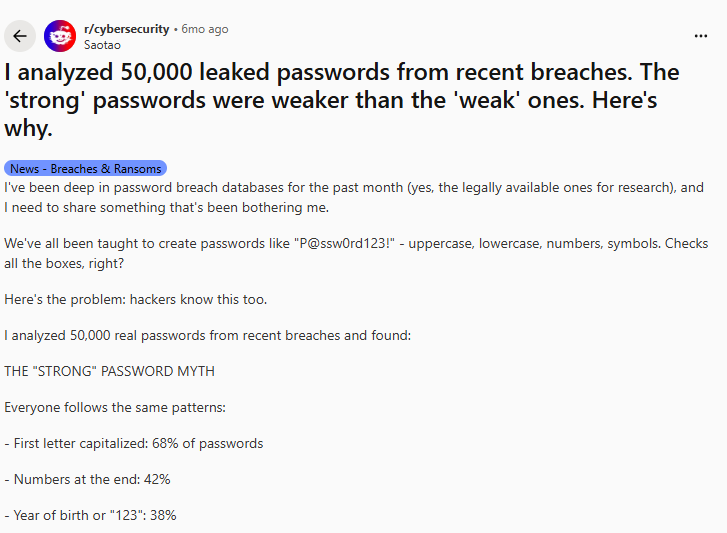
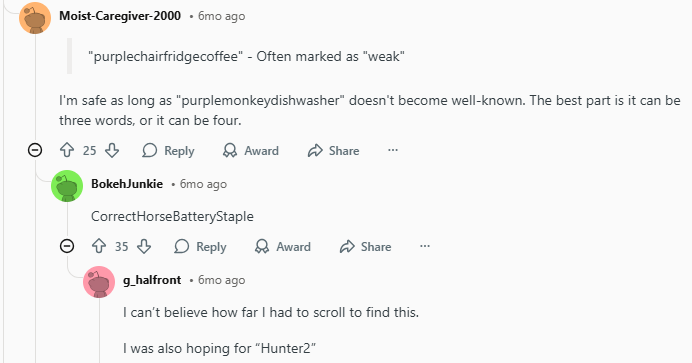
Reddit researchers also found that common complex format passwords often appear in breach datasets far more than genuinely unique strings, which highlights the problem with predictable complexity schemes.
Social Engineering and Reset Attacks
Weak authentication doesn’t only help brute-force hackers. Attackers also exploit human-centric vulnerabilities like phone-based resets or social engineering; in 2025, threat actors used help desk trickery to reset corporate passwords at major retailers, bypassing technical controls altogether.
How Hackers Crack Passwords in 2026
Hackers don’t guess passwords the way people imagine anymore. In 2026, most attacks are automated, fast, and powered by massive leaked datasets, AI models, and malware. That’s why even passwords that look complex can fail if they follow predictable patterns or are reused elsewhere.
- Brute-Force vs Dictionary Attacks (With Time Estimates)
Brute-force attacks try every possible character combination until the correct password is found. These attacks rely on speed and computing power, often using GPUs or cloud resources.
Dictionary attacks are even more efficient. Instead of random guesses, attackers use lists of millions (or billions) of leaked passwords and common variations, adding numbers, symbols, or years automatically.
Here’s how long different passwords typically take to crack using modern tools:
| Password Example | Length | Estimated Time to Crack | Risk Level |
| password123 | 11 | Instantly | Very High |
| P@ssw0rd! | 9 | Seconds | Very High |
| Summer2024! | 11 | Minutes | High |
| BlueCar!92 | 9 | Hours | Medium |
| BlueOctopusGardenReads!13$ | 26 | Years to centuries | Very Low |
The takeaway is simple: length and unpredictability matter far more than forced symbols.
Credential Stuffing Automation
Credential stuffing is one of the most common real-world attack methods today. Once a breach exposes usernames and passwords, attackers feed those credentials into automated tools that test them across hundreds of popular websites, email, banking apps, social media, and work platforms.
AI-Assisted Password Guessing
Artificial intelligence has changed how attackers build password lists. Instead of relying only on static dictionaries, modern tools analyze leaked passwords to learn human behavior patterns, such as common word combinations, substitutions, and cultural trends.
For example, AI models can predict likely variations of a base password, generate realistic passphrases, and prioritize guesses that statistically have the highest chance of success. This makes short or pattern-based passwords especially vulnerable.
Malware and Keyloggers
Not all password theft involves guessing. Malware, spyware, and keyloggers silently record what you type, including passwords, and send that data directly to attackers.
These threats are especially common on:
- Infected downloads
- Pirated software
- Unsecured public Wi-Fi
- Outdated systems
Once a password is captured this way, strength no longer matters.
6 Best Practices for Creating Strong Passwords
These aren’t generic suggestions; they reflect current cybersecurity thinking and recent breach analysis.
- Use Unique Passwords for Every Account
Never reuse passwords. If one service is breached and your credentials are stolen, reused passwords create a domino effect that gives attackers access to multiple accounts.
- Prioritize Length Over Predictable Symbols
Modern research and guidelines, like those from the NIST and recent community discussions, emphasize password length more than forced complexity. A long, memorable passphrase with mixed character types is typically stronger than a short password with just a few symbols.
Example:
- Strong: BlueOctopusGardenReads!13$
- Weak: Pa$$w0rd1
The first is much harder to guess or brute-force, even if it follows naming patterns.
- Avoid Dictionary Words and Predictable Substitutions
Hackers use dictionary and pattern lists to guess passwords, every common word and substitution gives them an advantage. Passphrases with random, unrelated words dramatically reduce this risk.
- Use a Password Manager
Human memory isn’t suited for multiple long, unique passwords. A password manager generates, stores, and autofills secure credentials, eliminating the temptation to reuse or simplify. If you’re not sure where to start, a reputable password manager such as PureVPN password manager integrates breach detection and 2FA suggestions.
- Enable Two-Factor (2FA) or Multi-Factor Authentication (MFA)
Even a strong password can be compromised, 2FA adds an additional verification step that reduces account takeover risk. Whether it’s an authenticator app, hardware key, or biometrics, it’s a must for sensitive accounts.
- Review and Update Passwords Regularly
Passwords stagnating for years are more likely to have been exposed in older breaches. Regular rotation, especially after breach notifications, helps you stay ahead of credential dumps.
Real-World Password Breach Examples (What We’ve Learned)
Understanding how real breaches happen shows why strong passwords matter:
16 Billion Passwords Exposed (2025)
Researchers identified datasets holding over 16 billion compromised credentials, spanning major platforms and accounts. Attacks leveraging these leaks depend on weak and reused passwords, a strong reminder that basic password hygiene matters more than ever.
McDonald’s McHire “123456” Case
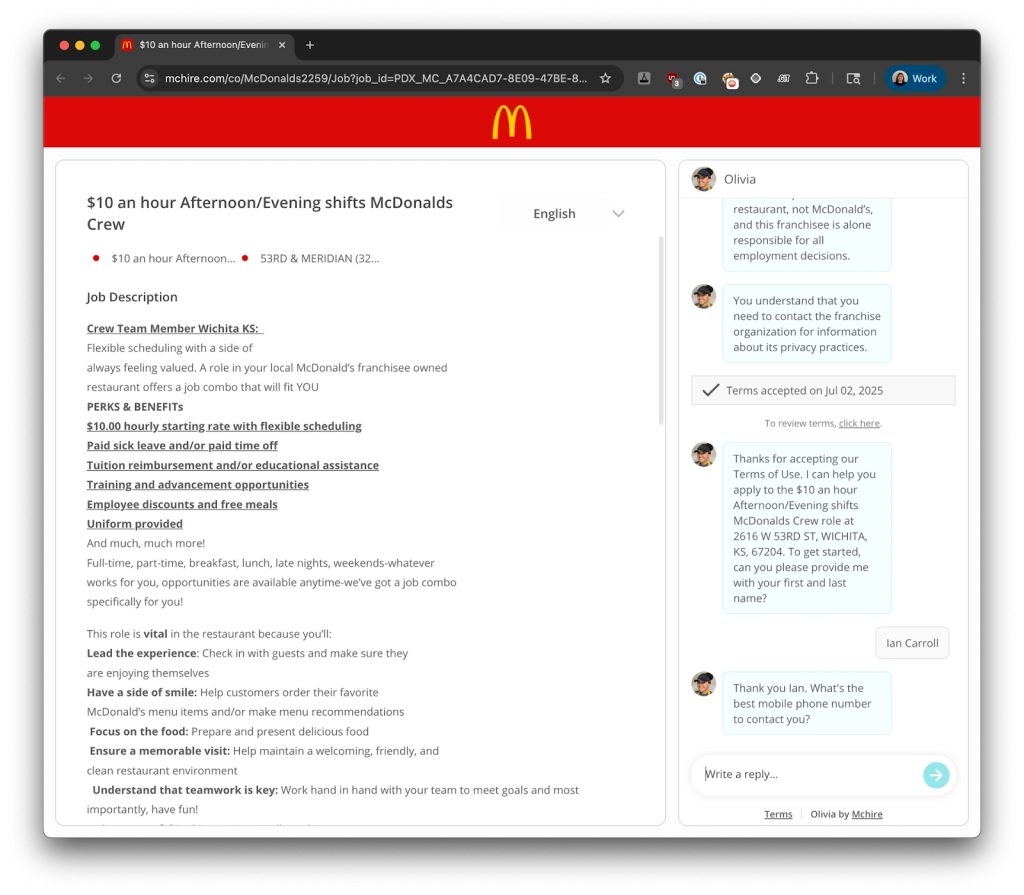
In 2025, the McHire recruitment bot was reported to have been accessed using the notoriously weak password 123456, exposing personal data of approximately 64 million people.
Billion-Credential Dumps Worldwide
Independent reports identified massive credential leaks containing more than 19 billion compromised passwords, including easily guessed or default values like “password” and “admin.”
Conclusion
Strong passwords are essential for online security. Unique, long, unpredictable credentials combined with layers like MFA and passkeys set you up for better privacy. Start today by evaluating your current passwords, switching to PureVPN password manager, and enabling 2FA.
Frequently Asked Questions
Aim for at least 12–16 characters. Longer passphrases are even better, if they combine unrelated words with symbols and numbers.
Yes, but predictable patterns (like appending 2023 or $ at the end) don’t help much. Focus on randomness and length.
Change it immediately and update any accounts that use the same password. Enable MFA on all sensitive accounts.
Absolutely, if you are using a reliable one. They encrypt your credentials securely.
Passkeys are phishing-resistant and don’t rely on shared secrets like text passwords do. But if you are using a password manager, you can secure your privacy better than passkeys.