
Weak Wi-Fi is one of the most frustrating problems to deal with at home. Some rooms get a strong signal, while others suffer from slow speeds, buffering, or complete dead zones. That’s where a Wi-Fi extender helps by stretching your router’s signal into areas it normally can’t reach.
So, how does a Wi-Fi extender work and is it the right solution for your home? In this guide, we’ll break down how they boost Wi-Fi coverage, what their pros and cons are, when you should use one, and where to place them for optimal performance.
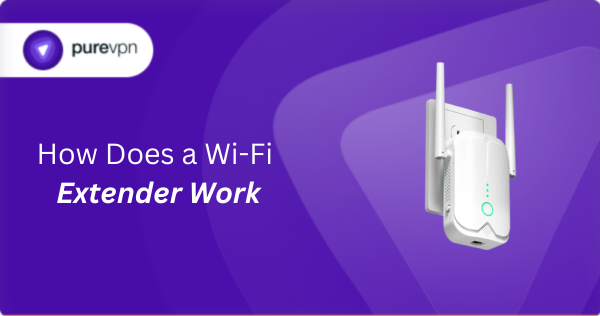
Table of Contents
What is a Wi-Fi extender?
A Wi-Fi extender is a device that expands the reach of your existing wireless network. It picks up the signal from your main router and rebroadcasts it into areas where the connection is weak or drops completely, which helps eliminate dead zones in your home.
Extenders don’t replace your router and simply stretch your current Wi-Fi coverage. They’re useful in larger homes, multi-floor spaces, or rooms where walls, distance, or interference prevent your router’s signal from reaching reliably.
How does a Wi-Fi extender work?
A Wi-Fi extender captures your router’s signal and relays it to places your router can’t reach. Here’s what happens behind the scenes:
- The extender detects your router’s Wi-Fi signal: It listens for the existing wireless network and locks onto it just like a device would.
- It connects to the router wirelessly: Once the signal is detected, the extender forms a link with your router so it can pass traffic back and forth.
- The extender rebroadcasts the signal: It creates a new Wi-Fi network (usually with a similar name) that devices in the weak-signal area can join.
- Your devices connect through the extender: When your phone, laptop, or TV joins the extender’s network, the extender sends their data to the router and returns the response.
- The extender repeats this process continuously: Since it receives and sends data at the same time overall speeds may be lower than connecting directly to the router.
Types of Wi-Fi extenders
Wi-Fi extenders come in a few different types, each designed to solve coverage issues in slightly different ways. Here are the most common types you’ll come across:
Plug-in Wi-Fi Extenders
These compact extenders plug directly into a wall outlet and are the most popular option for boosting Wi-Fi in small to medium-sized areas. They’re easy to install, affordable, and ideal for extending coverage to bedrooms, hallways, or home offices.
Desktop Wi-Fi Extenders
Desktop extenders sit on a table or shelf and often offer stronger antennas, multiple Ethernet ports, and better performance than plug-in models. They’re a good choice for larger homes or areas where you need a more stable and longer-range signal.
Dual-Band and Tri-Band Wi-Fi Extenders
Dual-band extenders broadcast on both 2.4 GHz and 5 GHz, while tri-band extenders add an extra band that can be used as a dedicated backhaul. Tri-band models generally offer faster speeds and reduced congestion, especially in busy households.
Pros and Cons of Wi-Fi extenders
Before choosing a Wi-Fi extender, it’s worth knowing their upsides and downsides. Here’s how they compare:
| Pros of Wi-Fi extenders | Cons of Wi-Fi extenders |
| Extends your router’s signal into areas with weak or no Wi-Fi | Repeating a signal cuts available bandwidth and may slow your connection |
| Cheaper than buying a mesh Wi-Fi system or a new high-end router | The extra hop between the extender and router can introduce delay |
| Most extenders set up quickly through WPS or a simple browser-based configuration | Poor placement leads to weak performance or no improvement |
| Uses standard Wi-Fi protocols for broad compatibility | Some extenders broadcast a separate SSID you must switch to |
When should you use a Wi-Fi extender
A Wi-Fi extender makes sense when your main router can’t reach certain rooms and you want a quick fix without upgrading your whole network. It’s best suited for coverage problems rather than speed issues. Here’s when an extender is a good choice:
- You have dead zones in specific rooms: If one or two rooms consistently get weak Wi-Fi while the rest of your home is fine, an extender can push your router’s signal into those areas.
- Your home is large or has multiple floors: Extenders carry your router’s signal around long hallways, upstairs bedrooms, and basically anywhere where distance weakens Wi-Fi.
- You want a low-cost upgrade: If you don’t want to purchase a mesh system or a new router, an extender offers a budget-friendly way to improve Wi-Fi coverage across your home.
- Your internet speed is fine near the router: If speeds near your router are strong but drop off as you move away, an extender can help without requiring a new connection or plan.
- You need better Wi-Fi for basic use: Extenders are ideal when you mainly need better coverage for browsing, emails, or streaming, not for demanding gaming or high-speed tasks.
Wi-Fi extender vs Mesh Wi-Fi
Wi-Fi extenders and mesh Wi-Fi systems both improve coverage, but they function differently. Here’s a quick breakdown:
| Wi-Fi Extender | Mesh Wi-Fi | |
| What it does | Repeats your router’s signal to expand coverage | Uses multiple nodes to create a single, seamless Wi-Fi network |
| Best for | Fixing weak spots in 1–2 rooms | Large homes or multi-floor spaces needing whole-house coverage |
| Speed impact | Reduces speed slightly due to repeating | Maintains strong speeds across all rooms with seamless roaming |
| Network name | Often creates a second SSID | Single unified network name throughout the home |
| Setup complexity | Easy and quick | Slightly more advanced but very user-friendly |
| Cost | Low-cost solution | Most expensive option |
How to set up a Wi-Fi extender
Setting up a Wi-Fi extender is straightforward and only takes a few minutes. Here’s the simplest way to get it up and running:
- Plug in the extender in a good starting spot: Place the extender halfway between your router and the area with weak signal, so it receives a strong enough connection to extend.
- Connect the extender to your Wi-Fi network: Press WPS on your router and the extender to pair them, or join the extender’s default Wi-Fi and choose your home network in its setup page.
- Enter your Wi-Fi password if required: Some models will ask you to confirm your Wi-Fi password so the extender can link to the router and start broadcasting the extended network.
- Check the extender’s signal indicator: Most extenders show whether they’re receiving a strong or weak signal from your router. Adjust the placement if the light suggests the connection isn’t stable.
- Reconnect your devices to the extended network: Your extender may create a network name like “HomeWiFi_EXT,” unless you choose to merge names. Connect your devices to this network to use the extended coverage.
Related Read: Common WiFi Issues: WiFi connected but no Internet
Tips to place a Wi-Fi extender for best performance
Placement makes the biggest difference in how well a Wi-Fi extender works. Here’s how to position it for the best results:
Place it halfway between your router and the dead zone
This is the ideal spot because the extender still receives a strong, stable signal from your router while pushing coverage into rooms with weak Wi-Fi. If it’s too close to the router, it won’t extend far enough. If it’s too far, it won’t have a strong signal to repeat.
Avoid placing it too far from the router
An extender can only repeat the quality of the signal it receives, so a weak signal in means a weak signal out. Make sure your phone or laptop shows at least two to three Wi-Fi bars in the location where you plan to install it. If not, move it closer to the router.
Keep it away from thick walls and metal objects
Concrete, brick, steel, and large appliances can block or absorb Wi-Fi signals. Placing your extender in a more open space helps it maintain a clear line of communication with the router and improves reliability in the extended area.
Elevate the extender if possible
Wi-Fi signals distribute outward and slightly downward, so putting the extender on a shelf or table works far better than plugging it behind furniture or near the floor. Elevation reduces interference and helps the signal reach farther across the room.
Avoid interference-heavy areas
Devices like microwaves, cordless phones, Bluetooth speakers, and baby monitors can disrupt Wi-Fi frequencies. Keeping your extender away from these sources ensures a cleaner, more stable connection and reduces random dropouts or performance dips.
Angle external antennas if available
If your extender has movable antennas, positioning one vertically and one horizontally can improve how well it receives and broadcasts signals. This helps cover devices on different floors and in different orientations for more consistent performance.
Final word
A Wi-Fi extender is one of the easiest ways to fix weak coverage without replacing your router or upgrading your entire network. Whether you’re dealing with dead zones or signal drops on another floor, the right extender and proper placement can make a noticeable difference.

PureVPN

December 1, 2025

4 months ago


