Reusing the same password across multiple accounts feels convenient. One password to remember, no mental overload, and no frantic “Forgot password?” loops.
But password reuse is one of the biggest reasons data breaches spiral out of control. A single leaked password can unlock your email, banking apps, social media, work accounts, and cloud storage in minutes.
Cybercriminals don’t need to hack every site you use. They just need one weak link. And if you’re using the same password everywhere, that link is everywhere. You don’t need to become a cybersecurity expert to fix this. With the right habits and tools, breaking the password-reuse cycle is easier than you think, and this guide will walk you through it, step by step.
Why Using the Same Password Everywhere Is So Dangerous
When a website suffers a breach, attackers often dump stolen credentials onto underground forums. From there, automated tools test those same email-password combinations across hundreds of popular platforms, a tactic known as credential stuffing.
If you reuse passwords, one breach can trigger a chain reaction:
- Your email gets compromised
- Password resets are intercepted
- Financial accounts are accessed
- Social media accounts are hijacked
All without attackers ever guessing your password.
Why Our Brains Aren’t Built for Password Security
The average person now manages 100+ online accounts. Expecting anyone to remember a unique, complex password for each one simply isn’t realistic. So we take shortcuts:
- Reusing the same password
- Making tiny variations (Password1, Password2…)
- Writing them down in notes or spreadsheets
These coping mechanisms feel practical, but they quietly create massive security gaps. Using the same password gives a false sense of control. You know it, you trust it, and it’s worked so far. Unfortunately, attackers love familiarity, it makes their job faster.
How Hackers Take Advantage of Password Reuse
Credential stuffing doesn’t rely on hacking a system directly. Instead, attackers:
- Buy or download leaked credentials from past breaches
- Use bots to test them across popular websites
- Take over accounts where passwords are reused
This is why even secure platforms can’t protect you if your password is already compromised elsewhere. Even a strong password can become useless if it’s reused. Once exposed, strength doesn’t matter anymore, exposure does.
How to Stop Using the Same Password Everywhere Without Losing Your Mind
You can protect your accounts without adding friction to your daily life. Here’s how to stop password reuse in a way that actually feels manageable.
Step 1: Accept That Manual Management Doesn’t Scale
The first mindset shift is simple: humans can’t manage dozens of unique passwords safely on their own. Trying harder isn’t the solution, using smarter systems is.
Step 2: Use Unique Passwords for What Matters Most
Start with high-risk accounts:
- Banking and payment apps
- Cloud storage
- Social media
- Work accounts
Each of these should have completely unique passwords, no variations.
Step 3: Let Technology Remember Passwords for You
This is where password managers quietly change everything. Instead of memorizing passwords, a password manager:
- Generates strong, unique passwords
- Stores them in encrypted vaults
- Auto-fills logins securely
- Syncs across your devices
You only remember one master password, and the rest is handled securely in the background.
Why a Password Manager Is the Practical Way Forward
Password managers aren’t about complexity, they’re about reducing mental load while improving security. You don’t need to think about password rules, length, or randomness anymore. With PureVPN password manager, you get:
- Strong, unique passwords generated automatically
- Encrypted storage that even the provider can’t access
- Cross-device syncing for phones, laptops, and tablets
- Seamless autofill that saves time without sacrificing safety
Instead of juggling passwords or relying on unsafe notes, everything stays locked behind one secure vault, making password reuse unnecessary.
Common Myths About Stopping Password Reuse
“I’ve Never Been Hacked, So I’m Fine”
That sense of “it won’t happen to me” is exactly what breaches exploit. In January 2026, researchers uncovered a massive unsecured database exposing 149 million usernames and passwords across Gmail, Facebook, Netflix, TikTok, and more, many pulled via malware and keylogging tools, not a corporate hack. This means credentials are floating on the dark web waiting to be tested against other services you use.
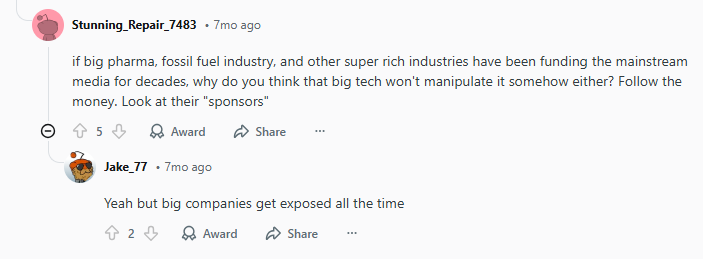
Redditors have been talking about this too:
u/Bedbathnyourmom: “Over 16 billion credentials were found from malware and cloud dumps, not just old breaches. It’s a stark reminder that attackers don’t need to breach Google/Apple directly to get your stuff.”
Another Reddit post showed how real this feels on the ground:
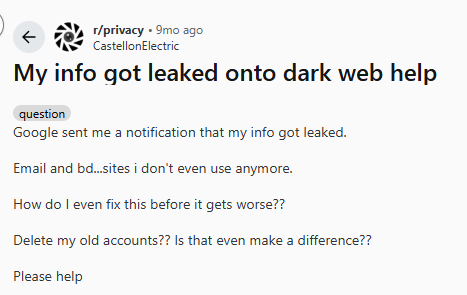
The fear here is understandable, one vault sounds like one target. But consider what’s really happening out there: cybersecurity research shows that reused and weak passwords dominate breach datasets, with up to 94% of leaked credentials showing repetition or simplicity. So every reused password you have is an easier target everywhere.
And another discussion points out a common misconception:
u/NoStupidQuestions: “Most viral ‘Facebook/Google password leaks’ were not direct breaches, they’re aggregated bits from old leaks. But if you reused your password, it doesn’t matter. It’s still dangerous.”
These are not abstract warnings, they’re happening now. Huge credential collections that didn’t originate from mainstream brands’ systems end up circulating because attackers exploit poor password habits, not just corporate security failures. That means even if your favorite platform hasn’t publicly reported a breach, your credentials may still be in circulation from other leaks, and reused passwords dramatically increase the odds attackers can pivot into your other accounts.
How to Create a Sustainable Password Habit
Building better password habits isn’t about being perfect but consistent.
Use Auto-Generated Passwords Everywhere
Stop trying to outsmart attackers with clever passwords. Auto-generated passwords are long, random, and impossible to guess, exactly what cybercriminals hate. Let a password manager create and store them for every account, so security doesn’t depend on memory.
Enable Two-Factor Authentication (2FA)
Unique passwords are a strong first step, but 2FA adds a critical second lock. Even if a password ends up in a data breach or on the dark web, attackers still can’t get in without that extra verification.
Avoid Relying on Browser Storage Alone
Saving passwords in a browser is convenient, but it offers limited protection if your device or account is compromised. A dedicated password manager provides stronger encryption, breach alerts, and better control, turning password security into a long-term habit, not a one-time fix.
Wrap Up
Using the same password everywhere isn’t laziness but a survival tactic that carries serious risks. The smartest move isn’t trying harder, it’s changing how you manage passwords entirely.
Stopping password reuse isn’t about fear. It’s about control, confidence, and knowing that one mistake won’t damage your entire privacy.
Frequently Asked Questions
Because once a password is exposed in a breach, attackers can use it to access multiple accounts instantly.
Ideally, one unique password per account, managed by a password manager so you don’t have to remember them.
Reputable password managers use strong encryption and zero-knowledge architecture, making them far safer than manual methods.
Most password managers offer recovery options, but choosing a strong, memorable master password is essential.
Yes. A VPN protects your internet traffic, while a password manager protects your account access, covering different but complementary security needs.