
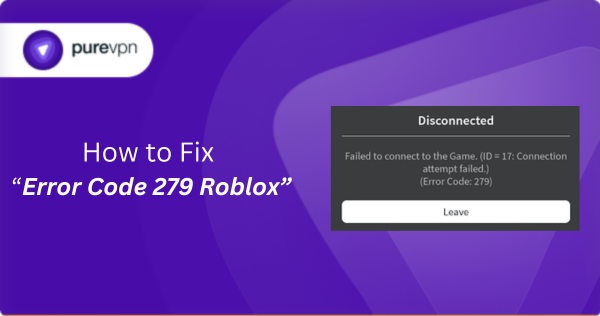
If you play Roblox and have ever seen a message like “Error Code 279 / ID 17: Failed to connect to the Game”, it’s one of the most frustrating interruptions, especially when you’re ready to jump in and enjoy your favorite game. In this post, we’ll dive deep into what that error means, why it happens, and how to fix it on any device you use. Whether you’re on PC, Mac, mobile, or console, here is the detailed guide we have covered for you.
What is “Error Code 279” on Roblox and Why It’s So Annoying
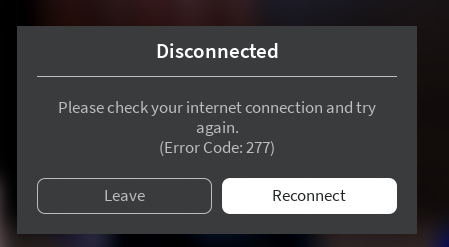
If you’ve ever tried to join a game on Roblox and got hit with a message like “Error Code 279 / ID = 17: Failed to connect to the Game”, you know how frustrating it can be. That error doesn’t mean your account is banned, or that the game is broken, it usually means Roblox couldn’t establish a proper connection between your device and the game’s server.
In simple terms: your client tries to join a server, but something interrupts the “handshake” or network communication, so Roblox gives up and throws up the 279 error. This problem can crop up whether you play on PC, Mac, mobile, or even console, it doesn’t discriminate.
Because Roblox relies on network stability (low ping, open ports, clean traffic) to connect you to a game, anything from a shaky Wi-Fi signal, a locked firewall, to heavy server load can cause the error.
Common Causes Behind Error 279
Why does Roblox fail to connect? Here are the frequent culprits:
1- Unstable or Weak Internet Connection
Roblox relies on a fast and stable network to load assets and communicate with game servers. If your Wi-Fi signal is weak, your ping is jumping around, or your internet speed drops suddenly, the game may struggle to receive data in time. When this happens, Roblox simply times out and shows Error 279 because it can’t maintain a steady link to the server.
2- Firewalls, Antivirus, or Network Security Settings
Security software is great for protecting your PC or network, but sometimes it becomes too strict. Firewalls or antivirus tools may mistakenly block Roblox’s traffic, thinking it looks suspicious. When the game can’t send or receive the data it needs especially during the initial connection handshake it fails to join the server and triggers the error.
3- DNS or Router Configuration Issues
Your DNS settings help your device find Roblox servers on the internet. If your DNS is slow, misconfigured, or returning bad results, Roblox may fail to resolve the server addresses correctly. Similarly, router problems like closed ports, strict NAT types, or unusual firewall rules can break the connection path, preventing Roblox from reaching the game server.
4- VPNs, Proxies, or IP-Related Problems
Interestingly, some players notice that enabling a VPN fixes Error 279, while others say VPNs make it worse. This happens because VPNs change your routing path and IP address. If your ISP has a routing issue or your IP range is giving problems, a VPN can bypass it. But if the VPN slows down your connection or blocks certain traffic, it can also cause the 279 error. It depends entirely on how your network is being rerouted.
5- Corrupted Installation or Cache
If Roblox’s local files become corrupted whether it’s the installation, temporary cache, or saved configuration the client may fail to start properly or connect to servers. Damaged files interrupt the way Roblox initializes the network process, causing the game to fail before it even completes the joining sequence.
6- Server-Side Issues or Game Instance Closed
Sometimes the issue has nothing to do with your device or network. If the Roblox game server you’re trying to join has crashed, shut down, or is restarting, you will automatically get Error 279. This also happens when a game instance is full, overloaded, or experiencing backend issues. In these cases, no amount of troubleshooting on your side will fix it.
7- Problems Outside the Player’s Control
There are cases where players with excellent internet, modern devices, and proper setups still run into Error 279. When this happens, it’s often due to issues somewhere between your ISP and Roblox’s servers things like bad routing paths, overloaded regional servers, or temporary network hiccups. These are outside your control and usually resolve on their own after some time.
How to Fix Error Code 279: Device-by-Device
Here’s a step-by-step troubleshooting guide depending on your platform. Start from the top; often the simplest steps solve the problem quickly.
General fixes (all devices)
- Restart your router and device. This often clears temporary glitches with network hardware or software.
- Ensure internet connection is stable. Try switching from Wi-Fi to wired (Ethernet) or even mobile data to test stability.
- Disable VPNs or proxies (temporarily). They might interfere with Roblox’s traffic routing, causing the error.
- Change DNS settings. For example, using a public DNS (like Google DNS 8.8.8.8 / 8.8.4.4) can improve server resolution and reduce connection failures.
- Allow Roblox through firewall / antivirus. Ensure the game is whitelisted so its network requests aren’t blocked.
On PC (Windows / macOS)
- Uninstall and reinstall Roblox, to clear out any corrupted files or cache that may cause connection issues.
- Clear Roblox app data (cache, temp files) on Windows: remove Roblox folder under
%LOCALAPPDATA%. On macOS: remove via Trash / delete then reinstall. - Update network drivers (Wi-Fi / Ethernet) outdated drivers can interfere with network stability.
- If using browser, clear browser cache / cookies / disable extensions that might interfere, or try a different browser.
On Mobile (Android / iOS)
- Switch networks: if you’re on Wi-Fi, try mobile data; if on data, try Wi-Fi. This helps isolate whether the issue is with the network or the device.
- Force-stop Roblox and reinstall the app: This clears corrupted app data or cache.
- Check date/time settings: If your device’s date/time is incorrect, it may cause handshake or security issues. (On iOS – sync time automatically; on Android ensure correct settings)
- Avoid battery-saving/data-saving modes: These can block background data, interfering with game network traffic. Some guides suggest this as a fix.
On Consoles / Other Platforms (if applicable)
Although less common for some platform combinations, for consoles or alternate OS:
- Use wired connection instead of Wi-Fi where possible. Wired tends to be more stable and avoids latency/jitter issues.
- Run network tests (NAT type, ping, latency), strict NAT or blocked ports can cause connection failures.
- Clear persistent cache/storage data if console has such option. Some tutorials mention this helps resolve connection errors.
- Related Read: How to Get Unbanned from Roblox
When Fixes Don’t Work, What Else Could be Going On
Even after trying all the fixes, some players still face persistent 279 errors. From recent reports on the official developer forums:
- Some say that their router or ISP setup may be at fault — affecting all devices behind that router.
- Others mention that using a VPN momentarily solves the issue (likely because it changes routing or the visible IP), hinting the problem may be region, IP- or ISP-related.
- A few players report that even wiping Roblox (install + cache + registry) didn’t help, suggesting the cause could be a deeper network-level problem or a bug in the backend / game instance.
- There are hints of port / relay failures or “stacked firewalls” interfering with socket connections — for example with custom server settings or network configurations.
If all troubleshooting fails, it might be worth:
- Trying a different internet connection (e.g., mobile data vs Wi-Fi), or even a different ISP.
- Contacting your ISP to check if they are blocking some ports or applying aggressive NAT/firewall policies.
- Reaching out to Roblox Support with the exact error (ID=17 or 279) and mentioning that you tried standard fixes.
Some Extra Notes For Competitive Gamers & Developers
- For players using VPNs or proxies regularly: while some have reported that VPN “fixes” 279, using “random” or banned IPs might be risky, it could lead to account flags or bans if Roblox detects suspicious login behavior.
- If you are a developer or server host running custom games: faulty scripts, teleport logic, or heavy game instances may cause connection failures, some posts on dev forums link 279 errors to server logic bugs rather than user-side network trouble.
- For users in regions with unstable or high-latency internet (like many gamers globally), sticking to wired connections, stable DNS, and minimal background network traffic tends to produce the best results.
- Find here more Roblox LOCKED Codes
Summary
Error Code 279 / ID 17 on Roblox isn’t a bug in the game, it’s almost always a network or connection issue. The good news: for most players, it can be resolved with basic troubleshooting restarting router, switching network types, ensuring firewall/antivirus isn’t blocking Roblox, reinstalling the app, or changing DNS settings.
If you still encounter it after trying everything, consider testing a different network, checking if your ISP or router is causing the issue, or contacting Roblox Support. For developers or advanced users, also inspect whether custom game logic or server configuration might be triggering the error.
Frequently Asked Questions
No. Error 279 is not related to bans, moderation, or account restrictions. It simply means the game client failed to connect to a server. Your account remains perfectly safe, and the issue is almost always network-related.
Some Roblox games have larger asset files, heavier scripts, or busier servers. If your internet struggles to load these assets fast enough or the game server is unstable, those specific experiences may trigger Error 279 while others load fine.
Sometimes but not always. A VPN can fix routing issues if your ISP or IP range is having problems reaching Roblox’s servers. However, a slow or overloaded VPN can make the error worse. It depends on the VPN’s speed and the route it takes.
A strong internet connection doesn’t guarantee perfect routing. Firewalls, DNS issues, ISP filtering, and even regional server problems can block the connection long before speed becomes a factor. In some cases, the issue is entirely on Roblox’s end.
Most of the time, simple tweaks like restarting your router, switching networks, or reinstalling Roblox fix the issue within minutes. But if the problem is server-side or related to ISP routing, it may take a few hours until the underlying issue resolves on its own.

PureVPN

December 2, 2025

3 months ago


