
If you’ve tried to load Skate (the game) and were stopped cold by “Error Code 3967269002”, you know how infuriating it is especially when you’re ready to land a trick or join a session. This guide explains what that error means, the usual reasons it appears, and step-by-step fixes across devices so you can get back to skating fast. Whether you’re on PC, console, or mobile (if applicable), this covers everything you’d expect from a complete troubleshooting walkthrough.
What is “Skate Error Code 3967269002” and why it shows up
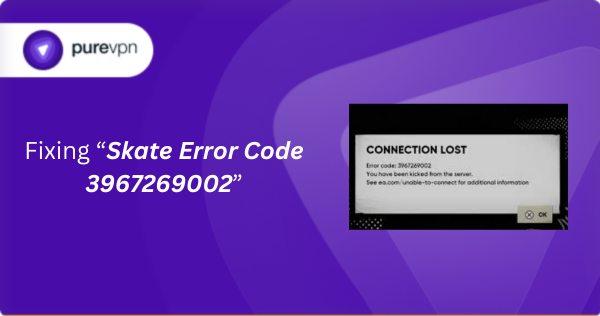
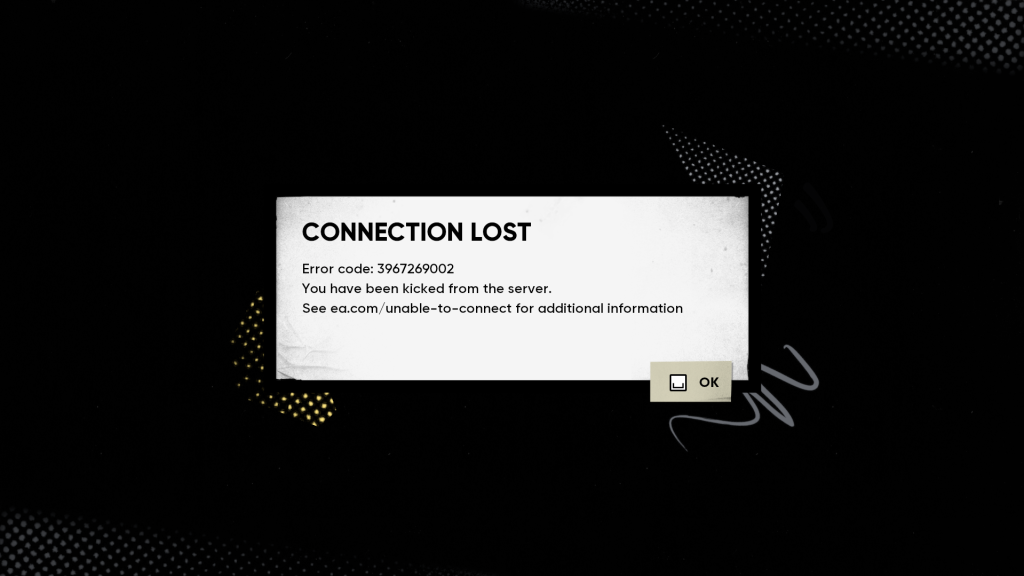
Error Code 3967269002 typically indicates the game client couldn’t establish or maintain a stable connection to the game servers or required online services. It’s not usually an account or ban message, it’s a connection problem during the handshake or when loading assets/instances. In plain terms: your client tried to talk to Skate’s backend, something interrupted the conversation, and the client gave up.
Because online games depend on low-latency connections, open network paths, and intact local files, a wide range of issues from shaky Wi-Fi to server overloads or aggressive firewall rules can trigger this error.
Common causes behind Error Code 3967269002
Why does Skate fail to connect? Here are the most common culprits:
1. Unstable or weak internet connection
If your ping spikes, packet loss occurs, or bandwidth dips, the client may timeout while loading maps, assets, or matchmaking info. Wireless connections are the usual suspect.
2. Firewall, antivirus, or router security blocking traffic
Security software or router-level firewalls can block the ports or protocols Skate uses. Overzealous rules may stop the initial handshake that opens a game session.
3. DNS or router configuration problems
Slow, misconfigured, or private DNS resolvers can delay or misresolve server addresses. Router NAT types and closed ports can also prevent peer or server connections.
4. VPNs, proxies, or IP-related routing issues
A VPN can either help (by bypassing bad ISP routing) or hurt (by adding latency, packet loss, or filtering). If your IP range is being throttled or has routing problems, a VPN sometimes fixes it — but not always.
5. Corrupted local installation or cache
Damaged game files, broken cache, or corrupted temporary data can halt the client before it properly connects to online services.
6. Server-side problems or an overloaded match instance
If the Skate server you’re trying to join is down, restarting, or overloaded, no client-side fix will help until the server side stabilizes.
7. Issues outside the player’s control
Sometimes the problem lies between your ISP and the game’s servers (bad peering, regional outages, or maintenance). Those typically resolve with time or after ISP intervention.
How to fix Error Code 3967269002: Device-by-device
Start with the simple steps, they often fix the issue quickly.
General fixes (all devices)
- Restart your router and device, this clears transient network glitches.
- Test network stability, switch from Wi-Fi to wired Ethernet or mobile tethering to isolate the problem.
- Temporarily disable VPNs/proxies rule out routing/latency introduced by the VPN.
- Change DNS to a public resolver (for testing) such as Google DNS (8.8.8.8 / 8.8.4.4) or Cloudflare (1.1.1.1).
- Whitelist Skate in your firewall/antivirus allow the game’s executable and necessary ports.
On PC (Windows / macOS)
- Verify and repair game files via the launcher (Steam, EA/Origin, or other). Corrupted files are a frequent cause.
- Uninstall and reinstall the game if verifying fails removes lingering corrupt cache.
- Clear temporary game data and user cache folders (check
%LOCALAPPDATA%on Windows). - Update network drivers (Wi-Fi/Ethernet). Old drivers cause inconsistent connections.
- If using a browser for matchmaking or authentication, clear the browser cache, disable extensions, or try a different browser.
On Consoles (PlayStation / Xbox)
- Use a wired connection if possible; it’s more consistent than Wi-Fi.
- Run the console’s network test to check NAT type and latency. If NAT is strict, open/forward required ports or enable UPnP on your router.
- Clear the console cache/power cycle (full shutdown and unplug for 30 seconds).
- Reinstall the game if connection problems persist across multiple sessions.
On Mobile (if applicable)
- Toggle between Wi-Fi and mobile data to see if the issue is network-specific.
- Force-stop the app, clear app cache, or reinstall to remove corrupted data.
- Ensure background data, battery saver, or data-saver modes aren’t restricting the game’s network access.
- Confirm date/time settings are correct — incorrect time can break secure connections.
When fixes don’t work, what else to check
If you’ve tried everything above and Error Code 3967269002 persists, consider these possibilities:
- Try a different internet connection (friend’s house, mobile hotspot, or a different ISP). If it works elsewhere, the issue is likely your ISP or home router.
- Contact your ISP to check for packet filtering, heavy NATing, or port restrictions. Ask about recent routing changes or outages.
- Check official status pages and social media for Skate’s server status or ongoing incidents.
- Reach out to Skate support and provide the exact error code plus the troubleshooting steps you already tried.
Extra notes for competitive players & developers
- VPN use: Some competitive players use VPNs when their ISP has bad routing. That can temporarily fix the error, but be cautious: frequent IP changes or using shared/banned IP ranges could trigger account security checks.
- Developers / server hosts: If you run a custom server or host game instances, review your server logs for failed handshakes, overloaded workers, or asset-loading bottlenecks. Server-side bugs or heavy scripted loads can cause clients to drop with connection errors.
- High-latency regions: If you’re in an area with unstable internet, prefer wired connections, light background usage, and conservative graphics/network settings to reduce the chance of timeouts.
Summary
Skate Error Code 3967269002 is almost always a network or connection issue not an account ban. For most players, restarting hardware, switching to wired connections, checking firewall/antivirus settings, reinstalling the game, or changing DNS will fix the problem. If those don’t work, test a different network, contact your ISP, check server status, or raise a ticket with Skate support.
Frequently Asked Questions
No. This error indicates the client failed to connect to required services — not a moderation action. Your account should be fine.
Some sessions or maps need more assets or rely on specific matchmaking servers; heavier loads or unstable servers make timeouts more likely.
Sometimes. A VPN can reroute around ISP issues, but it also adds latency and potential packet loss. Test with and without a VPN to see which route works better.
Routing problems, ISP-side filtering, or server-side outages can cause this. Try a different network, contact your ISP, and check the game’s status updates.
Simple fixes (restart, reinstall, DNS change) often work within minutes. If the issue is server-side or with ISP routing, it may take hours until it’s resolved.

PureVPN

December 2, 2025

3 months ago


