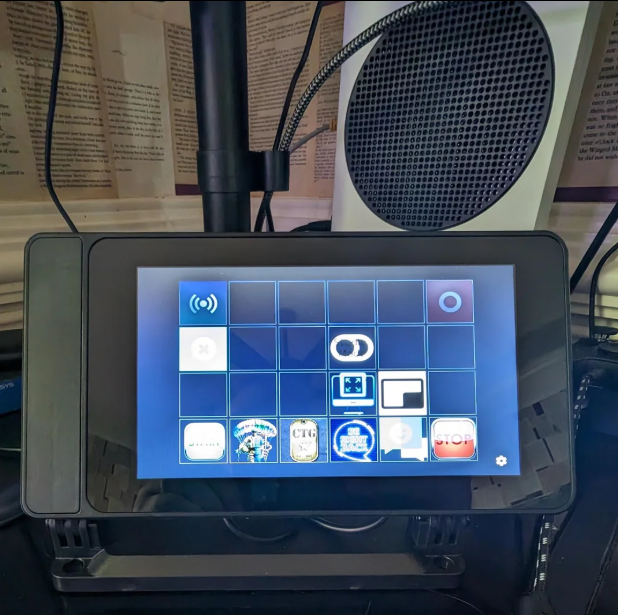
If you love automation but don’t want to invest in an Elgato Stream Deck, you’re not alone. Many creators, streamers, and power users are now exploring Stream Deck alternatives that offer similar or even better functionality at a lower cost.
Whether you’re streaming, editing videos, managing remote work, or controlling smart apps, these Stream Deck alternatives can help automate repetitive tasks with ease. Let’s explore the best Stream Deck alternatives in 2026, including pricing, features, and who they’re best for.
How Does Stream Deck and Its Alternatives Work?
Stream Deck and its alternatives work by triggering pre-set actions, like launching apps, switching OBS scenes, muting audio, or sending commands, with a single button tap. They connect to your PC via software or apps, translating button presses into automated shortcuts that save time and streamline workflows.
9 Tried & Tested Stream Deck Alternatives You Must Try!
Not ready to invest in an Elgato Stream Deck, or simply want more flexibility? You’re not alone. Below are 7 tried and tested Stream Deck alternatives that help creators, streamers, and remote workers work faster and smarter.
1. Touch Portal
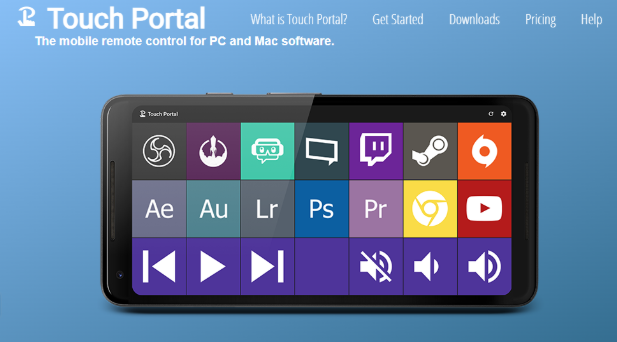
One of the most popular Stream Deck alternatives, Touch Portal turns your smartphone or tablet into a customizable macro controller.
Key Features:
- Custom buttons and pages
- Works with OBS, Twitch, YouTube, Spotify, Discord
- PC & mobile integration (Android, iOS)
- Plugin support for automation
Why It’s a Good Alternative:
Touch Portal offers nearly the same experience as a physical Stream Deck, without the hardware cost. It’s ideal for streamers who want flexibility and portability.
Pricing:
- Free plan available
- Paid plans start at $14.99 (one-time)
2. Loupedeck Live
Originally designed for photographers, Loupedeck Live has evolved into a powerful control surface for streamers and editors.
Key Features:
- Physical buttons + touchscreen
- Native support for OBS, Twitch, Adobe tools
- Haptic feedback and customizable profiles
- Cloud-based profile sharing
Why It’s a Good Alternative:
If you want tactile controls with premium build quality, Loupedeck Live feels more professional than most Stream Deck models.
Pricing:
- Starts at $269

3. Streamlabs Deck (Mobile App)
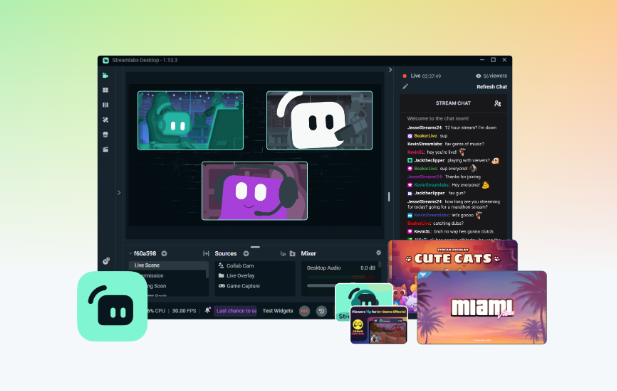
Streamlabs Deck stands out as a mobile-first Stream Deck alternative built specifically for streamers who want seamless OBS control on the go, offering quick scene switching, audio controls, and intuitive layouts.
Key Features:
- Dedicated OBS & Streamlabs integration
- Scene switching and audio controls
- Runs on iOS & Android
- Cloud-based layouts
Why It’s a Good Alternative:
It’s beginner-friendly and tightly integrated with Streamlabs, perfect for creators just starting out.
Pricing:
- Free (limited features)
- Premium starts at $3/month
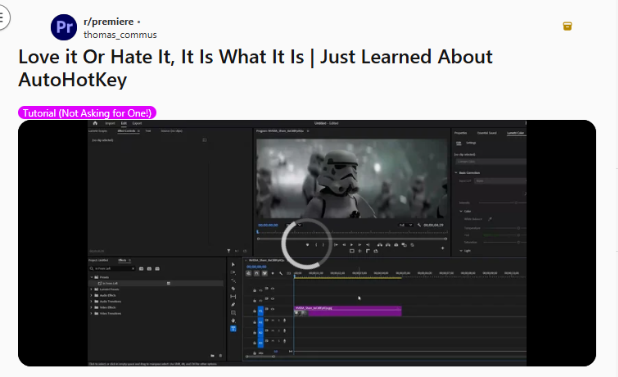
4. AutoHotkey
For advanced users, AutoHotkey is a script-based automation powerhouse that lets you create custom keyboard shortcuts and macros. It’s ideal for power users who want deep control over workflows without relying on physical Stream Deck hardware.
Key Features:
- Keyboard macros and automation scripts
- App-specific shortcuts
- Lightweight and fast
- Highly customizable
Why It’s a Good Alternative:
If you prefer software automation over physical buttons, AutoHotkey gives you total control, without extra devices.
Pricing:
- Completely free
5. MIDI Controller
Many creators repurpose MIDI controllers as Stream Deck alternatives for hands-on control.
They’re useful for managing audio levels, scene transitions, and live effects during streams.
Key Features:
- Physical knobs, pads, and sliders
- Works with OBS via plugins
- Excellent for audio and scene control
- Highly responsive
Why It’s a Good Alternative:
MIDI controllers are perfect for streamers who manage sound, transitions, and effects live.
Pricing:
- Entry-level options start around $60
- Professional models go beyond $300
6. Unified Remote
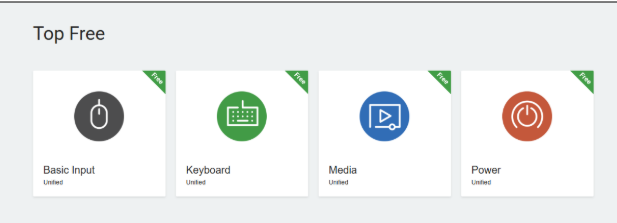
Unified Remote is a lightweight solution for basic automation and PC control. It lets you manage apps, shortcuts, and system functions remotely, making it ideal for productivity-focused workflows.
Key Features:
- Control apps, mouse, keyboard remotely
- Custom remote layouts
- Works over local network
- Android & iOS support
Why It’s a Good Alternative:
It’s not streamer-specific, but it’s excellent for productivity workflows and remote control use cases.
Pricing:
- Free version available
- Full version: $4.99 (one-time)
7. Deckboard
Deckboard is a mobile-based Stream Deck alternative focused on simplicity and ease of use. It allows quick access to custom buttons for OBS, apps, and shortcuts without complex setup.
Key Features:
- Custom buttons for apps and macros
- OBS and Spotify support
- Minimal setup
- Android & iOS compatible
Why It’s a Good Alternative:
Deckboard is perfect for users who want Stream Deck-like features without complexity.
Pricing:
- Free
- Pro version: $5.99 (one-time)

8. Macro Deck
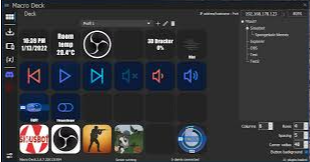
Macro Deck is a free, open-source Stream Deck alternative that turns your smartphone or tablet into a fully customizable macro pad. It’s ideal for controlling OBS, Spotify, Discord, and other apps with multi-page layouts and automated actions.
Key Features:
- Multi-page layouts and custom buttons
- OBS, Spotify, Discord support
- Trigger complex actions and macros
- Android & Windows compatible
Why It’s a Good Alternative:
Macro Deck is perfect for creators who want a free, flexible, and open-source solution for automation without extra hardware.
Pricing:
- Free
9. StreamPi
StreamPi is a versatile mobile and desktop-based Stream Deck alternative designed for streamers and content creators. It allows full control over OBS scenes, audio, apps, and macros from a single interface.
Key Features:
- Custom macros and buttons
- OBS and audio control
- Works on mobile and desktop
- Fully customizable layouts
Why It’s a Good Alternative:
StreamPi is ideal for those who want a simple, cross-platform solution for managing streaming workflows without physical devices.
Pricing:
- Free plan available
- Premium: $9.99 (one-time)
Final Thoughts
A physical Stream Deck isn’t the only way to automate your workflow anymore. Mobile apps, MIDI controllers, script-based tools, and other Stream Deck alternatives offer flexibility for every budget and use case.
If you’re streaming, editing, or working remotely, pairing automation tools with PureVPN ensures your data, credentials, and online activity stay protected.
Frequently Asked Questions
Yes. Many alternatives offer similar automation features at a lower cost; some are mobile-based tools that remove the need for hardware.
Most of the control pads like Touch Portal, Loupedeck, and Streamlabs Deck, offer native OBS integration.
Reputable tools are safe, but always download from official sources. For added privacy, specifically when using mobile apps on public networks, using PureVPN helps protect your data.
Absolutely. Many people rely on them for video calls, screen sharing, shortcuts, and workflow automation.