Identity theft has evolved. Cybercriminals no longer rely solely on brute-force hacking or malware. Instead, they exploit human psychology through social engineering attacks.
Fake IT support calls, highly targeted phishing emails, and AI-generated voice impersonations, attackers are finding new ways to trick you into revealing sensitive credentials.
Can a password manager actually prevent identity theft caused by sophisticated social engineering attacks? Yes, password managers reduce the success rate of credential theft by eliminating weak passwords, detecting phishing attempts, and protecting sensitive login data.
However, understanding how they help and where they don’t is key to using them effectively. Let’s discuss.
Understanding Identity Theft Through Social Engineering
Social engineering is a manipulation technique that attackers use to trick individuals into revealing confidential information. Instead of hacking systems directly, criminals target the human element of security. Common tactics include:
- Phishing emails
- Fake login pages
- Impersonation attacks
- Tech support scams
- AI-powered voice cloning
- Business email compromise (BEC)
These attacks are effective because they exploit trust, urgency, and fear. For example:
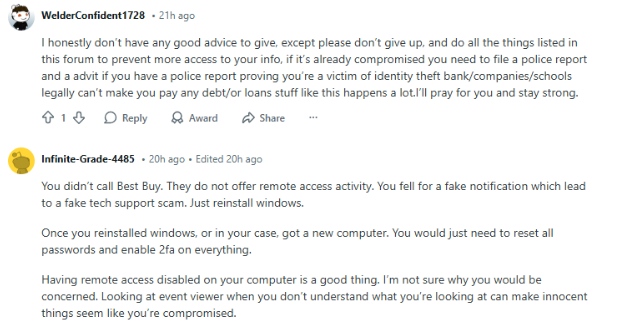
An employee receives an urgent email appearing to come from IT asking them to reset their password through a provided link. The login page looks legitimate, but it’s actually controlled by attackers. Once the victim enters their credentials, the attacker gains access.
Why Identity Theft Often Begins With Stolen Passwords
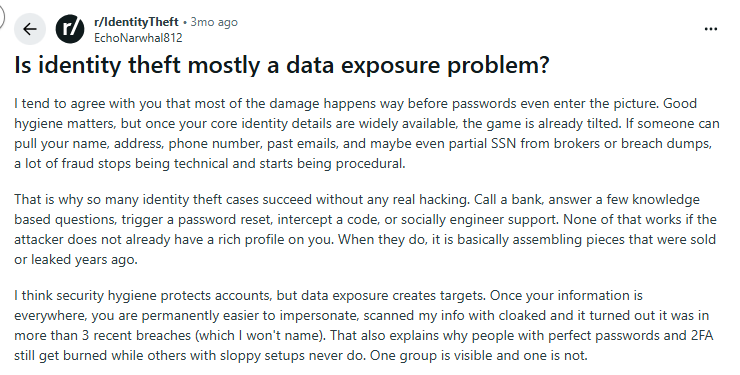
Even in an era of biometrics and passkeys, passwords remain the primary gateway to digital identity. Once attackers obtain credentials, they can:
- Access email accounts
- Reset other passwords
- Impersonate victims
- Conduct financial fraud
- Launch further attacks
This technique is known as account takeover (ATO). Identity theft frequently begins with access to:
- Email accounts
- Cloud storage
- Banking apps
- Social media accounts
- Corporate SaaS platforms
A single compromised password can unlock an entire digital identity.
How Sophisticated Social Engineering Attacks Work
Modern social engineering attacks are far more advanced than simple phishing emails.
AI-Powered Phishing Campaigns
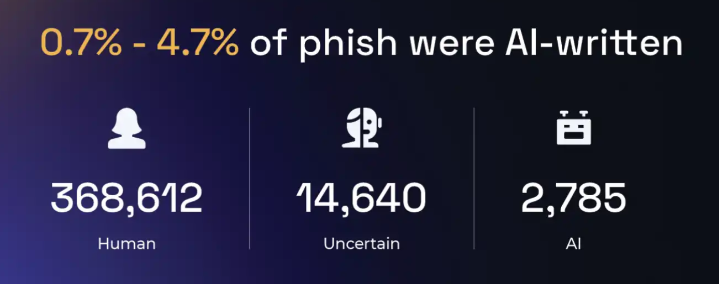
Attackers now use generative AI to craft highly convincing phishing messages. These emails often:
- mimic writing styles
- reference real colleagues
- include personalized details
- contain convincing branding
Deepfake and Voice Cloning Scams
Criminals are also using AI voice cloning to impersonate executives or family members. In an incident, attackers used AI to mimic a CEO’s voice and convinced an employee to transfer $243,000. These techniques bypass traditional security awareness training.
Business Email Compromise (BEC)
BEC attacks involve impersonating executives or vendors to trick employees into sending money or credentials.
According to the FBI, BEC attacks have caused over $50 billion in losses globally. Many of these incidents start with stolen credentials obtained through phishing.
How Password Managers Help Prevent Identity Theft
Password managers play a critical role in reducing identity theft risk. They protect digital identities in several ways.
- Enforcing Unique, Strong Passwords
One of the biggest security risks is password reuse. If one account is compromised, attackers attempt to reuse the same password across multiple services, a tactic known as credential stuffing. Password managers eliminate this risk by:
- generating strong random passwords
- storing them securely
- auto-filling credentials only on legitimate sites
Strong passwords include:
- 16+ characters
- mixed case letters
- numbers
- symbols
Because users no longer need to memorize passwords, they can safely use unique credentials everywhere.
- Blocking Phishing Websites Automatically
One powerful defense password managers provide is domain-based autofill protection. Here’s how it works:
A password manager will only autofill credentials on the exact domain where the account was created.
Example:
Saved login → amazon.com
If a phishing page appears on:
amaz0n-login-security.com
The password manager will not autofill credentials. This acts as an early warning sign that something is wrong. Users often realize the site is fraudulent because the login fields remain empty.
- Secure Credential Storage
Password managers encrypt sensitive information using strong encryption algorithms such as, AES-256, zero-knowledge architecture and secure vault storage, which ensures that even if attackers breach the provider’s servers, they cannot read stored credentials.
Sensitive data protected in password vaults can include:
- passwords
- credit card numbers
- secure notes
- identity documents
By centralizing sensitive data inside an encrypted vault, password managers reduce exposure across multiple platforms.
- Breach Monitoring and Alerts
Many modern password managers monitor known data breaches. If a user’s credentials appear in a breach database, the system immediately alerts them. You can then update compromised passwords before attackers exploit them. This approach reduces identity theft risk.
Best Practices to Prevent Identity Theft from Social Engineering
A password manager becomes far more effective when combined with additional security controls.
Use Multi-Factor Authentication (MFA)
Even if credentials are stolen, MFA adds another barrier. Strong MFA methods include:
- authenticator apps
- hardware security keys
- passkeys
Avoid relying solely on SMS codes, which can be intercepted through SIM-swapping attacks.
Never Share Passwords With Anyone
Legitimate organizations never ask for passwords directly. If someone requests login credentials:
- verify their identity independently
- contact the organization through official channels
This simple step prevents many social engineering scams.
Verify URLs Carefully
Before entering login details:
- check the domain spelling
- look for HTTPS
- avoid clicking links in unsolicited emails
Password managers help here by refusing to autofill credentials on fake domains.
Train Employees to Recognize Social Engineering
Organizations should regularly conduct:
- phishing simulations
- security awareness training
- incident response drills
Humans remain the last line of defense against social engineering attacks.
Use a Secure Password Manager
A trusted password manager simplifies strong security practices. Modern solutions offer features like:
- encrypted password vaults
- secure password generation
- breach monitoring
- phishing protection
- secure autofill
For individuals and businesses looking to strengthen credential security, PureVPN’s password manager provides encrypted storage and strong password generation while helping you detect suspicious login activity.
By eliminating password reuse and protecting login credentials, password managers reduce the chances that attackers can hijack accounts after a social engineering attempt.
Wrap Up
Identity theft, powered by sophisticated social engineering attacks, is one of the fastest-growing cybersecurity threats today. Attackers exploit trust, urgency, and human behavior to steal credentials and take over digital identities.
Password managers provide a powerful defense by generating strong, unique passwords, preventing credential reuse, detecting phishing websites, monitoring data breaches and securely storing sensitive information.
Frequently Asked Questions
Password managers cannot stop phishing emails from arriving, but they help you detect fake login pages by refusing to autofill credentials on fraudulent domains by sending alerts that a site may be malicious.
Attackers cannot easily bypass the encryption of a password manager vault. However, they may still succeed through social engineering tricks, malware, or by convincing victims to reveal credentials directly.
Most reputable password managers use zero-knowledge encryption, meaning even the service provider cannot access stored passwords. Even if the servers are compromised, attackers cannot read encrypted data without the master password.
Yes. Because password managers generate unique passwords for every account, attackers cannot reuse stolen credentials across multiple services preventing credential stuffing attacks.
Yes. Organizations increasingly deploy password managers to enforce strong password policies, secure credential sharing and centralized credential management to reduce the risk of breaches caused by weak or reused passwords.