
Organizations that operate air-gapped or restricted networks, such as military systems, industrial control environments, research labs, and critical infrastructure, face a unique challenge: how to manage credentials without exposing them to the internet.
Traditional cloud-based password managers rely on online synchronization, APIs, and vendor infrastructure. But these features simply don’t work in networks that are intentionally isolated from the internet.
This is where offline password vaults are functional. In this guide, we’ll break down how offline password vaults work, and why they’re ideal for air-gapped environments.
Understanding Air-Gapped and Restricted Environments
Before discussing password vaults, it helps to understand the environments they’re designed for.
What Is an Air-Gapped Network?
An air-gapped system is completely isolated from the internet or any external networks. Data can only enter or leave through manual transfer methods, such as USB drives or physical media. These environments are commonly used by:
- Defense agencies
- Nuclear facilities
- Industrial control systems (ICS)
- Government intelligence networks
- Research labs handling sensitive data
The goal is simple: eliminate remote attack paths entirely.
Restricted Networks vs Air-Gapped Systems
Not all restricted networks are fully air-gapped. Some environments allow limited internal connectivity but block:
- External internet access
- cloud APIs
- SaaS integrations
- remote authentication services
In both cases, organizations must manage passwords without relying on external infrastructure.
What Is an Offline Password Vault?
An offline password vault is a password manager that stores encrypted credentials locally instead of syncing them to the cloud. It usually works like this:
- A vault database file stores encrypted credentials.
- A master password derives the encryption key.
- The vault decrypts locally when unlocked.
- All operations occur on the user’s device or internal network.
Modern offline vaults use strong encryption, such as AES-256 with memory-hard key derivation algorithms like Argon2id to protect stored credentials. This model ensures:
- No cloud exposure
- No vendor access
- No remote database targets
Why Offline Vaults Work Well in Air-Gapped Environments
Offline password managers are almost tailor-made for isolated systems. Let’s explore why.
1. No Internet Dependency
Air-gapped systems cannot rely on external services. Offline vaults eliminate:
- cloud APIs
- SaaS authentication
- vendor sync servers
Once installed, they operate entirely within the isolated network. Even if the internet disappears, access to credentials remains intact.
2. Reduced Attack Surface
Cloud password managers introduce new risks, such as:
- server breaches
- API vulnerabilities
- supply chain attacks
- sync hijacking
Offline vaults remove these external attack vectors. Because credentials remain on the device, attackers cannot target a centralized database. Local-only vault architectures ensure encrypted data stays on the user’s machine rather than remote servers.
3. Protection Against Large-Scale Data Breaches
Cloud platforms create centralized targets for attackers. In contrast, offline vaults decentralize secrets. Even if an attacker compromises one device, they cannot access every vault in an organization simultaneously, reducing the scale of breaches.
4. Full Cryptographic Sovereignty
Offline vaults give organizations complete control over encryption keys. No vendor holds them. No third party can reset them. Some security professionals call this cryptographic sovereignty, you own the keys, the storage, and the policies governing them.
5. Reliable Access During Network Isolation
Air-gapped environments often experience:
- restricted connectivity
- controlled network windows
- strict firewall policies
Offline vaults provide consistent access regardless of network state. This is critical for:
- incident response
- emergency credential access
- disaster recovery scenarios
Real-World Use Cases for Offline Password Vaults
Offline password managers are widely used in high-security environments.
Government and Defense Systems
Military networks often operate on classified air-gapped infrastructures. Offline vaults allow administrators to securely store credentials for:
- classified servers
- internal systems
- administrative accounts
Industrial Control Systems (ICS)
Factories, power grids, and oil facilities rely on isolated control networks. Credential management for:
- SCADA systems
- PLC controllers
- engineering workstations
often relies on local password vaults.
Critical Infrastructure
In critical infrastructure environments, protecting administrative credentials is essential because a single compromise can disrupt essential services. Air-gapped password vaults help protect access to sensitive systems such as:
- Energy grid control centers
- Water treatment and distribution facilities
- Emergency communication networks
By keeping credentials stored locally and isolated from the internet, organizations reduce the risk of remote attacks targeting operational technology (OT) environments.
Research and Intellectual Property Labs
Research institutions and high-security laboratories also rely heavily on offline credential storage. Teams working with highly sensitive data, such as advanced AI models, pharmaceutical research, or national security projects, often operate in restricted networks to prevent leaks.
Using offline password vaults ensures that access credentials remain encrypted and stored within the internal environment, helping minimize the risk of data exfiltration, espionage, or intellectual property theft.
Security Risks of Offline Password Vaults
Offline vaults are powerful, but they’re not perfect. Understanding their limitations is critical.
1. Physical Access Attacks
If an attacker gains physical access to the device, they may attempt:
- disk extraction
- memory analysis
- offline brute force attacks
Encryption helps, but weak master passwords remain a risk. Research on password cracking shows that attackers can perform unlimited offline guesses if they obtain encrypted password data.
2. Malware on the Local Device
Offline vaults protect against remote attacks, not malware. If the machine running the vault is compromised:
- keyloggers can capture passwords
- memory scraping can expose vault contents
- clipboard hijacking can steal credentials
Device hygiene becomes critical.
3. Backup and Version Management
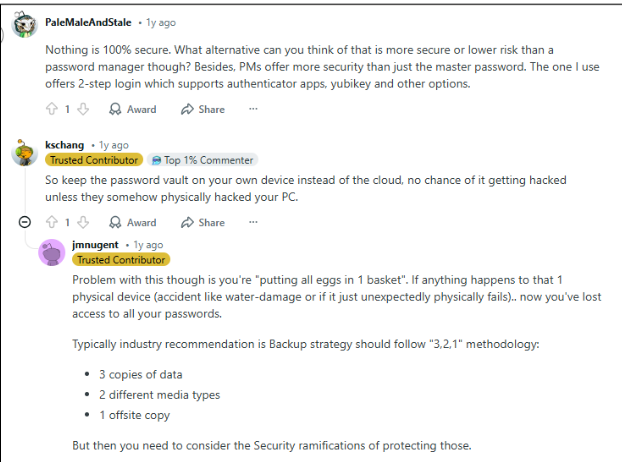
Offline vaults require manual backups. This introduces operational risks:
- lost vault files
- corrupted backups
- version conflicts
Organizations must maintain strict backup procedures.
4. Lack of Automated Breach Monitoring
Cloud password managers often include:
- breach alerts
- dark web monitoring
- password reuse detection
Offline vaults lack these real-time protections unless organizations implement them manually.
Best Practices for Using Offline Vaults in Restricted Environments
To maximize security, organizations should follow proven strategies.
- Use Strong Master Passwords
Your master password protects the entire vault. Best practices include:
- 16+ character passphrases
- random password generators
- hardware tokens for unlocking
- Encrypt the Host Device
The vault itself is encrypted, but the device should be too. Use:
- full disk encryption
- secure boot
- hardware TPM modules
- Maintain Secure Backup Procedures
Backup vault files to:
- encrypted USB drives
- offline storage systems
- secure internal servers
Always test recovery procedures.
- Implement Multi-Factor Authentication
Even offline vaults can support:
- hardware keys
- smart cards
- biometric unlock
This prevents unauthorized access if a master password leaks.
- Harden the Endpoint
Protect vault devices with:
- endpoint detection tools
- strict access policies
- limited admin privileges
Remember: device security equals vault security.
When a Hybrid Password Management Model Works Better
Offline vaults excel in isolated systems, but modern enterprises often use hybrid models. For example:
- Offline vaults for air-gapped environments
- enterprise password managers for cloud infrastructure
- zero-knowledge vaults for remote teams
This ensures operational flexibility, stronger credential governance and better security visibility.
The Role of Secure Password Managers in Modern Security
Regardless of deployment model, password managers play a crucial role in defending against modern threats. They help organizations:
- eliminate password reuse
- generate strong credentials
- manage privileged accounts
- enforce secure authentication policies
In connected environments, enterprise-grade password managers help businesses maintain secure credential practices across distributed teams without sacrificing encryption or user privacy. The key is choosing the right architecture for the environment.
Wrap Up
Offline password vaults can absolutely provide secure access in air-gapped and restricted environments, and in many cases, they’re the best option available. Organizations must protect the endpoint device, master password and vault backup procedures.
When implemented properly, offline password vaults become a powerful component of defense-in-depth security strategies. And in environments where internet connectivity is restricted, or outright forbidden, they remain one of the most practical and secure ways to manage sensitive credentials.
Frequently Asked Questions
Yes. Offline password managers store encrypted vault files locally, allowing credential access without internet connectivity.
They can be safer in isolated environments because they eliminate cloud attack surfaces. However, they require strong device security and operational discipline.
Most modern vaults use strong encryption like AES-256 with key derivation algorithms such as Argon2 or PBKDF2 to protect stored credentials.
The biggest risk is device compromise. If malware or physical attackers access the machine, they may capture credentials when the vault is unlocked.
They typically use encrypted backups stored on USB drives, offline servers and secure internal storage systems. Regular backup rotation is essential.