If you’re searching for a new cloud storage solution, you’re not alone. Millions of users are rethinking their cloud provider due to rising subscription costs, privacy concerns, and limited storage options.
Thankfully, the cloud storage market is now packed with powerful, secure, and user-friendly services that offer smoother syncing, better privacy, and more flexibility, often at far better prices.
Whether you’re a freelancer managing large media files, a student storing assignments, a remote worker handling sensitive documents, or simply someone who wants a safer home for photos and backups, choosing the right cloud service makes a huge difference. Below, you’ll find a complete breakdown of the top cloud storage alternatives, how they work, what they cost, and what makes each one stand out.
What to Look for When Choosing a Cloud Storage Platform
Choosing a cloud service isn’t just about picking the one with the biggest storage space. Here are the key things that actually matter:
1. Privacy & Encryption
When your cloud holds sensitive files, whether personal photos or client documents, strong privacy becomes non-negotiable. Zero-knowledge or end-to-end encryption ensures only you can access your data. Platforms based in privacy-friendly regions like Switzerland, Canada, or the EU offer even stronger protection.
2. Pricing & Overall Value
Cloud storage doesn’t just come down to monthly cost; it’s about what you get for the price. Some platforms offer unbeatable long-term value, like pCloud’s lifetime plan, while others bundle premium tools such as Microsoft Office with OneDrive. Think of value both short-term and long-term before deciding.
3. Collaboration Tools
If you collaborate with teams, real-time document editing and seamless syncing matter even more than storage space. The right platform should make sharing effortless and keep everyone on the same page. Features like shared folders, permissions, and live editing can seriously boost productivity.
4. Ease of Use & Device Support
A great cloud platform should feel simple and intuitive from day one. Check whether it supports your laptop, phone, and tablet without restrictions. Fast uploads, clear navigation, and stable syncing can save a lot of headaches in everyday use.
5. Speed & Reliability
If you regularly upload large media files, videos, or RAW photos, performance becomes a big deal. The best cloud tools maintain stable speeds even during heavy syncing. Reliability ensures your files are always exactly where you need them, without sync conflicts or delays.
6. Backup vs. Sync Needs
Not all cloud services are built for the same purpose. Platforms like Backblaze focus on automatic backups, while others like Google Drive and Dropbox are better for daily syncing and sharing. Knowing what you truly need helps you pick the right tool without paying for the wrong features.
8 Top Cloud Storage Alternatives You Must Consider
Below are the most reliable, widely used, and privacy-respecting cloud platforms to help you make a better decision.
1. pCloud
pCloud is one of the most respected privacy-first cloud platforms, loved for its speed, flexible storage, and rare lifetime pricing option. It’s based in Switzerland, one of the strongest data-privacy jurisdictions, which earns it massive trust from professionals, freelancers, and creators worldwide.
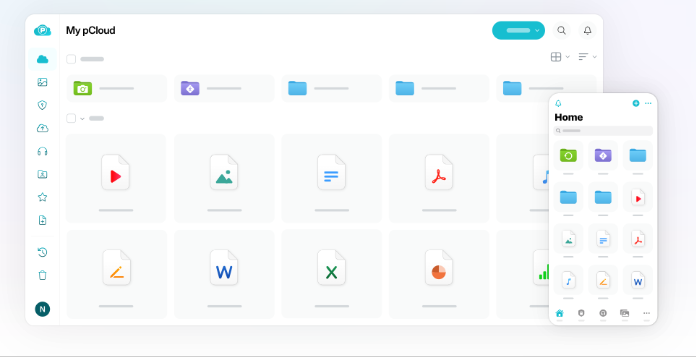
With optional zero-knowledge encryption (pCloud Crypto) and fast syncing across devices, it’s built for both security and convenience. Whether you’re storing photos, work files, or personal backups, pCloud feels simple but powerful.
| Pros | Swiss privacy laws, optional zero-knowledge encryption, lifetime storage plans, fast syncing, great media playback |
| Cons | Zero-knowledge encryption costs extra, no built-in document editor |
| Pricing (USD) | $49.99/year (500GB), $99.99/year (2TB), Lifetime plans from $199 |
Best For
Privacy-focused users, creators who store large media files, and freelancers needing strong security.
Privacy Snapshot
- Optional zero-knowledge encryption
- Swiss-based jurisdiction
- TLS/SSL + AES 256-bit encryption
Verdict
A top pick for anyone wanting maximum privacy and long-term value.
2. Sync.com
Sync.com is one of the strongest zero-knowledge cloud storage platforms available today. Everything you store is encrypted before it leaves your device, meaning Sync.com can’t access your files even if they wanted to.
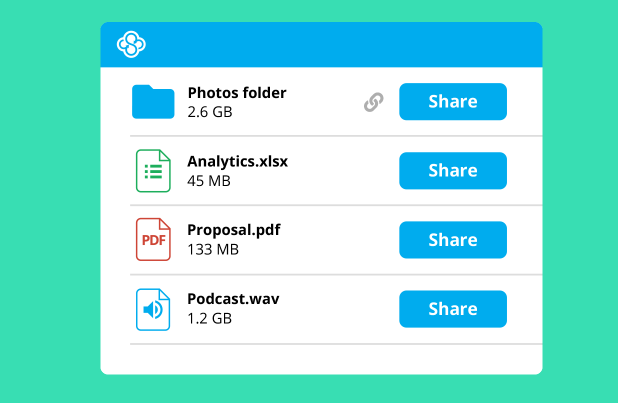
Its collaboration tools, generous storage, and clean interface make it a favorite among businesses and individuals who want privacy without sacrificing usability. It’s also surprisingly affordable compared to Google Drive or Dropbox.
| Pros | True end-to-end encryption, great sharing controls, simple interface, strong compliance (GDPR, HIPAA) |
| Cons | No real-time document editing, slower preview features |
| Pricing (USD) | $96/year (2TB), $144/year (6TB), Teams from $5/user/month |
Best For
Businesses, privacy-conscious users, secure file sharing, legal/healthcare professionals.
Privacy Snapshot
- Full zero-knowledge by default
- Canadian privacy laws
- Strict GDPR/HIPAA compliance
Verdict
Perfect if privacy is your #1 priority and you need secure sharing.
3. Google Drive
Google Drive remains one of the most widely used cloud platforms globally thanks to its unbeatable real-time collaboration tools. From Docs and Sheets to seamless Gmail integration, it’s the easiest ecosystem for team productivity.
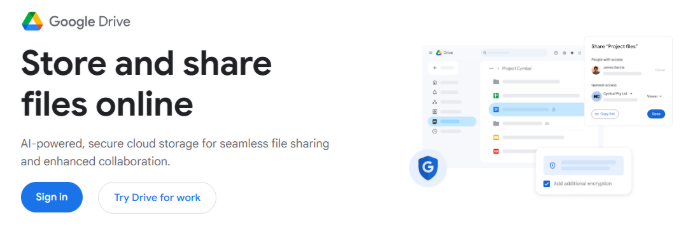
While it’s not zero-knowledge and isn’t ideal for highly sensitive data, it excels in convenience, speed, and everyday file management. For anyone working in content creation, writing, education, or business, Drive feels effortless.
| Pros | Best collaboration tools, fast syncing, huge app ecosystem, simple sharing |
| Cons | No end-to-end encryption, Google collects metadata |
| Pricing (USD) | $1.99/month (100GB), $2.99/month (200GB), $9.99/month (2TB) |
Best For
Students, teams, content creators, everyday users who prioritize collaboration.
Privacy Snapshot
- No zero-knowledge encryption
- US-based jurisdiction
- Strong 2FA and security, but not privacy-first
Verdict
The best option for productivity and team workflows, not for sensitive data.
4. Dropbox
Dropbox is one of the earliest cloud storage pioneers, known for fast syncing, reliable performance, and impressive third-party integrations. Its Smart Sync feature keeps your device storage clean while giving you instant access to files.
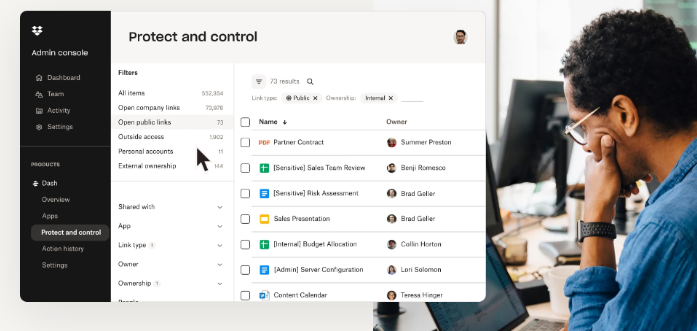
Although it lacks true zero-knowledge encryption, Dropbox’s speed and stability make it ideal for businesses and creatives handling large files.
| Pros | Very fast syncing, excellent third-party integrations, strong business tools, reliable sharing |
| Cons | No zero-knowledge encryption, higher cost |
| Pricing (USD) | $11.99/month (2TB), $19.99/month (3TB), Teams from $15/user/month |
Best For
Businesses, designers, photographers, teams needing power-user features.
Privacy Snapshot
- AES-256 encryption
- US-based
- No zero-knowledge
Verdict
A strong all-rounder with elite syncing performance.
5. Microsoft OneDrive
OneDrive shines for users already in the Microsoft ecosystem. Bundled with Office 365, it gives you Word, Excel, PowerPoint, and Outlook alongside generous cloud storage.
Collaboration, cross-device syncing, and productivity features are simply excellent. While privacy isn’t its strongest area, the value is unbeatable for businesses and students.
| Pros | Incredible value with Office apps, fast syncing, great for collaboration, Windows integration |
| Cons | No zero-knowledge encryption, limited privacy controls |
| Pricing (USD) | $6.99/month (1TB + Office), $9.99/month (6TB family) |
Best For
Students, office users, businesses, Windows users.
Privacy Snapshot
- Strong enterprise-grade security
- US jurisdiction
- No zero-knowledge
Verdict
Best overall value for users needing storage + Microsoft apps.
6. Icedrive
Icedrive is one of the newest cloud storage providers, and one of the most modern. It offers built-in zero-knowledge encryption on all paid plans, a beautiful interface, and extremely fast performance.
It’s especially appealing for photographers and creators with its crisp previews and smooth file management.
| Pros | Zero-knowledge encryption, lightweight interface, affordable lifetime plans, fast performance |
| Cons | Fewer collaboration tools, smaller ecosystem |
| Pricing (USD) | $19.99/year (150GB), $49.99/year (1TB), Lifetime from $99 |
Best For
Solo professionals, photographers, privacy-minded users wanting modern design.
Privacy Snapshot
- Zero-knowledge encryption
- UK-based
- Uses Twofish encryption (very strong)
Verdict
A clean, modern, and secure alternative to pCloud.
7. MEGA.nz
MEGA became famous for offering surprisingly large free storage and a security model built around strong end-to-end encryption. With 20GB of free space, private file links, and secure chat features, appealing if you want a privacy-friendly cloud option without pulling out your wallet.
The platform also gives you encrypted backups, smooth mobile apps, and transparent security practices that many users trust. While speeds can occasionally be inconsistent during peak hours, MEGA’s commitment to privacy, generous storage, and easy file sharing make it one of the most reliable free cloud alternatives available today.
| Pros | End-to-end encryption, 20GB free storage, secure sharing, privacy-friendly |
| Cons | Speeds can be inconsistent, less polished than Google/Dropbox |
| Pricing (USD) | $10.94/month (2TB), $21.89/month (8TB) |
Best For
Users wanting secure free storage, basic backups, and private sharing.
Privacy Snapshot
- Full end-to-end encryption
- New Zealand/EU jurisdiction
- Zero-knowledge
Verdict
One of the best free privacy-centric cloud options.
8. Backblaze B2
Backblaze B2 is not a traditional cloud-sync service; it is a backup-focused platform built for businesses, creators, and anyone needing massive storage at low cost.
If you store terabytes of photos, videos, or archives, B2’s pay-for-what-you-use model can save you a lot of money. It’s also used widely by developers and production studios.
| Pros | Extremely cheap at scale, reliable backups, unlimited file sizes, enterprise-ready |
| Cons | Not ideal for everyday file syncing/shearing, requires technical setup |
| Pricing (USD) | $0.005/GB/month storage, $0.01/GB downloads |
Best For
Photographers, videographers, large backups, studios, IT teams.
Privacy Snapshot
- Strong server-side encryption
- US jurisdiction
- Not zero-knowledge
Verdict
Best for large backups, not daily file management.
Wrap Up
Cloud storage has evolved fast, and you no longer need to rely on a single mainstream service. Whether you want stronger privacy, better pricing, faster syncing, or greater control of your data, there’s a perfect alternative waiting for you.
Platforms like pCloud, Sync.com, MEGA, and NordLocker deliver exceptional security. Google Drive, Dropbox, and OneDrive offer unbeatable collaboration. And for long-term archives, Backblaze B2 provides unmatched affordability.
For the best results, and to keep your cloud uploads private, pair your storage provider with PureVPN to keep your identity hidden, stop ISP snooping, and ensure every file transfer stays confidential.
Frequently Asked Questions
Sync.com, pCloud (with Crypto), MEGA, and NordLocker offer the strongest encryption and privacy controls.
Dropbox, pCloud, and Sync.com handle large media and project files extremely well.
MEGA offers the most generous free tier (20GB) with encryption.
Box and Google Workspace are the top business choices, followed by Microsoft OneDrive for Office-centric companies.
Yes, a premium VPN like PureVPN adds an extra privacy layer, hiding your IP, encrypting traffic, and preventing ISP tracking while you upload or sync files.