Realizing you’ve been scammed through Apple Pay or Apple Cash can be incredibly stressful. Whether you sent money to someone who disappeared, paid for an item you never received, or noticed an unfamiliar transaction on your card, the situation feels urgent, and often confusing. While Apple Pay is built with strong security, scammers don’t break the technology; they manipulate people through deception, urgency, and trust.
The good news is that recovering your money from Apple Pay is possible in certain cases, especially when you act quickly and follow the right process. This guide explains everything you need to know about Apple Pay scams, how they happen, how refunds work, the difference between Apple Pay and Apple Cash, what to do immediately, and how to protect yourself in the future.
Understanding How Apple Pay Transactions Work
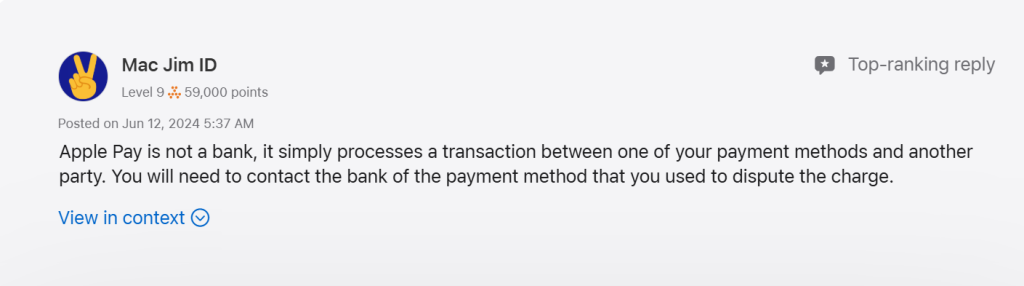
To navigate a refund, you first need to understand how payments are processed through Apple Pay. Apple Pay is not a bank, and it does not hold your funds. Instead, it securely transmits your debit card, credit card, or Apple Cash information for payment. This means:
- Payments made using your credit or debit card in Apple Pay are treated like normal card transactions.
- Payments sent using Apple Cash behave like instant money transfers, which are much harder to reverse.
- Apple itself cannot initiate refunds because it does not process or store the payments.
This difference influences how likely you are to recover your money. Credit card payments tend to offer strong fraud protection, while Apple Cash transfers do not include the same level of buyer protection.
How Apple Pay Scams Happen
Apple Pay scams generally rely on tricking the user rather than hacking Apple’s system. Scammers often pretend to be buyers, sellers, friends, or even officials. The most common situations include paying for goods or services that never arrive, responding to fake marketplace listings, receiving fake overpayment claims, falling for emergency requests, or believing messages where scammers impersonate Apple Support or financial institutions.
Many victims also report losing money through iMessage, where scammers send a request and disappear after the payment is completed. Others fall victim when they see convincing screenshots that show “proof of payment” even though no payment was ever made. These tactics rely on pressure and trust, making the user authorize the payment themselves.
Why Scammers Target Apple Pay and Apple Cash
Scammers frequently prefer Apple Cash because transfers are instant and typically irreversible once accepted. Additionally, Apple Cash payments mimic real cash, once the money leaves your account, there is no built-in protection or dispute system against scams. Apple Pay using a bank card gives scammers confidence too, because many victims believe Apple will refund the money directly, and they delay reporting the fraud. The longer the delay, the lower the chances of recovery.
Apple Pay scams are not due to weak security. They happen because scammers are skilled at social engineering, convincing victims to act quickly before they think things through.
What To Do Immediately After Being Scammed
The moment you realize you have been scammed, take the following steps immediately:
- Stop all communication with the scammer. Do not respond to any messages or requests for more information or payments.
- Gather evidence of the scam, including:
- Screenshots of conversations
- Photos of listings or ads
- Payment confirmations or receipts
- Descriptions of what was promised
- Any contact details or profiles used by the scammer
- Screenshots of conversations
- Check your transaction history in the Wallet app to confirm the exact payment made.
- Note important details such as the transaction amount, date, and whether it was paid through a card or Apple Cash.
- Secure your accounts by:
- Changing your Apple ID password
- Enabling two-factor authentication (2FA)
- Monitoring your bank or card statements for additional suspicious activity
- Changing your Apple ID password
How to Report the Scam in the Wallet App
Apple provides a built-in way to report suspicious transactions through the Wallet app:
- Open the Wallet app on your iPhone.
- Tap the card that was used for the payment.
- Scroll through the list and select the problematic transaction.
- Tap “Report an Issue”.
- Choose the appropriate category such as unauthorized charge, scam/fraud, or item not received.
- Submit the report to begin the investigation.
When you submit this report, the case is automatically forwarded to your bank or card issuer. Apple’s official documentation confirms that refunds and disputes are handled by your bank, not Apple. If the payment was made using a credit or debit card, this action formally starts the bank’s review and potential refund process.
Contacting Your Bank or Card Issuer for a Refund
After reporting the issue in Wallet, contact your bank or card provider directly. This is the most important step in getting your money back. Explain the situation clearly, whether the charge was unauthorized or whether you were tricked into sending money. Provide screenshots and evidence to support your claim.
Banks typically open an investigation. In cases of unauthorized transactions or fraudulent merchant activity, many banks offer strong protection, especially with credit cards. Some victims even receive a temporary credit while the investigation is ongoing. The sooner you contact your bank, the higher the chances of recovering your funds.
Apple Pay vs. Apple Cash: Why This Difference Matters
Many victims learn too late that Apple Pay and Apple Cash operate under different rules. Apple Pay using a debit or credit card follows standard bank regulations, including fraud protection and chargeback rights. These payments are often reversible if you can prove fraud or deception.
Apple Cash, however, is more like sending digital cash. Transfers process instantly and are rarely protected by dispute rules. Apple Cash is issued by Green Dot Bank, and although you can file a claim, recovery is far less likely. While you should still report the fraud, most Apple Cash scam victims face difficulty getting their money back unless the payment was unauthorized or still pending.
Reporting the Scam to Apple Support
Although Apple does not control the refund process, contacting Apple Support still helps. Apple can add notes to your Apple ID, investigate accounts used by scammers, address security concerns, and guide you on additional steps. This is especially important if you interacted with someone pretending to be Apple Support or received suspicious emails and calls. Apple may help you identify phishing attempts and ensure your device is secure.
Reporting the Incident to Authorities
If you were scammed, reporting the crime to government agencies can strengthen your fraud case. In the United States, victims can notify the Federal Trade Commission (FTC) or the Internet Crime Complaint Center (IC3). In the United Kingdom, Action Fraud handles digital payment scams. Providing an official report number can support the dispute process with your bank and may help identify patterns involving serial scammers.
When You’re Likely to Get Your Money Back
Recovering funds is most likely when the payment was unauthorized, when your card details were compromised, or when a legitimate merchant failed to deliver the promised goods. Credit card transactions have the highest success rates for refunds because of strong consumer protection laws. Quick action, combined with solid evidence, significantly increases the chances of a successful outcome.
When Getting a Refund Is Difficult
Refunds become hard to obtain when you willingly send Apple Cash to a stranger, when you confirm a payment under false promises, or when the bank determines that the payment was authorized despite being part of a scam.
While you can still submit a dispute, many Apple Cash cases are denied because they lack the consumer protections that credit cards provide. Even so, reporting the scam immediately gives you the best possible chance.
How to Protect Yourself From Apple Pay Scams
Preventing future scams starts with caution. Avoid sending Apple Cash to people you do not personally know. Do not trust screenshots as proof of payment, scammers often fake them. Always verify sellers and buyers before sending money.
Make sure your Apple ID has a strong password and two-factor authentication enabled. Keep your device secure with Face ID or Touch ID, and regularly review your Wallet and bank transactions for unfamiliar activity.
Remember that Apple Support will never call or message you asking for payments, passcodes, verification fees, or gift cards. Treat any such requests as signs of a scam.
FAQs
No. Refunds must come from your bank or the merchant involved.
Usually not, unless the payment was unauthorized or still pending.
You still need to dispute the payment with your bank or Apple Cash issuer.
Yes, but only when used with trusted merchants. Apple Cash transfers carry higher risk.
Request reconsideration, appeal with more evidence, and file a complaint with consumer protection agencies.