Table of Contents
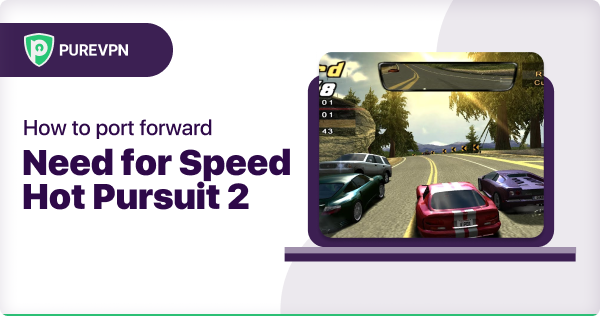
Need for Speed Hot Pursuit 2 puts you in the driving seat – either as an outlaw racer or a law-abiding cop. Enjoy adrenaline-fueled pursuits as you evade roadblocks, souped-up cars and even helicopters!
To get the best online performance on Need for Speed Hot Pursuit 2, you will first need to download the application on your preferred platform. You will then need to set the TCP and UDP ports in the program.
Requirements to Port Forward Need for Speed Hot Pursuit 2
Before you begin the process of port forwarding, make sure you have the following things:
- Downloaded and installed Need for Speed Hot Pursuit 2 software package.
- The IP address of your router.
- IP address of your device.
- TCP and UDP ports of Need for Speed Hot Pursuit 2 for your gaming rig. Both of them can be defined by the users in the app.
Step Guide
Now that you have the above details noted down, you can move to the next stage of Need for Speed Hot Pursuit 2 port forwarding:
- On your web browser address bar, type your router’s IP Address/Default Gateway.
- Log in with your router’s credentials (username and password) to view your router’s firmware settings.
- Navigate to the port forwarding section of your router.
- Click on Port Forwarding.
- Enter the IP address of the computer you use Need for Speed Hot Pursuit 2 from in your router in the correct box.
- Put the TCP and UDP ports of Need for Speed Hot Pursuit 2 in the boxes in your router. The TCP ports should be 8511, 28900 and the UDP ports should be 1230, 8512, 27900, 61220-61230. And then click apply button.
- And you’re done. Restart your router to let the changes take effect.
Need for Speed Hot Pursuit 2 ports needed to run the game
To get the best speeds with Need for Speed Hot Pursuit 2 online, you’ll have to allow access to certain ports on your firewall. The default Need for Speed Hot Pursuit 2 ports are:
| TCP Port: | 8511, 28900 |
| UDP Port: | 1230, 8512, 27900, 61220-61230 |
Quickly and safely open ports using PureVPN
Opening a port shouldn’t be complicated. With the Port Forwarding add-on, it’s as simple as 1, 2, and 3!
Ports to forward on Devices
Ports to run on Windows/PC:
| TCP Port: | 8511, 28900 |
| UDP Port: | 1230, 8512, 27900, 61220-61230 |
How to open ports behind CGNAT
What if your ISP performs CGNAT? Most ISPs perform CGNAT (Carrier-grade Network Address Translation) to conserve bandwidth and assign a single IP address to multiple users connected to the same internet network. However, CGNAT makes it difficult for you to open ports on the router.
To get around the CGNAT issue, you can use the Port Forwarding add-on to bypass this problem and port forward routers without hassle.
Here’s more information on how to use PureVPN’s Port Forwarding add-on and bypass CGNAT in a few clicks.
PureVPN’s Port Forwarding Add-on
A secure way to open all ports
To most people, port forwarding is quite a demanding task. For starters, every router has a different console, which often makes it difficult to navigate to specific settings.
Secondly, you won’t always be able to open Need for Speed Hot Pursuit 2 ports on your router if your ISP restricts the ports. Yes, you heard that right! ISPs are notorious for blocking ports due to security reasons. If ISP isn’t the reason behind a blocked port, then perhaps it could be your operating system’s firewall.
Well, you can make all these problems go away and enjoy smooth online gaming on all your desired systems with PureVPN’s Port Forwarding add-on. Through the Port Forwarding add-on, you can allow all ports, disallow all ports, and allow specific ports.
Avoid limited downloading and uploading speeds on Need for Speed Hot Pursuit 2 with PureVPN’s Port Forwarding add-on.

Adil Ahsan Ali

June 20, 2023

3 years ago