Sharing sensitive information online can be tricky. Whether you’re sending passwords, confidential instructions, or personal messages, most communication platforms leave a permanent digital trail. That’s why self-destructing note services have gained popularity.
One of the most widely used tools in this category is Privnote. The platform lets you create notes that disappear after being read, making it appealing for anyone who wants to send information without leaving a long-term record.
At first glance, the concept seems secure: write a message, send a link, and once it’s opened, the note disappears forever. But convenience doesn’t always mean strong security. In this guide, we’ll cover how Privnote works, its privacy and encryption model, security risks and limitations, and more secure alternatives for confidential communication.
What Is Privnote and How Does it Work?
Privnote is a free web tool that lets you send self-destructing messages via a secure link.
Instead of sending the message directly via email or chat, you create a note on the Privnote website. The platform generates a unique link that you can share with the intended recipient.
When the recipient opens the link:
- The message becomes visible
- The system deletes the note after it is read
- The link becomes invalid
This process prevents the message from being stored permanently in inboxes, messaging apps, or email archives. Because of this feature, Privnote is often used for sharing:
- Temporary passwords
- Personal notes
- Instructions or reminders
- Authentication codes
- Sensitive links
However, while the note disappears after being read, it doesn’t mean the information was never exposed.
Privnote Privacy: How Your Data Is Handled
Privacy is one of the main reasons people use Privnote. However, the level of privacy depends heavily on how the platform manages data behind the scenes.
Temporary Storage
Privnote stores the message on its servers until it is opened. This means:
- The note exists on a remote server
- The service technically has access to the message
- Anyone with server access could view it
This differs from platforms that use zero-knowledge encryption, where the provider cannot access the message content.
Metadata Collection
Like most websites, Privnote may collect limited metadata such as:
- IP addresses
- Browser information
- Access timestamps
While this information is used for analytics or abuse prevention, it still creates a digital footprint.
Link-Based Privacy
Privnote relies on link secrecy. Anyone who has the link can open the message. That means privacy depends entirely on how safely the link is shared. If the link leaks, the note can be accessed by anyone.
Privnote Security Features
Although Privnote isn’t a fully encrypted messaging platform, it does include several security mechanisms.
HTTPS Encryption
Privnote uses HTTPS encryption to protect data during transmission which prevents attackers on public networks from intercepting the message while it travels between the browser and the server. However, HTTPS protects data in transit, not data stored on servers.
One-Time Message Access
The core feature of Privnote is its single-use message system. Once opened:
- The note is deleted
- The link stops working
- The content cannot be retrieved again
This reduces the risk of long-term exposure.
Password-Protected Notes
Privnote enables you to add an additional password to their notes. This means the recipient needs both:
- the note link
- the password
By doing so, you can add a useful layer of protection, especially if the link is shared through insecure channels.
Notification Alerts
Users can choose to receive an email notification when the note is opened, which helps detect:
- unauthorized access
- unexpected viewing
- early link opening
Security Risks of Using Privnote
Despite its features, Privnote has several limitations that may affect security.
1. Link Interception
The biggest risk comes from the link-based access system. Anyone who gets the link can open the message. Possible ways links can leak include:
- compromised email accounts
- messaging app breaches
- malware monitoring clipboard activity
- accidental forwarding
If someone opens the link first, the intended recipient will never see the message.
2. Screenshots and Copying
Privnote cannot prevent recipients from saving the content. A recipient could easily:
- take a screenshot
- copy the text
- photograph the screen
Once someone reads the message, the information may be preserved permanently.
3. Server Trust
Because messages are stored temporarily on Privnote servers, users must trust that:
- the system deletes notes properly
- the infrastructure is secure
- there are no internal vulnerabilities
Without transparent audits or open-source verification, this requires blind trust.
4. Phishing Abuse
Self-destructing notes can also be used in phishing campaigns. Attackers sometimes send malicious messages through Privnote links because the message disappears, investigators cannot easily review the content, and victims cannot recheck the message.
This is why some organizations block Privnote links entirely.
When is Privnote Safe to Use
Privnote can still be useful in certain situations. It works well for:
- temporary instructions
- short-term notes
- low-risk information
- casual private messages
However, it is not ideal for highly sensitive data. Avoid using it for:
- financial credentials
- corporate secrets
- private legal information
- long-term passwords
For these cases, stronger encryption tools are recommended.
How Hackers Exploit Self-Destructing Notes
Self-destructing note services are designed to reduce the long-term exposure of sensitive information. However, attackers have learned how to take advantage of the same features that make these tools convenient. Understanding these risks is important before relying on services like Privnote for sensitive communication.
Phishing Campaigns Using Self-Destructing Links
Cybercriminals frequently use disappearing messages in phishing campaigns because the content disappears after being read. This makes it harder for security teams to analyze the attack later.
A phishing attack using self-destructing notes works like this:
- The attacker creates a malicious note containing a fake login link.
- They send the Privnote link to the victim via email or messaging apps.
- The victim opens the link and sees instructions to log into a fake website.
- After the victim closes the message, the note disappears.
Because the message self-destructs, the victim cannot easily recheck the content or show it to security teams. This technique is often used to steal credentials for:
- corporate email accounts
- cloud services
- SaaS platforms
- cryptocurrency wallets
Link Interception Attacks
Another common attack involves link intercepting the note link before the intended recipient opens it. Because Privnote relies entirely on link secrecy, anyone who gets access to the link can read the note first. Attackers may intercept links through:
- compromised email accounts
- malware that monitors clipboard activity
- infected messaging applications
- browser history leaks
Once an attacker opens the link, the message disappears. The intended recipient will simply see a message saying the note has already been read.
Man-in-the-Middle Attacks
While HTTPS encryption protects data in transit, attackers who control a device or network could still manipulate or capture note links. For example:
- public Wi-Fi networks with malicious monitoring
- compromised routers
- browser extensions collecting browsing data
In such scenarios, the attacker may gain access to the note link before the recipient.
Using a trusted VPN connection can help reduce this risk by encrypting traffic between the device and the internet.
Social Engineering Tricks
Attackers often combine self-destructing notes with social engineering. They might send messages like:
- “Here is your temporary password”
- “Open this secure note to verify your account”
- “This document will expire soon”
The urgency encourages you to open the message quickly without verifying the source.
This technique is effective in organizations where employees frequently share credentials through temporary notes.
Safer Alternatives to Privnote
If privacy and security are critical, several tools offer stronger protection.
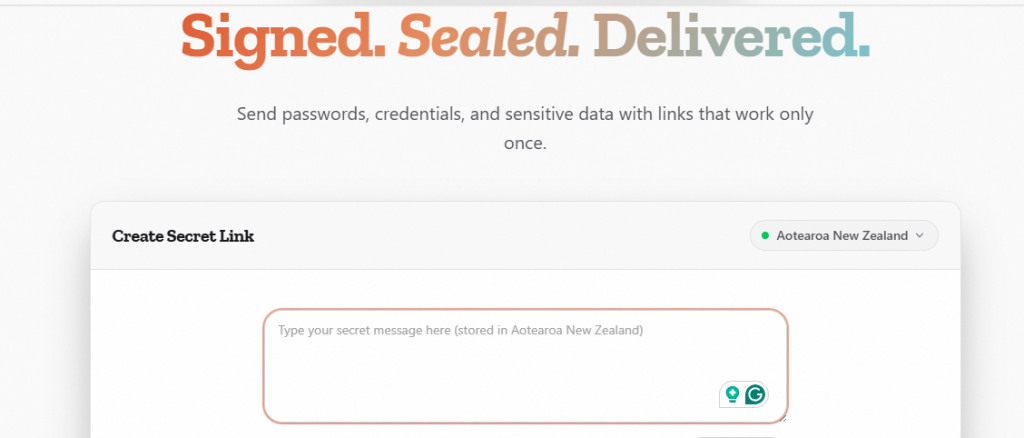
1. One‑Time Secret
One-Time Secret is designed specifically for secure secret sharing. Key features include:
- encrypted secrets
- expiring links
- password protection
- limited access windows
It is commonly used by developers and security teams to share:
- API tokens
- server credentials
- authentication keys
2. Bitwarden Send
Bitwarden Send helps you share encrypted text or files that expire after a set time. Security features include:
- end-to-end encryption
- password-protected links
- limited download attempts
- automatic expiration
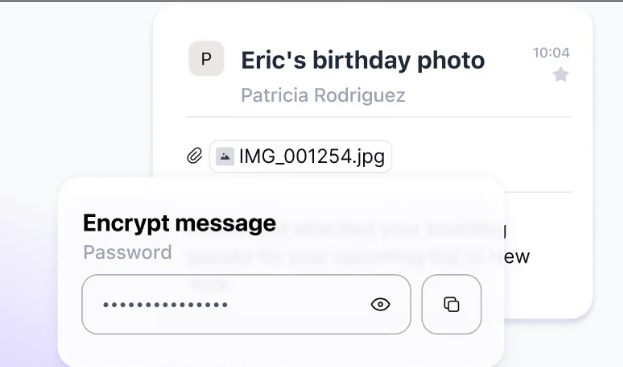
3. Proton Mail
Developed by Proton AG, Proton Mail provides encrypted email communication with strong privacy protections.
Key features include:
- end-to-end encrypted emails
- self-destructing messages
- zero-access encryption
- strong privacy laws in Switzerland
4. Keybase
Keybase is a secure messaging and file-sharing platform built around strong cryptographic identity verification. It’s widely used by developers and open-source communities that need a trusted way to exchange secrets.
Key security features include:
- end-to-end encrypted messaging
- encrypted file sharing
- cryptographic identity verification
- ephemeral (self-destructing) messages
Security teams often use Keybase to share:
- SSH keys
- deployment credentials
- private configuration files
Because identities are tied to cryptographic proofs and verified social accounts, it helps reduce the risk of impersonation attacks.
5. Signal
Signal is one of the most trusted secure messaging platforms used by journalists, developers, and privacy professionals.
Security features include:
- strong end-to-end encryption using the Signal protocol
- disappearing messages
- secure file and media sharing
- screenshot protection on mobile devices
Professionals commonly use Signal to share:
- temporary passwords
- internal security alerts
- sensitive operational details
Since messages can be configured to auto-delete, the exposure window for sensitive information stays minimal.
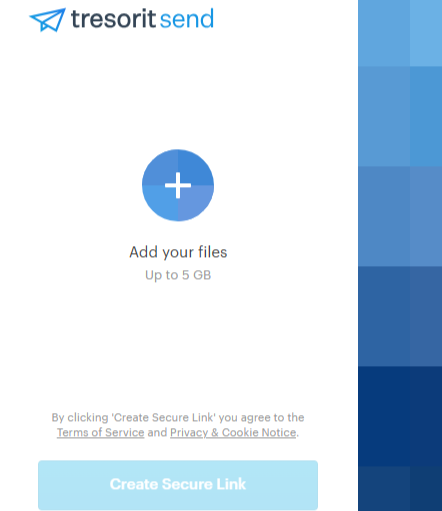
6. Tresorit Send
Tresorit Send allows you to share encrypted files and messages without requiring recipients to create an account. It’s frequently used in enterprise environments that require strict compliance controls.
Key features include:
- end-to-end encrypted file transfers
- password-protected sharing links
- download limits
- expiration controls
Professional use cases include:
- sharing confidential documents
- transferring legal contracts
- delivering sensitive reports
How to Safely Send Passwords Online
Sending passwords through email or messaging apps is one of the most common security mistakes people make. Even when using disappearing notes, there are still risks.
Following these best practices can help reduce the chance of credential exposure.
- Avoid Plain Text Messages
Sending passwords directly through:
- Slack
- SMS
- chat apps
creates permanent records that attackers can exploit. If an email account or chat system is compromised, the attacker can easily retrieve stored passwords.
- Use Temporary Secret Sharing Tools
If you must share credentials manually, tools like One-Time Secret or Privnote are safer than sending plain text messages.
They reduce long-term exposure by ensuring the information disappears after being viewed.
However, these tools should only be used for short-term credential sharing.
- Send the Password and Link Separately
One important security practice is separating communication channels. For example:
- send the secure note link via email
- send the password through a messaging app
This way, even if one channel is compromised, the attacker still cannot access the information.
- Use a Password Manager for Secure Credential Sharing
The safest way to share passwords is through an encrypted password manager. Modern password managers allow you to:
- securely share credentials
- control who can access them
- revoke access at any time
- prevent password copying
PureVPN Password Manager offers encrypted vault sharing that eliminates the need to send credentials through notes or messages. Instead of exposing the password, the system securely grants access within the encrypted vault to reduce the risk of phishing attacks, credential interception, and accidental sharing.
5. Enable Multi-Factor Authentication
Even if a password is leaked, multi-factor authentication (MFA) can prevent unauthorized access. Recommended MFA methods include:
- authenticator apps
- hardware security keys
- passkeys
Avoid relying solely on SMS codes whenever possible, as SIM-swap attacks can bypass them.
6. Use Secure Internet Connections
Sharing sensitive information over insecure networks increases the risk of interception.
Using a trusted VPN connection encrypts your internet traffic and helps protect data when sending secure links or accessing credential vaults.
Wrap Up
Privnote offers a convenient way to send self-destructing messages and avoid leaving permanent records of sensitive information. Its one-time access links and optional password protection make it useful for sharing temporary notes.
However, Privnote is not a fully secure communication platform. Messages are stored on servers before being read, link-based access can be intercepted, and recipients can still capture the information.
For low-risk information, Privnote can be a practical tool. But for highly sensitive data, more secure solutions, such as encrypted messaging apps or dedicated secret-sharing services, are a better choice.
Frequently Asked Questions
Privnote does not require account registration, but it may still collect certain metadata such as IP addresses.
Privnote uses HTTPS encryption for transmission, but it does not provide full end-to-end encryption.
No. Once the note is opened, it is permanently deleted and cannot be retrieved.
Yes. Anyone who has the link can open the message, which is why links should be shared carefully.
Encrypted communication platforms like Signal or secure sharing tools like One‑Time Secret offer stronger privacy protections.