ESPN3 was once a go-to destination for live sports fans looking to catch college football, NCAA basketball, tennis, soccer, and other global sporting events online. Unlike traditional TV channels such as ESPN and ESPN2, ESPN3 did not operate as a traditional linear channel; instead, it delivered live streams and replays of events over the internet.
Many fans used ESPN3 through authenticated access with a TV provider or streaming subscription, while others accessed it through integrated services like Sling TV or the ESPN app. However, changes in 2025 have significantly affected how (and whether) ESPN3 exists as a standalone service.
Whether you’re trying to watch ESPN3 content now or understand how it worked historically, this guide explains everything you need to know, including what changed, how to stream sports events formerly on ESPN3, and where to find them today.
How to Watch ESPN3
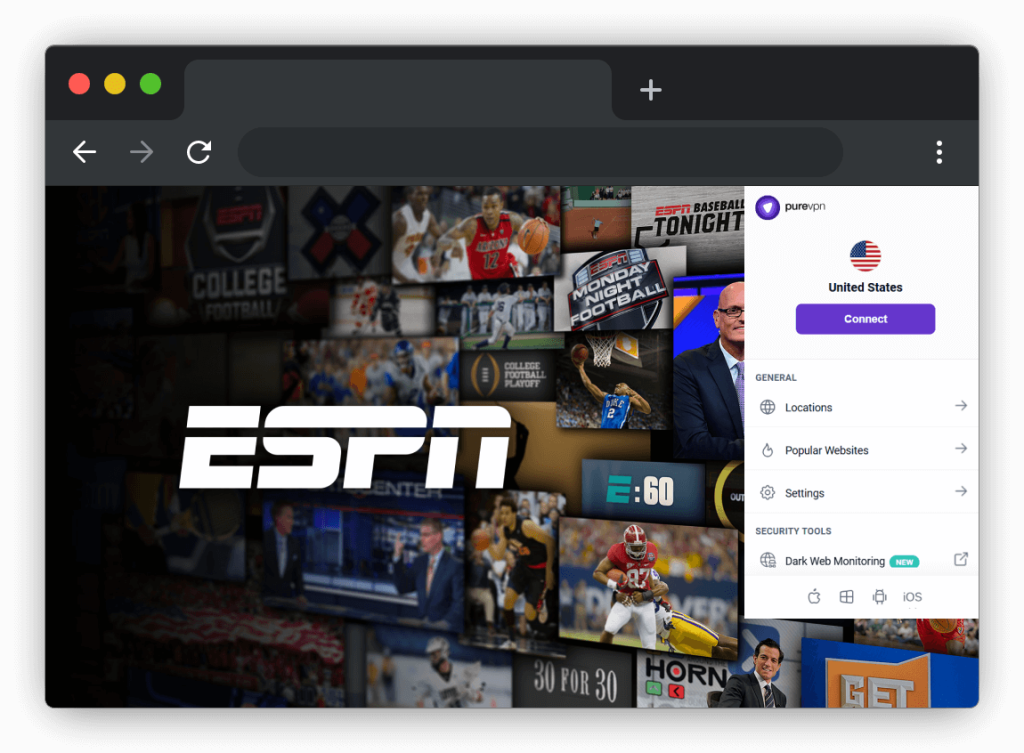
- Subscribe to PureVPN.
- Download the VPN app on your device.
- Connect to the USA-based server.
- Head over to the ESPN+ app and login or sign up.
- Watch ESPN Channels live from anywhere.
What Was ESPN3?
ESPN3 was ESPN’s digital sports platform that streamed live events and on-demand replays not necessarily shown on the main linear ESPN networks. It covered hundreds of sports events annually, ranging from college matchups to niche global competitions. Unlike ESPN or ESPN2, ESPN3 did not have a traditional cable channel number and was accessed online.
ESPN3 was made available at no extra cost to users whose internet service or TV subscription included an affiliated provider, and in many cases it was free for students on campus networks. It was primarily accessed through the ESPN app or WatchESPN online player, the digital hub created by ESPN to stream live sports to computers, phones, smart TVs, and streaming devices.
What Changed with ESPN3?
As of December 2, 2025, ESPN3 was officially discontinued as a standalone streaming platform. Rather than being shut down due to licensing disputes, ESPN3’s functions and content were merged into the broader ESPN app ecosystem as part of a consolidation strategy by Disney and ESPN. This means that the distinct ESPN3 service no longer exists with its own login or interface.
The content that was previously available under ESPN3, including live events, niche sports coverage, and extra streams, has now been absorbed into the main ESPN digital experience, which includes access through services like ESPN+, ESPN Unlimited, and authenticated TV provider logins.
For fans accustomed to watching certain games exclusively on ESPN3, this transition may require accessing the ESPN app or subscribing to appropriate ESPN services that include the desired content.
Where to Watch ESPN3 Content Now?
Although ESPN3 as a standalone channel no longer exists, the same live sports and replays are still accessible through several methods within the ESPN ecosystem or via authenticated providers.
1. ESPN App
The main ESPN app is now the central hub for all ESPN content, including what was previously on ESPN3. To watch sports that would have appeared on ESPN3, sign in to the ESPN app using your TV provider login or ESPN subscription credentials.
The app is available on:
- Android and iOS devices
- Smart TVs
- Streaming devices such as Apple TV, Fire TV, and Chromecast
- Game consoles and web browsers
Once logged in, you should see live events, replays, and schedules within the app’s live stream sections. Content varies depending on your provider and subscription plan.
2. Cable or Satellite TV Provider Authentication
If you subscribe to a cable or satellite package that includes ESPN networks, you can use those credentials to unlock ESPN’s digital content, including events that used to stream on ESPN3, within the ESPN app or website.
This means logging in with your TV provider details on the ESPN app will give you access to live events from ESPN, ESPN2, and additional streams formerly found on ESPN3.
3. Streaming Services with ESPN Access
Several live TV streaming platforms offer ESPN networks (and the redistributed ESPN3 content) as part of their lineup. Most of these services require a subscription but may include free trials that allow short-term access:
- YouTube TV: Includes ESPN networks and lets you unlock ESPN content through provider login within the ESPN app.
- Hulu + Live TV: Offers ESPN channels and digital authentication for the ESPN app.
- Fubo: Carries ESPN networks; you can authenticate through the ESPN app using your Fubo credentials.
These services typically offer multi-screen streaming, cloud DVR, and access to additional sports and entertainment channels.
4. Sling TV and Direct Integration
Sling TV was among the few services that offered direct integration of ESPN3 within its own platform. The Sling Orange plan included ESPN and ESPN2, and historically included ESPN3 links within the Sling lineup.
Even with ESPN3’s transition, Sling users can still use their Sling credentials to authenticate inside the ESPN app, giving access to ESPN live events today.
What You Cannot See Now Through ESPN3?
With the standalone ESPN3 platform shut down and absorbed into ESPN’s broader streaming ecosystem:
- You no longer log in to a separate ESPN3 interface or app, all access is now centralized under the ESPN app.
- There is no dedicated ESPN3 channel number on cable guides or streaming lists, events are shown within ESPN/ESPN app streams.
This means that simply searching for “ESPN3” in streaming menus or TV guides may not yield results, you must use the ESPN app or authenticated provider login.
How to Access ESPN3 Content Online?
Step 1: Download and Open the ESPN App
Install the ESPN app on your device, whether it’s a smartphone, tablet, smart TV, or streaming stick. Open the app and ensure you’re connected to the internet.
Step 2: Log In With Your Provider or ESPN Subscription
When prompted, go to Settings or “Manage TV Provider.” Select your TV provider or subscription service from the list, enter your login credentials, and authenticate. This links your subscription to the ESPN app.
Step 3: Navigate to Live or On-Demand Sports
Once logged in, open the Live TV or Schedule sections. You will see live and upcoming events, including those that would have fallen under ESPN3. Click on the game or event you want to watch, and it should begin streaming.
Step 4: Troubleshooting Access Issues
If events don’t play or you receive an authorization message, try logging out and logging back in. This often refreshes your provider authentication authorization. Also, ensure your subscription includes ESPN channels that support live sports.
Why ESPN3 Was Popular and What Replaced It
ESPN3 served as a digital home for live and niche sports that didn’t always have a television broadcast window. It was especially favored by college sports fans and viewers looking for alternative live streams.
Since Disney’s consolidation effort, ESPN has moved towards a centralized digital experience, with ESPN app plans such as ESPN+, ESPN Unlimited, and subscription bundles that include Disney+ or Hulu. While the separation of ESPN3 as an individual service ended in late 2025, its content lives on through these newer access points.
Frequently Asked Questions
No, ESPN3 no longer exists as a standalone service. Its content has been merged into the main ESPN streaming app.
You need an authenticated TV provider login or an ESPN subscription plan that includes access to live sports to stream content through the ESPN app.
ESPN’s services and availability vary by country. In some regions, content may be blocked due to licensing.
No. ESPN3’s specific catalog was distinct from ESPN+, though some former ESPN3 content may be available under broader ESPN streaming plans.
Install the ESPN app on your smart TV or streaming device, log in with your TV provider credentials, and navigate to live sports. Traditional cable guides no longer list ESPN3 as a channel.
Yes, replays and on-demand videos are available in the ESPN app under the appropriate sports category once logged in.
Conclusion
Watching ESPN3 today requires a slightly different approach compared to years past. Although ESPN3 as a standalone platform has been discontinued, its content and live sporting events are still available within the broader ESPN ecosystem, accessible through the ESPN app, authenticated TV provider logins, and supported streaming services.
By logging into the ESPN app with the correct subscription or provider credentials, fans can continue to stream live sports and replays much like they did on ESPN3, only now through a unified and more streamlined digital experience.
Regularly check the ESPN app for live schedules, authentic provider support, and new features that make sports streaming easier across mobile devices, smart TVs, and gaming consoles.

Arsalan Rashid

January 26, 2026

2 months ago