TL;DR Executive Summary
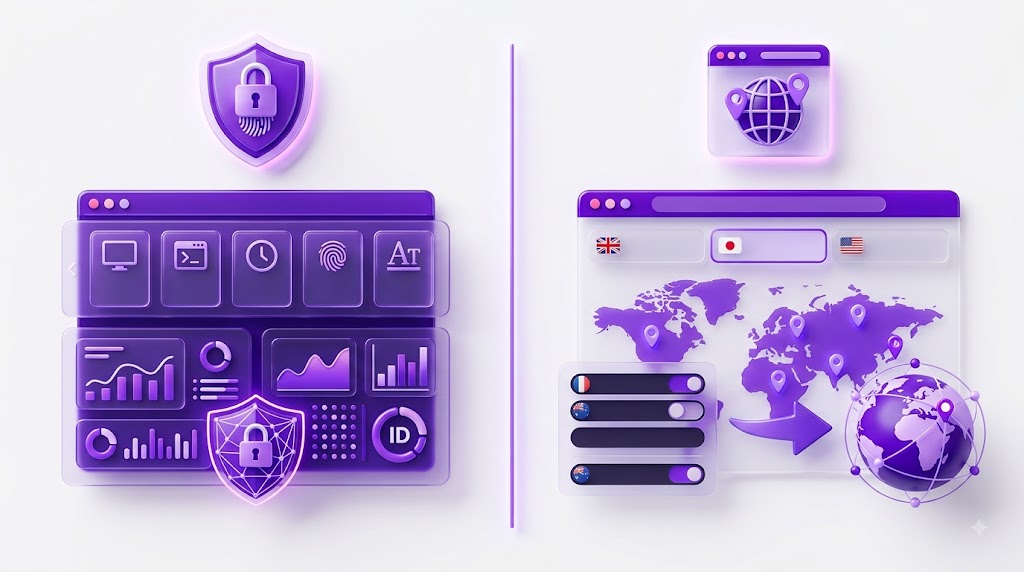
GoLogin is a full anti-detect browser built for running isolated browser profiles at scale, separate fingerprint, cookies, storage and proxy per profile. IP Per Tab is a Chrome extension that routes each browser tab through a different residential proxy IP, inside the Chrome you already use.
The core question this piece answers: if your job is ad verification, geo-specific price checking or competitor research across locations, do you need a separate app with profile management and fingerprint spoofing, or do you just need a different IP per tab? For most of that work, the IP is the layer that matters, not the fingerprint.
| Dimension | IP Per Tab | GoLogin |
| What it is | Chrome extension, per-tab residential proxy | Full anti-detect browser with profile management |
| Session isolation | IP exit only, cookies, storage and fingerprint shared across tabs | Full, each profile has its own cookies, storage and fingerprint |
| Proxy locations | 2 countries | 50+ countries via built-in residential proxies (2 GB on paid plans) |
| Entry price | Starts from ~$20/mo, includes 12 GB data) | $9/mo or $4.50/mo annually (10 profiles, 2 GB proxy traffic) |
| Free access | 7-day trial, 1 GB residential data, card required | 3 profiles forever free (no API, no sharing, no cloud) |
| Multi-account use | Not supported, no account isolation between tabs | Core use case, each profile is a separate identity |
| Automation / API | None | Paid plans only, 300–1,200 requests per minute |
| Learning curve | None, installs in Chrome, one click per tab | Moderate, separate app, profile setup, fingerprint configuration |
What IP Per Tab and GoLogin Actually Are?
These two tools sit in different categories, and understanding that matters more than any feature table.
IP Per Tab: per-tab proxy switching inside Chrome
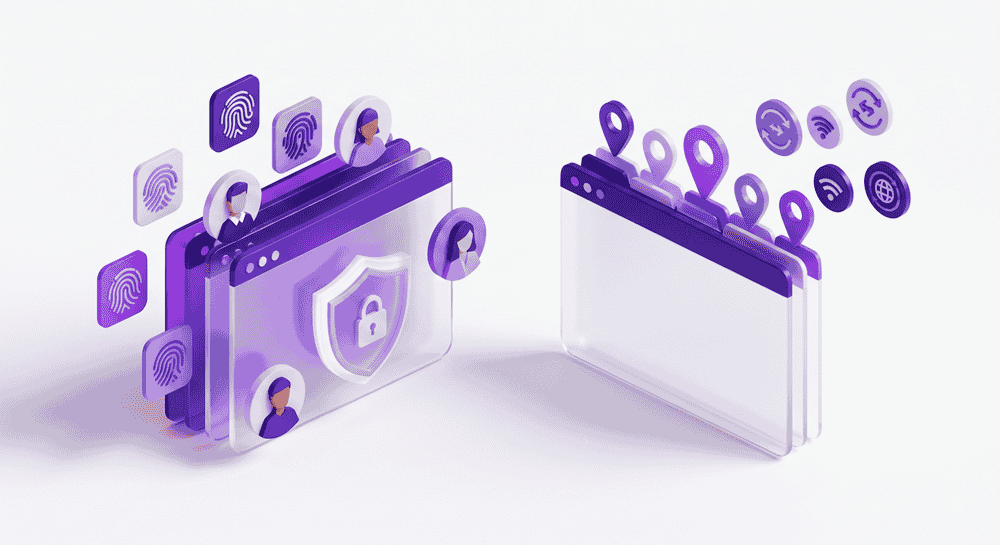
IP Per Tab is a Chrome extension built by PureVPN. It assigns a different residential proxy IP to each browser tab, so tab one exits through the US and tab two exits through another country, without opening a second browser, switching your system VPN or learning a new application.
The workflow is immediate: install the extension, click once per tab to assign a location, and browse.
There is no profile system to configure, no fingerprint parameters to set, no separate app to download. You stay in Chrome with your existing bookmarks, extensions and workflow.
IP Per Tab is not built for multi-account management and does not claim to be — it was built for people who need to see the web from different locations without disrupting their existing browser setup.
The extension is included free with PureVPN’s Residential Network plans, which start at roughly $20 per month and include 12 GB of residential proxy data. A 7-day free trial with 1 GB of data is available.
GoLogin: a full anti-detect browser
GoLogin is a standalone desktop application (Windows, macOS, Linux) with an Android app and cloud browser sessions. Each browser profile gets its own cookies, localStorage, fingerprint parameters and proxy. Profiles do not share sessions, so logging into the same platform from two profiles looks like two different devices to the target site.
Pricing starts at ($4.50 annually) for 10 profiles, scaling up to 100,000 profiles on Custom plans. A permanent free plan offers 3 profiles with no time limit but blocks API access, sharing and cloud launches. Every paid plan includes only 2 GB of residential proxy traffic, which is a trade off.
IP Isolation vs Full Anti-Detect: What the Difference Means
The distinction matters because it determines which tasks each tool can and cannot handle.
IP Per Tab changes the exit IP per tab. That is it. If you open two tabs and visit the same e-commerce site, the site sees two different IP addresses, but the same browser fingerprint, the same cookies and the same session.
For ad verification and price checking, this is usually sufficient: you are not logging in, you are not managing accounts, and the site has no reason to correlate the tabs. You see the geo-targeted ad or the regional price, confirm it, and move on.
GoLogin isolates everything. Each profile is a separate browser environment with its own fingerprint, cookies, proxy, timezone and locale. The site sees what looks like a completely different device operated by a completely different person. The honest question is which layer your workflow actually needs:
| Task | IP isolation enough? | Full anti-detect needed? |
| Checking geo-targeted ads | Yes, different IP shows different ads, no login required | Overkill unless you are logging into an ad platform from multiple accounts |
| Verifying regional pricing | Yes, price differences are IP-driven, not session-driven | Overkill for anonymous price checks |
| Competitor research across markets | Yes, viewing competitor pages from different locations does not require session separation | Overkill unless you are operating accounts on the competitor’s platform |
| Managing multiple social accounts | No, shared cookies and fingerprint will link tabs | Yes, each account needs its own isolated profile |
| Running multiple marketplace seller accounts | No, platforms correlate fingerprints, cookies and device IDs | Yes, full isolation is the minimum |
| Scraping at scale with automation | No, IP Per Tab has no API | Yes, GoLogin’s API enables scripted profile management |
Quick Win: If none of your tasks involve logging into the same platform from more than one account, you probably do not need an anti-detect browser. A per-tab proxy handles the IP layer, which is the layer that geo-targeting runs on.
What IP Isolation Actually Looks Like in Practice
A feature table tells you what each tool does. This section shows what the work actually looks like.
Ad verification with IP Per Tab
You are a media buyer and you need to verify that your client’s display ad is rendering correctly in two different markets. With IP Per Tab: open Chrome, open two tabs, assign each tab a different country, navigate to the target page in each tab, and confirm the ad creative.
Total setup time from install to first check: under two minutes. No profiles to create, no fingerprint to configure, no separate app to learn.
Ad verification with GoLogin
Open GoLogin (a separate desktop application). Create a new browser profile. Choose a proxy location. Configure fingerprint settings or accept defaults. Launch the profile, which opens a new Chromium-based browser window, separate from your Chrome. Navigate to the target page.
Repeat for the second market: create another profile, choose another proxy, launch, navigate. The result is the same, you see the ad from two locations, but the setup involves a profile management layer designed for a harder problem than you are solving.
The overhead argument
GoLogin’s profile management, fingerprint spoofing and session isolation exist because its users need them. If you are running 50 marketplace seller accounts, that machinery is not overhead, it is the product.
But if you are checking ads, geo-testing, or verifying prices or researching competitors across locations, that machinery is dead weight. You are paying for (and navigating through) an identity isolation system to do a job that only requires an IP switch.
This is the practical case for IP Per Tab: not that it does more, but that it does not make you manage what you do not need to manage.
IP Per Tab vs GoLogin Pricing: What You Actually Pay
IP Per Tab is not a standalone product with its own price. It is a feature bundled into PureVPN’s Residential Network plans, which start at approximately $20 per month and include 12 GB of residential proxy data.
If you already subscribe to a PureVPN RN plan for other proxy work, IP Per Tab costs you nothing extra. If you do not, the $20 entry price buys you both the proxy data pool and the extension.
GoLogin is a standalone product with published tiers. The entry point is (4.50 annually) for Professionals with 10 profiles and 2 GB of proxy data. The free plan offers 3 profiles indefinitely but blocks API access, sharing, cloud launches and team seats.
The pricing comparison only makes sense when you account for what each dollar buys:
| Plan | Monthly price | What you get |
| IP Per Tab | ~$20/mo | Per-tab IP switching in Chrome, 12 GB residential data, 2 countries, no profiles to manage |
| GoLogin Free | $0 | 3 isolated profiles, no proxy data, no API, no sharing |
| GoLogin Professional (annual) | $4.50/mo | 10 isolated profiles, 2 GB residential data, 50+ countries, API at 300 req/min |
| GoLogin Business (annual) | $59.50/mo | 300–500 profiles, 1 team seat, 100 profile shares, 2 GB data |
Fingerprint Spoofing, Session Isolation and Multi-Account Work
This section exists to be direct about what IP Per Tab cannot do, because pitching it for the wrong use case would waste your time.
IP Per Tab does not spoof your browser fingerprint. Every tab shares the same canvas hash, WebGL renderer, audio context, user agent, screen resolution and installed fonts. It does not isolate cookies or localStorage between tabs.
It does not create separate browser profiles. If you log into Instagram in tab one and open Instagram in tab two, the platform sees the same session — not a second account on a second device.
GoLogin isolates all of these attributes per profile — canvas, WebGL, audio, fonts, user agent, screen, timezone, locale, WebRTC, cookies, localStorage and proxy. That isolation is GoLogin’s core product, built for workflows that require it.
If your workflow involves running multiple accounts on platforms that detect duplicate devices, IP Per Tab is not the right tool, it was not built for that. But if your workflow is checking ads, verifying prices or researching competitors from different locations, fingerprint spoofing is a solution to a problem you do not have.
The sites you are visiting in those workflows are not fingerprinting you, they are serving you content based on your IP.
Important: Do not use IP Per Tab for multi-account management. The extension provides per-tab IP rotation, not per-tab identity isolation. Logging into the same platform from multiple tabs will expose shared browser attributes to the platform’s detection systems.
Which Should You Pick?
Start with the task, not the tool. Most people searching for anti-detect browsers assume they need one — but the majority of IP-dependent tasks do not require identity isolation.
Pick IP Per Tab if:
- Your work is ad verification, regional price checking or competitor research — tasks where you view pages from different locations without logging in
- You already pay for a PureVPN Residential Network plan and want per-tab IP switching at no extra cost
- You want zero setup complexity — a Chrome extension that works in your existing browser with one click per tab
- You do not need to manage multiple accounts, spoof fingerprints or isolate sessions
Pick GoLogin if:
- You manage multiple accounts on platforms that detect duplicate devices (social media, marketplaces, ad platforms)
- You need full session isolation — separate cookies, fingerprint, storage and proxy per profile
- Your workflow spans more than 2 countries and requires geo-specific profiles
- You need an automation API for scripted profile creation and management
- You work in a team and need profile sharing, cloud launches or an Android app
Verdict
IP Per Tab and GoLogin are not competitors — they solve different problems, and the right choice depends on which problem you have.
The mistake most people make is reaching for an anti-detect browser when their task only requires a different IP.
Ad verification, regional price checking and competitor research across markets are IP-dependent tasks. They do not require fingerprint spoofing, session isolation or profile management.
Using a full anti-detect browser for these tasks means paying for, and navigating, a layer of complexity that adds nothing to the result. IP Per Tab handles this work inside Chrome, with no learning curve, no separate application and no profiles to manage.
If you already have a PureVPN Residential Network plan, it costs nothing extra and gives you 12 GB of residential data to work with.
Where IP Per Tab stops is session isolation. If your workflow involves managing multiple accounts on a platform that detects shared devices, a per-tab proxy cannot protect you — you need isolated profiles with separate cookies, fingerprints and storage. GoLogin serves that use case well.
Frequently Asked Questions
Not directly. GoLogin is an anti-detect browser with fingerprint spoofing, session isolation and profile management. IP Per Tab is a Chrome extension that assigns different residential proxy IPs to different tabs.
They solve different problems. IP Per Tab is an alternative to GoLogin only for tasks that require per-tab IP isolation without session or fingerprint separation, ad verification, price checking and geo-specific competitor research.
No. IP Per Tab changes the exit IP per tab but does not isolate cookies, localStorage or browser fingerprint between tabs. Logging into the same platform from multiple tabs will expose shared browser attributes. Use an anti-detect browser like GoLogin for multi-account work.
It is included at no extra cost with PureVPN Residential Network plans, which start at approximately $20 per month and include 12 GB of residential proxy data. A 7-day free trial with 1 GB of data is available and requires a card.
No. All tabs share the same browser fingerprint — canvas, WebGL, audio context, user agent, screen resolution and fonts. Only the exit IP changes per tab. GoLogin spoofs fingerprint parameters per profile and allows manual adjustment of each parameter.
Usually not. Ad verification is primarily IP-dependent, the ad network serves creative based on the viewer’s geographic location, determined by IP address. A per-tab proxy extension like IP Per Tab handles this without the overhead of creating and managing separate browser profiles, provided the countries you need are within its coverage.

Arsalan Rashid

October 20, 2026

18 hours ago


