
Pokémon has been a fan-favorite for decades, and many players still want to revisit those classic adventures. With today’s tech, you can easily run Pokémon emulators on your Android phone and play the old titles anytime, anywhere.
In this guide, we will break down the best Pokémon emulators for Android, along with their key features, pros and cons, and tips on choosing the right one for your needs. Let’s explore which emulator fits your play style and device best.
What are Pokémon Emulators Android?
Pokémon emulators on Android are apps that let you play old Pokémon games on your phone by simulating classic consoles like the Game Boy, GBA, and Nintendo DS. They run ROM files and offer features like save states, fast-forwarding, and customizable controls, making it easy for anyone to enjoy retro Pokémon gameplay on an Android device.
Best Pokemon Emulator for Android
Playing Pokémon on Android is easier than ever with emulators that bring classic consoles to your smartphone. Here are the top five Pokémon emulators you should consider, along with their features, pros, and cons.
1. DraStic DS Emulator
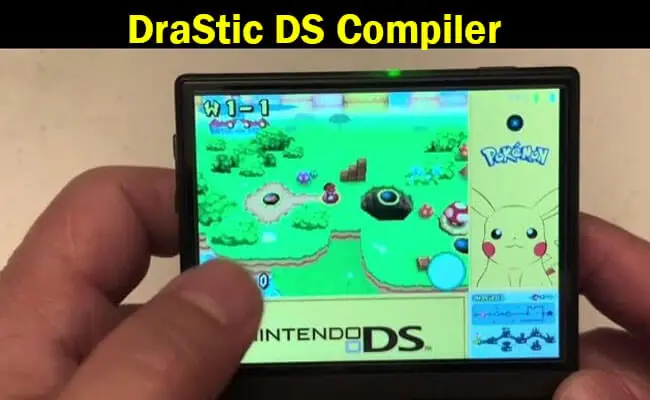
The DraStic DS Emulator is a top choice for Nintendo DS Pokémon games. It’s known for its speed, stability, and smooth gameplay, making it perfect for reliving DS classics on your Android device.
DraStic supports a large library of Nintendo DS games and delivers high-quality emulation with minimal lag. It allows players to connect external controllers and customize on-screen buttons for a comfortable gaming experience. The emulator also supports cheat codes and multiple save states, so you can pause and resume your Pokémon adventure anytime.
Pros:
- Smooth and stable gameplay
- Extensive cheat code support
- Multiple save states for convenience
Cons:
- Paid app, which may deter some users
- Requires a device with decent hardware for optimal performance
Note: If you want to play Pokémon DS games on a Chromebook, you’ll need a compatible Android emulator for Chromebook.
2. My Boy! – GBA Emulator
My Boy! is one of the best emulators for Game Boy Advance Pokémon games. It’s fast, reliable, and perfect for both casual and dedicated players.
My Boy! offers quick and accurate GBA emulation while allowing full customization of on-screen controls. It also supports link cable emulation for multiplayer games and is compatible with cheat codes. This makes it easy to enjoy classic Pokémon titles with all the convenience and flexibility of modern mobile gaming.
Pros:
- Fast and smooth gameplay
- Customizable controls
- Cheat code support for enhanced gameplay
Cons:
- Lacks some advanced features found in other premium emulators
- Certain ROMs may experience occasional compatibility issues
Tip: Android emulators can also be used on Linux, allowing you to play Pokémon games on a PC.
3. John GBA
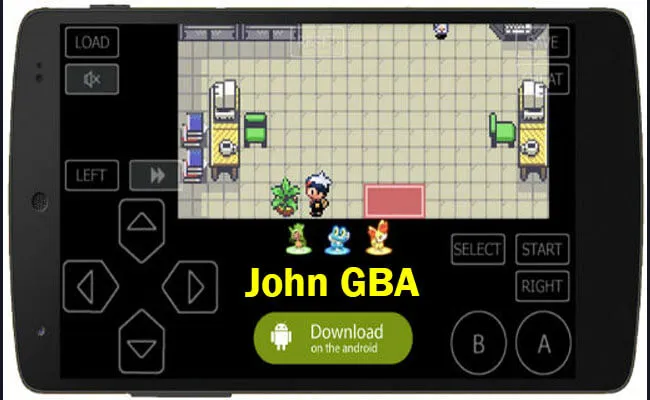
John GBA is a user-friendly emulator for Game Boy Advance Pokémon games. Its balance of simplicity and functionality makes it ideal for players who want a reliable gaming experience without complex settings.
John GBA offers excellent compatibility with most GBA titles and delivers smooth, fast gameplay. Players can customize on-screen buttons, use external controllers, and take advantage of fast-forward options to speed up the game. Its straightforward interface ensures that even beginners can enjoy their Pokémon adventure effortlessly.
Pros:
- Easy-to-use interface
- Smooth and responsive gameplay
- Customizable controls
Cons:
- Limited advanced features compared to other emulators
- Free version may display occasional ads
4. GBA.emu
GBA.emu is a powerful GBA emulator known for its extensive features and high compatibility with Pokémon ROMs. It’s ideal for players who want a fully customizable gaming experience.
GBA.emu supports a wide range of ROM formats and provides advanced configuration options. You can customize controls, adjust rendering settings for better visuals, and use external controllers for a more authentic experience. It also supports multiple save states, allowing you to pause and resume games at any point.
Pros:
- Highly customizable controls and settings
- Supports nearly all Pokémon GBA ROMs
- Adjustable graphics and performance options
Cons:
- Paid app, which may deter casual users
- Advanced settings can be overwhelming for beginners
5. ClassicBoy Gold
ClassicBoy Gold is a versatile multi-system emulator that can handle games from GBA, Game Boy Color (GBC), NES, and SNES, making it perfect for players who enjoy Pokémon across different generations.
ClassicBoy Gold allows you to emulate multiple consoles within one app. It supports programmable on-screen controllers, external controller integration, and save/load states for all your games. Its cross-platform compatibility ensures you can enjoy a variety of Pokémon titles, from older GBC games to newer GBA releases, all on a single device.
Pros:
- Multi-console support for games from different generations
- Customizable controls and external controller integration
- Save/load game states for convenience
Cons:
- In-app purchases for additional features
- Occasional stability issues with intensive games
How to Choose the Best Pokémon Emulator for Android?
Picking the right Pokémon emulator for your Android device can make a huge difference in your gaming experience. Not all emulators are created equal, so it’s important to consider a few key factors before deciding:
- Game Compatibility: Make sure the emulator supports the Pokémon titles you want to play. Some emulators are optimized for specific consoles like GBA or DS, while others offer multi-console support.
- Performance: Look for an emulator that provides smooth gameplay with minimal lag or frame drops. A fast, responsive emulator ensures a more enjoyable Pokémon adventure.
- User Interface: A clean and intuitive interface makes navigation easier, letting you focus on gameplay instead of struggling with menus.
- Features: Consider additional features like save states, cheat code support, fast-forwarding, or link cable emulation for multiplayer games. These enhance your overall gaming experience.
- Legal Aspects: Always check that the emulator respects copyright and legal standards. Using legal emulators ensures you avoid potential issues while playing.
To make the decision easier, here’s a comparison of the top Pokémon emulators based on these factors:
| Emulator | Game Compatibility | Performance | Key Features | User Interface | Legal Compliance |
|---|---|---|---|---|---|
| DraStic DS Emulator | High (Nintendo DS games) | Smooth, stable | Save states, cheat codes, controller support | Intuitive and easy to navigate | Compliant with copyright laws |
| My Boy! – GBA Emulator | Moderate (GBA games) | Fast and responsive | Link cable emulation, cheat support, customizable controls | Simple and clean | Adheres to legal standards |
| John GBA | High (GBA games) | Fast and reliable | Customizable buttons, fast-forwarding, external controller support | User-friendly | Legal usage for ROMs you own |
| GBA.emu | High (GBA games) | High performance | Advanced configuration, external controller support, multiple save states | Configurable and flexible | Compliant with laws |
| ClassicBoy Gold | Varied (GBA, GBC, NES, SNES) | Versatile | Multi-system emulation, programmable controllers, save/load states | Customizable | Ethical and legal usage |
How Can You Get Maximum Performance from Pokémon Emulators on Android?
Playing Pokémon on an Android emulator can be smooth and enjoyable if you optimize the settings and manage your device properly. Here are some practical tips to get the best performance:
1. Adjust Graphics Settings
Depending on your device, you may need to tweak the emulator’s graphics settings. Lowering the resolution or turning off certain visual effects can significantly improve performance, especially on older or mid-range smartphones. This reduces lag and ensures smoother gameplay.
2. Enable Frame Skipping
Frame skipping helps minimize stutters by skipping frames your device struggles to render. Experiment with different frame-skipping levels to find the best balance between visual quality and smooth gameplay.
3. Free Up Device Resources
Make sure your device has enough RAM and CPU available to run the emulator efficiently. Close unnecessary apps and background processes before starting your Pokémon game to prevent slowdowns or crashes.
4. Use Fast Forward Carefully
Fast-forwarding speeds up gameplay, which can be handy for grinding or repetitive tasks. However, it may cause glitches or timing issues in certain games, so use this feature sparingly and only when needed.
5. Customize Control Layout
Adjust the on-screen control layout to match your playing style. Many emulators allow you to assign specific actions to buttons or use external controllers, making it easier to navigate and play Pokémon games efficiently.
6. Monitor Device Temperature
Long gaming sessions can heat up your device. Overheating may affect performance or even damage your hardware. Take breaks if your device becomes too hot and let it cool down before continuing.
How Do You Install a Pokémon Emulator on Android?
- Choose an Emulator: Select and install a trusted Pokémon emulator such as My Boy!, John GBA, or DraStic DS Emulator.
- Download ROMs: Obtain Pokémon ROMs from reliable sources and load them onto your emulator.
- Configure Settings: Adjust graphics, controls, and performance options to your preferences. Then start playing your favorite Pokémon games seamlessly on your Android device.
Frequently Asked Questions
Most Android emulators support Pokémon games from consoles like Game Boy, Game Boy Advance, and Nintendo DS. Popular titles include Pokémon FireRed, LeafGreen, Emerald, Diamond, Pearl, HeartGold, and SoulSilver. Some multi-system emulators can even run NES and SNES Pokémon spin-offs.
Yes, most emulators themselves are safe if downloaded from official sources like Google Play or trusted developer websites. However, you should only use ROMs from legal sources or games you own to stay within copyright laws.
Not necessarily. Most GBA and Game Boy emulators run smoothly on mid-range smartphones. DS emulators like DraStic may require more RAM and a faster processor for optimal performance, but even older devices can handle them with reduced graphics settings.
Yes, many emulators, including DraStic DS and My Boy!, support cheat codes. You can use them to unlock items, catch Pokémon easily, or modify game behavior. Be cautious, as excessive cheats can sometimes cause glitches.
Most Android emulators offer save states, which let you save your progress at any point in the game. This is more flexible than standard in-game saves, allowing you to resume your Pokémon adventure exactly where you left off.
Yes, some emulators like My Boy! offer link cable emulation for multiplayer GBA games. You can connect with friends locally or through networked setups, depending on the emulator’s features.
You can enhance performance by adjusting graphics settings, enabling frame skipping, freeing up device resources, using fast-forward carefully, customizing controls, and monitoring your device temperature. These tips ensure smooth gameplay even on older Android devices.

Arsalan Rashid

January 28, 2026

1 month ago