Pokémon Brilliant Diamond Port Forwarding
Pokémon Brilliant Diamond is an upcoming adventure, role-playing, and strategy game published by The Pokémon Company, Nintendo. The game was released recently on November 19, 2021.
The game is very interesting, as one would expect from the franchise. But you never know when the amazing experience could turn into a very bad one because of lag-related issues. This is why we suggest you set up port forwarding solutions today so you don’t run into any problems later.
Ports needed to run Pokémon Brilliant Diamond
Before you start playing Pokémon Brilliant Diamond with port forwarding, you first need to know what ports you will be needing to play the game. For your convenience, we’ve already figured out what ports you’ll need to connect to. Feel free to check them out below:
Ports to forward on – Switch
How to enable Pokémon Brilliant Diamond Port Forwarding
Forwarding ports for Pokémon Brilliant Diamond, or for any other online game you play, is easier than you think. You only need to learn a few details about your router and your console before you instruct your router to forward (or redirect) the right ports.
The collection of this information is really easy. You just need to have the following information before you can start to forward ports for Pokémon Brilliant Diamond:
- The IP address of the console on which you’re playing.
- The IP address of the router device.
- The ports that are in use by Pokémon Brilliant Diamond that require forwarding. These ports are mentioned in the section above.
Now, here are all the steps you’ll need in order to forward ports while playing Pokémon Brilliant Diamond. If for some reason, these steps don’t help out much, we recommend you check out this guide: How to Forward Ports on your Router for Online Games. You can learn all there is to know about how port forwarding can be set up. You will also find ports for several other online games that you might want to play.
Here are the steps you need to set up port forwarding on your router:
- Log in to your router.
- Open the web browser on your computer.
- Paste the IP address of your router in the address field.
- When the router settings page opens, scroll through the page to find the option named “Port Forwarding.” Once you do, click on it.
- Now paste the IP address of your PC in the correct box on the next page.
- You can now write the ports for Pokémon Brilliant Diamond that are written above in the correct box.
- Restart your router.
That’s it!
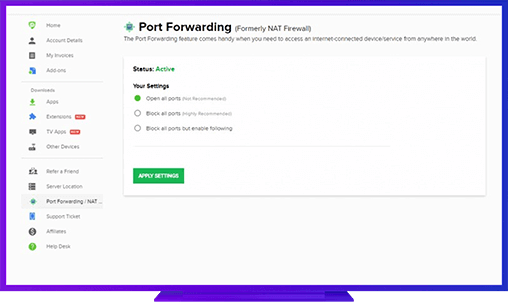
PureVPN’s Port Forwarding add-on
The easiest and secure way to open all ports.
There are plenty of reasons why you might not be willing to go through this entire process. It may be inconvenient, especially for a pro gamer. It might also be a bit too technical or time-consuming. If you find these steps too annoying, we recommend that you go for PureVPN’s Port Forwarding add-on.
With this add-on, you’ll find complete convenience whenever you want to play Pokémon Brilliant Diamond. You won’t need to enter and re-enter the correct settings on your router every time you wish to play the game.
Benefits of using PureVPN Port Forwarding add-on
There are many benefits of using the PureVPN Port Forwarding add-on. Some of these are:
- The port forwarding add-on can work on several different devices and can easily forward ports from any device you want
- It can also speed up your p2p downloads, helping you download torrents in no time
- Advanced users can also use CGNAT (Carrier Grade Network Address Translation) feature by using this add-on