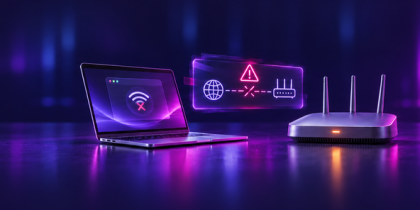
You connect to a VPN because you want your internet traffic to stay protected and your real IP address hidden.
Everything works normally until your VPN connection suddenly drops.
Maybe your Wi-Fi disconnects for a moment, you switch networks, or the VPN server stops responding. Your device may automatically reconnect to the internet using your regular connection.
That means your internet traffic could continue outside the VPN tunnel, potentially exposing your real IP address.
This is where a VPN Kill Switch comes in.
A Kill Switch helps prevent that from happening by blocking internet traffic whenever your VPN connection unexpectedly disconnects.
Here’s how it works and why you might need one.
What Is a VPN Kill Switch?
A VPN Kill Switch is a security feature that blocks your device’s internet access if your VPN connection unexpectedly drops.
Normally, when a VPN disconnects, your device may automatically switch back to its regular internet connection. A Kill Switch prevents this by temporarily blocking internet traffic until the VPN connection is restored.
Think of it as a safety net:
- VPN connected: Your internet traffic travels through the VPN tunnel.
- VPN disconnects: The Kill Switch blocks internet traffic.
- VPN reconnects: Internet access resumes through the VPN connection.
This helps prevent your traffic from accidentally leaving your device outside the VPN tunnel.
Why Can a VPN Connection Suddenly Drop?
VPN connections can occasionally disconnect for several reasons.
Some common causes include:
- Temporary network interruptions: Your Wi-Fi or internet connection may briefly become unstable.
- Switching networks: Moving from Wi-Fi to mobile data or connecting to another network can interrupt your VPN session.
- VPN server issues: A server may become temporarily unavailable or experience technical problems.
- Device or network changes: Changes to your device’s network settings can affect an active VPN connection.
- Unstable internet connections: Weak signals or inconsistent connectivity can cause your VPN to disconnect.
Without a Kill Switch, your device may automatically continue using its regular internet connection when this happens.
Why Do You Need a VPN Kill Switch?
A VPN Kill Switch adds another layer of protection by preventing your internet traffic from continuing outside the VPN tunnel if the connection drops.
It’s particularly useful when you want to maintain your VPN protection without having to monitor your connection constantly.
1. Prevent Your Real IP Address From Being Exposed
When your VPN disconnects, your device may switch back to its regular internet connection.
Websites and online services you access afterward may be able to see your real public IP address instead of the VPN server’s IP address.
A Kill Switch helps prevent this by blocking internet traffic until the VPN connection is restored.
2. Keep Your Traffic From Leaving the VPN Tunnel
If you’re using a VPN to keep your internet activity private, an unexpected disconnection can interrupt that protection.
A Kill Switch prevents your device from continuing to send internet traffic through its regular connection during that interruption.
3. Avoid Unexpected Exposure on Public Wi-Fi
Public Wi-Fi networks at airports, hotels, cafés, and other shared spaces can be unpredictable.
If your VPN disconnects while you’re using one of these networks, a Kill Switch can help prevent your device from continuing to access the internet outside the VPN tunnel.
4. Maintain Privacy During P2P Activities
If you’re using a VPN for torrenting or other P2P activities, an unexpected disconnection could expose your real IP address to other peers.
A Kill Switch helps prevent your P2P traffic from continuing through your regular internet connection if the VPN drops.
What Happens When a VPN Kill Switch Activates?
When your VPN connection unexpectedly drops, the Kill Switch blocks internet traffic to prevent it from leaving your device through an unprotected connection.
You may notice a few things:
- Websites stop loading.
- Apps temporarily lose internet access.
- Downloads pause.
- Online services become unavailable.
Don’t worry. This is expected behavior.
Your internet connection hasn’t necessarily stopped working. The Kill Switch is temporarily blocking traffic because your VPN connection is unavailable.
Once the VPN reconnects, internet access can resume.
Does a VPN Kill Switch Slow Down Your Internet?
No, a Kill Switch generally shouldn’t have a noticeable impact on your internet speed.
Its main purpose is to block internet traffic when your VPN connection is unavailable. It doesn’t need to continuously interrupt your connection when the VPN is working normally.
You can continue browsing, streaming, downloading, and using online services as usual while connected to the VPN.
How to Enable a VPN Kill Switch
The exact steps depend on your VPN application and device.
If you’re using PureVPN, you can find the Kill Switch option within the settings of supported applications.
To enable it:
- Open your PureVPN application.
- Go to the VPN settings.
- Look for the Kill Switch option.
- Turn the feature on.
- Connect to a VPN server.
Once enabled, the Kill Switch helps prevent your internet traffic from continuing through your regular connection if the VPN disconnects unexpectedly.
The available settings and steps may vary depending on your device and application version.
Is a VPN Kill Switch the Same as Disconnecting the VPN?
No. Both involve disconnecting from a VPN, but they work differently.
When you manually disconnect your VPN, you generally expect your device to continue using its regular internet connection.
A Kill Switch is designed to respond to an unexpected VPN disconnection. Instead of allowing your device to fall back to its regular connection, it blocks internet traffic until the VPN connection is restored.
In simple terms:
- Manual disconnection: Your regular internet connection continues working.
- Unexpected disconnection with Kill Switch enabled: Internet traffic is blocked until the VPN reconnects.
FAQs
A Kill Switch helps prevent your real IP address from being exposed through your regular internet connection when your VPN unexpectedly disconnects. However, it doesn’t protect against every possible IP or DNS leak.
If maintaining VPN protection is important to you, keeping the Kill Switch enabled is generally a good idea. It helps prevent unprotected internet traffic if your VPN connection drops unexpectedly.
Yes, internet traffic is temporarily blocked while the VPN connection is unavailable. Access should resume once the VPN reconnects, depending on the application’s behavior.
Yes. A Kill Switch can be particularly useful on public Wi-Fi because network interruptions may cause your VPN connection to drop unexpectedly
No. Kill Switch availability depends on the VPN provider, application, and supported device or operating system. Check your VPN application’s settings to see whether the feature is available.
This depends on the VPN application’s settings and Kill Switch implementation. Many Kill Switches are designed primarily for unexpected disconnections, while some offer additional options that can block traffic during manual disconnections too
Final Thoughts
A VPN helps protect your internet traffic, but an unexpected connection drop can interrupt that protection.
A VPN Kill Switch helps close that gap by blocking internet traffic whenever your VPN disconnects unexpectedly.
Whether you’re using public Wi-Fi, handling sensitive information, or sharing files through P2P networks, enabling a Kill Switch is a simple way to add another layer of protection to your VPN connection.
With PureVPN’s Kill Switch feature, you can take an extra step toward keeping your online activity private.