
Online gaming is pure adrenaline, right up until a sudden lag spike or packet loss ruins a winning moment. When every millisecond matters, even a small disruption can turn a clutch play into a frustrating loss. That’s why many gamers need a VPN, which can actually reduce packet loss while gaming. But can VPNs really reduce packet loss in gaming?
We’ll discuss what causes packet loss, how VPNs affect gaming traffic, and how to play with a smoother, more reliable gaming connection.
What Is Packet Loss And Why Does It Matter in Games?
Before we get into VPNs, let’s clarify what packet loss actually means. In online gaming, your actions and the game server exchange tiny chunks of data called packets, which communicate your movements, shots, and match updates. Packet loss happens when some of these packets fail to reach their destination. That can cause:
- Rubber-banding or teleporting characters
- Hit registration issues
- Freeze frames and inconsistent gameplay
- Sudden disconnections
Packet loss can be caused by many factors, such as:
- Network congestion: too much traffic overwhelms normal routes.
- Faulty hardware: old routers or Ethernet cables are causing corruption.
- Wireless interference on crowded Wi-Fi.
- Poor ISP routing or congestion outside your home network.
This doesn’t just increase lag, it ruins competitive games where every millisecond counts.
How VPNs Work In Gaming?
A VPN encrypts your internet traffic and routes it through another server before hitting the wider internet. That has several effects:
- Masks your real IP (for privacy & security).
- Routes traffic through better network paths.
- Makes traffic unreadable to your ISP, which stops throttling.
However, a VPN also adds an extra hop, the journey from your device to the VPN server, so not all VPNs can guarantee to improve your connection every time.
Most generic VPNs weren’t specifically designed for gaming. Some gaming-optimized networks or protocols focus on improved routing rather than general privacy.
Can a VPN Reduce Packet Loss?
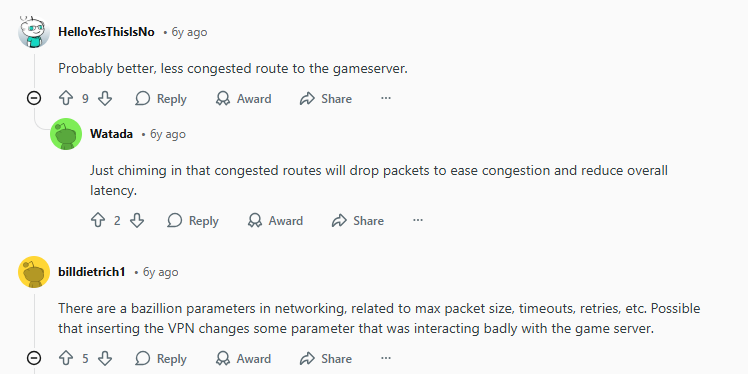
Yes, when used correctly, a VPN can reduce packet loss, in scenarios where network routing, ISP throttling, or congestion is the real problem. A VPN helps reduce packet loss through:
- Bypassing Poor ISP Routing
Sometimes your ISP’s default route to a game server is inefficient or congested. A VPN’s optimized backbone can offer a cleaner path with fewer dropped packets.
- Avoiding ISP Traffic Shaping & Throttling
Some ISPs throttle gaming traffic during peak times. A VPN encrypts and hides that traffic, stopping throttling that can cause packet loss.
- Connecting to Better or Closer Servers
If a VPN provider has a server near the game’s server hub, or a higher-quality network, your game data might travel through more stable nodes and experience less packet loss.
- Protection From External Disruptions
VPN encryption can also protect you from certain network attacks (like DDoS) that might cause packet loss or disconnects during competitive play.
When VPN Won’t Reduce Packet Loss While Gaming
While a high-quality VPN can improve gaming stability, there are situations where packet loss isn’t something a VPN alone can fix.
Packet Loss Caused by Local Hardware or Wi-Fi Issues
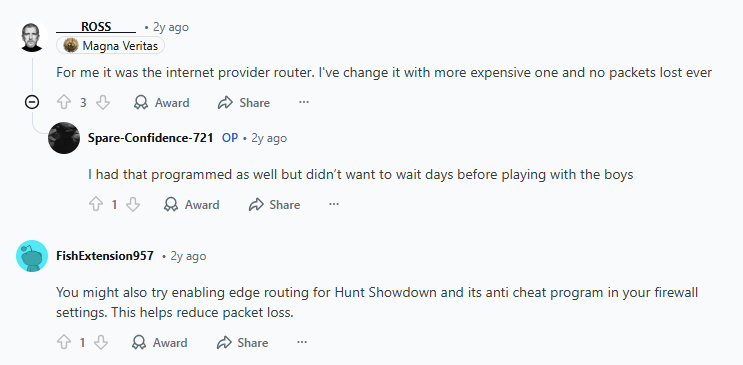
If the problem starts inside your home network, a VPN won’t be able to correct it. Faulty routers, aging Ethernet cables, overloaded modems, or weak Wi-Fi signals can all cause packet loss before your data even reaches the internet. In these cases, upgrading your hardware or switching to a wired connection is important.
Longer Routes or Poor Server Selection
Not all VPN servers are equal. Connecting to a server that’s far away from both your physical location and the game’s server can add unnecessary distance, increasing latency and making packet loss worse. This is why choosing nearby, well-optimized servers matters. PureVPN’s wide global network makes it easier to pick the shortest, most stable route for gaming traffic.
Generic VPNs Without Gaming Optimization
Basic VPNs that focus only on privacy often aren’t built for real-time gaming. They may introduce extra encryption overhead or inefficient routing that hurts performance.
PureVPN stands apart by offering high-speed protocols, optimized servers, and a network designed to handle demanding activities like online gaming, giving you a better chance of reducing packet loss when routing is the root cause.
Best Practices When Using a VPN for Gaming
If you decide to use a VPN to reduce packet loss, keep these tips in mind:
- Pick a VPN server that’s physically near the game’s server, or one specifically optimized for gaming traffic routes.
- Modern protocols like WireGuard or Lightway offer faster speeds and lower overhead compared to older options like OpenVPN.
- Ping different VPN servers to your game server and pick one with the lowest packet loss and latency.
Bottom Line
A VPN can reduce packet loss by providing better routing, avoiding ISP throttling, and connecting through higher-quality network paths. But it won’t magically fix all packet loss problems, specifically the ones caused by hardware issues, Wi-Fi interference, or when you choose distant VPN servers.
If you’re regularly plagued by inconsistent connections or packet drops, PureVPN gets your gameplay back on track.
Frequently Asked Questions
Packet loss happens when data packets sent between your device and the game server are dropped, not reaching the destination, leading to stuttering, delayed actions, or disconnects.
No. Only VPNs with optimized routing and good network infrastructure can reduce packet loss. Free and generic VPNs without a gaming focus may add overhead and not help.
Because it can route traffic around congested or poorly performing ISP paths, offering a more stable and less congested network route.
Not always. If the VPN server is far from your or your game’s server, ping might increase. But in some cases, a more direct route can lower both ping and packet loss.
Mostly no. VPNs provide privacy and routing adjustments, not cheats. However, always check the game’s policy to avoid misunderstandings.