
Most people associate VPNs with Wi-Fi networks, but these tools don’t rely on how you connect to the internet. A VPN functions on any internet connection, whether that comes from Wi-Fi, mobile data, or another source.
In this blog, you’ll learn whether a VPN works without Wi-Fi and the different ways it can be used when wireless access isn’t available. We’ll also clear up confusion about VPNs and Wi-Fi so you know what to expect when using one.
Can you connect to a VPN without Wi-Fi?
Yes, you can connect to a VPN without Wi-Fi, as long as you have an active internet connection. A VPN does not require Wi-Fi specifically as it simply encrypts and routes the data from whatever connection you are using.
That means a VPN can work over mobile data, a wired (Ethernet) connection, or a personal hotspot. However, if there is no internet connection at all, a VPN cannot connect because there is no traffic to secure.
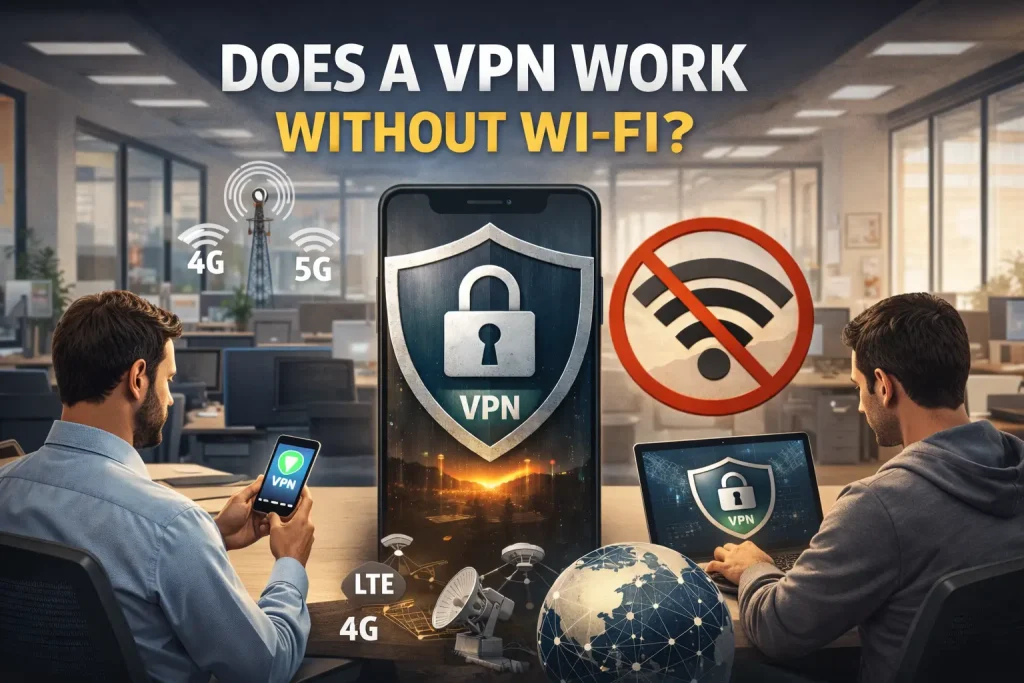
Ways to use a VPN without Wi-Fi
Don’t always have access to a wireless connection? You can still use a VPN app as long as your device is connected to the internet using any of these methods:
Mobile data
Using a VPN over mobile data is one of the most common alternatives to Wi-Fi. As long as your phone has an active cellular connection, the VPN can stay connected while you move between locations or signal zones, handling changes in coverage in the background.
Performance on mobile data depends on signal strength, network congestion, and your carrier’s speeds. VPN use will also count toward your mobile data allowance, and prolonged use may increase battery consumption compared to a standard Wi-Fi connection.
Related Read: How PureVPN Minimizes Battery Drain Effectively
Ethernet connection
An Ethernet connection offers a stable and consistent environment for a VPN. Because the connection is direct, it avoids issues like signal interference or drops that can affect wireless networks, resulting in predictable speeds and lower latency.
VPNs can run over Ethernet on computers and devices that support wired connections. However, some devices don’t support VPN apps directly, in which case protection may need to be handled at the router level rather than on the device itself.
Hotspot
Hotspot and tethering allow one device to share its internet connection with others. A VPN can be used on the device providing the hotspot or on the device connecting to it, depending on how the connection is shared.
In most cases, a VPN only protects the device it’s installed on. Whether the VPN connection is shared with other connected devices comes down to the operating system and network settings, and this behavior can vary between devices.
Common myths about VPNs and Wi-Fi
These misunderstandings often come up when people talk about VPNs and Wi-Fi:
Myth #1: A VPN only works on Wi-Fi
A VPN doesn’t depend on Wi-Fi to function. It works on top of any active internet connection, whether it’s Wi-Fi, mobile data, or a wired network. This misconception often comes from the fact that many people first use VPN services at home or on public Wi-Fi. The VPN’s role is to secure traffic, not to determine how your device connects to the internet.
Myth #2: A VPN gives you internet access
A VPN does not create an internet connection or replace one. If your device isn’t connected to the internet, a VPN has nothing to connect to or protect. Due to this misunderstanding, some people expect a VPN to work in airplane mode or areas with no signal. A VPN can only work once an internet connection is already in place.
Myth #3: A VPN doesn’t function on cellular data
A VPN functions on mobile data in the same way it does on other internet connections. Encryption and routing remain consistent, regardless of whether the connection is cellular or wireless. Differences in performance usually come from factors like signal strength, network congestion, or carrier limits, not from the VPN itself.
Does a VPN increase data use?
A VPN can use slightly more data than a regular connection, mainly because your traffic is encrypted before it reaches the internet. That encryption adds a small amount of extra data, but it’s part of how a VPN protects your online activity.
Data usage is still mainly driven by what you’re doing online (like streaming or downloads), though the VPN protocol and server you’re using can have a small impact as well. For most everyday use, the difference remains small and often goes unnoticed.
How to reduce VPN data usage
Using a VPN can increase data usage slightly, but it’s possible to reduce the impact. Here’s how:
- Choose a lightweight protocol: Different VPN protocols handle encryption in different ways. Using a lightweight protocol like WireGuard can help minimize extra data overhead while keeping your connection secure.
- Connect to a nearby server: Choose VPN servers closer to your location as they usually require less data to maintain a stable connection. Shorter routing paths can reduce unnecessary data use and improve overall efficiency.
- Use split tunneling: Split tunneling allows certain apps to bypass the VPN while others remain protected. It’s a great way to reduce VPN-related data usage by limiting encrypted traffic to apps that actually need it.
- Disconnect the VPN when not needed: If you’re not actively using the internet or don’t require protection at a given moment, turning off the VPN can help prevent background data usage from accumulating.
- Avoid using double VPN: Double VPN sends traffic through two VPN servers instead of one, which increases encryption overhead and can lead to higher data usage and reduced efficiency compared to a standard VPN connection.
Frequently asked questions
A VPN doesn’t reduce data usage by itself. In some cases, efficient protocols or settings may help avoid extra overhead, but overall usage still depends on what you do online.
No, a VPN does not replace Wi-Fi or provide internet access. It protects an existing connection by encrypting your traffic, whether you’re using Wi-Fi, mobile data, or Ethernet.
Yes, a VPN can be used with a mobile data plan as it uses your cellular internet connection. VPN traffic counts toward your mobile data usage, just like regular browsing or app use.
Yes, VPNs work on 5G in the same way they do on other networks. Performance depends more on signal strength and network conditions than on whether the connection is 4G or 5G.
No, a VPN cannot work without an internet connection. It needs active traffic to encrypt and route, so it won’t connect if your device is offline.

PureVPN

December 23, 2025

2 months ago


