What is PureVPN Residential Proxy — IP Per Tab?
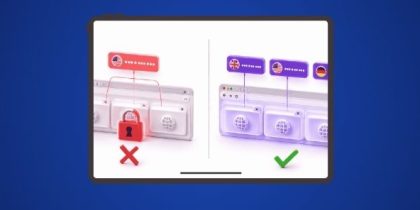
It is a Chrome extension by PureVPN that lets you assign a real residential IP address to each browser tab individually. You can have Tab 1 browsing with a US residential IP, Tab 2 with a UK residential IP, and Tab 3 using your normal internet connection, all at the same time. Every IP is a genuine residential address, not a datacenter IP, so websites treat you as a real user from that country.
What countries IPs are available?
Currently the extension offers residential IPs from the United States and United Kingdom. You select the country when assigning a proxy to a tab. City or state level selection is not available — you get a country level IP.
How do I get access to this extension?
You need a PureVPN Residential Proxy plan. You can buy it in two ways. If you are an existing PureVPN user, add it as an add-on to your current plan. If you are new to PureVPN, you can purchase a standalone residential proxy plan directly through the Chrome extension. Both options give you the same features at the same price.
Do I need to be a PureVPN VPN subscriber to use this?
No. You can buy the residential proxy as a standalone plan without having a VPN subscription. You will receive credentials that work directly inside the Chrome extension. If you later get a PureVPN VPN plan, the same credentials work across both.
How do I log in to the extension?
Use your existing PureVPN account credentials — the same email and password you use for the PureVPN app or website. If you just purchased a standalone residential proxy plan, use the credentials you received at signup.
Can I use one account on multiple devices?
Yes. Your PureVPN account works across multiple devices simultaneously. Your residential proxy bandwidth is shared and tracked together across all devices in one combined dashboard.
How does bandwidth tracking work?
The extension shows your total residential proxy bandwidth usage in a single combined dashboard. If you use a residential proxy on the PureVPN app and the Chrome extension at the same time, both consume from the same bandwidth pool and the dashboard reflects the combined total in real time.
What happens when my bandwidth runs out?
When you exhaust your residential proxy bandwidth, the proxy connection stops working. You will need to upgrade your plan or purchase additional bandwidth. The extension will notify you when you are running low so you are not caught off guard.
What does Direct mean when assigning to a tab?
Direct means that tab uses your normal internet connection with your real IP address. No proxy is applied. You can set some tabs to a residential IP and leave others on Direct depending on what you need. For example, use a US residential IP on one tab for geo-restricted content and keep your banking tab on Direct.
Does the extension remember my tab assignments when I reopen Chrome?
Yes. The extension saves which proxy is assigned to which tab. When you reopen Chrome your assignments are restored automatically so you do not have to set everything up again each session.
How fast does it connect?
The extension connects in 3 to 4 seconds. No configuration or technical setup is required. Select a country, assign it to a tab, and you are connected.
Is the IP address fixed or does it rotate automatically?
The IP assigned to a tab stays fixed for that session. It does not rotate automatically. If you want a different IP you can manually reassign a new proxy to that tab from the extension popup.
Can I import my own proxies or use third party proxy servers?
No. The extension only works with PureVPN residential proxies. There is no option to add external proxies or manual configurations. This keeps the setup simple and ensures the quality and reliability of every IP you use.
Does using a residential proxy on a tab mean my real IP is completely hidden?
Yes. PureVPN’s IP Per Tab Chrome extension includes built-in DNS leak protection. DNS leaks occur when browser DNS requests travel outside the proxy tunnel, exposing the user’s real IP and location to websites and ISPs despite an active proxy connection. The extension prevents this by routing all DNS requests through the residential proxy tunnel. The result is complete IP and location anonymity at every layer — the website sees only the assigned US or UK residential IP address, nothing else.
Do you collect any of my browsing data?
No. PureVPN does not collect any data through this extension at any level. Your browsing activity, the websites you visit, and the content of your traffic are never logged, stored, or shared. What you do on each tab stays completely private.
What if I need help or something is not working?
You can reach PureVPN support 24 hours a day, 7 days a week directly from the extension. Click the support link in the footer of the extension to open a live chat session instantly. You can also reach the support team via email. No need to leave the browser or search for a contact page.
Is there a kill switch — if the proxy fails does the tab fall back to the real IP or does traffic stop?
At the moment, the PureVPN browser extension does not include a Kill Switch feature. If the proxy connection is interrupted, traffic may revert to your regular internet connection. The Kill Switch feature is currently available in the PureVPN Windows and macOS applications.
Is bandwidth shown in real time inside the extension or does it update on a delay?
Bandwidth usage is updated almost in real time inside the extension. However, there may be a short delay of a few seconds before the latest usage is reflected.
I upgraded my bandwidth in the app. Will the extension update automatically?
No. After upgrading your bandwidth, you’ll need to log out of the extension and log back in. The bandwidth counter updates automatically within 10 minutes after you sign in again.
Why is my bandwidth usage not updating immediately?
The bandwidth counter doesn’t refresh instantly. It can take up to 10 minutes for the updated usage to appear after you log in again.
What happens if I close Chrome while connected to a proxy?
If Chrome or a tab is closed while still connected, the connection state may persist. It’s recommended to disconnect the proxy before closing the tab or browser.
Why is a domain still appearing in Domain Rules even though I didn’t add it manually?
A domain can be added automatically when you connect a proxy to a website. If the tab is closed without disconnecting first, the domain rule remains until you remove it manually.

Arsalan Rashid

July 27, 2026

2 months ago