Passwords are your digital keys, and keeping them safe has never been more critical. As cyberattacks and data breaches continue making headlines, millions rely on password managers to protect their credentials.
One common solution many users already have is Firefox Password Manager, built into the Firefox browser, but its security is still a question mark.
In this dive, we’ll break down why using a browser password manager could be a risk and whether Firefox password manager is secure for your digital privacy.
What Is Firefox Password Manager?
Firefox’s password manager comes built into the browser and is designed to save, encrypt, and auto-fill your login credentials across websites. If you sign into a website while using Firefox, you’re prompted to save the password.
Those credentials can sync across devices through your Firefox account via Firefox Sync, using encryption to protect your data. Key features include:
- Secure password generation
- Auto-fill logins
- Sync across devices
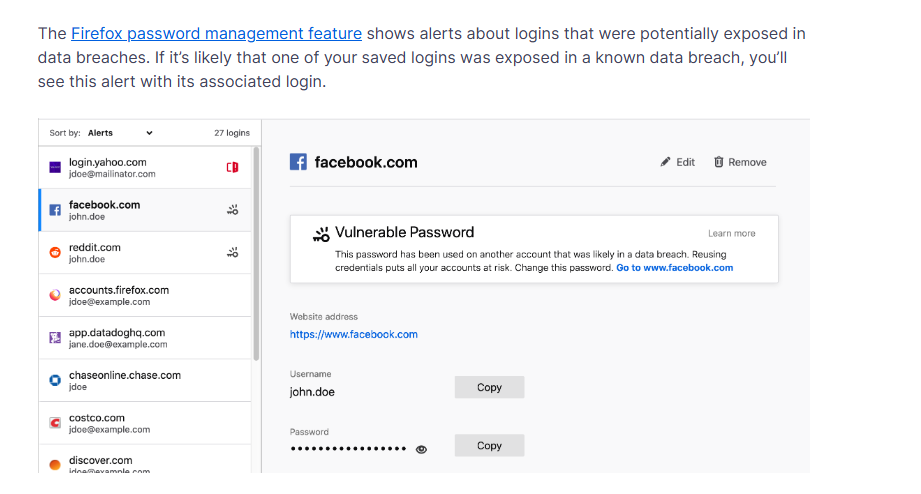
- Alerts for vulnerable or breached passwords
How Firefox Protects Your Passwords
Firefox has improved its password management security in recent years. Modern Firefox versions use strong encryption standards to protect stored logins, such as AES-256-CBC, which is widely regarded as secure for protecting stored data.
Passwords synced through Firefox Sync are protected with end-to-end AES-256-GCM encryption, meaning even Mozilla can’t decrypt your saved passwords. Firefox now includes the option for a Primary Password, too.
When set, it ensures passwords aren’t automatically used without authentication, adding an extra security boundary before stored credentials can be decrypted. Without a Primary Password, data is still encrypted, but may be more accessible if someone gets physical access to your device.
How Private Is Firefox Password Manager?
Unlike third-party password managers with zero-knowledge architectures, Firefox’s model is tied to your browser and Mozilla account. Some key privacy takeaways:
- Mozilla does not see your plaintext passwords. All data synced is encrypted end-to-end so Mozilla can’t read your credentials.
- Firefox’s breach alerts are privacy-focused and do not send unencrypted passwords to third parties.
- However, Firefox manages the encryption key tied to your Firefox account, which means your account security becomes critical.
We can say that privacy is strong, but it’s not a zero-knowledge model in the same way as some dedicated password managers.
Does Firefox Password Manager Suffer from Security Risks?
Below are the areas where cybersecurity professionals and everyday users have identified possible gaps or concerns worth understanding:
Browser-Based Limitations
Browser-based password managers inherently share the browser’s attack surface, meaning malware or malicious extensions could access autofilled credentials.
Encryption and Key Derivation
Some people have noted that older implementations had weaknesses in key derivation unless a strong Primary Password was set, meaning poor configuration could weaken protection.
Vulnerabilities & History
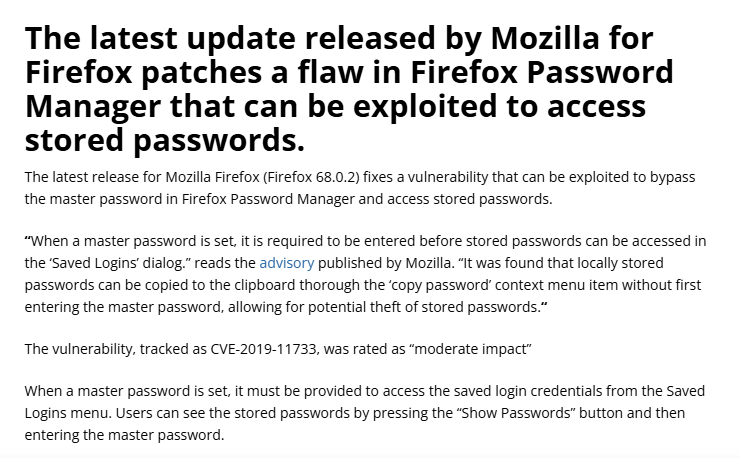
There have been claims in the past that Firefox’s password manager could reveal stored credentials via certain UI functions if not properly set up (e.g., copying passwords without requiring master password). Mozilla patched such issues, but it demonstrates why configurations matter.
Real User Experiences: What People Say Online
Communities like Reddit and user reviews offer real insights into how Firefox Password Manager feels in the wild. Many users report that Firefox’s password manager is as secure as basic needs require when paired with a strong Primary Password.
Some feel confident keeping non-critical passwords (forums, newsletters) in Firefox rather than memory or spreadsheets.
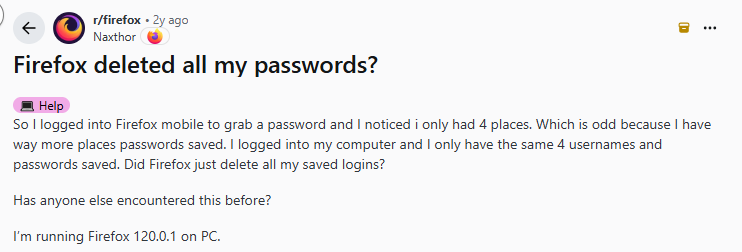
While many users are satisfied with Firefox Password Manager, it’s not without its frustrations. Some people mention that auto-fill doesn’t always work smoothly, usually on mobile devices, where login fields may not populate correctly or require manual input. It’s not a deal-breaker, but it can slow things down.
Others have reported occasional sync hiccups. After browser updates or temporary sync failures, a few users say certain saved passwords didn’t appear right away, confusing until everything refreshed properly.
And because the password manager is tightly integrated into the Firefox browser, access depends on your browser account. If you’re locked out of Firefox or facing account recovery issues, retrieving your saved passwords can become more complicated than with a standalone password manager.
Recent Data Breaches & Firefox
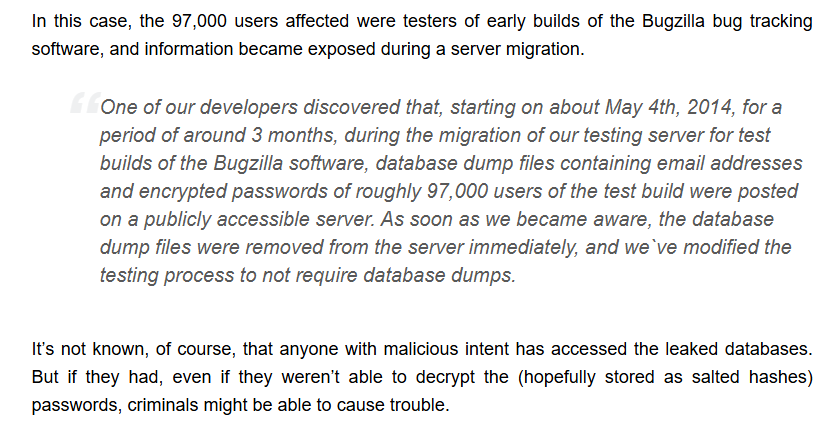
While Firefox’s password manager itself hasn’t been at the center of a major breach, Mozilla has had data incidents in the past, including accidental disclosures of test build databases containing encrypted passwords (though not tied directly to Firefox Sync).
Also, Firefox integrates breach alerts by checking stored passwords against known compromised website breaches, helping users proactively update weak or exposed credentials.
How PureVPN Password Manager Gives You Holistic Password Privacy
PureVPN’s password management solution is a separate, purpose-built tool designed to store credentials securely across devices, with its own encryption and privacy architecture. Many users compare it to a native browser-based password manager to decide what fits their needs best.
Key differences include:
- PureVPN’s password manager is a dedicated, cross-platform app with broader device support
- Its security model uses zero-knowledge encryption, meaning even the provider can’t decrypt your data
- Comes bundled or integrated with a suite of related privacy products for a more unified security solution
Firefox’s manager is convenient and secure for browser passwords, but if you need comprehensive credential management with advanced security features, dedicated solutions like PureVPN is what you need.
Final Word
Firefox Password Manager, in its current form, offers strong encryption, breach alerts, and cross-device sync, but is tied to your browser account and device. Advanced and zero-knowledge architectures from dedicated password managers offer stronger security guarantees for high-value credentials and total privacy.
Frequently Asked Questions
Yes. Stored passwords are encrypted locally with AES-256, and data synced via Firefox Sync is end-to-end encrypted.
If a Primary Password isn’t set, someone with access to your logged-in Firefox profile could access saved passwords. Setting a strong Primary Password vastly improves security.
Firefox itself has not suffered a breach targeting its password manager service, but Mozilla has had unrelated data disclosures historically.
It’s good for convenience and day-to-day password storage, but for mission-critical credentials or advanced security needs, a PureVPN password manager is recommended.