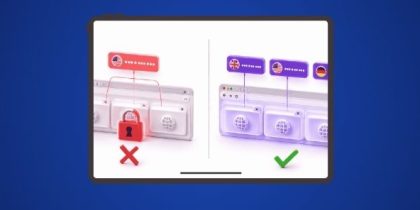
Survey Junkie, MTurk, and Swagbucks all lock users out the moment their IP address doesn’t match an approved region, and most survey-takers never find out why they suddenly stopped qualifying. If you’ve ever opened a survey site and seen “no surveys available” more often than not, the issue usually isn’t your profile. It’s your IP.
A residential proxy solves this by routing your connection through a real home internet address instead of your actual one, so survey platforms see you as a genuine local user. This guide covers how residential proxies actually work for survey access, who else besides individual earners relies on them, what separates a genuinely good residential proxy from a mediocre one, and how to set one up with PureVPN’s Residential Network add-on.

What is a Residential Proxy for Survey Sites?
A residential proxy for survey sites routes your traffic through an IP address assigned to a real home internet connection rather than a server farm. To the survey platform, your request looks identical to one from an ordinary household user in that region.
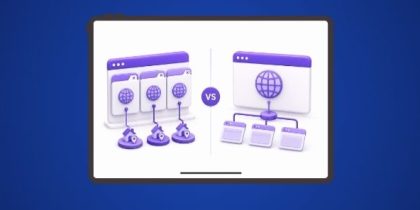
That distinction matters because survey platforms actively screen for non-residential traffic. An IP address that traces back to a data center is an instant red flag, it gets deprioritized, rate-limited, or blocked outright. A residential IP doesn’t carry that flag, which is why it’s the standard tool for accessing region-locked or high-security survey platforms.
How Do Survey Residential Proxies Work?
When you open a survey, your request first passes through the residential proxy server instead of going straight to the site. The proxy swaps your real IP for one of its own, a legitimate, ISP-issued address from the region you want to appear in.
The survey platform receives that request, processes it as if it came from a local resident, and sends the response back through the proxy to you. Your actual location, ISP, and device details stay hidden the entire time.
Reasons to Use a Residential Proxy for Survey Sites
For individual survey-takers, the case for a residential proxy comes down to five practical benefits:
- Access more surveys: Bypassing regional restrictions on both platforms and individual surveys means more opportunities, and more potential earnings.
- Protect your privacy: A residential proxy masks your real IP and browsing habits from every survey site you interact with.
- Avoid detection and bans: Because the IP traces back to a real ISP, your traffic reads as legitimate, cutting the odds of getting flagged or banned mid-survey.
- Bypass geo-restrictions: Many surveys, especially market research ones, are only open to users in specific countries. A residential proxy lets you appear to be exactly where the survey needs you to be.
- Avoid IP-based response limits: Platforms like Google Forms, SurveyMonkey, and Qualtrics flag repeated submissions from a single IP as suspicious. Rotating residential IPs make each session look like a separate, natural user.
What Actually Makes a Residential Proxy the “Best” Choice for Surveys
Not every residential proxy performs the same way once you’re actually using it against a survey platform’s detection systems. Before choosing one, weigh it against these criteria:
| Criteria | Why It Matters |
|---|---|
| ISP-sourced IPs, not just “residential-labeled” ones | Some providers mislabel data-center IPs as residential. Genuine ISP-assigned addresses are what actually evade detection. |
| Large, diverse IP pool | A small pool means you’re more likely to reuse an IP that’s already been flagged by the survey platform. |
| Rotation control | You need the ability to hold an IP steady for the length of a single survey, then rotate for the next one, not rotate mid-session and get flagged for inconsistency. |
| Geographic coverage | If you need to appear in specific countries or states, the provider’s IP pool has to actually cover them. |
| Connection speed | A slow proxy causes timeouts on longer surveys, which can invalidate your responses or boot you mid-session. |
| No-log policy | Since you’re routing sensitive account activity through a third-party server, the provider shouldn’t be retaining records of your sessions. |
A proxy that checks all six boxes is doing meaningfully more for you than one that just happens to say “residential” in its marketing.
Residential vs. Datacenter vs. Free Proxies for Survey Sites
| Residential Proxies | Datacenter Proxies | Free Proxies | |
|---|---|---|---|
| IP Source | Real IPs from ISPs | Server-generated, not ISP-tied | Public/shared IPs |
| Detection Risk | Very low, reads as legitimate traffic | Moderate to high, easily flagged | High, frequently banned |
| Privacy & Security | High | Moderate, depends on provider | Low, often no encryption |
| Reliability | Stable, consistent | Decent, prone to detection issues | Unreliable, frequent downtime |
| Cost | Higher, reflects authenticity | More affordable, less effective | Free, but high risk |
| Best For | Accessing region-locked surveys securely | General browsing, not survey-optimized | Casual, low-stakes use only |
Related Guide: Data Center Proxies vs. Residential Proxies
How to Set Up a Residential Proxy for Survey Sites
Just follow these simple steps to get started:
- Sign Up for PureVPN: First, visit the PureVPN website and sign up for an account. Make sure to include the Residential Network add-on to your plan.
- Download and Install PureVPN: After purchasing your subscription, download and install the PureVPN app on your device (Windows, Mac, iOS, Android, and more).
- Log into Your PureVPN Account: Open the app and log in using your credentials. This will give you access to all the features of PureVPN, including Residential Network.
- Connect to a Residential IP: In the PureVPN app, go to the server list. Select the Residential Network option to connect to a US residential IP.
- Take Surveys: Your connection will now be routed through a US residential IP address, allowing you to access surveys as if you are a regular user.
Why PureVPN’s Residential Network Add-on Fits These Criteria
PureVPN’s Residential Network add-on is built around the exact criteria above:
- Genuine US residential IPs, sourced from real ISPs and rotated to keep your traffic looking authentic and local — not proxy traffic wearing a residential label.
- Per-tab IP routing, so you’re not limited to one residential IP for your whole browser. Assign a different residential IP to each Chrome tab and run multiple survey sessions side by side — each one looking like a separate, independent respondent — without switching devices or reconnecting between sessions.
- AES 256-bit encryption on every connection, protecting your session on top of the IP masking itself.
- Audited no-log policy, meaning none of your survey activity or account behavior is tracked or retained.
- Speeds up to 20 Gbps, so longer surveys load and submit without the delays that cause timeouts or dropped sessions.
- 24/7 support if you run into setup issues or a specific survey platform behaves unexpectedly.
Can You Run Multiple Survey Platforms at Once Without One Flagging the Other?
Running Survey Junkie in one tab and Swagbucks in another shouldn’t put either account at risk. But if both tabs share the same IP, some platforms read that overlap as one person operating multiple accounts at once — a pattern that triggers exactly the kind of review that gets accounts suspended.
PureVPN closes that gap with per-tab IP routing. If you’re taking surveys across several platforms at the same time, PureVPN keeps every open tab on its own residential proxy, because per-tab routing assigns identities at the browser-tab level instead of the whole connection. So, each session reads as an independent respondent rather than one user running parallel accounts.
That’s the difference between opening five survey tabs and hoping none of them cross paths, and opening five tabs that each genuinely look like they belong to a different person.
Frequently Asked Questions
It is better to avoid free residential proxies for surveys. They can be slow, less secure, and more likely to get flagged by survey sites, which could mess up your chances of completing them.
Look for a reliable provider with a large IP pool and fast speeds. Make sure they are known for good performance and strong security to avoid being flagged or banned during surveys.
Survey platforms actively screen for datacenter IPs, unusual traffic patterns, and IPs with a history of high submission volume. Genuine, ISP-sourced residential IPs are specifically what those detection systems are built to not flag, which is why they outperform datacenter or free proxies for this use case.
Using a residential proxy is legal in most regions. What can violate a platform’s terms of service is misrepresenting your identity to submit duplicate or fraudulent responses — the proxy itself isn’t the issue, how you use it is.

PureVPN

August 11, 2026

2 months ago