Multilogin, GoLogin, AdsPower, Incogniton, and Octo Browser all exist to solve one specific problem: making multiple accounts on the same platform look like they belong to separate people, each with its own spoofed device fingerprint. That’s a narrow, specialized job, and these tools are built to do it well.
But account separation isn’t the only reason people reach for these tools, and it’s worth pausing on that distinction. If the actual need is simpler, seeing how a page looks from another region, whether that’s pricing, search results, or an ad, a full anti-detect browser is solving a problem you don’t have.
All that fingerprint-spoofing infrastructure exists to defeat platform-level detection of duplicate accounts; none of it is necessary just to view content through a different location.
So the real question isn’t “which anti-detect browser is best,” it’s “do you need an anti-detect browser at all.”
What Is an Anti-Detect Browser?
An anti-detect browser is a separate browser, or a browser profile manager, built to make each browsing profile look like it belongs to a different device and a different person.
Each profile gets its own IP address, its own fingerprint, and its own cookies, so a platform can’t link the profiles back to one operator.
What Multilogin, GoLogin, AdsPower, Incogniton, and Octo Browser All Have in Common
- A separate IP address assigned to each profile
- A spoofed browser fingerprint per profile. A browser fingerprint is the combination of signals a platform uses to identify a device, including screen resolution, fonts, timezone, and canvas rendering.
- Fully separate cookies and login sessions per profile, so no session data crosses between accounts
- A core design purpose: running multiple accounts on the same platform without those accounts being linked to each other

Anti-Detect Browsers vs IP Per Tab: Quick Comparison Table
| Capability | Anti-Detect Browsers (Multilogin, GoLogin, AdsPower, Incogniton, Octo) | IP Per Tab by PureVPN |
| Fingerprint spoofing | Yes, per profile | No |
| Proxies included | Varies by provider; most price proxies as a separate add-on | Yes, included in the plan, starting at $19.92/month for 12 GB |
| Runs inside your existing browser | No, requires a separate browser or profile manager | Yes, inside Chrome |
| Built for | Running multiple accounts as separate identities | Viewing or verifying content by region |
| Typical setup | Profile creation, plus fingerprint and proxy configuration | Sign in, assign a proxy to a tab |
What Anti-Detect Browsers Do Well
Multilogin, GoLogin, AdsPower, Incogniton, and Octo Browser are built to run dozens to hundreds of separate account profiles at once, with Selenium and Puppeteer integration for teams automating high-volume account work. That’s real infrastructure, built for a specific job: managing many linked-but-separate identities at scale.
IP Per Tab isn’t built for that job, and it isn’t trying to be. If checking a page from another region is the actual task, that scale and the fingerprint-spoofing setup behind it are overhead you don’t need. IP Per Tab skips the profile creation, the fingerprint configuration, and the separate proxy sourcing, and gets you a different IP on a tab in under a minute.
Do You Actually Need Fingerprint Spoofing?
When Fingerprint Spoofing Is Necessary
Fingerprint spoofing is necessary when multiple accounts run on the same platform and each one needs to appear as an unrelated user: separate social accounts, separate marketplace seller accounts, separate ad accounts. Without a spoofed fingerprint, a platform can link those accounts together even when each uses a different IP.
When Fingerprint Spoofing Is Overkill
Fingerprint spoofing isn’t necessary to check how a page renders in another country, verify an ad placement, or compare pricing across regions. None of those tasks involve operating multiple linked accounts. Each only requires the page to load from a different location, which changes what content the page serves, not who the platform thinks is asking.
What You’re Actually Testing For
QA Engineers Reproducing Region-Specific Bugs
QA teams often need to reproduce a bug that only appears for users in one country: a currency display error, a broken regional redirect, a content-gating issue. That requires a different IP for that one tab, not a separate identity.
SEO Professionals Comparing Local Search Results
SEO professionals comparing local search rankings need to see results as they appear from a specific location, in the same session as their other work. Nothing about that task involves running separate accounts.
Ad Verification Analysts Confirming Campaign Delivery
Ad verification work means confirming a campaign renders correctly in each target region. The account behind the check stays the same. Only the viewing location changes.
Developers Testing Geo-Conditional Logic
Developers testing CDN routing or region-based feature flags need the request to originate from a specific region. The test targets where the request comes from, not the account or session behind it.
None of these four tasks involves operating a separate account. Each only requires the request to come from a different location, which is exactly what IP Per Tab does.
The Core Difference: Isolating Identity vs. Isolating Location
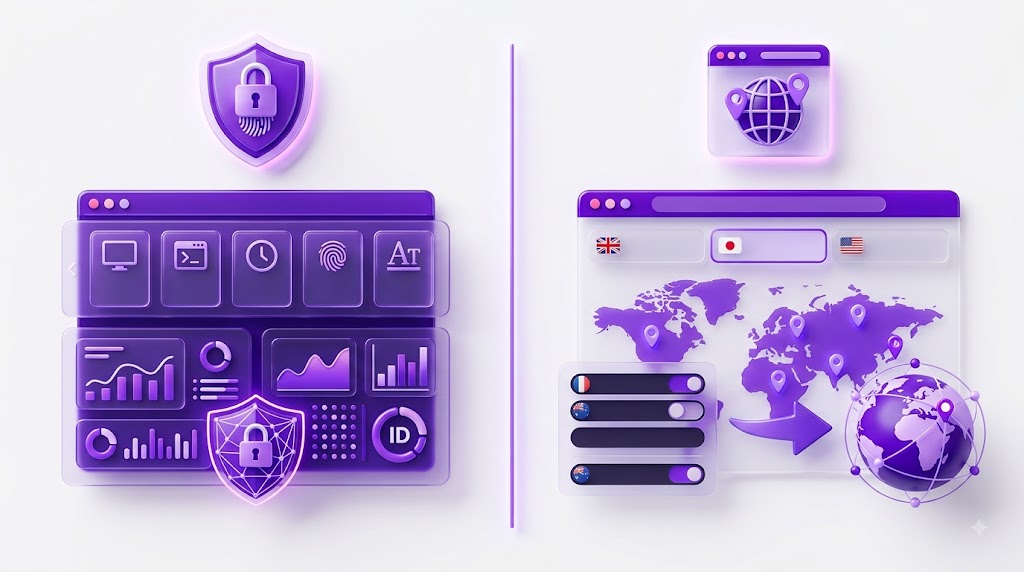
Anti-Detect Browsers Isolate Identity. IP Per Tab Isolates Location.
Anti-detect browsers solve for identity: making one operator’s multiple accounts look like separate people. IP Per Tab solves for location: making one identity’s browsing appear to come from a different place.
These are different problems with different tools. Using an anti-detect browser to solve a location problem means paying for and configuring fingerprint spoofing that never gets used.
Price and Setup Comparison
| Factor | Anti-Detect Browsers | IP Per Tab |
| Software cost | Several providers offer a limited free tier; base subscriptions generally run $20–100+/month depending on profile count | Free to install |
| Proxy cost | Usually billed separately from the subscription, commonly $50–200+/month once quality residential proxies are added, since most base plans don’t include them | Included in the plan: $19.92/month for 12 GB, $39.75/month for 25 GB, or $79.50/month for 50 GB |
| Setup time | Hours: profile creation, fingerprint configuration, often separate proxy sourcing | Minutes: sign in, assign a proxy to a tab |
| Learning curve | High | Low |
Factor in proxy costs and an anti-detect browser subscription often lands in a similar range to an IP Per Tab plan. The difference is where the proxy cost shows up: most anti-detect browser subscriptions price residential proxies as a separate add-on, while IP Per Tab’s monthly price already includes them.
Pricing across the anti-detect browser category changes frequently. You should check each provider’s current plan directly before comparing total costs.
Which One Should You Use?
| Your Situation | Best Fit | Why |
| Running many accounts on the same platform | An anti-detect browser | Requires a spoofed fingerprint per profile, which IP Per Tab does not provide |
| Verifying content, pricing, or ads by region | IP Per Tab | Only the IP needs to change, not the device fingerprint |
| Managing dozens of profiles with automation | An anti-detect browser | Built specifically for profile-scale, API-driven operations |
| Comparing two regions inside your normal browser session | IP Per Tab | No separate browser, no profile setup, no fingerprint configuration |
Frequently Asked Questions
Not a direct one. Multilogin spoofs device fingerprints for running multiple linked accounts. IP Per Tab only changes the IP address for a single browser tab. They solve different problems.
The same distinction applies. GoLogin isolates the device fingerprint for each of a user’s accounts. IP Per Tab is built for viewing content from a different location inside your existing browser.
No. AdsPower includes fingerprint spoofing and profile automation for multi-account operations, which IP Per Tab doesn’t attempt to provide.
No. Both are anti-detect browsers built around fingerprint spoofing. IP Per Tab is a Chrome extension built around per-tab IP assignment, with no fingerprint component.
Fingerprint spoofing changes how a device presents itself to a platform: screen size, fonts, canvas rendering. IP-based testing only changes the network location a request comes from. A page can render correctly under IP-based testing without altering any fingerprint.
No. Multiple accounts on one platform need a spoofed fingerprint per account, which IP Per Tab does not provide. An anti-detect browser is the right tool for that job.
The IP per Tab Chrome extension is free to install. Residential proxy bandwidth is priced separately, starting at $19.92/month for 12 GB, $39.75/month for 25 GB, or $79.50/month for 50 GB, with proxies included in that price.
The Bottom Line
Multilogin, GoLogin, AdsPower, Incogniton, and Octo Browser exist to make separate accounts look like separate people. That’s a real, specific need. When it’s the actual need, one of these five anti-detect browsers is the right tool.
Most region-testing tasks aren’t that. Checking a price, a search result, or an ad by location only requires a different IP for one tab, not a new identity. PureVPN built IP Per Tab for exactly that narrower job, included in a PureVPN plan, inside the browser you already use.
Best Residential Proxies for Sneaker Bots | The Best Residential Proxy for Survey Sites

Arsalan Rashid

August 11, 2026

16 hours ago