
VPN protocols control how your VPN connection is created, encrypted, and routed. Most VPN apps let you switch between protocols like WireGuard, OpenVPN, or IKEv2 when your connection is slow, unstable, or blocked on a network. But sometimes, changing the protocol does not fix the issue.
In some cases, the VPN disconnects, fails to reconnect, or stops working altogether. A VPN protocol change can fail due to reasons like network restrictions, firewall rules, and outdated apps. In this guide, we’ll explore why switching VPN protocols fails and what you can do to fix it.
What is VPN Protocol Switching?
VPN protocol switching means changing the protocol your VPN app uses to connect your device to a VPN server. Each protocol handles encryption, routing, speed, and stability differently, which is why VPNs offer multiple options to choose from. These include but are not limited to:
- WireGuard
- OpenVPN (UDP and TCP)
- IKEv2/IPsec
- SSTP
- L2TP/IPsec
Related Read: TCP vs UDP: What’s the Difference?
Why Does VPN Protocol Switching Fail?
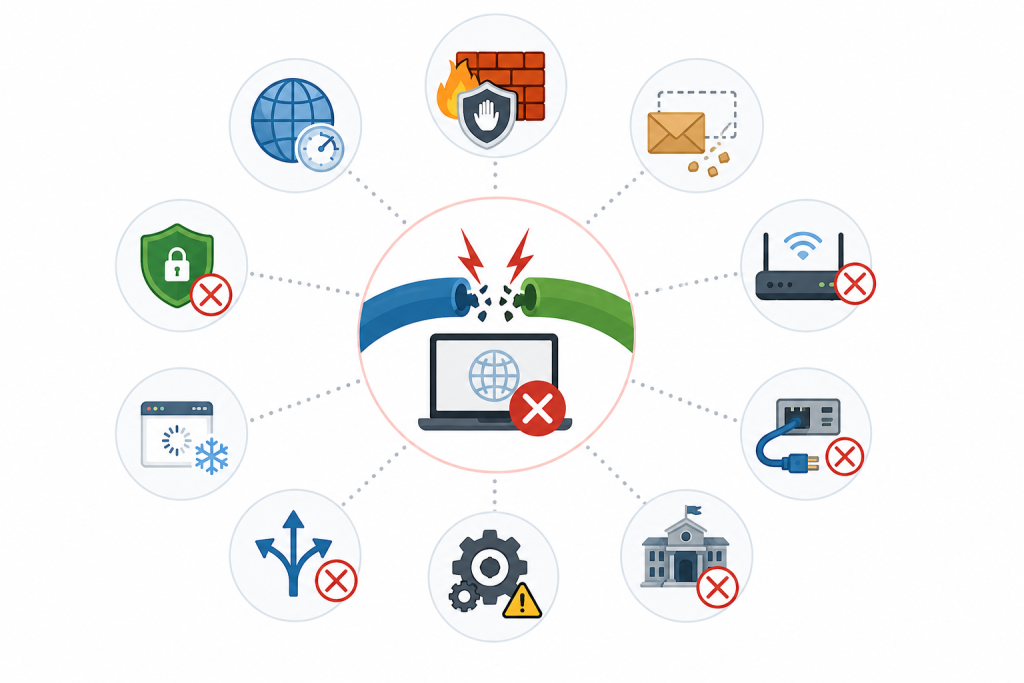
A protocol switch does not always reset the VPN connection cleanly. These are the most common reasons it can fail:
Firewall Blocks the Protocol
Some school, office, hotel, or airport Wi-Fi networks block specific VPN traffic, especially UDP-based protocols. If the new protocol uses ports or traffic patterns the network does not allow, the VPN connection can fail even if another protocol worked earlier.
DNS Settings Don’t Refresh
A protocol switch may require the device to update its DNS settings. If old DNS data stays cached or the device keeps using the wrong resolver, websites may stop loading even when the VPN appears connected.
Old Routing Rules Remain
VPNs create routing rules that tell your device where to send internet traffic. If those rules are not cleared properly before the new protocol starts, the old and new tunnel settings can conflict, leaving the VPN connected but unable to pass traffic.
VPN Adapter Issues
VPN connections may rely on virtual network adapters or TAP drivers to move traffic through the encrypted tunnel. If the adapter is outdated, disabled, corrupted, or stuck after a previous session, the new protocol may fail to start.
Network Incompatibility
Not every protocol works well on every network. WireGuard and OpenVPN UDP are often fast, but they can fail where UDP traffic is blocked. OpenVPN TCP may work better on restrictive networks, while IKEv2 is often useful on mobile connections.
IPv6 Conflicts
Some devices use both IPv4 and IPv6. If the VPN does not route, block, or manage IPv6 traffic correctly after a protocol switch, some websites or apps may fail to load. In some cases, traffic may also behave inconsistently across apps.
Outdated VPN App or Configuration
Older VPN apps may not handle protocol switching properly, especially after operating system updates. Outdated apps, old configuration files, or app-level bugs can cause the connection to freeze, disconnect, or fail during the switch.
How to Fix VPN Protocol Switching Issues
Not sure what to do when a VPN protocol switch fails? Try these fixes to get your VPN connection working again:
- Disconnect and Reconnect the VPN: Start with the simplest reset. Disconnect the VPN, wait a few seconds, and reconnect using the new protocol to clear the old session before the app builds a new VPN tunnel.
- Restart the VPN App: If the app gets stuck during the switch, close it completely and open it again. If you’re on a desktop, make sure it is not still running in the background before relaunching it.
- Try a Different Protocol: If WireGuard or OpenVPN UDP fails, try OpenVPN TCP because it often works better on restrictive networks. If you are on mobile data or switching between Wi-Fi and cellular, IKEv2/IPsec may be the better option.
- Change the VPN Server: Sometimes the issue is not the protocol but the server you are connected to. Try another server in the same country or a nearby location, then switch protocols again.
- Flush DNS or Clear Network Cache: If websites do not load after switching protocols, old DNS data may still be cached. Flushing DNS or restarting the device can help the system use the correct DNS settings again.
- Restart Your Device: Restarting your device can clear leftover routing rules, DNS cache, and stuck VPN network states that may interfere with the new protocol connection.
- Update the VPN App: Protocol switching can fail when the VPN app is outdated or running old configuration files. Update the app to the latest version before trying more advanced fixes.
- Reinstall the VPN App or Network Adapter: Reinstalling the VPN app can replace corrupted configuration files, refresh virtual adapters, and fix protocol switching problems caused by damaged drivers or incomplete updates.
- Check Firewall or Antivirus Settings: Firewalls, antivirus tools, or network security apps can block VPN traffic after a protocol change. Allow the VPN app through your firewall or temporarily disable conflicting security rules while testing.
- Disable IPv6 Temporarily: If some websites or apps fail after switching protocols, IPv6 may be interfering with the VPN tunnel. Temporarily disabling IPv6 can help confirm whether the issue is related to IPv6 routing or leakage.
Final Thoughts
VPN protocol switching can fail when the new connection does not start cleanly or the network blocks the protocol you are trying to use. The issue can be fixed by reconnecting the VPN, trying a different protocol, clearing DNS cache, changing servers, or updating the VPN app. The key is to troubleshoot one step at a time instead of switching protocols repeatedly.
Frequently Asked Questions
A VPN can fail after changing protocols if the old connection does not close cleanly before the new one starts. Cached DNS settings, old routing rules, firewall restrictions, adapter issues, or network blocks can stop the new protocol from connecting properly.
You do not always have to disconnect first, but it can help when protocol switching keeps failing. Disconnecting gives the app a cleaner reset before it creates a new VPN tunnel with the selected protocol.
Try OpenVPN TCP if WireGuard or OpenVPN UDP fails on a restrictive network, such as school, office, hotel, or airport Wi-Fi. For mobile connections that switch between Wi-Fi and cellular data, IKEv2/IPsec can also be worth trying.
Your internet may stop working if DNS settings, routing rules, or the VPN adapter do not refresh properly after the switch. The VPN may show as connected, but traffic may not pass through the new tunnel correctly.
Yes, some public Wi-Fi networks block or restrict VPN traffic, especially UDP-based protocols. In that case, switching to OpenVPN TCP may work better, but it still depends on the network’s firewall rules.