
How to Get a Dedicated IP in Belarus
Set up your own personal dedicated IP in Belarus within minutes.





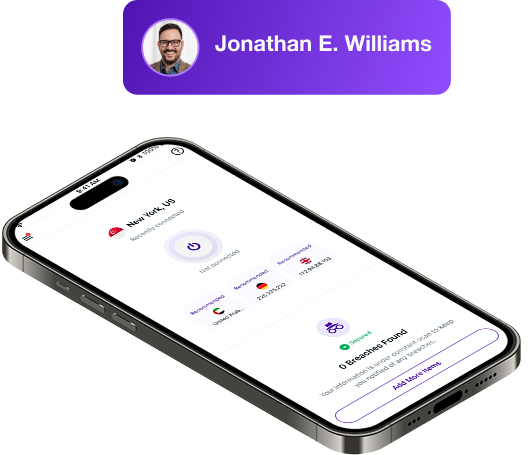
What is a Dedicated IP in VPN?
A dedicated IP is a VPN address that belongs only to you. It doesn’t change, so every time you connect, you appear from the same location. You still get full VPN protection, but with a steady identity that works well for running servers or accessing your devices remotely.
Our Dedicated IP Locations
Choose the country where you want your dedicated IP to be from. You can select from several major locations, including the US, UK, Australia, Canada, Germany, New Zealand, Malta, Hong Kong, Singapore, and the Netherlands.

Why Choose PureVPN’s Dedicated IP?
Here’s why PureVPN is the go-to choice for a dedicated IP:
Simple Setup Process
Getting a dedicated IP takes only a few simple steps. Add it to your plan, choose the country, complete payment, and it appears in the PureVPN app ready to use without any extra configuration.
Strong Privacy Protections
We don’t record your browsing or connection details, and independent audits confirm it. With operations based in the British Virgin Islands, you stay outside regions that enforce data retention rules.
World-Class Features
Get complete access to our premium features. Use Split Tunneling to select which apps route through the VPN, Kill Switch to prevent leaks during dropouts, and Obfuscation to hide your VPN use.
Best-in-Class Security
Your connection is wrapped in encryption that shields everything you send and receive. Whether you’re on home Wi-Fi or public hotspots, your data stays private and protected from prying eyes.

Why do you need a dedicated IP in Belarus?
Here’s why getting a dedicated IP in Belarus makes sense:
Bypass CAPTCHAs Easily
Crowded shared IPs often trigger extra checks. With your own personal IP, websites see predictable activity, so you deal with fewer puzzles and fewer verification screens.
Avoid Login Interruptions
Platforms can flag constant IP changes as suspicious. A dedicated IP keeps your sign-ins steady, reducing unexpected verification prompts or sudden account challenges.
Host Private Servers
If your IP keeps shifting, colleagues or friends won’t know where to connect. A fixed IP gives your server one stable spot, making it easier for others to join without confusion.
Stay Off IP Blocklists
Shared IP ranges can get restricted because of someone else’s behavior. Having a dedicated IP separates your traffic, which lowers the risk of being swept into broad blocks.
Enable Secure Remote Access
Remote connections work best when the address stays the same. A fixed IP gives you one reliable point to reach your home network or personal devices from anywhere.
Whitelist IP for Work Systems
Many workplace tools only allow entry from approved IPs. Using a static IP means your team can authorize one permanent point of access for smoother access to work resources.


3 Simple Steps to Get a Dedicated IP in Belarus
Just follow these steps to get your dedicated IP:
Step 1
Sign up for PureVPN and add Dedicated IP to your plan.
Pick from Monthly, 1-Year, 2-Year, and 5-Year plans.
Step 2
Choose the location for your new Dedicated IP address.
Get static IPs from 10 different countries worldwide.
Step 3
Finish the payment, download our app, and connect!
Browse with a personal IP address reserved only for you.
A static IP address for your use only.

Frequently Asked Questions
Can I use a dedicated IP and a shared IP at the same time?


No. You can only use one type of IP at any moment. If you need to switch, you can change between the two inside the PureVPN app.
How do I get a dedicated IP in Belarus?
Select the Dedicated IP add-on to your plan, choose your location, complete the purchase, and your fixed IP will appear in your app right after activation.
Will a dedicated IP increase my internet speed?
It won’t raise your actual speed. What it can do is give you a cleaner experience by avoiding issues tied to heavily used shared IPs, like CAPTCHA checks or IP-based blocks.
Can I buy multiple dedicated IPs in Belarus?
If you need more than one dedicated IP, contact PureVPN support. For businesses, PureVPN for Teams allows you to assign and manage several fixed IPs through a centralized dashboard.