
What is a VPN for HTC Mobile?
A VPN for HTC mobile protects your online activity by keeping your connection private and secure wherever you are. It hides your real IP address and shields your data with encryption, making it harder for hackers, snoops, or even your internet provider to track you. You’ll also be able to access apps and websites not available in your region.
How to Opt-Out of HTC With PureVPN
Step 1

Sign up for PureVPN account.
Step 2

Download and install our Android app.
Step 3

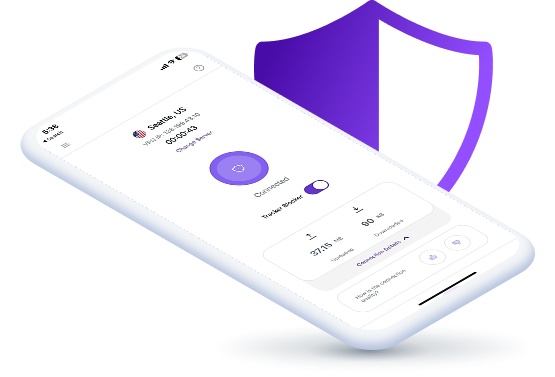
Log in, connect to a server and you are all set!

Why Choose PureVPN for HTC Mobile Phones?
Here’s why PureVPN is the best choice:

Best-in-Class Privacy Protection
Enjoy improved privacy every time you go online. AES 256-bit encryption shields your internet activity from prying eyes, while an independently verified no-log policy guarantees your browsing history is never stored or shared with anyone.
Easy Access to Anything Online
Break free from online restrictions and explore more. PureVPN helps you access blocked sites, apps, and streaming platforms on your HTC phone—even in countries with censorship or on networks with firewalls—so nothing stands in your way.

High-Speed Streaming and Gaming
Don’t sacrifice speed for security. Since PureVPN's network is engineered to deliver fast, reliable connections, you can enjoy streaming shows in HD and playing games online with little to no lag, even with the VPN running.
Security Features Beyond VPN
Secure every part of your online life. Use Remove My Data to clear personal info from data brokers, securely store and manage your passwords with Password Manager, and rely on Dark Web Monitoring for alerts if your data is ever exposed.

Why Do You Need a VPN for HTC Mobiles?
Stay Safe on Public Wi-Fi
Public Wi-Fi networks at coffee shops and airports typically lack proper security, exposing your browsing activity and personal data. A VPN wraps your HTC connection in strong encryption, making your online activities invisible to potential hackers.

Travel without Limits
Popular communication apps like WhatsApp, Telegram, or social media platforms face restrictions in numerous countries, leaving you unable to connect with your friends and family. A VPN helps maintain access to these essential services, regardless of your location.

Maintain Your Privacy
Your digital footprint is constantly tracked by websites, applications, and marketing companies. A VPN provides you with an alternative IP address that masks your actual location, preventing unwanted profiling and targeted advertising.

Connect to a Global Server Network
Our secure and high-speed VPN servers are designed to give you the best online experience.
Recommended
Location
Hit the Connect button to automatically connect to the fastest VPN server available based on your location.


6,000+ Servers in
Modern VPN Protocols
20 Gbps Speeds
Most of our servers run at 20 Gbps, so you get reliable and high-speed connections anytime, any day!


Let’s take a look at some frequently asked questions about using VPNs with HTC phones:
Read on to find answers to frequently asked questions about PureVPN
Do I need a VPN on my HTC phone?


Yes, you do. A VPN keeps you safe while using public networks, hides your browsing activities from prying eyes, and allows you to access blocked content and apps on your HTC phone.
Is there a free VPN for HTC phones?
We strongly advise against using free VPNs as they often compromise your privacy through data collection and offer weak security. For reliable protection, choose a premium service like PureVPN for your HTC device.
What is the best VPN for HTC mobile?
With 6,000+ servers worldwide, blazing-fast 20 Gbps speeds, military-grade AES 256-bit encryption, and a wide array of security and privacy features, PureVPN is the best VPN service for HTC mobile phones.