
What is a Samsung VPN for Mobile?
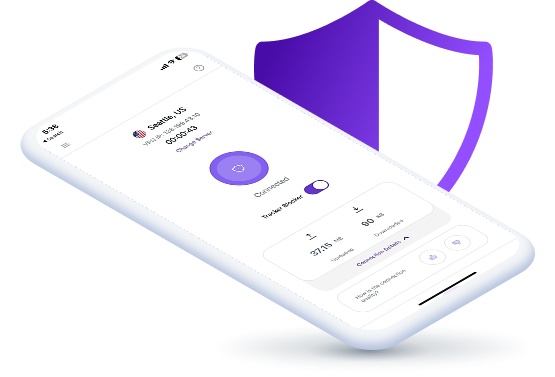
A Samsung mobile VPN is an app that improves your online security and privacy at home or on the go. It encrypts your connection to keep your personal data safe from eavesdroppers, especially on public Wi-Fi networks. By changing your IP address, it also allows you to access otherwise unavailable apps and services.
How to Set Up a VPN for Samsung Mobile Phone
Step 1

Sign up for PureVPN account.
Step 2

Download and install our Android app.
Step 3

Log in, connect to a server and you are all set!

Why Choose PureVPN for Samsung Mobile Phones?
PureVPN is the best VPN service to use on your Samsung mobile phone as we offer:

Best-in-Class Privacy Protection
Using AES 256-bit encryption, we protect your online traffic from third parties like your internet service provider and cybercriminals. Plus, an audited no-log policy means we do not record or store your activity, so we have nothing to share—even if legally compelled to.
Easy Access to Anything Online
Certain websites, apps, and content might be inaccessible due to regional limitations and censorship. We help you avoid these roadblocks, including those on office or school Wi-Fi networks, giving you the freedom to explore the internet without any limits.

High-Speed Streaming and Gaming
While VPNs can sometimes slow down your connection, PureVPN is engineered to maximize speed, so you barely notice any difference when it is active. This way, you can enjoy a smooth, buffer-free streaming experience and responsive gaming with minimal lag.
Security Features Beyond VPN
Regain control over your personal data with Remove My Data. Securely generate, store, and manage passwords with Password Manager. Continuously monitor the dark web for your information and get real-time alerts and recommendations with Dark Web Monitoring.

Why Do You Need a VPN for Samsung Mobiles?
Stay Safe on Public Wi-Fi
Free Wi-Fi at airports and cafes is often unsecured, leaving your online activity exposed to prying eyes. A VPN protects your connection with encryption, keeping your browsing private and secure from snoops.

Travel without Limits
Apps like Instagram, Facebook, or WhatsApp may be censored in some regions, making it difficult to stay in touch. A VPN helps you access your favorite apps and communicate freely, no matter where you are.

Maintain Your Privacy
Your online activity is constantly being monitored by websites, apps, and advertisers. A VPN assigns you an IP address of its own, which appears you in another location to prevent unwanted tracking.

Connect to a Global Server Network
Our secure and high-speed VPN servers are designed to give you the best online experience.
Recommended Location
Hit the Connect button to automatically connect to the fastest VPN server available based on your location.


6,000+ Servers in
Modern VPN Protocols
20 Gbps Speeds
Most of our servers run at 20 Gbps, so you get reliable and high-speed connections anytime, any day!


Frequently Asked Questions
Read on to find answers to frequently asked questions about VPN for Samsung Mobile Phones
Do I need a VPN on my Samsung phone?


Yes, you do. A VPN protects your data on public Wi-Fi, hides your online activities, and enables you to access location-specific apps and content on your Samsung phone.
Is there a free VPN for Samsung phones?
There are many free VPNs on the market, but we recommend steering clear of them as they can compromise your privacy and security. For the best experience, stick to premium VPNs like PureVPN.
What is the best VPN for Samsung mobile?
With 6,000+ servers, 20 Gbps speeds, AES 256-bit encryption, and must-have security and privacy features, PureVPN is the best VPN for Samsung mobile phones.