
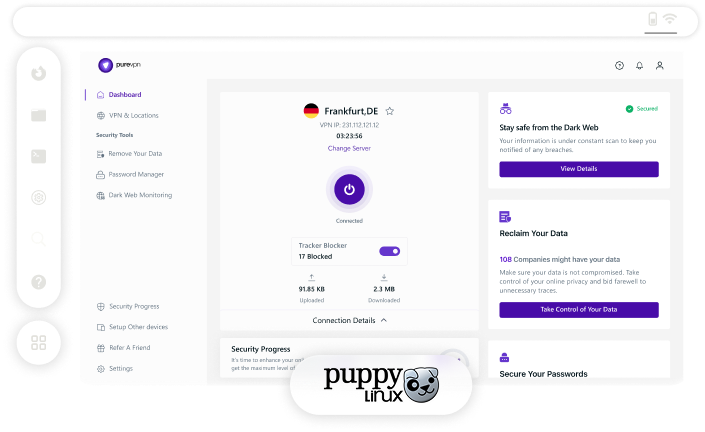

What is a Puppy Linux VPN
A Puppy Linux VPN keeps your browsing secure and private on your Puppy Linux machine. By encrypting your connection, it safeguards your personal data from hackers, ISPs, and third parties. It also assigns a new IP address, which not only improves your privacy but also allows you to access content not available in your location.
How to Set Up a Puppy Linux VPN in 3 Steps
Getting started with the PureVPN linux app is as easy as 1, 2, 3:
Step 1

Subscribe to PureVPN.
Step 2

Download and install our Linux client.
Step 3

Log into the app, connect, and you are good to go!

Stream Unavailable Content
Do not let location barriers limit your entertainment options! With PureVPN on Puppy Linux, you can switch your virtual location and access region-locked TV shows, movies, and documentaries, regardless of where you connect from.


Protect Your Privacy and Security
Protect your online activities on your Puppy Linux system with strong encryption and IP masking, all set up with just a few clicks. Enjoy streaming, downloading, and browsing with an added layer of privacy and security.
Get Around ISP Throttling
Enjoy reliable internet speeds all day with PureVPN. By masking your web traffic, you can stop your ISP from throttling your bandwidth to help you maintain fast performance, even during high-traffic periods.


How to Use PureVPN CLI App on Puppy Linux
Open Terminal and type "curl https://purevpn-dialer-assets.s3.amazonaws.com/cross-platform/linux-cli/production/cli-install.sh | sudo bash" to download and install PureVPN.
Enter "purevpn-cli –i" in Terminal to log into your PureVPN account.
Connect to a recommended server with "purevpn-cli –r" or specify your preferred location with "purevpn-cli -c US" (replace US with your desired country).
Why Choose PureVPN for Puppy Linux?
Our Puppy Linux VPN is packed with a wide range of features, such as:

Internet Kill Switch
Protects your real identity from exposure if the VPN drops by automatically terminating your internet access.

Best-in-Class Encryption
Secure your online traffic through robust, AES 256-bit encryption and browse the web with peace of mind.

Modern Protocols
Experience unbeatable performance and security with state-of-the-art protocols like WireGuard and OpenVPN.

Global Server Network
Access 6,000+ servers in 80+ locations across 65+ countries, including Australia, Canada, the UK, and USA.

24/7 Customer Support
Have any questions about PureVPN? Our customer support team is available to help you, anytime, any day!

P2P supported servers
Download and share files securely over the internet with PureVPN's P2P supported servers
Frequently Asked Questions
Read on to find answers to frequently asked questions about PureVPN
Should I use a free VPN for Puppy Linux?


You are better off avoiding free VPNs as they sell your data to third parties, show excessive ads, and offer limited bandwidth and server options. For the best VPN experience on Puppy Linux, stick to premium VPNs like PureVPN.
Do you need a VPN when using Puppy Linux?
Yes, using a VPN with Puppy Linux helps you access public Wi-Fi safely, browse with extra privacy, stream region-locked content, and avoid ISP-imposed slowdowns.
How do I set up a VPN on Puppy Linux?
You have two primary methods to configure a VPN on Puppy Linux: manually set it up through Network Manager, or install a third party VPN service like PureVPN that offers a GUI app compatible with Puppy Linux and other distros.
Which VPN is best for Puppy Linux?
PureVPN is the top choice for Puppy Linux users, with a global network of 6,000 servers, ultra-fast 20 Gbps connection speeds, a proven zero-log policy, and essential features like a kill switch and DNS leak protection.