Best Password Manager for Multiple Devices
Keep every password in sync across your entire digital ecosystem with PureVPN’s Password Manager. Switch from phone to tablet to computer and always have instant, secure access to your vault.


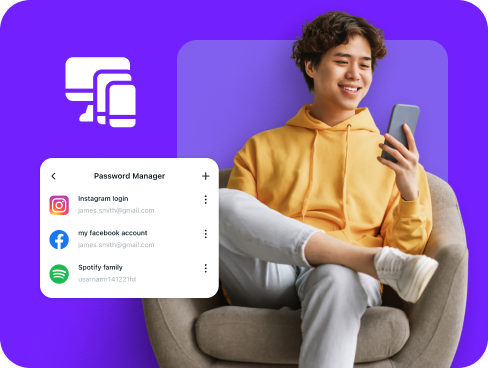
What is Multiple Devices Password Manager?
A multiple devices password manager stores your credentials in one central vault and synchronizes them across all your devices. Whether you log in from your work laptop, personal phone, or family tablet, your passwords follow you everywhere through encrypted cloud sync, ensuring you never lose access to important accounts.
Why Do You Need a Password Manager on Multiple Devices?
The average person juggles between 3 to 5 devices daily. Without proper management, passwords become scattered, forgotten, and insecure. A multi-device password manager solves this by helping you
Manage All Your Credentials in One Place
Stop memorizing different passwords for different devices. A unified vault means your banking app password on your phone is the same one available on your laptop, automatically synchronized and always current.
Create Strong, Unique Passwords
Using simple passwords across devices multiplies your risk. Generate complex, hard-to-guess passwords that protect each account individually, preventing a single breach from compromising everything.
Log in Easily and Quickly
No more typing passwords repeatedly when switching devices. Your credentials autofill instantly whether you are on Windows, macOS, iOS, or Android, making cross-device workflows smooth and seamless.
Sync Passwords Across Devices
Real-time synchronization means adding a password on your phone instantly makes it available on your computer. Changes propagate across all devices within seconds, keeping everything perfectly aligned.
Store More Than Just Passwords
Logins are only the start. You can also secure your payment cards, software licenses, private notes, and Wi-Fi passwords. All of it stays encrypted and accessible across your devices.
What Makes PureVPN the Best Password Manager for Multiple Devices?
PureVPN’s Password Manager excels at multi-device management through intelligent design and robust security. Here is what sets it apart for users juggling multiple platforms:
Auto-Fill Across Apps and Browsers
Our autofill works consistently across operating systems. Whether filling forms on Chrome for Windows, Safari on Mac, or mobile apps on Android, your credentials populate instantly without manual intervention.
Cross-Device Syncing
Experience true device independence. Add a password on your morning commute using your phone, and find it ready on your office computer. Our encrypted sync ensures your vault updates across all platforms simultaneously.
Biometric Lock + Master Password Protection
Each device can use its native security features. Use fingerprint on Android, Face ID on iPhone, Windows Hello on PC, or Touch ID on Mac. Your master password remains the universal backup across all platforms.
Encrypted Notes for Sensitive Data
Store device-specific information like serial numbers, warranty details, or configuration settings alongside regular passwords. Everything stays encrypted and accessible from whichever device you need it on.
Built-In Password Generator
Generate strong, unique passwords that meet modern security standards. Customize length and character types to create credentials that are both secure and easy to use across all your devices.
Monitor Your Vault’s Health
Track password security across your entire device ecosystem. See which credentials need updating, identify duplicates across platforms, and maintain consistent security standards everywhere you compute.
The Real Power Is in the Integration
Managing passwords across multiple devices introduces unique vulnerabilities. PureVPN addresses these systematically through integrated protection.
Logins That Leave No Trace
Each device connection creates potential exposure points. PureVPN masks device IP addresses and traffic across all platforms, preventing tracking as you move between home, office, and mobile networks.
Invisible by Design
Synchronization between devices happens through encrypted channels. Your password updates, vault queries, and authentication requests travel through secure tunnels, invisible to network observers on any platform.
One App, One Encrypted Ecosystem
Install PureVPN once per device and get complete protection. No need for separate password apps, VPN clients, or security tools. Everything works together within one unified security framework.
Protection That Activates Instantly
Security begins the moment you launch PureVPN on any device. Your connection encrypts, your identity masks, and your passwords lock behind authentication layers before any data transmission occurs.
How to Set Up PureVPN’s Password Manager on Multiple Devices
Follow these simple steps to get started:
Step 1

Download the PureVPN app for your specific platform and sign in.
Step 2

Access the Password Manager tab and set up your master password.
Step 3

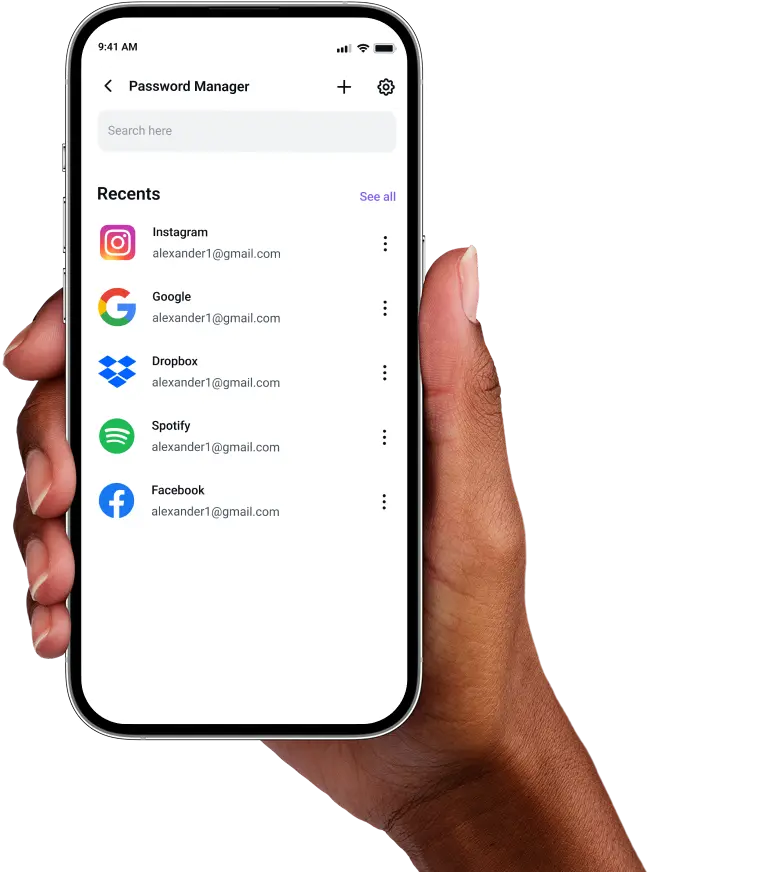
Import existing passwords or add new ones, then watch as they sync automatically across all your connected devices.

Frequently Asked Questions
Find answers to common questions about PureVPN Password Manager here.
Does a free password manager work across multiple devices?


Most free password managers limit you to one device or browser. To keep credentials synchronized across phones, tablets, and computers, you need a premium solution that supports multi-device access without restrictions.
Why should I use a password manager for multiple devices?
Managing passwords separately on each device leads to confusion, duplication, and weak security. A multi-device password manager keeps everything centralized, encrypted, and instantly available across all your devices.
Are multi-device password managers safe?
Premium password managers like PureVPN use military-grade encryption and zero-knowledge protocols. Your data remains encrypted on every device, during sync, and in storage. Only you hold the decryption keys through your master password.
What is the best password manager for multiple devices?
For multi-device users, PureVPN stands out by combining password management with network security. You get synchronized credentials, platform-native autofill, biometric authentication, and VPN protection all within one subscription across multiple devices.