Best Password Manager for Safari
Keep your Safari passwords protected with PureVPN’s Password Manager. Generate strong credentials instantly, autofill across macOS and iOS, and secure everything in one vault that syncs seamlessly.


What is Safari Password Manager?
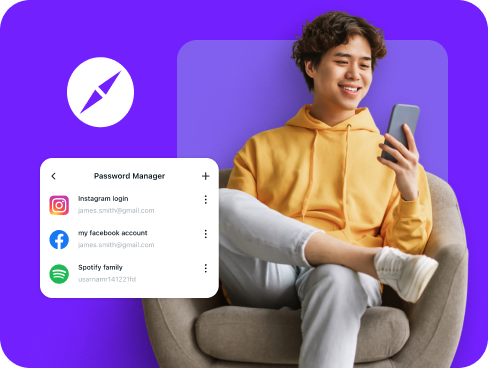
A Safari password manager helps you create and protect strong logins while making sign-ins seamless. Safari comes with iCloud Keychain, which saves and syncs passwords across your Apple devices. Many users, however, prefer third-party managers that add features like secure note storage and support across non-Apple platforms.
Why Do You Need a Password Manager on Safari?
Safari is secure, but your online accounts remain at risk if you use weak passwords or the same password everywhere. A password manager solves this by helping you:
Manage All Your Credentials in One Place
Safari users often have accounts spread across banking sites, streaming services, and work platforms. A password manager organizes all these credentials in one secure location, accessible whenever you browse.
Create Strong, Unique Passwords
Using "password123" across multiple sites makes you an easy target. A password manager generates complex, random passwords for each website you visit in Safari, protecting you from password-based attacks.
Log in Easily and Quickly
No more clicking "Forgot Password" or typing credentials manually. With Safari autofill integration and Touch ID or Face ID support, you can access any website or app with a single tap or click.
Sync Passwords Across Devices
Your Safari passwords sync between your Mac, iPhone, and iPad automatically. Switch devices without missing a beat—your credentials follow you everywhere through encrypted cloud sync.
Store More Than Just Passwords
Secure card details, license keys, recovery codes, and personal notes in your encrypted vault. Each item is protected under strong encryption and easy to retrieve whenever needed.
What Makes PureVPN the Best Password Manager for Safari?
PureVPN’s Password Manager delivers strong protection and simple tools that work smoothly with Safari. Here’s why it stands out:
Auto-Fill Across Apps and Safari
Log in instantly on Safari without typing. Saved credentials drop into websites automatically, making every sign-in quick and secure.
Cross-Device Syncing
Your vault updates in real time across Mac, iPhone, iPad, and even non-Apple devices. Every login stays available wherever you browse.
Biometric Lock + Master Password Protection
Use Face ID or Touch ID for fast access, with your master password as backup. Two layers of security keep your vault safe in any situation.
Encrypted Notes for Sensitive Data
Protect recovery codes, card details, and private notes under the same encryption as your Safari logins. Everything is stored securely in one vault.
Built-In Password Generator
Create strong, random passwords the moment you register a new account. The generator saves them to your vault so you never have to remember them.
Monitor Your Vault’s Health
Get alerts when a password is weak, duplicated, or compromised. Update risky accounts quickly and keep your accounts safe from hackers.
The Real Power Is in the Integration
Standard password managers only encrypt your stored data. PureVPN protects how you access that data through Safari.
Logins That Leave No Trace
Autofills and vault syncs flow inside the VPN tunnel and are secured with encryption. No separate data streams for attackers to analyze.
Invisible by Design
Any time your vault syncs online, that traffic moves through PureVPN’s encrypted connection, so outside observers can’t see link activity back to you.
One App, One Encrypted Ecosystem
VPN, password manager, and a tracker blocker live together in one app. No tool-hopping, no weak spots between services.
Protection That Activates Instantly
Open PureVPN and your Safari session is secured immediately while your saved logins stay protected in the vault as usual.
How to Set Up PureVPN’s Password Manager on Safari
Get started with these simple steps:
Step 1

Download PureVPN or use the web app, then sign into your account.
Step 2

Open Password Manager, set your master password and enable Touch ID or Face ID access.
Step 3

Import existing passwords or add new ones as you browse.

Frequently Asked Questions
Find answers to common questions about PureVPN Password Manager here.
Does Safari have a free password manager?


Yes, Safari includes iCloud Keychain which stores and syncs passwords across Apple devices for free. However, it only works within the Apple ecosystem and lacks advanced features like password sharing.
Why should I use a third-party password manager on Safari?
Third-party managers work across all browsers and platforms, not just Safari. They offer password sharing, encrypted file storage, and other advanced features that go beyond basic password storage.
Are Safari password managers safe?
Reputable password managers like PureVPN use zero-knowledge encryption, meaning your data encrypts on your device before syncing. Combined with biometric locks and secure master passwords, they provide bank-level security for Safari users.
What is the best Safari password manager?
The best Safari password manager balances ease of use with strong protection. PureVPN offers secure storage, biometric access on Apple devices, cross-platform syncing, and built-in VPN encryption that safeguards how your credentials are used.