


What is BeenVerified
BeenVerified is a people search service that offers background checks and public records search capabilities. It enables users to access a wide range of information about individuals, including contact details, criminal records, and property data, sourced from public databases. BeenVerified compiles this information into comprehensive, easy-to-purchase reports.
Send Recurring Data Removal Requests
PureVPN empowers you to manage your privacy, keeps you secure and helps you enjoy online freedom.
Automate
Your Information Removal
PureVPN empowers you to manage your privacy, keeps you secure and helps you enjoy online freedom.
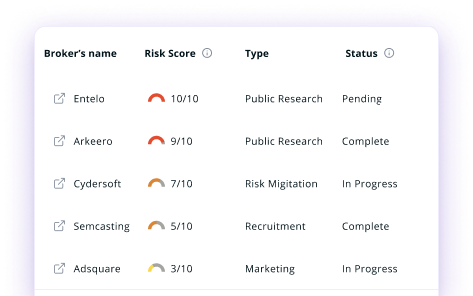
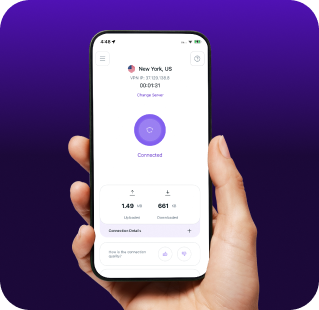

Manage Your Privacy
Minimize Data Exposure
Avoid Reputation Damage
Protect your privacy on multiple platforms from scammers, hackers, and surveillance.
How to Opt-Out of BeenVerified With PureVPN
Step 1

Subscribe to PureVPN and download our app.
Step 2
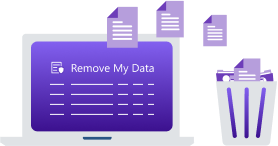
Start removing your data using the Remove My Data feature.
Step 3
Avoid data theft monitoring, and online tracking in future!

Types of Data BeenVerified Collects
Personal Data
BeenVerified gathers personal details—name, age, contact info, addresses—from public records, along with data on relatives, associates, and social media profiles.

Public Records
BeenVerified offers access to criminal records, arrests, traffic violations, and court judgments, as well as marriage, divorce, licenses, and business registrations.

Property Information
BeenVerified collects data on property ownership, values, mortgages, and tax assessments—useful for marketers, buyers, and asset research.

How Does BeenVerified Collect Your Data?
BeenVerified aggregates information by scanning a variety of public record sources, including data from county courthouses, state and federal databases, and other publicly accessible repositories. It also compiles information that is already available through government agencies, social media platforms, and other online sources that legally disclose user data.


How to Opt-Out of BeenVerified Manually
- Visit the BeenVerified opt-out page at www.beenverified.com/optout.
- Enter your first name, last name, and state in the search box to locate your records.
- Find your listing from the search results and click "This is me" next to the correct record.
- Provide your email address for verification purposes.
- Check your email for a confirmation link from BeenVerified and click it to complete the removal process.
Step-by-Step Guide to Manually Opting Out of BeenVerified

Frequently Asked Questions
Read on to find answers to frequently asked questions about PureVPN
What are the benefits of BeenVerified opt-out?


By opting out of BeenVerified, you can protect your personal information from being easily accessible to strangers. It reduces your risk of stalking, identity theft, and unwanted solicitation. Your private details become harder to find, giving you greater control over your digital footprint.
Can BeenVerified track me after the data removal request?
Yes, your information may reappear in their database if new public records are created. Regular monitoring is necessary to maintain your privacy, as BeenVerified continuously updates their records from various sources.
What happens when you freeze BeenVerified?
They remove your personal information from their searchable database, meaning your records will no longer appear in search results when someone looks for you on their platform. However, the information still exists in public records and may be accessible through other data brokers.
How can I get PureVPN for data removal?
Create a PureMax account, sign in, and go to the Remove My Data section to begin automatically sending removal requests to over 100 brokers, including BeenVerified.