
Most people switch on a VPN and instantly feel protected, but that confidence can be misleading. The reality is that not all VPNs encrypt your data equally, and some offer security so weak it barely counts as protection.
If you’ve ever caught yourself wondering what kind of encryption your VPN actually uses, whether AES-256 is truly necessary, or how to tell if your VPN is genuinely secure or just talking big, you’re not alone. Many users never check and that’s exactly where privacy risks creep in.
This guide breaks it all down in plain terms. You’ll learn how to check your VPN’s encryption level, how to interpret what you find, and how to spot the difference between real, modern security and marketing fluff, so you know your VPN is doing what it promises, every time you connect.
What Is VPN Encryption?
VPN encryption is the process of scrambling your internet data so that no one, ISPs, hackers, governments, or advertisers, can read it. When you connect to a VPN:
- Your data is encrypted on your device
- It travels through a secure tunnel
- It’s decrypted only at the VPN server
Without encryption, your browsing activity is visible and vulnerable.
Why Checking Your VPN’s Encryption Level Matters
Many VPN users never verify their encryption, which is risky because:
- Some VPNs still use outdated or weak encryption
- Free VPNs often downgrade encryption silently
- Misconfigured apps may fall back to weaker protocols
- Older devices may not support modern ciphers
Strong encryption is the difference between real privacy and a false sense of security.
How to Check Your VPN’s Encryption Level (Step-by-Step)
Before trusting any VPN with your data, it’s worth taking a moment to verify how strong its encryption really is.
Method 1: Check Inside Your VPN App (Easiest)
Most premium VPN apps clearly display encryption details.
What to do:
- Open your VPN app
- Go to Settings or Advanced Settings
- Look for:
- Protocol
- Encryption type
- Cipher or security section
Example of strong settings:
- Protocol: OpenVPN or WireGuard
- Encryption: AES-256 or ChaCha20
If your VPN hides this information, that’s already a red flag.
Method 2: Check the VPN’s Official Website
Reputable VPN providers don’t hide their security details; they openly document their entire encryption stack so users can verify what’s actually protecting their data. When checking a VPN’s website, head to sections labeled Encryption, Security, Technical Specifications, or Whitepaper. These pages usually break down the exact technologies the VPN uses rather than relying on vague claims.
Look for clear statements like:
- AES-256-bit encryption
- Perfect Forward Secrecy
- ChaCha20-Poly1305
Vague terms like military-grade security without details should raise suspicion.
Method 3: Use VPN Diagnostic Logs (Advanced Users)
Some VPN apps offer diagnostic or connection logs, which provide a deeper look into how your connection is secured. While this method is more technical, it’s one of the most reliable ways to verify your VPN’s encryption level because it shows what’s actually happening behind the scenes.
- Start by enabling logs from your VPN’s settings or advanced options.
- Once logging is turned on, connect to any VPN server and open the log file.
- You’ll want to look for entries that mention encryption and security details, such as “Cipher: AES-256-GCM” or “Handshake: TLS 1.3.”0
These indicators confirm that your data is being protected with modern, strong encryption standards.
Although this isn’t designed for common users, it offers clear, verifiable proof of the encryption your VPN is using, making it ideal for anyone who wants absolute certainty about their VPN’s security.
Method 4: Check Protocol via OS Network Settings
On Windows, macOS, Android, or iOS, you can often see which protocol is active.
For example:
- Windows: Network Adapter → VPN Properties
- macOS: Network Settings → VPN Details
- Android: VPN Profile → Protocol
This won’t always show encryption depth, but it confirms whether you’re using a secure protocol or not.
Key Components That Define a VPN’s Encryption Level
Before checking anything, you need to know what actually matters.
1. Encryption Algorithm (Cipher)
The encryption algorithm, also known as the cipher, determines how your VPN scrambles data before it leaves your device. It turns readable information into an unreadable code. The stronger the cipher, the harder it is for hackers, ISPs, or surveillance systems to decode your traffic.
| Cipher | Security Level |
| AES-256 | Industry gold standard |
| AES-128 | Secure but weaker |
| ChaCha20 | Very strong (mobile-friendly) |
| Blowfish | Obsolete |
| DES / 3DES | Broken & unsafe |
What you want: AES-256 or ChaCha20
2. VPN Protocol
A VPN protocol defines how encryption is applied, managed, and transmitted between your device and the VPN server. It controls how data packets are wrapped, secured, and sent through the VPN tunnel, directly impacting your connection’s security, speed, and reliability.
| Protocol | Encryption Strength | Status |
| OpenVPN | AES-256 / ChaCha20 | Very secure |
| WireGuard | ChaCha20 | Modern & fast |
| IKEv2/IPsec | AES-256 | Secure |
| L2TP/IPsec | AES-256 | Acceptable |
| PPTP | Weak | Unsafe |
Security Tip: Avoid PPTP completely.
3. Key Length & Authentication
- 256-bit keys are considered unbreakable with current computing power
- Secure VPNs use SHA-256 or SHA-512 authentication
- RSA-4096 or ECDSA is preferred for key exchange
How to Verify VPN Encryption Is Actually Working
Even if your VPN claims to use strong encryption, it’s smart to double-check that it’s actually working as intended. A properly encrypted VPN connection ensures your data appears unreadable to outsiders at all times.
- Use a Packet Sniffer Test (Optional)
Tools like Wireshark can show whether traffic is encrypted.
- Encrypted VPN traffic appears as unreadable data
- Unencrypted traffic shows readable HTTP content
If data is readable, your VPN is failing.
2. IP and DNS Leak Test
Run an IP or DNS leak test while connected to your VPN. If your real IP address or ISP DNS servers appear, your encrypted tunnel may be leaking data outside the VPN, weakening overall protection.
3. HTTPS vs HTTP Traffic Check
Visit an HTTP-only site while connected to the VPN and monitor traffic behavior. Even on unsecured sites, VPN encryption should still wrap your data in an encrypted tunnel before it leaves your device.
4. ISP Visibility Test
While connected to your VPN, check your ISP dashboard or router logs. A properly encrypted VPN connection should only show encrypted VPN traffic, not specific websites or services you’re accessing.
5. VPN Kill Switch Test
Enable your VPN’s kill switch and disconnect the VPN manually. If your internet access is immediately blocked, it confirms your VPN is actively enforcing encrypted connections and preventing data exposure outside the tunnel.
Common VPN Encryption Mistakes Users Make
Many VPN users assume encryption is handled automatically, and never check beyond that. Small missteps, like trusting default settings or choosing the wrong protocol, can quietly weaken your security.
1. Using “Automatic” Protocol Selection Blindly
Many VPN apps now include an Automatic protocol setting designed to choose the best connection for you without manual input. On the surface, this sounds ideal, after all, who doesn’t want speed, security, and stability all at once? But relying on automatic settings without understanding how they work can have downsides in certain situations.
2. Trusting Free VPNs
While free VPNs might seem tempting, they often come with hidden trade-offs that compromise your security. Most free VPNs use weaker encryption, meaning your data isn’t fully protected against hackers or surveillance.
Many also inject trackers into your connection to collect browsing habits, and some log your activity despite claiming otherwise, undermining the very privacy a VPN is supposed to provide.
3. Assuming All VPNs Use AES-256
It’s easy to assume every VPN automatically uses AES-256 encryption, but that’s not always the case. Some VPNs only apply AES-256 on specific platforms, while others rely on weaker ciphers like AES-128 or even outdated algorithms.
Blindly trusting a VPN without checking its encryption settings can leave your data partially exposed, specifically on mobile or less common devices. Always verify the cipher to ensure full protection.
What Is Military-Grade Encryption?
The term military-grade encryption gets thrown around a lot, but it’s often misunderstood. In most cases, it just means AES-256, the same strong encryption used by banks, governments, and large enterprises. The phrase sounds impressive, but it’s more marketing than a formal certification.
So instead of trusting the slogan, always check the actual cipher your VPN uses to know how secure your data really is.
How Strong Is AES-256 in 2026?
When you hear AES‑256, it is all about modern VPN encryption, not because the phrase sounds cool, but because it genuinely stands up to the toughest attacks we know today.
AES‑256 isn’t just a marketing buzzword; it’s one of the most scrutinized encryption standards in the world and remains trusted by governments, financial institutions, and privacy‑focused services globally.
The mathematical complexity behind AES‑256 creates 2²⁵⁶ possible keys, a number so staggeringly large that even the fastest supercomputers, running at trillions of operations per second, would need billions upon billions of years to try them all. That’s longer than the age of the universe itself.
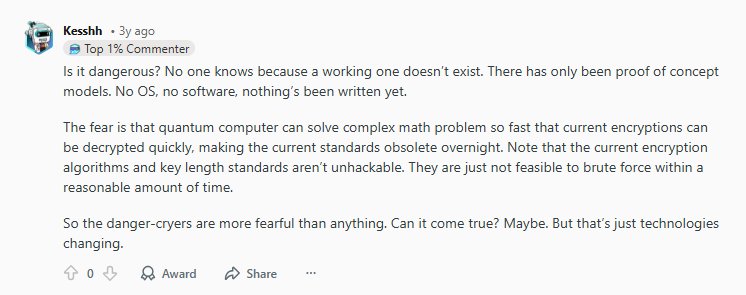
Quantum computers introduce a theoretical twist. Algorithms like Grover’s algorithm could reduce the brute‑force effort needed to attack symmetric ciphers like AES by roughly the square root, meaning AES‑256’s effective strength drops to something similar to a 128‑bit cipher under these conditions.
Research shows that a quantum computer capable of executing such an attack would require thousands of stable, error‑corrected qubits, a hardware configuration that remains out of reach for real‑world quantum systems for decades. Most current quantum prototypes struggle to maintain even a few hundred qubits with stability.
VPN providers know this. That’s why top services still rely on AES‑256 as the default bulk‑data encryption method; it ensures practical, real‑world security today while remaining resilient against theoretical quantum threats.
And as the industry evolves, some providers are already experimenting with hybrid or post‑quantum encryption that combines things like lattice‑based key exchanges with AES‑256 to prepare for future breakthroughs.
While quantum computing will eventually reshape encryption standards, AES‑256 will not suddenly become useless tomorrow. It remains one of the strongest defenses for VPN traffic in 2026, and the community consensus is that it will continue to be reliable well into the future.
WireGuard vs OpenVPN: Which Has Better Encryption?
When it comes to VPN protocols, WireGuard and OpenVPN are two of the most popular choices, and both promise strong encryption. But which one truly offers better security, speed, and reliability in real-world use? Let’s break down how they compare so you can choose the right protocol for your needs.
| Feature | WireGuard | OpenVPN |
| Encryption | ChaCha20 | AES-256 |
| Speed | Faster | Slower |
| Codebase | Smaller | Larger |
| Mobile | Excellent | Good |
| Customization | Limited | Extensive |
Signs Your VPN Has Weak or Fake Encryption
Not all VPNs protect your data equally; some claim strong encryption but fall short in practice. Knowing the red flags of weak or fake encryption can help you avoid privacy risks before it’s too late. Here’s how to spot whether your VPN is genuinely secure or just pretending to be.
- No encryption details listed
- Uses PPTP
- No protocol selection
- Free with unlimited bandwidth
- No independent audits
If you see two or more of these, reconsider your VPN choice.
How Encryption Impacts Speed And Why It’s Worth It
Indeed, stronger encryption can slightly slow down your connection because more computational power is required to scramble and unscramble your data. However, modern VPNs are designed to minimize this impact, so you rarely notice a difference during browsing, streaming, or gaming.
PureVPN takes several approaches to maintain both security and speed:
- Hardware-accelerated AES: PureVPN optimizes built-in encryption capabilities, dramatically reducing the performance hit without compromising security.
- Fast protocols like WireGuard: Modern protocols are optimized for speed and efficiency while still using top-tier encryption, making them ideal for streaming, downloads, and mobile use.
- Balanced optimization: PureVPN carefully balances encryption strength with connection performance, so you get strong protection without frustrating slowdowns.
Best Encryption Standards to Look for in a VPN
When it comes to VPN security, not all services are created equal. If you’re evaluating a VPN or checking your current one, you want to focus on features that actually protect your data, privacy, and online activity. Here’s what to look for:
- AES-256-bit or ChaCha20
- OpenVPN or WireGuard
- Perfect Forward Secrecy
- TLS 1.3
- SHA-256/512 authentication
- No-logs policy
PureVPN isn’t just another VPN; it’s built to provide top-tier security, speed, and privacy for every type of online user. Here’s what you get:
- AES-256-bit Encryption & WireGuard/OpenVPN Protocols to secure online banking, confidential work communications, or private browsing on public WiFi.
- Perfect Forward Secrecy (PFS) to protect sensitive files and emails during repeated VPN sessions, ideal for remote workers and journalists.
- TLS 1.3 & SHA-256 Authentication for safe streaming, downloading large files, or cloud storage access without risk of interception.
- Strict No-Logs Policy, which ensures complete anonymity when visiting geo-restricted sites or accessing sensitive content.
- Optimized Network for Speed and Security to ensure seamless HD/4K streaming, lag-free gaming, and uninterrupted video calls while staying fully protected.
Frequently Asked Questions
Check the app settings, official website, or technical documentation.
Yes. Strong VPN encryption prevents man-in-the-middle attacks.
No. ISPs can see you’re using a VPN, but not your encrypted data.
Yes, most premium VPNs let you switch protocols and security levels.
Generally, yes, but only when implemented correctly with modern protocols.

Arsalan Rashid

January 2, 2026

2 months ago