
You are paying for a VPN, but your partner keeps getting locked out because you have hit the device limit. Or your kids need their own access, but you do not want everyone using the same login. Those two problems need different solutions, and paying for the wrong one means paying for something you did not need.
A family VPN is worth considering when different people in your home need their own accounts under one subscription. A multi-device VPN works when one account needs to cover several devices at the same time, which many standard VPN plans already allow.
The additional cost only makes sense if the plan gives you something your current one does not. In this guide, we will explain how both options differ, when you should pay extra, and which one fits your needs.
Family VPN vs Multi-Device VPN: A Quick Overview
Here is the simple breakdown before we get into the details:
| Factor | Family VPN | Multi-Device VPN |
| Purpose | Gives different people their own VPN access under one subscription | Lets one account connect on several devices at the same time |
| Best Use Case | Families, couples, or households where people need separate VPN access | One user with several devices, or a shared account used by others |
| What You Pay For | Separate logins, user-level access, and easier household management | More simultaneous connections, if your current plan falls short |
What Is a Family VPN?
A family VPN gives multiple people their own VPN access under one plan. Each family member can use separate credentials, connect their own devices, and avoid relying on one shared login for the whole household.
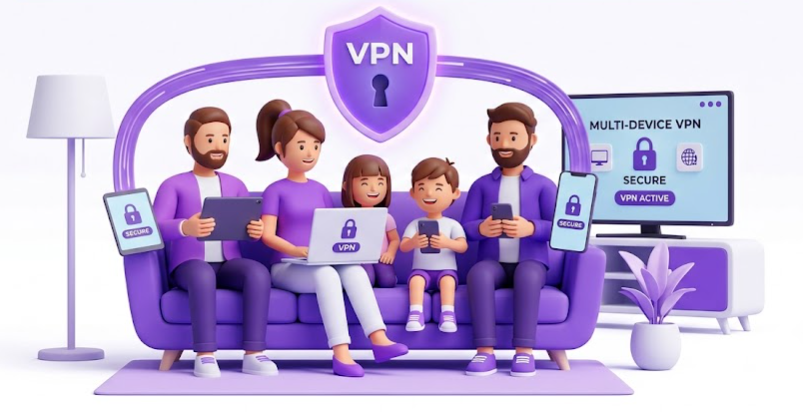
VPN use rarely looks the same for everyone at home. One person may need it for remote work, while someone else may only use it for streaming. A family VPN fits because it is built around separate users, not just more devices under one account.
What Is a Multi-Device VPN?
A multi-device VPN lets one account connect on several devices at the same time. You can use the same VPN subscription on your phone, laptop, tablet, smart TV, or browser without creating separate accounts for each device.
Many standard VPN plans already include this through simultaneous connections. A multi-device VPN works when one account needs to cover more devices, but it does not give each person their own separate VPN access.
Deloitte’s 2023 Connectivity and Mobile Trends research found that U.S. households had an average of 21 connected devices. With that many devices in the mix, the simultaneous connection limit becomes a detail worth checking before you upgrade.
When Should You Pay Extra for a Family VPN?
A family VPN is worth considering in the following situations:
Everyone Needs Their Own Login
A family VPN is useful when different people in the household need separate credentials under the same subscription. Each person gets their own access, so the whole household does not have to depend on one shared login for every phone, laptop, tablet, or TV.
One Shared Account Becomes Hard to Manage
Sharing one VPN account may be fine for a couple of devices, but it becomes frustrating when several people keep adding devices, changing settings, or hitting connection limits. A family VPN keeps access cleaner because each user is handled separately.
Family Members Connect From Different Places
A family VPN also makes sense when everyone is not using the same home network. One person may connect from work, another from school, and someone else from a hotel or airport WiFi. Separate access makes VPN use easier to manage across different locations.
You Want One Plan Instead of Separate Subscriptions
Buying separate VPN subscriptions for every family member can increase costs and create more account management work. A family VPN keeps everything under one plan while still giving different people their own access.
When Should You Pay Extra for a Multi-Device VPN?
A multi-device VPN is useful in the following situations:
Your Current Plan Has a Low Device Limit
Some basic VPN plans may limit how many devices can connect at the same time. If one account cannot cover your phone, laptop, tablet, TV, or browser at the same time, paying for more connections can be useful.
You Need More Active Connections at Once
A higher device limit matters when several devices need to stay connected at the same time. For example, you may use a VPN on your laptop for work, your phone for browsing, and your TV for streaming without wanting to disconnect one device first.
Device Support Is Locked Behind a Higher Plan
In some cases, the issue is not just the number of connections. A higher plan may include router support, smart TV support, or other device options that your current plan does not offer. Check this before upgrading, so you are not paying more just for a higher device count.
You Are Replacing Multiple VPN Subscriptions
If you already pay for more than one VPN account just to cover different devices, a broader multi-device plan may reduce the hassle. The upgrade only makes sense if it gives you enough connections without forcing you to manage separate subscriptions.
How PureVPN Covers Both Family and Multi-Device VPN Use
For multi-device use, every PureVPN plan allows up to 10 simultaneous connections on one account. That is enough if you want the same VPN login across your phone, laptop, tablet, browser, smart TV, or other everyday devices. If you need more, the Multi-Login add-on lets you extend that limit to 20, 30, 40, or 50 connections.
For family use, PureVPN offers a Family Plan with separate VPN credentials for added members. Each family member can connect up to 10 devices at the same time, so the plan is not just one shared login stretched across the household.
So the choice is simple: use a standard PureVPN plan if one account with multi-device access is enough. However, if different people in your household need their own credentials and device coverage, choose the PureVPN Family Plan.
PureVPN has been around since 2007, and its no-log policy has been independently audited four times. It also holds ISO/IEC 27001:2022 certification, with a 4.3/5 rating on Trustpilot from 17,700+ reviews. If someone in the household gets stuck setting up a phone, laptop, smart TV, or router, live chat support is ready to assist 24/7.
Frequently Asked Questions
Yes, if your VPN plan allows enough simultaneous connections. A multi-device VPN can work for a family that is comfortable using one shared account across different devices. If each person needs their own login, a family VPN is the better option.
Not always. A shared VPN account may be enough for light household use, especially if the device limit covers everyone. Separate accounts make more sense when family members use the VPN often, connect from different places, or need their own access under one subscription.
It depends on the VPN provider and plan. Many paid VPNs allow several simultaneous connections, often around five to 10 devices. PureVPN allows up to 10 multi-logins, with the option to extend it to 50, while the Family Plan gives added members separate accounts and their own device coverage.
A family VPN is built for multiple users under one plan. A multi-device VPN is built for one account across multiple devices. The easiest way to separate them is this: family VPN means separate people, while multi-device VPN means separate devices.
A router VPN is useful for covering devices connected to your home WiFi, especially devices that do not support VPN apps directly. A multi-device VPN is better for phones, laptops, tablets, and other devices you use outside the home.
Usually, no. Sharing a VPN account does not normally let the account owner see another person’s browsing activity. However, account settings, billing, and member access may still be visible depending on the VPN provider.
Final Thoughts
Is it worth paying extra for a family or multi-device VPN? Yes, but only if the upgrade solves a real limitation in your current plan.
Choose a family VPN when different people need their own access under one subscription, and use a multi-device VPN when one account is enough, but you need more simultaneous connections for your devices.
If your current plan already gives you enough logins and device coverage, there is no real reason to pay more.

Arsalan Rashid

June 11, 2026

4 months ago