Searching for a SwitchyOmega alternative because SwitchyOmega is not working after the latest Chrome update?
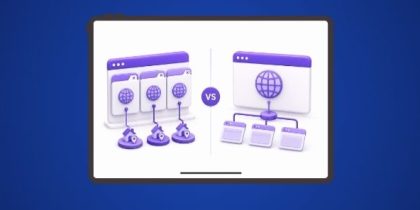
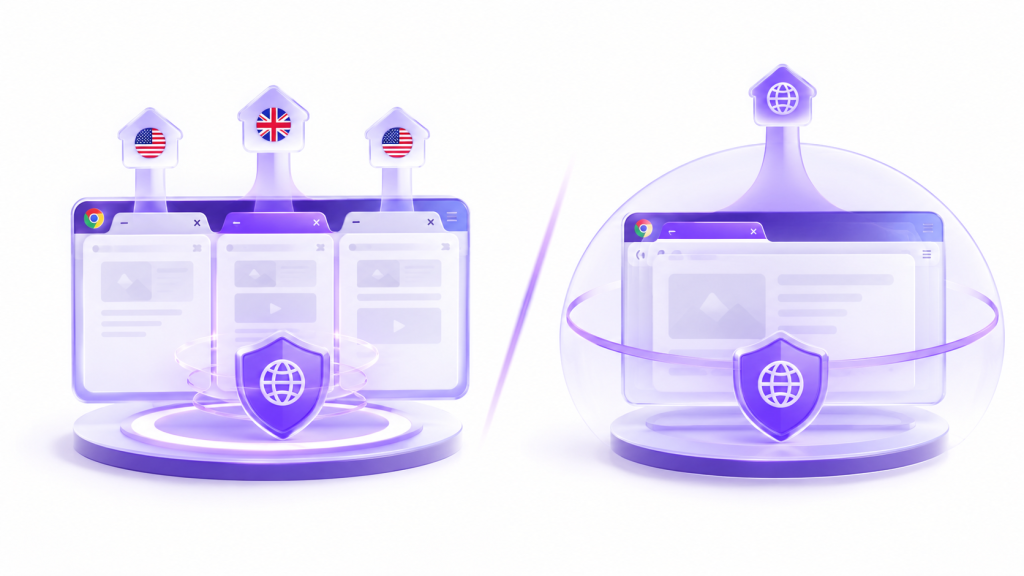
SwitchyOmega, now maintained under the name ZeroOmega, switches your entire browser to one proxy profile at a time, and every open tab shares that profile.
Whereas, IP Per Tab is more than a proxy switcher, and is built around a different model: it assigns a separate residential IP to each tab individually, with proxies included instead of sourced separately.
Here’s a full feature-by-feature breakdown of both tools, so you can decide whether to switch proxy per tab or stay on one browser-wide connection.
SwitchyOmega vs IP Per Tab: Quick Comparison Table
|
Product
SwitchyOmega
|
Product
IP Per Tab
Recommended
|
|
|---|---|---|
| Proxy per browser tab | ||
| Unique IP for each tab | ||
| Residential IPs included | ||
| Manual proxy setup required | ||
| One-click IP switching | ||
| Multiple regions at once | ||
| Sticky session support | ||
| Chrome tab isolation | ||
| Setup | Manual Configuration | No Manual Configurations |
| Cost | Free + external paid proxies | Residential proxy plan |
| Install free |
What Happened to SwitchyOmega in 2025?
Chrome removed all remaining support for Manifest V2 extensions with Chrome 139 in August 2025. The original SwitchyOmega listing came down from the Chrome Web Store at the same time — the project had already gone quiet years before that deadline.
ZeroOmega is the fork that replaced it. It’s rebuilt for Manifest V3, free to use, and one of its most-installed listings shows more than 100,000 installs. SwitchyOmega isn’t gone. It moved. Whether you’re running a ZeroOmega, or SwitchyOmega alternative search, you’re evaluating the same underlying tool under two names.
Proxy Scope: Can Each Tool Run More Than One Region at Once?
SwitchyOmega Runs One Proxy for the Entire Browser
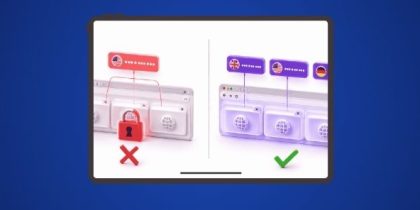
SwitchyOmega applies a single active profile to every open tab. Switching profiles from the toolbar changes the connection for all of them at once. There’s no setting that keeps one tab on a different exit IP than the rest.
To view two regions at the same time, SwitchyOmega’s own setup guidance points to running a separate Chrome profile or a separate browser per region — each with its own configuration, cookies, and memory footprint.
IP Per Tab Runs a Different Proxy on Every Tab
IP Per Tab reads the proxy assignment from the tab itself, not from one global setting — a true per-tab proxy model. UK in one tab, US in another, inside the same window. Switching focus to a different tab doesn’t change what any other tab is doing.
Proxy Sourcing: Do You Need to Buy Your Own Proxies?
SwitchyOmega Requires Bring-Your-Own Credentials
Every SwitchyOmega profile needs a protocol, a server address, a port, and, for most paid or residential proxies — a username and password, entered manually. SwitchyOmega manages the connection. It has never supplied the proxies behind it.
IP Per Tab Includes Residential IPs in the Plan
IP Per Tab draws its IPs directly from the residential proxy plan tied to the user’s PureVPN account. Available proxies populate automatically after sign-in. There’s no separate proxy provider to research and no second invoice to track.
Domain Rules: How Does Each Tool Automate Proxy Switching?
SwitchyOmega’s Auto Switch Changes the Whole Browser
Auto Switch evaluates domain rules to decide which single profile becomes active browser-wide. When a rule matches, it changes the one global connection every tab is sharing, including tabs that have nothing to do with the domain that triggered it.
PureVPN IP Per Tab’s Domain Rule Engine Targets One Tab
The Domain Rule Engine evaluates the same kind of domain match, but applies the result only to the tab that triggered it. Opening amazon.com in a new tab assigns that tab’s proxy without touching any other open tab.
Setup: How Long Does It Take to Get Running?
SwitchyOmega Setup
- Create a new profile
- Enter server address, port, protocol
- Enter username and password, if the proxy requires authentication
- Repeat per proxy
IP Per Tab Setup
- Sign in with a PureVPN account
- Assign a proxy to any opened tab from the dropdown
Leak Protection: Does Either Tool Prevent IP Exposure?
SwitchyOmega only routes traffic through the configured proxy. It doesn’t include WebRTC or DNS leak protection as a feature.
IP Per Tab includes a WebRTC leak protection toggle, so the assigned IP stays the only IP exposed.
Support: Who Do You Contact When Something Breaks?
SwitchyOmega is a community-maintained open-source fork. There’s no vendor support line. IP Per Tab is backed by a PureVPN account, with 24/7 customer support attached to that account.
Which Tool Fits Your Use Case?
| Your Situation | Best Fit | Why |
| Reproducing a region-specific bug | IP Per Tab | Verify it across multiple regions without giving up the environment already open in other tabs |
| Comparing local search results | IP Per Tab | Check SEO rankings across two markets in the same session, side by side |
| Verifying ad campaigns | IP Per Tab | Confirm placements render correctly across several target regions at once |
| Testing geo-conditional logic | IP Per Tab | Check CDN routing or region-based feature flags across more than one location simultaneously |
| You already own a proxy pool | SwitchyOmega | Proxies are sourced elsewhere and only one connection is needed at a time |
| You need Firefox or Opera support | SwitchyOmega | IP Per Tab is Chrome-only; SwitchyOmega/ZeroOmega also covers Firefox, Edge, and Opera |
| You only need one region at a time | SwitchyOmega | If regions are never compared side by side, the browser-wide model isn’t a limitation |
Read: How to Isolate IP Addresses Across Multiple Chrome Tabs
Frequently Asked Questions
The original listing was removed after Chrome dropped Manifest V2 support in August 2025. The maintained fork, ZeroOmega, is available under a similar name.
SwitchyOmega is the original, now-discontinued project. ZeroOmega is the actively maintained, Manifest V3-compatible fork that most current installs actually run.
No. One profile applies to the entire browser. Running two proxies at once requires a separate browser profile or browser for each one.
IP Per Tab draws residential IPs directly from the user’s existing PureVPN plan. No separate proxy provider is needed.
Both assign a proxy automatically by domain. Auto Switch changes the one global connection every tab shares. The Domain Rule Engine changes only the tab that triggered it.
Yes. The extension is free to add to Chrome. Residential IP usage draws from the bandwidth included in the connected PureVPN plan.
PureVPN’s own residential proxy network, currently available in the UK and US.
The Bottom Line
SwitchyOmega, now running as ZeroOmega, still does one thing well: managing a single proxy connection for the whole browser. It was never built to run more than one region at a time.
IP Per Tab was built specifically for that gap — a different residential IP on every tab, included in the plan, inside the browser already in use.

Arsalan Rashid

August 12, 2026

2 months ago