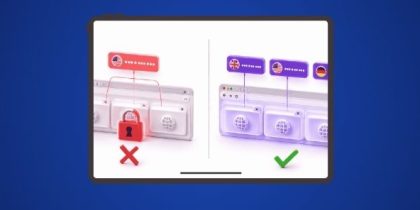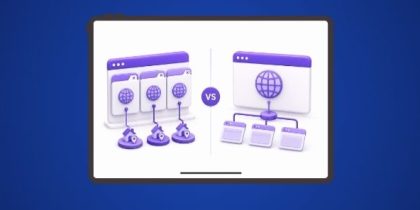
Session isolation means each browser tab runs its own independent session: separate cookies, separate storage, and a separate IP address. Chrome separates cookie storage within a profile but does not assign a separate IP to each tab. Every tab shares the same outgoing IP, so websites and platforms can link activity across tabs. IP Per Tab by PureVPN assigns a unique residential IP to each tab simultaneously, with no proxy configuration required.
What Does Session Isolation Means?
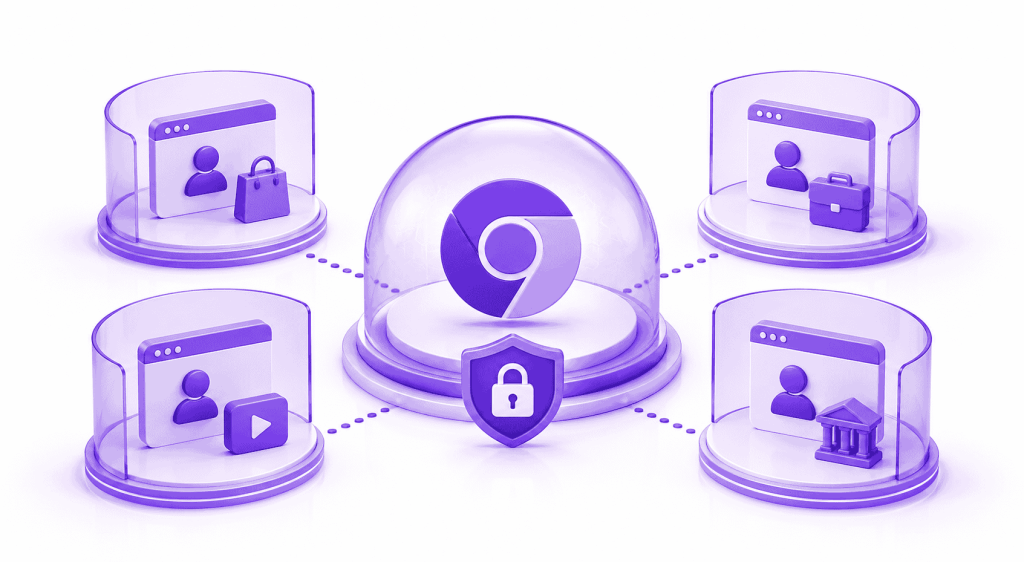
Session isolation is the property that prevents one browser tab’s activity from being linked to another. A browser session contains authentication cookies, local storage values, IndexedDB data, and the IP address your traffic originates from. True session isolation means none of those elements are shared or attributable across tabs. Each tab behaves as if it belongs to a separate browser.
How Does Chrome Handles Sessions by Default?
Chrome does not give each tab its own isolated session. All tabs within the same Chrome profile share the same cookie store. Log into an account in Tab 1 and Tab 2 inherits that session immediately. According to a USPTO patent filing (#11431809), Chrome and Edge overwrite cookies across tabs by default, meaning session data from one tab can directly affect state in another.
Beyond cookies, every tab sends traffic from the same outgoing IP address. Tab 1 on Amazon.co.uk and Tab 2 on Amazon.com both arrive at Amazon’s servers from the same IP. The platform sees one origin behind two sessions.
Incognito mode does not change your IP address. It opens a clean cookie session and discards local data on close. Every website visited in incognito still receives your real IP, the same IP your standard tabs are using at the same time.
Why a Shared IP Breaks Session Isolation?
Cookies and private browsing do not control the IP address layer. The IP address is the first signal platforms use to correlate sessions appearing to come from the same source.
What Does True Per-Tab Session Isolation Requires?
| Isolation Layer | What It Controls | Default Chrome | Incognito Mode | IP Per Tab by PureVPN |
|---|---|---|---|---|
| Cookie store | Authentication tokens, session state, site data | Shared across all tabs | Fresh per window, cleared on close | Shared across all tabs |
| IP address | Geographic origin seen by destination servers | Same IP for all tabs | Same IP for all tabs | Unique residential IP per tab |
| WebRTC | Real IP exposure via browser media APIs | Exposed | Exposed | Blocked via WebRTC protection toggle |
| localStorage | Persistent key-value data per domain | Shared across tabs | Cleared on close | Shared across tabs |
| Proxy routing | Traffic path from browser to destination | Direct, no routing | Direct, no routing | Per-tab, automatic, no manual config |
| Domain rules | Automatic IP assignment per domain | Not available | Not available | Persistent rules via Domain Rules feature |
No native Chrome feature assigns a separate IP address to individual tabs. Incognito addresses cookie isolation partially and the IP layer not at all. Closing the IP layer gap requires routing each tab’s traffic through a distinct IP automatically, without credential entry or manual proxy switching.
How IP Per Tab by PureVPN Delivers Per-Tab Session Isolation?
IP Per Tab by PureVPN is a Chrome extension that assigns a unique residential IP to each browser tab simultaneously. When you assign a country to a tab, the extension routes that tab’s outgoing traffic through a residential IP from PureVPN’s proxy pool for that location. A second tab assigned to a different country routes through a separate residential IP from that country’s pool. Both run at the same time, each presenting a distinct IP to every server they contact. The switch completes in under three seconds.
No IP:port:username:password entry is required. No PAC file. The extension authenticates through your PureVPN account and assigns IPs from the pool automatically.
The Domain Rules feature creates persistent routing rules per domain. Set amazon.com to always use a US IP and ebay.co.uk to always use a UK IP. Those rules apply on every tab navigation to those domains without opening the popup.
Who Needs Per-Tab Session Isolation?
SEO Professionals
Geo-accurate SERP verification requires each tab to present from the target location’s IP. With a shared IP, both tabs receive results for one location. IP Per Tab makes each tab’s request geographically accurate. See how it compares to other proxy tools in the IP Per Tab vs SwitchyOmega comparison.
Ad Verification Analysts
Confirming geo-targeted creative requires the verification request to originate from a residential IP in the target market, not a shared IP from a different region. IP Per Tab assigns the correct residential IP to each verification tab independently.
Multi-Market E-commerce Researchers
Monitoring listings on Amazon.co.uk and Amazon.com simultaneously requires each tab to present from the correct regional IP. Requests from the same IP receive the same localized data regardless of domain. Per-tab residential IP assignment makes each tab’s data accurate to the target market.
How Websites Detect That Two Tabs Belong to the Same User
1. Shared IP address
Every Chrome tab sends requests from the same outgoing IP. Destination servers log that IP against every request they receive. Two tabs arriving from the same IP, across different domains or accounts, appear as one user running two sessions. No JavaScript or cookies are required for this detection. It is visible at the raw HTTP request level.
2. WebRTC IP leakage
WebRTC is a browser API for real-time peer-to-peer communication. Its ICE process exposes the client’s real IP addresses via JavaScript to any page running WebRTC scripts, including when a proxy is active on that tab. A proxy assigned to Tab 1 does not prevent a WebRTC script on that page from reading and exposing the real underlying IP, the same IP Tab 2 presents openly.
3. Shared localStorage and cookies
All tabs in the same Chrome profile share the same cookie store and localStorage namespace per domain. A tracking script in Tab 1 that writes a user identifier to localStorage makes that identifier readable by any script on the same domain in Tab 2. The identifier persists across navigations. This is how analytics platforms and ad networks link sessions across tabs without server-side logic.
4. Browser fingerprint
Browser fingerprint is a composite of signals Chrome exposes on every request: screen resolution, installed fonts, GPU rendering behavior, timezone, language settings, and User-Agent string. Two tabs in the same Chrome profile produce an identical fingerprint on every request. Any server receiving requests from both tabs sees the same composite identifier, independent of IP or cookies.
Frequently Asked Questions
No. All tabs in a standard Chrome profile share the same cookie store and the same outgoing IP address. Chrome and Edge overwrite cookies across tabs by default.
Yes. Websites correlate activity across tabs using shared cookies, shared IP address, browser fingerprinting, and localStorage. The EFF found that approximately 83.6% of browsers carry a unique fingerprint identifiable across the web.
Incognito mode provides a clean cookie session that is discarded on close. It does not change your IP address and does not isolate tabs at the network layer.
IP Per Tab by PureVPN routes each tab’s traffic through a distinct residential IP. Each tab presents a different geographic origin to the destination server, closing the IP-layer gap that cookies and incognito mode do not address.
No. A VPN replaces your IP for all browser traffic with one VPN server IP. IP Per Tab assigns a different residential IP to each individual tab. Tab 1 can operate from the UK while Tab 2 operates from the US in the same Chrome window simultaneously.
Conclusion
Chrome’s session model treats IP address as a browser-wide property, not a tab property. Incognito mode addresses local cookie history. Neither closes the IP layer gap. IP Per Tab by PureVPN makes IP address a per-tab property inside Chrome, with residential IPs from PureVPN’s pool and no proxy configuration required.

Arsalan Rashid

August 21, 2026

2 months ago