


What is a VPN Server?
A VPN server is a remote server that encrypts your internet traffic and routes it through a secure tunnel. When you connect to a VPN server, it hides your real IP address and assigns you a new one based on the server’s location. This process protects your data from hackers, surveillance, and tracking while allowing you to access region-restricted content.
PureVPN servers ensures you always find the best VPN server for speed and security, providing essential protection against hackers and trackers. Whether you need a standard connection or specific configurations like those supported by PureVPN PPTP servers, our robust VPN servers list has you covered, ensuring you can connect securely using a reliable VPN server address.



Thank you for downloading PureVPN
Follow these simple steps to enjoy secure browsing!
After downloading,
install the app.
Sign up and select
your preference.
Connect and Enjoy
internet freedom.

Protect Your Metadata from ISPs
-
Hide your IP address and encrypt your traffic with a VPN server from the PureVPN server list to stop ISPs from storing your metadata and aggressively tracking your online activities.
-
By connecting to one of our PureVPN servers, you establish a private tunnel that prevents third parties from viewing your browsing history or creating invasive profiles based on your internet usage.
-
Selecting a PureVPN location and connecting to its specific VPN server address ensures complete anonymity, even when using specialized options like our PureVPN PPTP servers (where applicable).
-
Keeping your data private through a VPN server drastically reduces intrusive targeted advertisements and lowers the chances of your valuable information being shared or sold to data brokers.
-
Choosing the right connection from our robust vpn server list ensures strong privacy and secure browsing at all times, making PureVPN the superior option on any best VPN list.
Stay Safe on Public Wi-Fi networks
-
Encrypt your internet traffic with an encrypted VPN server to stay protected when using public Wi-Fi in cafes, airports, hotels, and other locations across any PureVPN country.
-
A reliable PureVPN server is essential for creating a secure tunnel. This tunnel makes your data unreadable to anyone else on the unsecured public network, including hackers attempting Man-in-the-Middle attacks.
-
By connecting to a server from our PureVPN server list, you ensure your sensitive information, such as login passwords, payment details, and banking information remains safe from hackers and snoopers.
-
Choosing a server from our extensive PureVPN locations ensures a low-latency connection while providing the bank-grade encryption needed to safely use public VPN servers.
-
We offer a massive vpn server list to provide users with a secure and fast connection, making it the right choice on any best VPN list for protecting your data on the go.


Boost Internet Connection Speeds
-
Our vast network of PureVPN servers helps you overcome ISP-imposed bandwidth throttling, ensuring consistent high-speed internet for activities like streaming, gaming, and browsing, regardless of the PureVPN location you select.
-
By connecting your router directly to one of our optimized VPN servers—a feature often powered by a reliable Router VPN server configuration, you can immediately avoid buffering and enjoy HD and 4K content without interruptions, even during peak usage hours.
-
Selecting the fastest connection from our extensive PureVPN server list allows you to leverage a new VPN server IP address, which is critical for smooth, interruption-free online performance.
-
Every high-quality PureVPN server is engineered to maintain low latency and minimize data transfer slowdowns. This focus on performance makes us a key contender on any best VPN list.
-
Whether you use a standard server or a specialized one (like one configured for PureVPN PPTP servers), choosing a nearby or optimized connection from our pure vpn server list is the fastest way to get a stable, unthrottled internet speed.
Secure Remote Access to Home Network
-
A remote VPN server establishes a secure, encrypted tunnel for users, ensuring that access to your personal or professional home network stays protected from hackers, regardless of your current PureVPN location.
-
Whether you need to reach a personal file server, a media server, or a critical device, connecting through a secure PureVPN server lets you access your home network safely while keeping your data private and unexposed.
-
By leveraging a specific entry from our PureVPN server list, you can ensure that your remote connection maintains the highest levels of security and integrity, crucial for protecting sensitive files.
-
Employees working from home can rely on a remote VPN server to connect securely to the company’s network, using the specific VPN server address to ensure sensitive business information is not exposed while on the move.
-
Our reliable PureVPN servers provide the robust backbone needed for remote connections, making remote access both safe and consistently reliable, a key differentiator on any best VPN list.

Benefits of PureVPN Servers
Securely access restricted content, overcome restrictions, and enjoy private browsing anywhere.
20 Gbps Speeds
Enjoy ultra-fast browsing, streaming, and downloads with our 20 Gbps servers, designed to deliver high-speed connections without buffering or slowdowns, no matter where you connect from.
Modern Protocols
Stay secure and flexible with cutting-edge VPN protocols, such as WireGuard, OpenVPN, and IKEv2, giving you the perfect balance of speed, privacy, and compatibility across all your devices.
Zero-Log VPN
Browse with confidence knowing we operate a strict zero-log policy, independently audited multiple times to prove we never track, store, or share your online activities—your privacy stays yours.
Specialized Servers
Access advanced servers built for unique needs, including obfuscated servers to overcome restrictions and quantum-resistant servers for next-gen protection, so you’re always a step ahead.
World's leading VPN for businessTeams
Secure remote work and shared network access with up to 1000 accounts, multiple dedicated IPs, dedicated team server, and beyond!

How to Connect to a VPN Server
Getting started with the PureVPN app is as easy as 1, 2, 3:
Step 01
 Download and install PureVPN app
Step 02
 Log in PureVPN app using your credentials
Step 03
 Connect to any VPN server and you’re done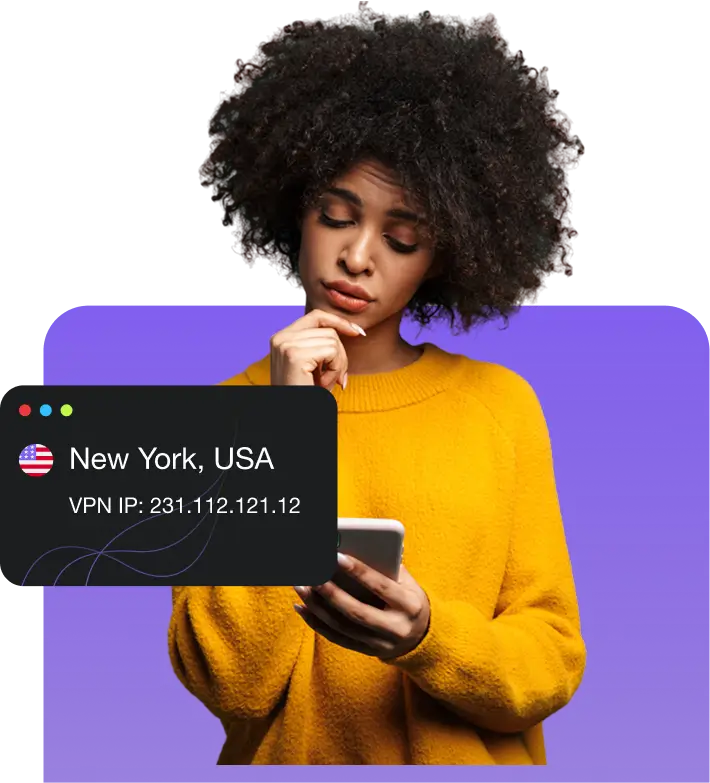


Custom VPN Server Features Designed for You

Split tunneling
Your security, your choice. Choose specific apps that require VPN protection and browse with peace of mind.
Internet kill switch
Enhance online security with the kill switch feature, which automatically cuts off internet access if VPN disconnects.
Shortcuts
Access your favorite apps and channels quickly with our custom shortcuts. Save time and effort while enjoying a safer connection.
WireGuard
Experience high-speed, secure connections with WireGuard, offering modern encryption for online activities.
Obfuscated server
Access global content with ease using our Obfuscated Servers, designed to mask your VPN usage and privacy.PowerPack VPN with add-ons
Consistent online connection with a Dedicated IP only assigned to you. Bypass IP restrictions, avoid captchas, and much more.
Optimise your online experience by easily accessing specific applications or services through forwarded ports.
Seamlessly connect up to 50+ devices simultaneously for added ease and flexibility.
Level up your online security. Connect multiple devices through one IP address and ensure consistent access with the dedicated server.
Get a US IP address from a real ISP for seamless access to global content and US-exclusive sites.
Dedicated IP


Portforwarding


Multi-login
Dedicated Server
Residential Network
Experience the world at your fingertips
Global network with optimized VPN servers



Download VPN app for your favorite device
Standard Servers
Connect instantly with our global VPN servers for secure, high-speed browsing. Ideal for everyday use, they offer reliable encryption, fast connections, and privacy.
Dedicated IP Servers
Get a unique dedicated IP VPN address for consistent access to secure networks. Perfect for remote work, banking, & overcoming IP bans while maintaining strong encryption.
Obfuscated Servers
Overcome censorship & VPN blocks with obfuscated VPN servers. Designed for restricted regions, they mask VPN traffic, ensuring encrypted internet access.
Get Everything with PureVPN Fast Servers
|
|
|


Frequently Asked Questions
Keep reading for answers to the top questions about PureVPN.
Are VPNs legal to use?


Yes, VPN are legal in the vast majority of countries. However, a few regions impose restrictions or outright bans on their use. It’s important to check local regulations before using a VPN to stay compliant.
What is a VPN location?
A VPN location refers to the physical location of the server you connect to when using a VPN. By choosing a specific VPN server location, your internet traffic is routed through that country or region, allowing you to access local content, hide your real IP address, and improve online privacy.
What does a VPN do?
When you connect to a VPN server, it decrypts your encrypted traffic, swaps your IP address with its own, and forwards your requests to websites. The server then receives the response and sends it back to you through the encrypted tunnel.
Should I use a VPN server for free?
Free VPNs often come with slow speeds, data limits, and fewer server options. Many also log or sell user data, risking your privacy. Premium VPNs offer faster speeds, stronger security, more server locations, and better privacy protection to deliver a safer, more reliable experience.
How do I change my VPN server?
Open the PureVPN app and go to the server list. Choose a different server location and tap to connect. The app will disconnect from the current server and switch you to the new one automatically.
How can I find my VPN server address?
Once you have connected to a VPN server, the PureVPN app will display the server’s IP address. Alternatively, you can visit our What is My IP page after connecting to see the address of your VPN server.
What to do if you can’t connect to a VPN server?
If you can’t connect to a VPN server, try switching to a different server or protocol in the app. Check your internet connection and restart the VPN app. If the issue continues, update the app or contact customer support for help.
Should I run my own VPN server?
Running your own VPN server requires technical expertise, regular maintenance, and upfront costs. Plus, it might lack the speed, security, and global coverage you’d get with a premium VPN. Choosing a trusted provider gives you stronger protection, easier setup, and access to thousands of servers worldwide