Websites do not treat every automated request the same way. Some crawlers are allowed to operate, while others may be restricted when their activity places too much load on a site, conflicts with its access rules, or resembles unwanted bot traffic.
Websites can look at several signals rather than one obvious trigger. Request volume, activity from the same IP address, IP reputation, browser and session signals, and behaviour across the site can all influence how automated traffic is handled.
The response can range from rate limiting and CAPTCHA challenges to requests being denied altogether. In this guide, we look at why websites block scrapers, how they detect automated traffic, and what can help reduce unnecessary blocks.
Common Reasons Websites Block Scrapers
Several factors can lead a website to block scraper traffic. Here are the main ones:
Scrapers Can Put Too Much Load on a Website
A scraper can request pages much faster than a person browsing normally. When those requests arrive in large volumes or continue for long periods, they can consume server resources and bandwidth that also need to serve regular visitors.
Not every scraper creates that kind of load. The issue usually comes down to how frequently it sends requests and how much of the site it tries to crawl. Websites can use rate limits or other controls when automated traffic starts using too many resources.
Some Websites Want to Protect Their Content and Data
Scrapers can collect large amounts of information without someone having to visit and copy each page manually. Depending on the website, that could include articles, product information, prices, images, or other data available across many pages.
A site owner may choose to limit automated collection of that content, particularly at scale. The exact rules differ between websites, and publicly accessible information does not necessarily mean a site permits unrestricted automated collection.
Automated Traffic Can Be Tied to Abuse
Scraping is only one type of automated activity websites have to deal with. Bot traffic can also be associated with credential stuffing, spam, inventory hoarding, account abuse, and other unwanted activity.
From the website’s side, intent is not always obvious from an individual request. Traffic that follows patterns associated with unwanted automation may therefore face additional checks or restrictions even when the person running the scraper has a different purpose.
Websites May Restrict Automated Access
Some websites publish instructions for crawlers through a robots.txt file. Those rules tell compliant crawlers which parts of a site they are requested to access or avoid. Websites can also set conditions around automated access in their terms or other policies.
A robots.txt rule is not the same as a technical block. The Robots Exclusion Protocol specifically states that its rules are not a form of access authorization. Websites need separate technical controls if they want to rate limit, challenge, or deny automated requests.
Related Read: How to Build Your First Scraper in 5 Minutes
How Do Websites Detect Scraping?
There is no single giveaway that identifies scraper traffic. Detection usually comes from a combination of signals, such as:
Request Rate and Traffic Patterns
A sudden burst of requests, repeated requests at regular intervals, or large numbers of pages being accessed in a short period can make traffic look automated. Websites can track request rates and apply rules when certain patterns appear.
There is no universal request limit that identifies a scraper. Each website can set its own thresholds and rules based on the traffic it expects and the resources it needs to protect.
IP Address and IP Reputation
Websites can use the source IP address as another signal. A high volume of requests coming from the same IP can be easier to identify and rate limit, while IPs associated with known suspicious or malicious activity can also attract additional scrutiny.
An IP address alone does not determine whether a request comes from a scraper. Bot detection systems can combine it with other information before deciding how to handle the traffic.
Browser and Request Signals
Requests also carry information about the client making them. HTTP headers, browser characteristics, cookies, session information, and whether expected JavaScript runs can all provide clues about whether traffic is coming from a regular browser or an automated tool.
Modern bot detection systems can evaluate several of these signals together. A single unusual header or missing browser feature does not necessarily mean a request will be blocked.
Behaviour Across the Site
Detection can also look beyond individual requests to how a visitor moves through a website. Repeatedly following the same sequence of pages, performing the same actions, or accessing pages at unusually consistent or rapid intervals can make automated behaviour easier to identify.
Looking at activity across a session gives websites more context than any single request can provide, especially when the individual requests appear normal on their own.
What Happens When a Website Detects a Scraper?
A website does not always block scraper traffic outright. Depending on how it is configured, it can respond in several ways:
- Rate limiting: A scraper that sends too many requests may receive a 429 Too Many Requests response, sometimes with a suggested wait time.
- CAPTCHA or browser challenges: The site may ask for additional verification before allowing further requests.
- 403 Forbidden responses: Access can be denied with a 403 response, though that does not automatically mean scraping was detected.
- IP or request-level restrictions: A site may restrict a particular IP address or block specific requests or resources altogether.
Does Changing Your IP Stop Scraper Blocks?
Changing your IP can affect one part of how scraper traffic is evaluated, but it does not remove every signal a website can use. If a large number of requests come from the same IP, that activity can be easier to rate limit or flag.
Websites can still look at request patterns, cookies, session information, browser characteristics, and other signals even when the source IP changes. Some rate-limiting systems can also group requests by session or cookie rather than IP alone.
So, changing an IP is not a guaranteed way to prevent scraper blocks. It only changes one of several factors a website may consider when deciding how to handle automated traffic, and the same scraping patterns can still be detected in other ways.
Can Per-Tab IP Routing Help With Scraping?
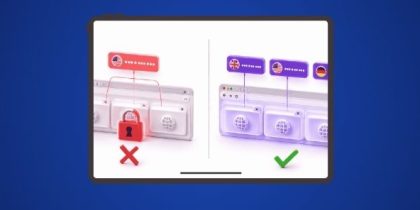
Per-tab IP routing is mainly useful when scraping or checking data through a browser and different tasks need to stay on separate IP routes. Instead of changing the proxy for the whole browser, each tab can handle its own connection while the others keep running as they are.
PureVPN IP Per Tab brings that control to Chrome. You can assign a residential proxy IP to an individual tab, use different available locations across other tabs, or leave a tab on your direct connection. Each assigned tab keeps its own IP session as you move between them.
The extension is designed for browser-based workflows rather than automated IP rotation for scraping scripts. It also does not change browser fingerprints or create separate cookie stores, so websites can still evaluate other signals beyond the IP address.
Related Read: What Is Per-Tab IP Routing?
How to Reduce Unnecessary Scraper Blocks
How a scraper sends requests can affect whether it runs into unnecessary blocks. A few basic practices can help keep that traffic under control.
- Check for an API first: If the website provides an API for the data you need, use it instead of repeatedly requesting the same information from web pages.
- Review crawler rules and site policies: Check the site’s robots.txt, documentation, and applicable terms before collecting data.
- Keep request rates reasonable: Avoid sending large bursts of requests when the same task can be completed at a slower pace.
- Avoid requesting the same data repeatedly: Reuse information you have already collected where possible instead of fetching the same pages again.
- Cache responses where appropriate: Reusing stored responses can reduce repeat requests and the load placed on the website.
- Respond properly to rate limits: If a server returns a 429 Too Many Requests response, slow down or stop sending requests.
- Collect only what you need: Avoid crawling entire sections of a website when the task only requires a smaller set of pages or data.
Frequently Asked Questions
A browser and a scraper do not always present the same signals to a website. Headers, cookies, session information, JavaScript behaviour, and request patterns can differ, so a site may allow normal browser traffic while restricting automated requests.
There is no standard block duration. It depends on the website, the rule that was triggered, and how its traffic controls are configured. Some restrictions may be temporary, while others can remain in place for longer.
There is no single answer that applies everywhere. Legality can depend on the jurisdiction, what data is collected, how it is accessed, and how it is used. Scraping publicly accessible information does not automatically remove obligations under privacy, data protection, copyright, or other applicable laws.
Yes. Websites do not have to rely on the source IP alone. Traffic controls can also use signals such as cookies, session identifiers, request characteristics, or bot-detection scores when deciding how to handle requests.

Arsalan Rashid

August 31, 2026

2 months ago