
How to watch Fox TV in Norway [May 2026]
Streaming content that is limited to certain regions can be challenging. But with the right tool, you can simplify the process. FOX TV, a platform that limits its content to US audiences, is one such example. To watch FOX TV in Norway, you will need PureVPN’s help. Here is how to start:
- Subscribe to PureVPN
- Log in and connect to a server in US
- Stream FOX TV in Norway.
Last Updated on: May 15, 2026

The Easiest Way To Watch Fox TV in Norway
Follow the 3 simple steps to get an access to Fox TV in Norway

Subscribe
to PureVPN and download our app.

Connect
to a server in USA.

All Set
Fox TV is now accessible
How to sign up for Fox TV in Norway?
To stream FOX TV content in Norway, you will need an account with FOX TV and a dependable VPN. While some content on FOX TV is free, accessing its premium content requires a subscription.
Here is the step-by-step easy guide to subscribe to Fox TV:
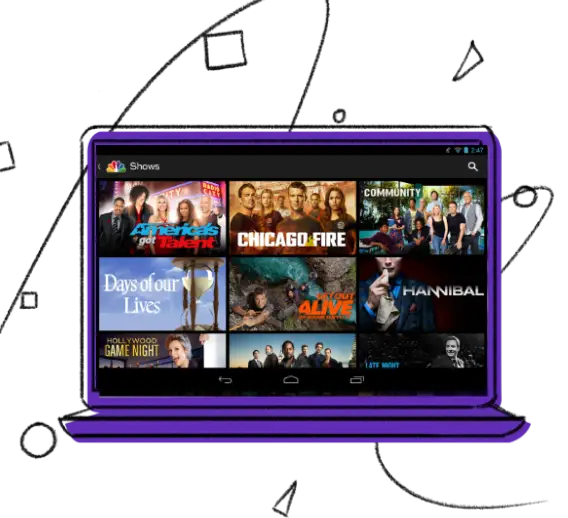
Why do you need a VPN to watch Fox TV in Norway?
FOX TV, a top-tier television network in the US, has a massive variety of popular TV shows, movies, and live sports events. However, its platform is region-specific and only accessible in the US. Hence, if you are in Norway, you might not be able to access its content. This is where PureVPN comes into play. By using PureVPN, you can mask your true location and appear to be in the US. This allows you to navigate around FOX TV’s regional limitations and stream its content from anywhere.
Watch Fox TV in Norway on various devices

How to Watch FOX TV in Norway on Android Devices?
To access FOX TV in Norway on Android, do the following:

How to Watch FOX TV in Norway on Apple Devices? (iPhone, iPad, or iPod)
To enjoy FOX TV in Norway on an Apple device, follow these simple steps:

How to Watch FOX TV in Norway on FireStick?
To stream FOX TV in Norway on FireStick, here’s what you need to do:

How to Watch FOX TV in Norway on Roku?
To enjoy FOX TV in Norway on Roku, simply:
- Subscribe to PureVPN.
- Configure PureVPN on your router.
- Connect to a US server.
- Go to the Roku Home Screen and download the FOX TV app.
- Stream FOX TV in Norway on Roku.

How to Watch FOX TV in Norway on Smart TV?
Want to watch FOX TV on your smart TV in Norway? Just follow these steps:

How to Watch FOX TV in Norway on Xbox?
Here is how you can enjoy FOX TV in Norway on your Xbox:
- Subscribe to PureVPN.
- Set up PureVPN on your Xbox via the router.
- Select a US server.
- Launch the FOX TV app on your Xbox and log in.
- Enjoy FOX TV in Norway on your Xbox.
What to watch on Fox TV in Norway
Fox TV has a diverse library of shows, it is home to outstanding movies and TV series from a variety of genres. Here's the list of ground-breaking TV shows and movies that are must-watch:
Watch trending movies on FOX in Norway
- Avatar
- The Martian
- Gone Girl
- The Fault in Our Stars
- The Revenant
- The Peanuts Movie
- The Day After Tomorrow
Stream popular shows on FOX in Norway
- The Simpsons
- Family Guy
- Perfect 10
- The Resident
- 9-1-1
- 24
- Empire
Stream Fox without cable in Norway

How to Watch FOX TV on Hulu + Live TV?
Here is how to watch FOX TV without a cable subscription on Hulu + Live TV:

How to Watch FOX TV on fuboTV?
Follow these steps to watch FOX TV without cable on fuboTV:
Frequently Asked Questions
Can you watch FOX TV in Norway?
Yes, you can watch FOX TV in Norway by connecting through a US server via PureVPN.
Is it legal to watch FOX TV in Norway with a VPN?
Yes, watching FOX TV in Norway using a VPN is legal. However, it is advisable to consult with a legal expert about local regulations as well.
Can I watch FOX TV for free in Norway?
No, FOX TV does not provide a free trial. Access to its live content via the FOX Now app requires a cable TV subscription. If you are in Norway, PureVPN can help you navigate the platform’s regional limitations.
Can I watch FOX TV on Amazon Prime?
Yes, the FOX channel is available through an Amazon Prime subscription.
How do I get FOX News without cable?
You can access FOX News without a cable subscription via various streaming services, including Hulu + Live TV, Sling TV, and fuboTV.
Are FOX News and FOX TV the same?
FOX News is a cable news network, and FOX TV is a broadcast network.