How to Watch Hulu in Uganda [May 2026]
Hello, Uganda! Say yes to Hulu with the help of a VPN! By connecting to a US server, you can access a wide range of TV shows, movies, and captivating originals. From Secrets of Hillsong to Jelly Roll Save Me, it’s time to elevate your streaming experience and embrace the entertainment wonderland of Hulu!
Last Updated on: May 15, 2026

Why is Hulu blocked in Uganda
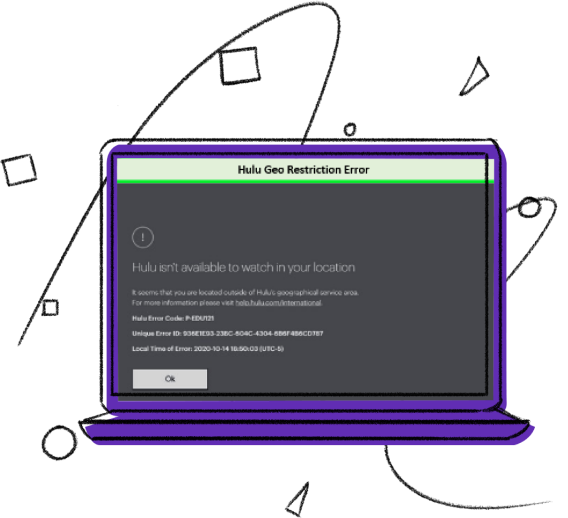
In Uganda, Hulu’s absence is attributed to regional licensing agreements and content distribution rights. As a streaming platform, Hulu is exclusively licensed for distribution within the United States, leaving viewers in Uganda and other countries unable to access its captivating content. These restrictions are in place to uphold copyright laws, adhere to regional broadcasting regulations, and safeguard the creative rights of content creators.
However, fear not! There’s a clever and innovative solution to experience Hulu’s wonders in Uganda. By harnessing the power of a VPN service, viewers can connect to a server in the United States, magically altering their virtual location and opening the doors to Hulu’s streaming treasure trove. With the VPN’s seamless virtual transformation, viewers in Uganda can savor Hulu’s captivating shows and movies, transcending geographical boundaries to immerse themselves in a world of entertainment like no other. Let the magic of technology transport you to the enchanting realm of Hulu, right from the vibrant landscapes of Uganda!
How to watch Hulu in Uganda
As you know, VPN can do wonders, but you might be concerned about the easy and smooth process.
- Visit the website of PureVPN.
- Click on Get PureVPN
- Select your plan
- Enter all your card and other significant details
- Select your payment method and pay
- Then, you will receive an email with PureVPN credentials
- Get PureVPN chrome extension
- Login with the given credentials
- Go to a Popular site and Select “Hulu”
- Enjoy streaming!

How to Sign Up for Hulu in Uganda
Each Hulu subscription is only intended for a single US household user as they are not currently available outside the US. So, if you are trying to access Hulu in Uganda, you will require a reliable VPN.
- Install PureVPN
- Connect up with a US server
- Go to MyGiftCardSupply, as it sells gift cards for Hulu.
- Proceed to checkout after choosing the gift card(s)’ value.
- To make a purchase, enter your PayPal credit card information.
- You will receive an email with a link to redeem the gift card.
- Visit the website to redeem Hulu gift cards after clearing the cache in your browser.
- To redeem, merely press the button.
- Enter any US zip code when creating a new Hulu account.
- By logging in, you may start viewing your favorite shows on Hulu!

Why do you need a VPN to watch Hulu in Uganda
In Uganda, the longing for access to Hulu is a common frustration among many. Yet, there is a solution: a VPN connection. With the aid of a reliable VPN like PureVPN, geographical limitations become a thing of the past, unlocking a treasure trove of content. Websites rely on your IP address to pinpoint your location, but with PureVPN, you can temporarily switch your IP address to one from the United States.
As your IP address is mirrored by a US location, the world of Hulu’s restricted content unfolds before you, transcending boundaries and bringing the enchanting world of streaming to Uganda. Embrace the power of a VPN and set yourself free to explore the wonders of Hulu, right from Uganda’s embrace.
Stream Hulu on any device with PureVPN
We understand that you don’t always have control over a single device. You once owned an Apple TV, but you now prefer to watch Hulu on your iPhone while traveling. Therefore, you must have Hulu on all your devices, or at least most of them. You can watch your favorite episodes on any device if you have a reliable VPN setup for streaming.


How to watch Hulu on iPhone/iPad in Uganda
PureVPN’s easy-to-use iOS app is available for download on the App Store. Just follow these simple steps to watch Hulu in Uganda on your iPad or iPhone:
- Subscribe to PureVPN
- Download our Android app from the Play Store.
- Log into the app and connect to a US server.
- Open Hulu, sign into your account, and start streaming!

How to watch Hulu on Android in Uganda
PureVPN’s user-friendly Android app works flawlessly on all Android-based smartphones and tablets. If you want to watch Hulu on an Android device, just follow the steps mentioned below:
- Subscribe to PureVPN
- Download our Android app from the Play Store.
- Launch the app and connect to a US server.
- Open Hulu, sign into your account, and start streaming!

How to watch Hulu on Xbox in Uganda
Just follow these steps to access Hulu on your Xbox via PureVPN:
- Subscribe to PureVPN
- Set up our VPN service on your router.
- Choose a US server.
- Connect your Xbox to your router.
- Go to Hulu, sign into your account, and start streaming!

How to watch Hulu on PS4/PS5 in Uganda
If you want to access Hulu on your PS4 or PS5, the process is simple. Here’s what you need to do:
- Subscribe to PureVPN
- Set up our VPN service on your router.
- Connect your PS4/PS5 to your router.
- Go to Hulu, sign into your account, and start streaming!
Frequently Asked Questions
Can I use a free VPN to watch Hulu in Uganda?
You can watch Hulu in Uganda by using Free PureVPN. However, the initial days may only be a test run. Next, if you want the fastest and most secure service, you must buy a premium subscription to the VPN service.
How can I install Hulu on Apple TV in Uganda?
It is simple for you if you are prepared to use a VPN to stream your preferred television programs. To begin the download process, open the App Store, type “Hulu” into the search field, and press the Get button. To view Hulu on your Apple TV without any issues, you must use a reliable VPN like PureVPN.
How can I install Hulu on a Smart TV in Uganda?
Some smart TV manufacturers, including Sony, VIZIO, LG, and Samsung, support the Hulu app. You can select to download the Hulu app and link it to your TV using any other device if your smart TV isn’t Hulu compatible. However, you must install a VPN in order to use Hulu on your smart TV without limitations.