How to Watch ITVX in Singapore
ITVX is a popular streaming service in the UK that offers both live and on-demand content, including highly anticipated shows and events. Unfortunately, due to licensing agreements, you cannot watch ITVX in Singapore. However, with a reliable VPN, you can easily access ITVX in Singapore and enjoy your favorite British shows! Here is how:
- Subscribe to PureVPN.
- Connect to UK server.
- Open ITVX and start streaming ITVX in Singapore!
Last Updated on: January 1, 2026
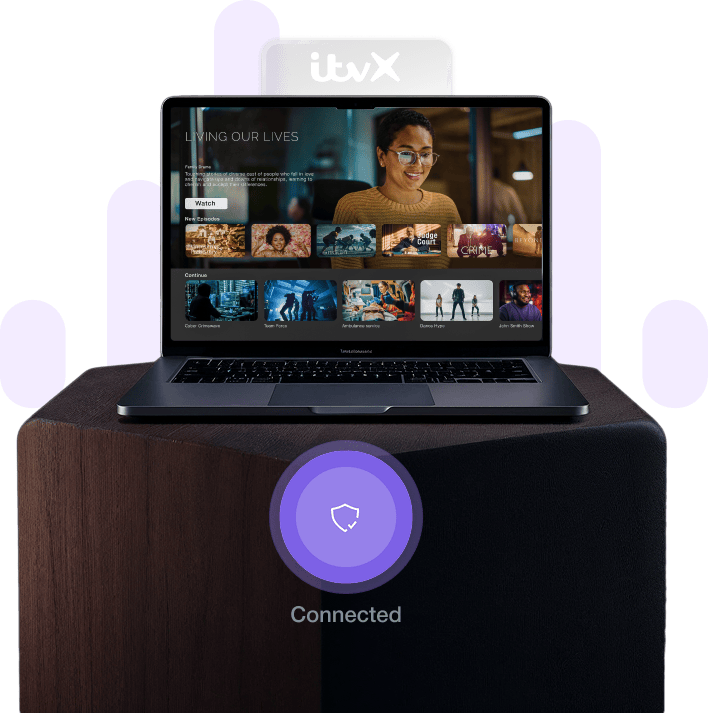
Why is ITVX Restricted in Singapore?

ITVX is restricted in Singapore primarily due to licensing agreements and copyright laws. The content available on ITVX includes TV shows, movies, and other media for which ITV has secured distribution rights specifically for the UK market. These agreements limit content availability to specific regions to comply with rights holders’ terms and avoid conflicts with Singaporean broadcasters or streaming services like Mediacorp or StarHub. Additionally, these regional barriers help ITV manage its audience base and advertising revenues according to market conditions. Singapore has its own robust media industry with local and regional content providers, so international services like ITVX must adhere to legal and contractual obligations with content creators that respect these territorial boundaries.
How to Watch ITVX in Singapore?
You can watch ITVX in Singapore with a trusted VPN like PureVPN and bypass all regional barriers with just a few clicks. Here are the 5 short steps to follow:
- Subscribe to PureVPN.
- Download PureVPN app on your device.
- Connect to a UK server.
- Visit the ITVX website or open the ITVX app.
- Enjoy streaming ITVX content in Singapore!

How to Sign Up for ITVX in Singapore With a VPN
Signing up for ITVX in Singapore can be challenging due to regional limitations, but a premium VPN like PureVPN makes it simple. Here is how:
- Subscribe to PureVPN.
- Download PureVPN app on your device.
- Connect to a UK server.
- Visit the ITVX website and click on "Sign in" then "Register" with your credentials.
- Verify your account and start watching ITVX content in Singapore!
Why Do You Need an ITVX VPN?
You will face ITVX restrictions if you try to access ITVX from Singapore. That is why an ITVX VPN is needed to access ITVX content in Singapore. The ITVX streaming service determines your location based on your IP address and blocks access if you are outside the UK. This is particularly frustrating for British expats living in Singapore or Singaporeans interested in British content. A VPN can overcome these restrictions by masking your real Singapore IP address with one from the UK. This creates the appearance that you are accessing ITVX from within the UK, allowing you to stream all the TV shows, movies, and other content you want despite being in Singapore.
How Much Does ITVX Cost?
ITVX offers a free, ad-supported tier and a premium subscription plan for £5.99 per month or £59.99 per year, providing ad-free viewing and additional content.
| ITVX Plan | Cost |
|---|---|
| Free (Ad-Supported) to access to a wide range of content with ads | £0 |
| Premium Monthly for Ad-free viewing and extra content | £5.99/month |
| Premium Yearly for Ad-free viewing and extra content | £59.99/year |
Popular & Upcoming Movies and Shows on ITVX
ITVX offers a vast collection of movies, shows and documentaries. Here are some recommendations for what to watch on ITVX right away:
Popular Documentaries to Watch on ITVX right now
Popular Shows to Watch on ITVX right now
On Which Devices ITVX is Supported in Singapore?
ITVX is officially supported only within the UK. However, with a VPN, viewers in Singapore can access ITVX on various devices, including computers (Windows, macOS, Linux), mobile devices (iOS, Android), and streaming devices popular in Singapore like Apple TV and Amazon Fire TV. Singapore has one of the highest smartphone penetration rates in the world, so accessing ITVX on mobile devices is particularly convenient for Singaporean users. Using a VPN allows users to mask their Singapore IP address, making it appear as if they are accessing the service from the UK, thereby bypassing the regional barriers.

How to Watch ITVX in Singapore on IOS?
Watch ITVX on your iOS device in Singapore! Due to regional barriers, you need to follow these simple steps, and you are good to go:
- Subscribe to PureVPN.
- Download the PureVPN app.
- Connect to a UK server.
- Download and install the ITVX app from the App Store.
- Watch ITVX content on your iOS device anywhere in Singapore!

How to Watch ITVX in Singapore on Android
Watch ITVX on your Android devices in Singapore! Due to regional barriers, you need to follow these simple steps, and you are good to go:
- Subscribe to PureVPN.
- Download the PureVPN app.
- Connect to a UK server.
- Download and install the ITVX app from the Play Store.
- Open ITVX and watch on Android device anywhere in Singapore

How to Watch ITVX in Singapore on Smart TV?
With a high-quality VPN, you can watch ITVX on your Smart TV in Singapore. Follow these simple steps:
- Subscribe to PureVPN.
- Download the PureVPN app.
- Connect to a UK server
- Install the ITVX app on your Smart TV from the app store.
- Watch ITVX content on your Smart TV, hassle-free!

How to Watch ITVX in Singapore on Firestick?
Enjoy ITVX on your Amazon Firestick in Singapore. By using a VPN, you can bypass these limitations and access ITVX on your Firestick despite being in Singapore. Here are the 5 short steps:
- Subscribe to PureVPN.
- Download the PureVPN app.
- Connect to a UK server
- Search and install the ITVX app on your Firestick.
- Watch ITVX content on your Firestick without any limitations!

How to Watch ITVX in Singapore on Roku?
Watch ITVX on your Roku device in Singapore without any hurdles or limitations. Simply follow these steps to remove regional restrictions.
- Subscribe to PureVPN.
- Download the PureVPN app.
- Connect to a UK server
- Add the ITVX channel to your Roku device from the channel store.
- Watch ITVX content on your Roku device from Singapore!
Watch the Top ITVX Shows with a VPN
With a VPN, you can watch great British TV shows from Singapore. First, sign up for a VPN service, then connect to a UK server to maintain your connection and stream your favorite programs. Many Singaporeans and British expats in Singapore enjoy popular British dramas such as Vera and The Bay or classic soaps like Emmerdale and Coronation Street. Sports fans in Singapore can also catch events like the Super Bowl. ITVX offers diverse content for everyone, from drama to comedy to sports. Start using your VPN now and enjoy your favorite British shows live from your home in Singapore!
How to Fix ITVX not Working with a VPN?
Having trouble accessing ITVX with your VPN in Singapore? Do not worry; this guide offers easy fixes! First, try reconnecting to a different UK server or switch to a different VPN protocol. Singapore has excellent internet infrastructure, but sometimes network congestion can affect VPN performance. If that does not work, clear your browser cache and cookies or try watching in a private browser window. For persistent issues, check if your VPN is compatible with ITVX or if there are any server outages. Many Singapore users find that switching between VPN protocols like OpenVPN and IKEv2 can help. Finally, reach out to your VPN’s customer support for assistance. With these troubleshooting steps, you will be back to streaming your favorite ITVX shows in no time!
Frequently Asked Questions
How Do I Watch Live TV On ITVX in Singapore?
It is straightforward. If you are in the UK, you can simply go to the website and log in. However, for those in Singapore, you will need the help of a VPN service like PureVPN. Once the VPN is connected to a UK server, you can watch your favorite live TV channels from Singapore.
Is ITV Hub Free?
Yes, it is! However, since the service is available only in the UK, only UK residents can enjoy this service for free. That being said, if you use a VPN in Singapore, you can also enjoy ITV for free from anywhere in the country.
How Do I Download From ITV Hub?
To download content from ITV Hub, you have to log in and click on the "Download" button, and your content of choice will be downloaded. This works the same way in Singapore when using a VPN.
Does ITV Hub work with VPN?
Yes. ITV Hub will work with a VPN if you connect to a UK server, then you will be able to access ITV Hub from Singapore.
Are ITV Hub and ITVX the same thing?
ITVX is the latest evolution of ITV Hub’s streaming service. It replaced ITV Hub in December 2022.
Can I use ITVX with a free VPN?
No. ITVX is a premium broadcasting network that may detect your free VPN through VPN-detecting technologies and block you instantly from accessing its content. Therefore, you need a premium VPN like PureVPN to use ITVX in Singapore.
Can I watch live TV on the ITVX in Singapore?
Yes, you can watch live TV on ITVX in Singapore with a reliable VPN connected to a UK server.
Do I need a TV license to watch ITV Hub?
Yes, you technically need a UK TV license to watch ITV Hub. However, when accessing from Singapore, the system cannot verify your license status.
What do I do if I see an ITV error code?
If you see an ITV error code in Singapore, ensure you have a stable internet connection (Singapore has some of the fastest internet speeds in the world), reconnect to a UK server with PureVPN, and try again to watch ITV Hub hassle-free.
How do I get ITVX free?
To get ITVX for free in Singapore, follow these steps: Subscribe to PureVPN, Connect to a UK server, Navigate to ITVX, Register for ITVX. When they ask you for a UK postcode, search and input a random UK postcode. Now you can stream ITVX for free from Singapore.