Best VPN for Aurora
Use PureVPN for the best VPN benefits:
- Keep your online presence secure and anonymous
- Get access to global websites & content
- Get around CGNAT by opening specific ports through port forwarding
- Prevent ISP throttling and bandwidth restrictions
Have an exceptional internet experience with PureVPN on Aurora
PureVPN helps Aurora users in many ways:
Keep your online presence private and secure
PureVPN’s encrypted tunnels keep your browsing activities secure and prevent your sensitive information from going into the wrong hands.
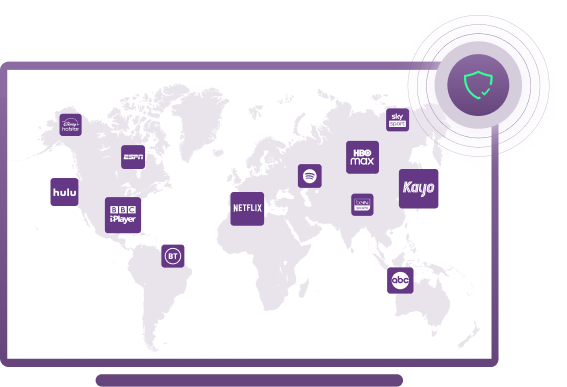
Uninterrupted access to the global content
By changing your IP address through PureVPN you can stop your ISP (internet service provider) from slowing down your connection speeds.
Open ports with Port Forwarding (Add-on)
Quickly and securely open your specific ports to overcome Carrier-Grade NATs with PureVPN’s port forwarding add-on.
Secure online transactions with dedicated IP (Add-on)
Make secure online payments from anywhere in the world using a dedicated IP to prevent getting blocked by your bank while you access your accounts.

Prevent bandwidth issues and data caps
By changing your IP address through PureVPN you can stop your ISP (internet service provider) from slowing down your connection speeds.
How to set up PureVPN for Aurora


How to set up PureVPN for Aurora routers
Follow the steps mentioned below to use PureVPN on Aurora routers:
- 1. Log in to your router’s settings menu.
- 2. Log in to your router’s settings menu.
- 3. Save your changes and reboot your router.
- 4. That’s it! Your traffic will now route through the VPN. Enjoy your increased privacy and security!
Features that made 5 million+ people choose PureVPN over others
Looking for incredibly fast server speeds? PureVPN offers 20 Gbps servers to all customers to maximize your VPN experience.
Connect to Proxy Protocol if you want to enjoy buffer-free streaming, and WireGuard Protocol if you’re looking for the highest level of security and 5x faster speeds.
With PureVPN, you can protect your entire family’s online activity with just one VPN subscription.
If you’re running a high-volume website or getting your IP whitelisted, a dedicated IP can improve your deliverability by giving you more control over your sending reputation.
Do you want to host a game server but don’t want the hassle of opening up ports on your router? Consider using PureVPN’s Port Forwarding add-on.
Easy to use VPN app for all your devices
-
Windows
-
Mac
-
Android
-
iPhone
-
iPad
-
Linux
-
Chrome
-
Firefox
20+ more supported devices
Frequently Asked Questions
Here are some of the most asked questions about a Aurora VPN:
How to use a VPN on an iPhone?
You must download and install PureVPN from the App Store, log in with your VPN credentials, connect to a country server, and you are done. You can change and connect to many PureVPN servers based on your internet needs.
Should I use a VPN on my home WiFi?
If you’re looking to add an extra layer of security to your home WiFi network, using a VPN (Virtual Private Network) could be a good option. A VPN can help encrypt your data and hide your IP address, making it more difficult for hackers to target your network.
Does Aurora allow VPNs?
Yes, you can use a VPN for Aurora to hide your IP address and stay anonymous on the internet.