How to watch Vidgo TV outside US
Vidgo is a simple, affordable, and portable way to enjoy live TV streaming service that includes live entertainment, lifestyle, news, and sports channels. However, if you experience geographical limitations when watching Vidgo TV outside the US, opt for a reliable VPN like PureVPN for seamless streaming. Here is how:
- Subscribe to PureVPN.
- Connect to the US server.
- Log in to Vidgo TV on your computer for watching it hassle-free!
Last Updated on: June 4, 2024

Where is Vidgo TV available?
Vidgo TV is available across numerous platforms, offering many entertainment options. While primarily accessible in the US, its reach extends globally. However, geographic constraints often pose barriers for international viewers eager to watch Vidgo TV outside the US. Despite this, PureVPN provides a straightforward solution. By connecting to its network of servers located worldwide, users can effortlessly bypass these restrictions.
PureVPN’s encryption ensures secure and seamless access to Vidgo TV from any corner of the globe. Whether traveling abroad or residing outside the US, PureVPN guarantees uninterrupted streaming of Vidgo TV, delivering your favorite shows and content directly to your screen.
How to watch Vidgo TV outside the US
To watch Vidgo TV outside US, you need a reliable solution to bypass geographic constraints. PureVPN offers a straightforward method to access Vidgo TV from anywhere in the world. Follow these simple steps to enjoy seamless streaming of Vidgo TV content on your preferred device.
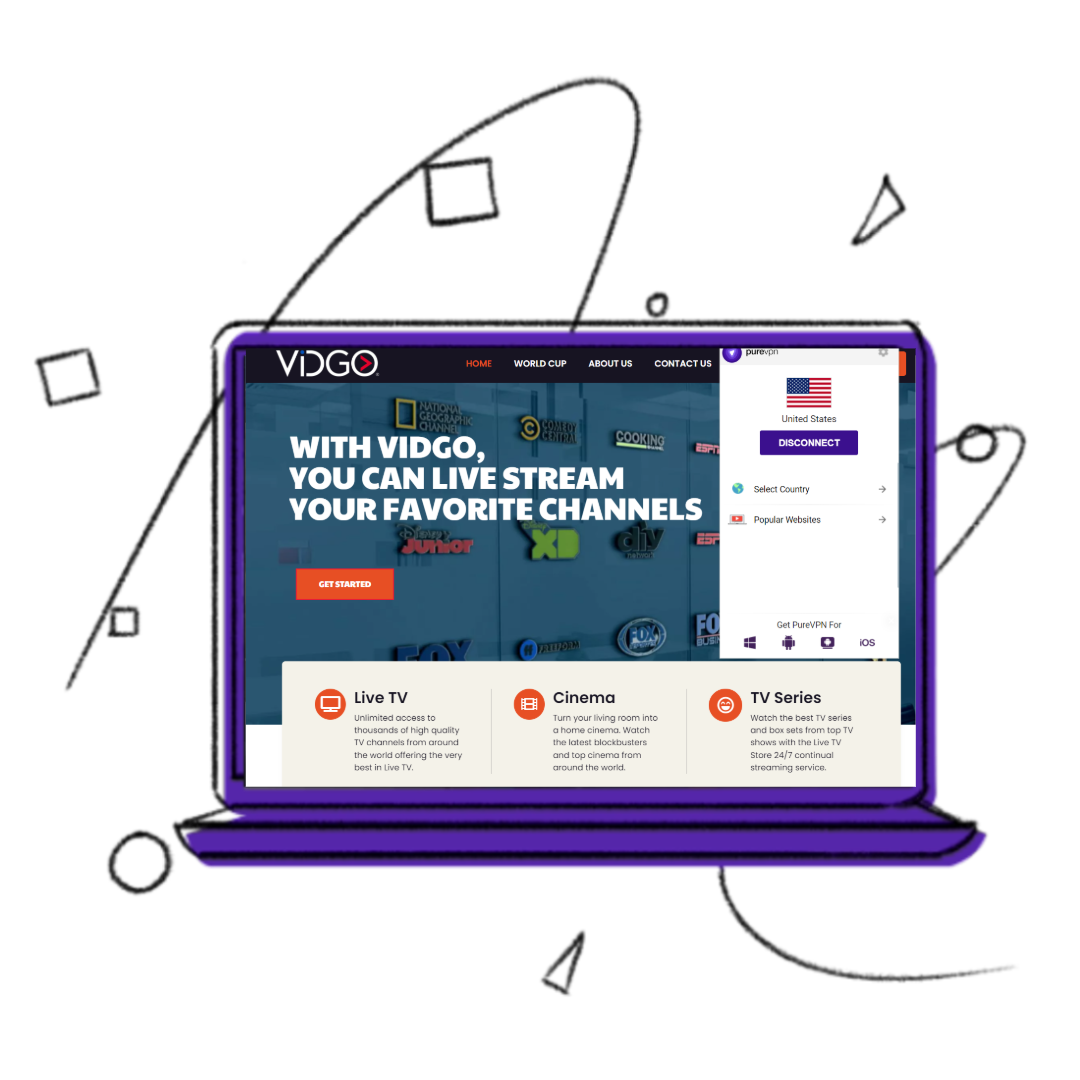
How to sign up for Vidgo TV outside US
Here’s how you can sign up for Vidgo TV outside US:
Why do you need a VPN to watch Vidgo TV outside US?
Vidgo TV imposes geographical restrictions to comply with content licensing agreements, limiting access to users within the US. This restriction means that if you try to watch Vidgo TV outside the US, you’ll likely encounter frustrating regional geographical barriers preventing you from enjoying your favorite shows.
However, PureVPN provides a solution by masking your IP address and routing your internet traffic through servers located in the US. This process effectively tricks Vidgo TV’s servers into believing you’re accessing the service from within the US, bypassing geographic constraints. With PureVPN, you can securely watch Vidgo TV outside US without hassle, ensuring uninterrupted access to your desired content anywhere.
What to watch on Vidgo TV outside US?
Vidgo TV offers an extensive selection of live sports, news, entertainment, and lifestyle content for viewers worldwide.
Best movies to watch on Vidgo TV outside US
- The Shawshank Redemption
- The Godfather
- Inception
- Pulp Fiction
- The Dark Knight
- Forrest Gump
- The Matrix
Best shows to watch on Vidgo TV outside US
- Game of Thrones
- Breaking Bad
- Friends
- Stranger Things
- The Crown
- The Mandalorian
- The Office
On which devices Vidgo TV is supported outside the US?

How to watch Vidgo TV outside the USA on IOS (iPhone, iPad, or iPod)
Follow these steps to access Vidgo TV outside the US on your IOS device:
- Subscribe to PureVPN.
- Download the PureVPN IOS app from the App Store and sign up.
- From the list of servers, select the US.
- Open Vidgo TV and log in or sign up.
- Enjoy streaming Vidgo TV!

How to watch Vidgo TV outside the USA on Android?
Here’s what you need to do to start watching Vidgo TV on Android:
- Subscribe to PureVPN.
- Download the PureVPN Android app from the Play Store and sign up.
- From the list of servers, select the US.
- Open Vidgo TV and log in or sign up.
- Enjoy streaming Vidgo TV!

How to watch Vidgo TV outside the US on smart TV?
These simple steps are all you need to follow to start watching Vidgo TV outside the US on Smart TV:
- Subscribe to PureVPN.
- If you have an Android TV, get our Android TV app. If not, configure our VPN service on your router.
- From the list of servers, select US.
- Open Vidgo TV and log in or sign up.
- Enjoy streaming Vidgo TV!
Frequently Asked Questions
How do I watch Vidgo on my TV?
You can watch Vidgo on your TV using devices such as Roku, Amazon Fire TV, Apple TV, or Chromecast, or by accessing the Vidgo website through a web browser on a smart TV.
How much is Vidgo TV?
For a basic Vidgo cost of $69.99 per month.
How to cancel Vidgo TV?
To cancel Vidgo TV, you can usually do so through your account settings on the Vidgo website or by contacting customer support for assistance.
What is Vidgo TV?
Vidgo TV is a live TV streaming service that offers numerous channels and content, including sports, news, entertainment, and more.
How can I watch Vidgo TV outside the US?
To watch Vidgo TV outside the US, you can use a VPN service like PureVPN. Simply connect to a server located in the US through PureVPN, and you’ll be able to access Vidgo TV from anywhere in the world, bypassing geographical limitations
In which countries is Vidgo TV available?
Vidgo TV is primarily available in the United States. However, with the use of a VPN service like PureVPN, users can access Vidgo TV from anywhere in the world by connecting to a server located in the US.