How to watch BBC iPlayer in Korea for free
BBC iPlayer is a free streaming service offering the latest sports, documentaries, TV series, and movies across various devices. Unfortunately, BBC iPlayer only operates in the UK due to licensing restrictions. To watch BBC iPlayer in Korea, you will need a top-rated VPN like PureVPN:
- Subscribe to PureVPN.
- Connect to a UK server.
- Log in and stream BBC iPlayer content in Korea!
Last Updated on: April 15, 2026

Can I watch BBC iPlayer in Korea in Easy Steps?
Yes, you can follow 3 simple steps and you can access BBC iPlayer from Korea.


Connect
to our virtual UK server to get a UK IP address.

Stream
your favorite content on BBC iPlayer in Korea
Why does BBC iPlayer not work in Korea?

Owing to content licensing and distribution rules, BBC iPlayer is restricted in locations like Korea. Only authorized in the UK, it employs licensing agreements to prevent access from ineligible regions. Funded by UK TV licenses, BBC iPlayer aims its service primarily at UK viewers. Attempting to access it from Korea results in an error message unless you navigate these limitations with a reliable VPN to alter your IP address to the UK address.
How to watch BBC iPlayer in Korea
To effortlessly watch BBC iPlayer in Korea, employing a reliable VPN like PureVPN is your solution. Unsure how? Just follow these easy steps:

How to sign up for BBC iPlayer in Korea
Signing up for a free account on BBC iPlayer is straightforward, but a VPN is necessary for the process. Simply follow these steps:
- Get a PureVPN subscription.
- Download PureVPN on your device.
- Connect to the UK server from the list.
- Open the BBC iPlayer website.
- Click the ‘Register Now‘ option.
- Enter your details.
- Use a UK postal code such as "PO16 7GZ."
- Click Register and check your email for a verification link.
- Log into your BBC iPlayer account. If prompted, select "Yes, I have a UK TV license."
- Enjoy watching BBC iPlayer shows effortlessly.
Note: When entering a UK postcode during registration, make sure to use ‘1AA‘ as an outcode.

Why do you need a VPN to watch BBC iPlayer in Korea
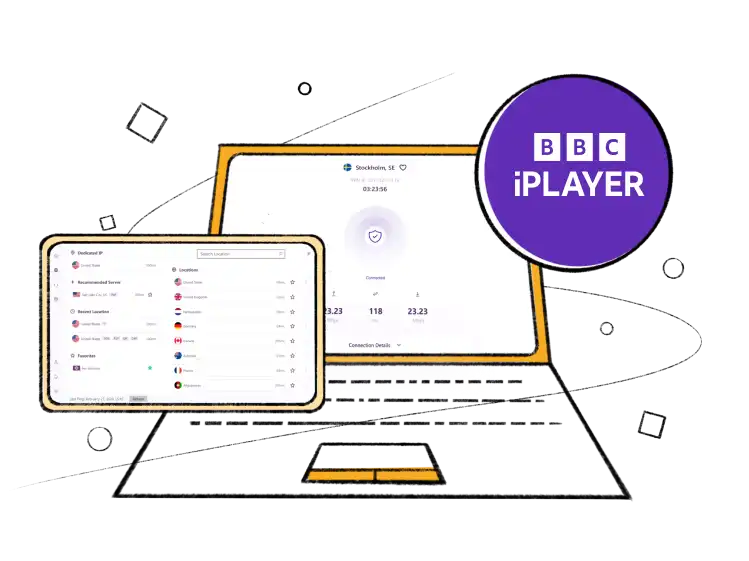
Due to licensing agreements, BBC iPlayer restricts non-UK users, so you will need a premium VPN service to watch BBC iPlayer in Korea. Accessing the platform from outside the UK will result in an error message unless you use PureVPN, which connects you to a server in the UK, allowing you to bypass all geographical restrictions and watch BBC iPlayer from Korea!
Watching BBC iPlayer in Korea across numerous devices

How to watch BBC iPlayer in Korea on iOS devices (iPhone, iPad, or iPod)
Just follow these steps:
- Subscribe to PureVPN.
- Get our iOS app.
- Connect to a UK server.
- Download the BBC iPlayer from the App Store and log in or sign up.
- Stream away!

How to watch BBC iPlayer in Korea on Android devices
Just follow these steps:
- Subscribe to PureVPN.
- Download our Android app.
- Connect to a UK server.
- Download the BBC iPlayer from the Play Store and log in.
- Stream away!

How to watch BBC iPlayer in Korea on Roku
Just follow these steps:
- Subscribe to PureVPN.
- Configure our VPN service on your router.
- Select the UK from the server list.
- Dowload the BBC iPlayer app and log in or sign up.
- Stream away!
Most Popular Documentaries and Shows on BBC iPlayer
BBC iPlayer offers a vast collection of movies and shows. Here are some recommendations for what to watch on BBC iPlayer right away:
Popular Documentaries to Watch on BBC iPlayer
Get BBC iPlayer in Korea on streaming devices

Watch BBC iPlayer in Korea on FireStick
Just follow these steps:

How to watch BBC iPlayer in Korea on Apple TV
Just follow these steps:

How to watch BBC iPlayer in Korea on PS4 & PS5
Just follow these steps:
- Subscribe to PureVPN.
- Configure our VPN on your router.
- From the list of servers, choose the UK.
- Download the BBC iPlayer app and log in or sign up.
- Stream away!
How to watch BBC iPlayer in Korea on Chromecast
Just follow these steps:
- Subscribe to PureVPN.
- Set up our VPN service on your router.
- Choose a server in the UK.
- Open BBC iPlayer on your mobile device and log in or sign up.
- Select the content you want to watch and click the Chromecast icon to start casting.
- Stream away!
How to fix BBC iPlayer not working with a VPN?
If BBC iPlayer is still not working, try connecting to a different UK VPN server. The platform often blocks VPNs to prevent access from unsupported countries. Besides that, consider disabling location services or Cleaning your browser’s cache and cookies. If these steps do not help, contact your VPN's support team for further assistance.
Frequently Asked Questions
Is BBC iPlayer available in Korea?
No, BBC iPlayer limits its service to the UK, barring access from Korea due to regional restrictions.
Is it illegal to use a VPN to watch BBC iPlayer in Korea?
Not at all. Using a VPN to access BBC iPlayer in Korea is absolutely legal, though it may contravene the service's terms.
Can I watch BBC iPlayer with a VPN in Korea?
Yes, but be cautious: Not every VPN will work. Many free and paid VPNs promise access to BBC iPlayer outside the UK but often fail to deliver. Most free VPNs risk your data and expose your personal information to third parties. It’s best to use a reputable VPN like PureVPN.
Is BBC iPlayer free?
Indeed, BBC iPlayer provides free streaming within the UK.
Is BBC iPlayer free with Amazon Prime?
No, BBC iPlayer costs around $4.99 monthly on Amazon Prime after a seven-day trial.
What sports can you watch on BBC iPlayer in Korea?
A variety of sports, including snooker, football, and more, are available on BBC iPlayer in Korea.
Why might BBC iPlayer not be working?
Several reasons can hinder your BBC iPlayer VPN from connecting. These issues are often resolvable by adjusting VPN and BBC iPlayer settings.
Will BBC iPlayer verify my name and address against the TV license register?
No, BBC iPlayer only asks for your name and billing details for its records and does not cross-check them unless required by law.
What devices can you watch BBC iPlayer on?
BBC iPlayer is accessible on a range of devices, including Apple TV, Chromecast, Playstation, Xbox, and Roku.