How to Port Forward New World on Your Router
New World is an upcoming online role-playing game by Amazon Games. The game will be released on September 28, 2021.
While the upcoming game indeed looks very interesting, you never know when you might run into problems while playing it. This is why it is best if you set up port forwarding solutions today so that you don’t run into any problems later on.
Ports Needed To Run New World
Before you start playing New World with port forwarding, you would first need to find out the ports that will be required to play the game. For your benefit, we’re mentioning all the required ports that you’ll need to play the game in the respective sections below. Feel free to check it out!
New World – Steam
How To Enable New World Port Forwarding
Forwarding ports for New World, or for any other online game for the matter, is easier than you think. All you need to do is to learn a few details relating to your router and your PC, and you will have zero problems while instructing your router to forward (or redirect) the right ports.
Collecting this information is easy! You just need to make sure that the following information is noted down before you start to forward ports for New World:
- The IP address of your PC where you’re playing
- The IP address of your router
- The ports in use by New World that need to be forwarded. These are mentioned right above in this article.
The steps mentioned below are sure to help you out in setting up port forwarding while playing New World. But if you still face any problems while setting up port forwarding, or if you feel that the information mentioned isn’t adequate, then we suggest that you go through our guide: How to Forward Ports on your Router for Online Games. This is a fully informative guide that explains in complete detail how port forwarding can be set up. It also contains ports for several other popular online games that you might want to play later on.
Here are all the steps that you’ll need in order to set up port forwarding on your router:
- Open your web browser on your PC
- Paste your router’s IP address in the address field
- Wait for the router settings page to open and then scroll through the page until you find the option named “Port Forwarding.” When you do, click on it
- On the next screen, paste the IP address of your PC in the correct box
- Next, you can write the ports for New World that are mentioned above in the correct box
- Restart your router
- That’s it!
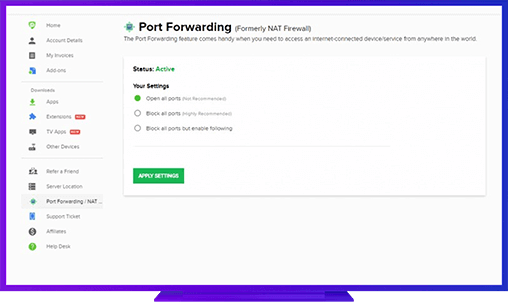
PureVPN’s Port Forwarding Add-on
The Easiest & Secure Way to Open All Ports
There will be some who will find this whole process way too hectic. Some might find it hard to follow these steps to set up port forwarding. Others, who play different games regularly, will find entering and removing different ports on a regular basis way too time-consuming and annoying. To ease your problems, we’ve introduced the amazing PureVPN Port Forwarding add-on.
Using this add-on, you won’t need to set up port forwarding settings on your router every time you play a game. If you plan on spending a lot of time playing New World, then it’s best to invest in a convenient solution like the PureVPN port forwarding add-on.
Benefits of Using PureVPN Port Forwarding Add-On
PureVPN port forwarding add-on is very helpful in improving the performance of your online games. It also offers several key benefits in many other areas. For instance:
- This add-on can work on many different devices, and you can easily forward port from any of these devices.
- It can also help speed up your p2p download speeds, helping you download torrents in record time.
- Moreover, advanced users can use CGNAT (Carrier Grade Network Address Translation) feature with this add-on.
Further Port Forwarding Guides
- PC Gaming Port Forwading
- Players Unknown Battleground
- Fortnite
- Apex Legends
- Call Of Duty: Black Ops 4
- Battlefield V: Firestorm
- Minecraft
- Arma 3
- Destiny 2
- Fantasy Grounds
- Overwatch
- Warframe
- Steam
- For Honor
- Rocket League
- League of Legends
- Port Forwarding For Games
- Dead by Daylight
- Among Us
- Call of Duty: Black Ops II
- Call of Duty: Black Ops III
- Dota 2
- ARK Survival Evolved
- Age of Empire 3
- Roblox
- Call of Duty: Black Ops 3
- eFootball PES 2020
- Terraria
- Counter-Strike: Global Offensive
- WWE 2k18
- Call of Duty: Modern Warfare 3
- Diablo III